


 本文介绍如何在Mac系统中使用ps和grep命令查看MySQL服务进程,包括mysqld进程的详细参数和通过系统偏好设置查找MySQL服务配置信息的方法。
查看mysql的服务进程
ps -ef|grep mysql
ps -ef|grep mysql
   74    96     1   0 23 519  ??        55:54.03
/usr/local/mysql/bin/mysqld --user=_mysql --basedir=/usr/local/mysql --datadir=/usr/local/mysql/data --plugin-dir=/usr/local/mysql/lib/plugin --log-error=/usr/local/mysql/data/mysqld.local.err --pid-file=/usr/local/mysql/data/mysqld.local.pid --keyring-file-data=/usr/local/mysql/keyring/keyring --early-plugin-load=keyring_file=keyring_file.so --default_authentication_plugin=mysql_native_password
  501 24161 12336   0 10:47下午 ttys003    0:00.04 mysql -u root -p
  501 24309 24266   0 11:02下午 ttys004    0:00.01 grep mysql
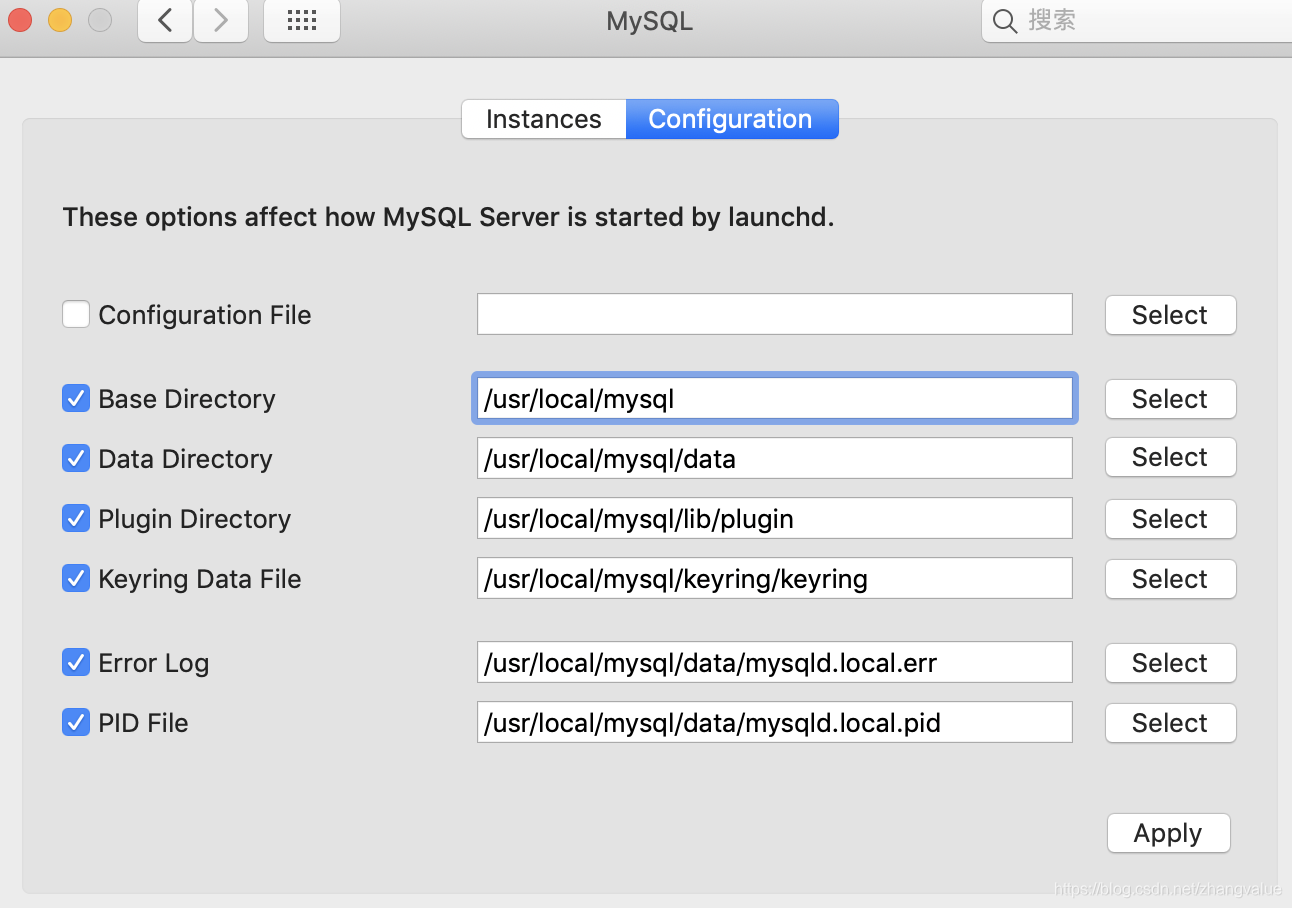
Mac中直接在系统偏好设置中找到mysql服务,就可以在configuration中找到mysql的安装位置、数据位置、pid文件位置





 扫一扫
扫一扫


 992
992

 被折叠的 条评论
为什么被折叠?
被折叠的 条评论
为什么被折叠?
 到【灌水乐园】发言





