



 本文详细介绍了当 SQL Server 的日志文件占用所有磁盘空间时,如何通过备份数据库、断开数据库连接、移除或重命名日志文件、重新附加数据库以及从警告对话框中移除日志项来解决问题,最终成功重新附加数据库并创建新的日志文件。
Issue: SQL server does not work when the log file occupied all the disk space.
Resolution: Remove the LOG file data .
Step:
1. Backup your database.
2. Detach your database.
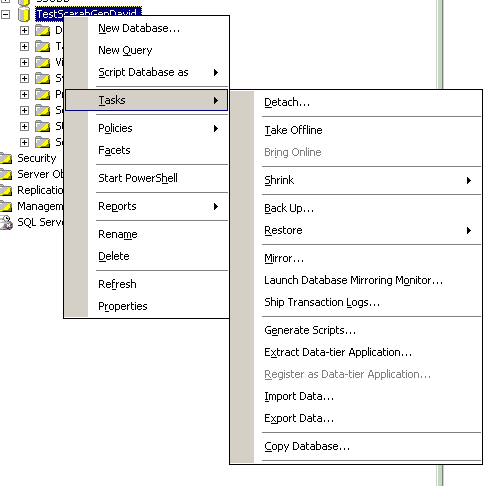
3. Check the close connection box.
4. Remove you log file or rename it from the data path.
5. Attach you DB mdf again.
6. Remove the LDF item from the warning dialog list.
7. Attach DB successfully, and there is a new LDF file will created with 500K.





 扫一扫
扫一扫


 1282
1282

 被折叠的 条评论
为什么被折叠?
被折叠的 条评论
为什么被折叠?
 到【灌水乐园】发言





