



 本文介绍了PyCharm的专业版、社区版和教育版的区别,以及各版本对应的系统要求,包括Python和JavaRE的支持情况,以及如何下载特定版本的PyCharm。
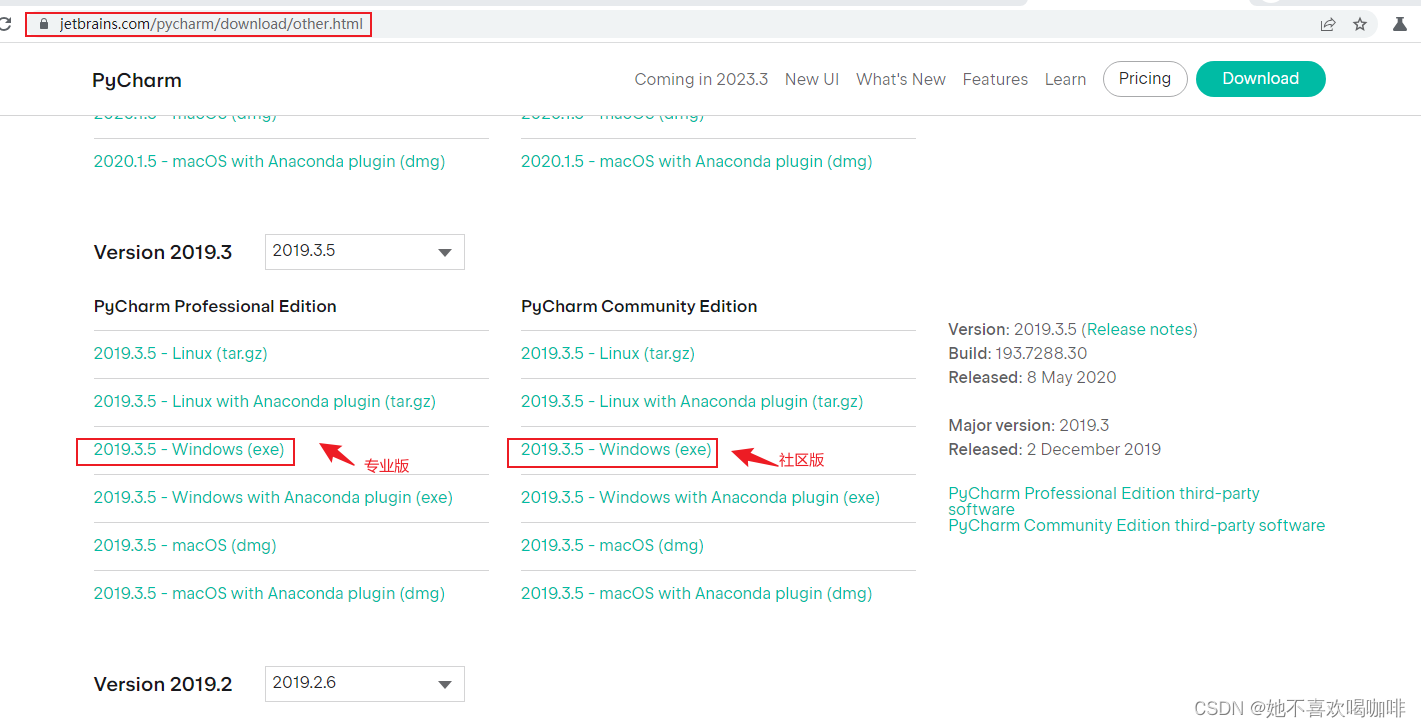
1 专业版和社区版

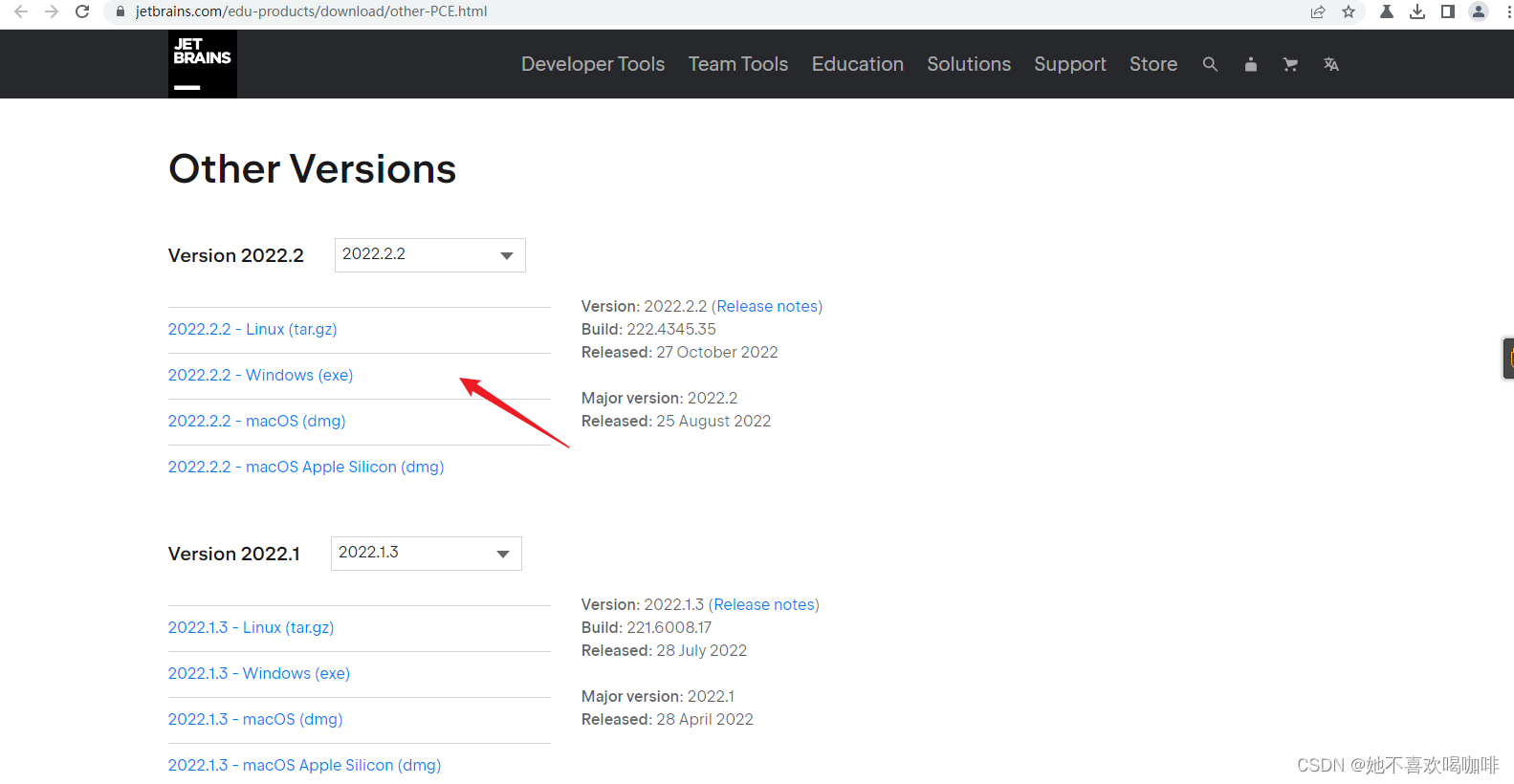
2 教育版
Other Versions - PyCharm Community Edition
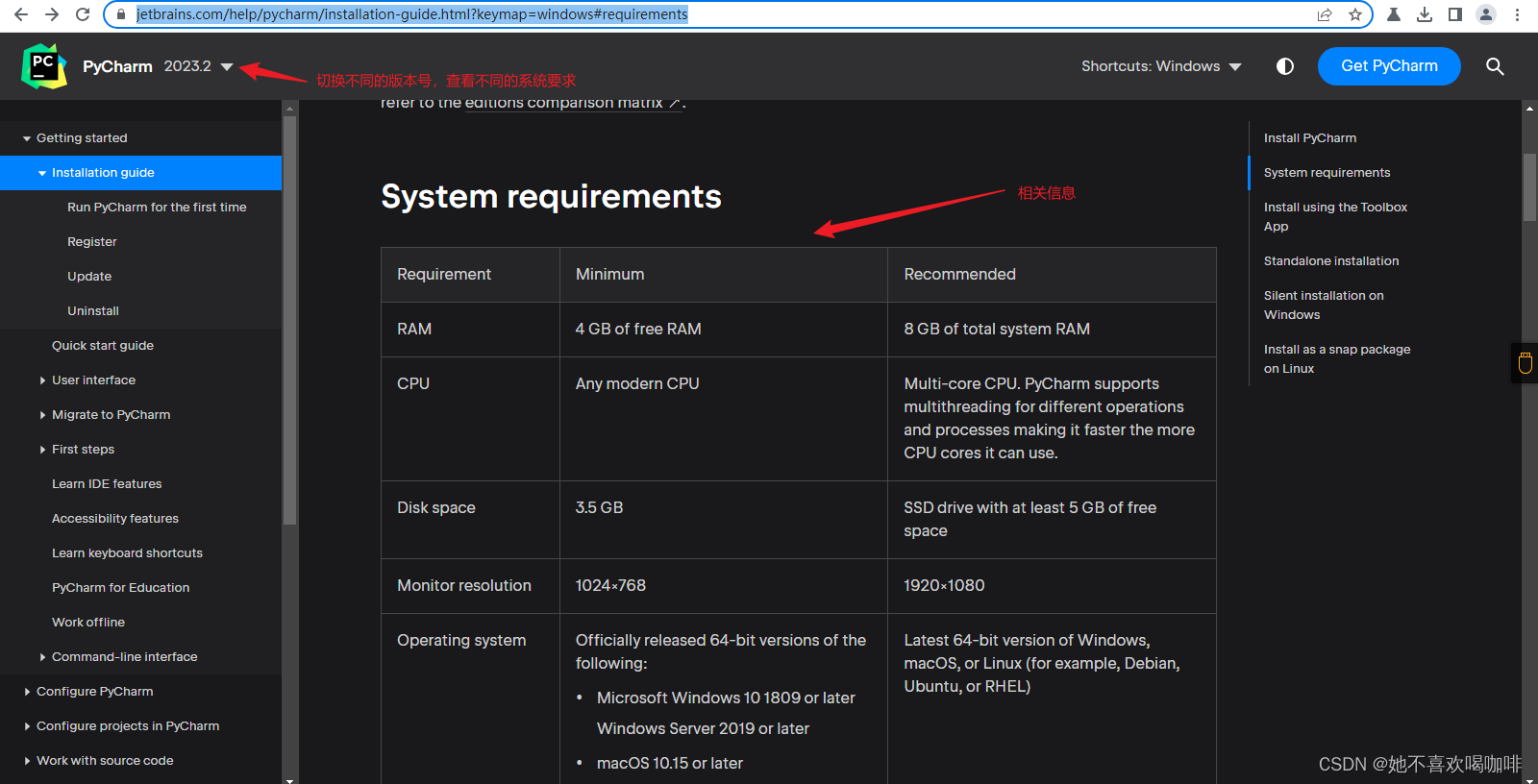
3 版本系统需求
Install PyCharm | PyCharm Documentation
附录:
# 专业版(收费)和社区版(免费):
https://www.jetbrains.com/pycharm/download/other.html

# 教育版(免费)
https://www.jetbrains.com/edu-products/download/other-PCE.html

Pycharm版本系统需求:
https://www.jetbrains.com/help/pycharm/installation-guide.html#requirements


注:
2019.3 :Win7 x64 最后一个版本, Python 2.7;  Python 3.5 -- 3.8; JRE 11
2018.3 :Win7 x86 最后一个版本, Python 2.6 -- 2.7 ; Python 3.4 -- 3.7 ; JRE 1.8
下载示例,假如想下载 2019.3 的版本:输入上面的 Pycharm下载地址 ,选择专业版或社区版,点击 2019.3.5 -Windows(exe) 即可下载。
参考:






 扫一扫
扫一扫


 449
449


 到【灌水乐园】发言



