



 本文详细介绍了如何将Spring Cloud Eureka Server从HTTP升级到HTTPS,包括配置SSL密钥库、证书,以及调整Eureka Client注册过程,确保微服务间安全通信。
参考:http://cloud.spring.io/spring-cloud-static/Finchley.SR1/single/spring-cloud.html
使用Spring Cloud 组件搭建微服务时,默认情况下,eureka server 与 eureka client 之间的注册与通讯都是 通过 http 方式,为了使交换更加安全,需要调整为Https,在这前大家需要自己百度一下HTTPS工作原理,这里就不介绍了。
目标已经明确,下面细化一下工作步骤:
1. Eureka Server 提供HTTPS访问端口,关闭HTTP端口,生成SSL密钥库,并提供SSL证书以供客户端使用。
2. Eureka Client- 01 使用HTTPS 注册到 Eureka Server 上
3. Eureka Client- 02 使用HTTPS 注册到 Eureka Server 上,并通过TestTemplate, LoadBalancerClient 调用 Eureka Client- 01。
第一步:Eureka Server 提供HTTPS访问端口
首先搭建最简化的 Eureka Server 服务,application.yml配置如下:
###===========================================================###
server:
  port: 6901
  name: eureka-one
###===========================================================###
eureka:
  instance:
    hostname: localhost
  client:
    # 表示是否注册自身到eureka服务器
    register-with-eureka: false
    # 是否从eureka上获取注册信息
    fetch-registry: false
    service-url:
      defaultZone: http://${eureka.instance.hostname}:${server.port}/eureka/
###===========================================================###
DiscoveryEurekaService:
@SpringBootApplication
@EnableEurekaServer
public class DiscoveryEurekaService {
    public static void main(String[] args) {

        SpringApplication.run(DiscoveryEurekaService.class, args);
    }
}
然后需要启用HTTPS
11.5 Registering a Secure Application
If your app wants to be contacted over HTTPS, you can set two flags in the EurekaInstanceConfig:
eureka.instance.[nonSecurePortEnabled]=[false]eureka.instance.[securePortEnabled]=[true]
Doing so makes Eureka publish instance information that shows an explicit preference for secure communication. The Spring Cloud DiscoveryClient always returns a URI starting with https for a service configured this way. Similarly, when a service is configured this way, the Eureka (native) instance information has a secure health check URL.
Because of the way Eureka works internally, it still publishes a non-secure URL for the status and home pages unless you also override those explicitly. You can use placeholders to configure the eureka instance URLs, as shown in the following example:
application.yml.
eureka:
  instance:
    statusPageUrl: https://${eureka.hostname}/info
    healthCheckUrl: https://${eureka.hostname}/health
    homePageUrl: https://${eureka.hostname}/
(Note that ${eureka.hostname} is a native placeholder only available in later versions of Eureka. You could achieve the same thing with Spring placeholders as well — for example, by using ${eureka.instance.hostName}.)
在官方文档中我们查到了上述说明,故而调整 application.yml 加入以下配置:
###===========================================================###
server:
  port: 6901
  name: eureka-one
###===========================================================###
eureka:
  instance:
    hostname: localhost
    non-secure-port-enabled: false
    secure-port-enabled: true
    secure-port: ${server.port}
    status-page-url: https://${eureka.instance.hostname}:${server.port}/info
    health-check-url: https://${eureka.instance.hostname}:${server.port}/health
    home-page-url: https://${eureka.instance.hostname}:${server.port}/
    prefer-ip-address: true
  client:
    # 表示是否注册自身到eureka服务器
    register-with-eureka: false
    # 是否从eureka上获取注册信息
    fetch-registry: false
    service-url:
      defaultZone: https://${eureka.instance.hostname}:${server.port}/eureka/
  server:
    #enable-self-preservation: false
    eviction-interval-timer-in-ms: 60000
###===========================================================###
这时会提示以下异常:
2018-09-27 15:40:11.753  INFO 8496 --- [nio-6901-exec-1] o.apache.coyote.http11.Http11Processor   : Error parsing HTTP request header
 Note: further occurrences of HTTP header parsing errors will be logged at DEBUG level.

java.lang.IllegalArgumentException: Invalid character found in method name. HTTP method names must be tokens
	at org.apache.coyote.http11.Http11InputBuffer.parseRequestLine(Http11InputBuffer.java:428) ~[tomcat-embed-core-8.5.31.jar:8.5.31]
	at org.apache.coyote.http11.Http11Processor.service(Http11Processor.java:687) ~[tomcat-embed-core-8.5.31.jar:8.5.31]
	at org.apache.coyote.AbstractProcessorLight.process(AbstractProcessorLight.java:66) [tomcat-embed-core-8.5.31.jar:8.5.31]
	at org.apache.coyote.AbstractProtocol$ConnectionHandler.process(AbstractProtocol.java:790) [tomcat-embed-core-8.5.31.jar:8.5.31]
	at org.apache.tomcat.util.net.NioEndpoint$SocketProcessor.doRun(NioEndpoint.java:1468) [tomcat-embed-core-8.5.31.jar:8.5.31]
	at org.apache.tomcat.util.net.SocketProcessorBase.run(SocketProcessorBase.java:49) [tomcat-embed-core-8.5.31.jar:8.5.31]
	at java.util.concurrent.ThreadPoolExecutor.runWorker(ThreadPoolExecutor.java:1149) [na:1.8.0_171]
	at java.util.concurrent.ThreadPoolExecutor$Worker.run(ThreadPoolExecutor.java:624) [na:1.8.0_171]
	at org.apache.tomcat.util.threads.TaskThread$WrappingRunnable.run(TaskThread.java:61) [tomcat-embed-core-8.5.31.jar:8.5.31]
	at java.lang.Thread.run(Thread.java:748) [na:1.8.0_171]

2018-09-27 15:40:11.753  INFO 8496 --- [nio-6901-exec-2] o.apache.coyote.http11.Http11Processor   : Error parsing HTTP request header
 Note: further occurrences of HTTP header parsing errors will be logged at DEBUG level.
分析应该是没有密钥库及证书,由于程序是使用SpringBoot 引导启动的,参考Spring Boot开启HTTPS支持,修改 application.yml配置文件:
###===========================================================###
server:
  port: 6901
  name: eureka-one
  ssl:
    enabled: true
    key-store: classpath:discovery.pkcs12
    key-alias: discovery
    key-store-type: PKCS12
    key-store-password: hazelnut
###===========================================================###
eureka:
  instance:
    hostname: localhost
    non-secure-port-enabled: false
    secure-port-enabled: true
    secure-port: ${server.port}
    status-page-url: https://${eureka.instance.hostname}:${server.port}/info
    health-check-url: https://${eureka.instance.hostname}:${server.port}/health
    home-page-url: https://${eureka.instance.hostname}:${server.port}/
    prefer-ip-address: true
  client:
    # 表示是否注册自身到eureka服务器
    register-with-eureka: false
    # 是否从eureka上获取注册信息
    fetch-registry: false
    service-url:
      defaultZone: https://${eureka.instance.hostname}:${server.port}/eureka/
  server:
    #enable-self-preservation: false
    eviction-interval-timer-in-ms: 60000
###===========================================================###
这里是使用keytool 生成的密钥库及证书:
2018/09/20  16:36             1,062 application.pkcs12
2018/09/26  16:33               552 application.yml
2018/09/20  16:35             1,406 discovery-pkcs12.cer
2018/09/20  16:35             2,747 discovery.pkcs12
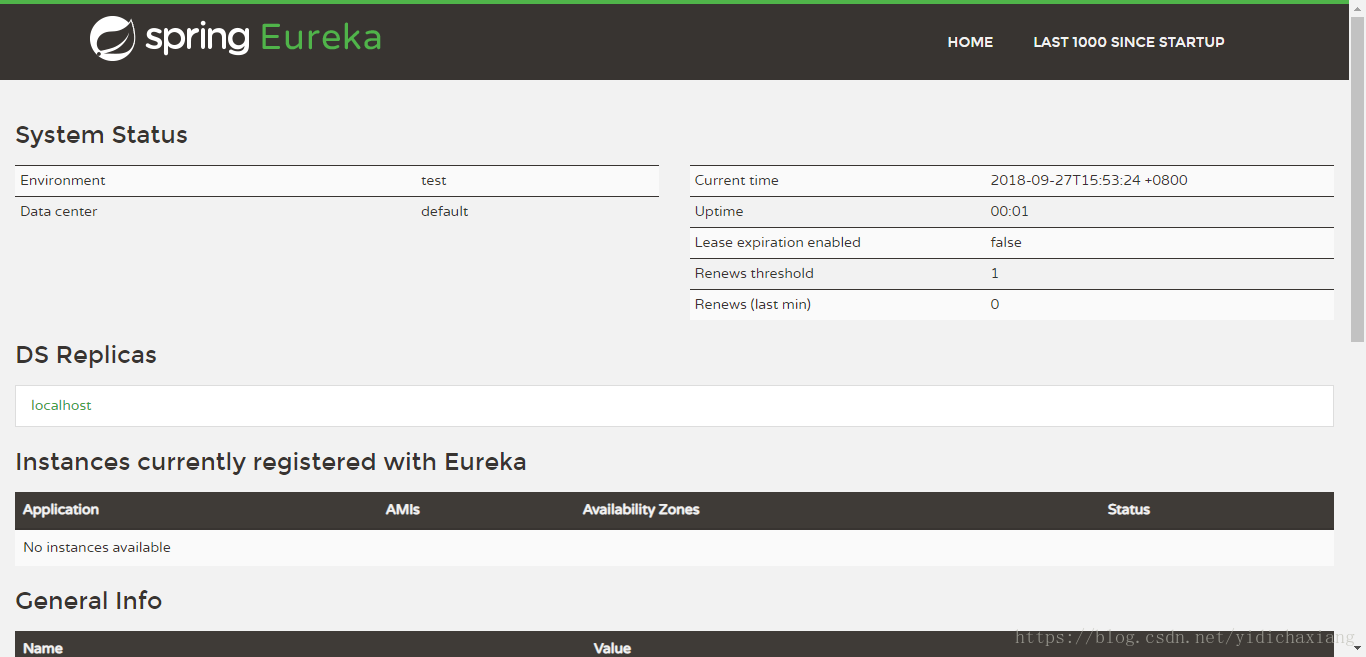
这样就可以启用https了





 扫一扫
扫一扫


 447
447

 被折叠的 条评论
为什么被折叠?
被折叠的 条评论
为什么被折叠?
 到【灌水乐园】发言





