(.venv) PS E:\PyTorch_Build\pytorch\build> # 使用可靠的路径获取方法
(.venv) PS E:\PyTorch_Build\pytorch\build> $venvPath = "E:\PyTorch_Build\pytorch\build\.venv"
(.venv) PS E:\PyTorch_Build\pytorch\build> $torchDir = "$venvPath\Lib\site-packages\torch"
(.venv) PS E:\PyTorch_Build\pytorch\build>
(.venv) PS E:\PyTorch_Build\pytorch\build> # 检查目录是否存在
(.venv) PS E:\PyTorch_Build\pytorch\build> if (-not (Test-Path $torchDir)) {
>> Write-Host "创建缺失的torch目录: $torchDir"
>> New-Item -ItemType Directory -Path $torchDir -Force
>> }
创建缺失的torch目录: E:\PyTorch_Build\pytorch\build\.venv\Lib\site-packages\torch
Directory: E:\PyTorch_Build\pytorch\build\.venv\Lib\site-packages
Mode LastWriteTime Length Name
---- ------------- ------ ----
d---- 2025/9/1 4:08 torch
(.venv) PS E:\PyTorch_Build\pytorch\build>
(.venv) PS E:\PyTorch_Build\pytorch\build> # 验证路径
(.venv) PS E:\PyTorch_Build\pytorch\build> Write-Host "Torch目录: $torchDir"
Torch目录: E:\PyTorch_Build\pytorch\build\.venv\Lib\site-packages\torch
(.venv) PS E:\PyTorch_Build\pytorch\build> $buildDir = "E:\PyTorch_Build\pytorch\build\lib.win-amd64-cpython-310\torch"
(.venv) PS E:\PyTorch_Build\pytorch\build>
(.venv) PS E:\PyTorch_Build\pytorch\build> # 复制所有必要的构建文件
(.venv) PS E:\PyTorch_Build\pytorch\build> $filesToCopy = @(
>> "$buildDir\*.pyd",
>> "$buildDir\*.dll",
>> "$buildDir\lib\*.dll",
>> "$buildDir\lib\*.lib",
>> "$buildDir\lib\*.pyd"
>> )
(.venv) PS E:\PyTorch_Build\pytorch\build>
(.venv) PS E:\PyTorch_Build\pytorch\build> foreach ($pattern in $filesToCopy) {
>> if (Test-Path $pattern) {
>> Get-ChildItem -Path $pattern | ForEach-Object {
>> Copy-Item -Path $_.FullName -Destination $torchDir -Force
>> Write-Host "已复制: $($_.Name)"
>> }
>> } else {
>> Write-Host "未找到匹配文件: $pattern"
>> }
>> }
未找到匹配文件: E:\PyTorch_Build\pytorch\build\lib.win-amd64-cpython-310\torch\*.pyd
未找到匹配文件: E:\PyTorch_Build\pytorch\build\lib.win-amd64-cpython-310\torch\*.dll
未找到匹配文件: E:\PyTorch_Build\pytorch\build\lib.win-amd64-cpython-310\torch\lib\*.dll
未找到匹配文件: E:\PyTorch_Build\pytorch\build\lib.win-amd64-cpython-310\torch\lib\*.lib
未找到匹配文件: E:\PyTorch_Build\pytorch\build\lib.win-amd64-cpython-310\torch\lib\*.pyd
(.venv) PS E:\PyTorch_Build\pytorch\build>
(.venv) PS E:\PyTorch_Build\pytorch\build> # 特别检查核心文件
(.venv) PS E:\PyTorch_Build\pytorch\build> $criticalFiles = @("_C.pyd", "_C_flatbuffer.pyd", "torch_python.dll")
(.venv) PS E:\PyTorch_Build\pytorch\build> foreach ($file in $criticalFiles) {
>> $filePath = Join-Path $torchDir $file
>> if (-not (Test-Path $filePath)) {
>> Write-Host "[警告] 核心文件缺失: $file"
>> }
>> }
[警告] 核心文件缺失: _C.pyd
[警告] 核心文件缺失: _C_flatbuffer.pyd
[警告] 核心文件缺失: torch_python.dll
(.venv) PS E:\PyTorch_Build\pytorch\build> $cudaBin = "E:\Program Files\NVIDIA GPU Computing Toolkit\CUDA\v13.0\bin"
(.venv) PS E:\PyTorch_Build\pytorch\build>
(.venv) PS E:\PyTorch_Build\pytorch\build> # 获取所有 CUDA DLL
(.venv) PS E:\PyTorch_Build\pytorch\build> $cudaDlls = Get-ChildItem -Path $cudaBin -Filter "*.dll"
(.venv) PS E:\PyTorch_Build\pytorch\build>
(.venv) PS E:\PyTorch_Build\pytorch\build> # 复制到 torch 目录
(.venv) PS E:\PyTorch_Build\pytorch\build> foreach ($dll in $cudaDlls) {
>> $destPath = Join-Path $torchDir $dll.Name
>> Copy-Item -Path $dll.FullName -Destination $destPath -Force
>> Write-Host "已复制CUDA DLL: $($dll.Name)"
>> }
(.venv) PS E:\PyTorch_Build\pytorch\build>
(.venv) PS E:\PyTorch_Build\pytorch\build> # 添加 CUDA 路径到系统 PATH
(.venv) PS E:\PyTorch_Build\pytorch\build> $env:PATH = "$cudaBin;$env:PATH"
(.venv) PS E:\PyTorch_Build\pytorch\build> # 保存为 torch_diagnose.py
(.venv) PS E:\PyTorch_Build\pytorch\build> import os
import: The term 'import' is not recognized as a name of a cmdlet, function, script file, or executable program.
Check the spelling of the name, or if a path was included, verify that the path is correct and try again.
(.venv) PS E:\PyTorch_Build\pytorch\build> import sys
import: The term 'import' is not recognized as a name of a cmdlet, function, script file, or executable program.
Check the spelling of the name, or if a path was included, verify that the path is correct and try again.
(.venv) PS E:\PyTorch_Build\pytorch\build> import ctypes
import: The term 'import' is not recognized as a name of a cmdlet, function, script file, or executable program.
Check the spelling of the name, or if a path was included, verify that the path is correct and try again.
(.venv) PS E:\PyTorch_Build\pytorch\build> import traceback
import: The term 'import' is not recognized as a name of a cmdlet, function, script file, or executable program.
Check the spelling of the name, or if a path was included, verify that the path is correct and try again.
(.venv) PS E:\PyTorch_Build\pytorch\build> import platform
import: The term 'import' is not recognized as a name of a cmdlet, function, script file, or executable program.
Check the spelling of the name, or if a path was included, verify that the path is correct and try again.
(.venv) PS E:\PyTorch_Build\pytorch\build>
(.venv) PS E:\PyTorch_Build\pytorch\build> def check_file_exists(path):
path: The term 'path' is not recognized as a name of a cmdlet, function, script file, or executable program.
Check the spelling of the name, or if a path was included, verify that the path is correct and try again.
(.venv) PS E:\PyTorch_Build\pytorch\build> exists = os.path.exists(path)
path: The term 'path' is not recognized as a name of a cmdlet, function, script file, or executable program.
Check the spelling of the name, or if a path was included, verify that the path is correct and try again.
(.venv) PS E:\PyTorch_Build\pytorch\build> print(f"[{'✓' if exists else '✗'}] 文件存在: {path}")
f[{'✓' if exists else '✗'}] 文件存在: {path}: The term 'f[{'✓' if exists else '✗'}] 文件存在: {path}' is not recognized as a name of a cmdlet, function, script file, or executable program.
Check the spelling of the name, or if a path was included, verify that the path is correct and try again.
(.venv) PS E:\PyTorch_Build\pytorch\build> return exists
exists: The term 'exists' is not recognized as a name of a cmdlet, function, script file, or executable program.
Check the spelling of the name, or if a path was included, verify that the path is correct and try again.
(.venv) PS E:\PyTorch_Build\pytorch\build>
(.venv) PS E:\PyTorch_Build\pytorch\build> def check_dll_loaded(dll_name):
dll_name: The term 'dll_name' is not recognized as a name of a cmdlet, function, script file, or executable program.
Check the spelling of the name, or if a path was included, verify that the path is correct and try again.
(.venv) PS E:\PyTorch_Build\pytorch\build> try:
try:: The term 'try:' is not recognized as a name of a cmdlet, function, script file, or executable program.
Check the spelling of the name, or if a path was included, verify that the path is correct and try again.
(.venv) PS E:\PyTorch_Build\pytorch\build> ctypes.CDLL(dll_name)
dll_name: The term 'dll_name' is not recognized as a name of a cmdlet, function, script file, or executable program.
Check the spelling of the name, or if a path was included, verify that the path is correct and try again.
(.venv) PS E:\PyTorch_Build\pytorch\build> print(f"[✓] DLL已加载: {dll_name}")
f[✓] DLL已加载: {dll_name}: The term 'f[✓] DLL已加载: {dll_name}' is not recognized as a name of a cmdlet, function, script file, or executable program.
Check the spelling of the name, or if a path was included, verify that the path is correct and try again.
(.venv) PS E:\PyTorch_Build\pytorch\build> return True
True: The term 'True' is not recognized as a name of a cmdlet, function, script file, or executable program.
Check the spelling of the name, or if a path was included, verify that the path is correct and try again.
(.venv) PS E:\PyTorch_Build\pytorch\build> except OSError as e:
except: The term 'except' is not recognized as a name of a cmdlet, function, script file, or executable program.
Check the spelling of the name, or if a path was included, verify that the path is correct and try again.
(.venv) PS E:\PyTorch_Build\pytorch\build> print(f"[✗] DLL加载失败: {dll_name} - {e}")
f[✗] DLL加载失败: {dll_name} - {e}: The term 'f[✗] DLL加载失败: {dll_name} - {e}' is not recognized as a name of a cmdlet, function, script file, or executable program.
Check the spelling of the name, or if a path was included, verify that the path is correct and try again.
(.venv) PS E:\PyTorch_Build\pytorch\build> return False
False: The term 'False' is not recognized as a name of a cmdlet, function, script file, or executable program.
Check the spelling of the name, or if a path was included, verify that the path is correct and try again.
(.venv) PS E:\PyTorch_Build\pytorch\build>
(.venv) PS E:\PyTorch_Build\pytorch\build> def check_module(module_name):
module_name: The term 'module_name' is not recognized as a name of a cmdlet, function, script file, or executable program.
Check the spelling of the name, or if a path was included, verify that the path is correct and try again.
(.venv) PS E:\PyTorch_Build\pytorch\build> try:
try:: The term 'try:' is not recognized as a name of a cmdlet, function, script file, or executable program.
Check the spelling of the name, or if a path was included, verify that the path is correct and try again.
(.venv) PS E:\PyTorch_Build\pytorch\build> __import__(module_name)
module_name: The term 'module_name' is not recognized as a name of a cmdlet, function, script file, or executable program.
Check the spelling of the name, or if a path was included, verify that the path is correct and try again.
(.venv) PS E:\PyTorch_Build\pytorch\build> print(f"[✓] 模块已导入: {module_name}")
f[✓] 模块已导入: {module_name}: The term 'f[✓] 模块已导入: {module_name}' is not recognized as a name of a cmdlet, function, script file, or executable program.
Check the spelling of the name, or if a path was included, verify that the path is correct and try again.
(.venv) PS E:\PyTorch_Build\pytorch\build> return True
True: The term 'True' is not recognized as a name of a cmdlet, function, script file, or executable program.
Check the spelling of the name, or if a path was included, verify that the path is correct and try again.
(.venv) PS E:\PyTorch_Build\pytorch\build> except ImportError as e:
except: The term 'except' is not recognized as a name of a cmdlet, function, script file, or executable program.
Check the spelling of the name, or if a path was included, verify that the path is correct and try again.
(.venv) PS E:\PyTorch_Build\pytorch\build> print(f"[✗] 模块导入失败: {module_name} - {e}")
f[✗] 模块导入失败: {module_name} - {e}: The term 'f[✗] 模块导入失败: {module_name} - {e}' is not recognized as a name of a cmdlet, function, script file, or executable program.
Check the spelling of the name, or if a path was included, verify that the path is correct and try again.
(.venv) PS E:\PyTorch_Build\pytorch\build> return False
False: The term 'False' is not recognized as a name of a cmdlet, function, script file, or executable program.
Check the spelling of the name, or if a path was included, verify that the path is correct and try again.
(.venv) PS E:\PyTorch_Build\pytorch\build>
(.venv) PS E:\PyTorch_Build\pytorch\build> def main():
ParserError:
Line |
1 | def main():
| ~
| An expression was expected after '('.
(.venv) PS E:\PyTorch_Build\pytorch\build> print("="*50)
无法初始化设备 PRN
(.venv) PS E:\PyTorch_Build\pytorch\build> print("PyTorch 环境诊断工具")
无法初始化设备 PRN
(.venv) PS E:\PyTorch_Build\pytorch\build> print("="*50)
无法初始化设备 PRN
(.venv) PS E:\PyTorch_Build\pytorch\build>
(.venv) PS E:\PyTorch_Build\pytorch\build> # 系统信息
(.venv) PS E:\PyTorch_Build\pytorch\build> print("\n[系统信息]")
无法初始化设备 PRN
(.venv) PS E:\PyTorch_Build\pytorch\build> print(f"操作系统: {platform.platform()}")
f操作系统: {platform.platform()}: The term 'f操作系统: {platform.platform()}' is not recognized as a name of a cmdlet, function, script file, or executable program.
Check the spelling of the name, or if a path was included, verify that the path is correct and try again.
(.venv) PS E:\PyTorch_Build\pytorch\build> print(f"Python版本: {sys.version}")
fPython版本: {sys.version}: The term 'fPython版本: {sys.version}' is not recognized as a name of a cmdlet, function, script file, or executable program.
Check the spelling of the name, or if a path was included, verify that the path is correct and try again.
(.venv) PS E:\PyTorch_Build\pytorch\build> print(f"Python路径: {sys.executable}")
fPython路径: {sys.executable}: The term 'fPython路径: {sys.executable}' is not recognized as a name of a cmdlet, function, script file, or executable program.
Check the spelling of the name, or if a path was included, verify that the path is correct and try again.
(.venv) PS E:\PyTorch_Build\pytorch\build> print(f"工作目录: {os.getcwd()}")
f工作目录: {os.getcwd()}: The term 'f工作目录: {os.getcwd()}' is not recognized as a name of a cmdlet, function, script file, or executable program.
Check the spelling of the name, or if a path was included, verify that the path is correct and try again.
(.venv) PS E:\PyTorch_Build\pytorch\build>
(.venv) PS E:\PyTorch_Build\pytorch\build> # 环境变量
(.venv) PS E:\PyTorch_Build\pytorch\build> print("\n[环境变量]")
无法初始化设备 PRN
(.venv) PS E:\PyTorch_Build\pytorch\build> print(f"PATH: {os.getenv('PATH')}")
fPATH: {os.getenv('PATH')}: The term 'fPATH: {os.getenv('PATH')}' is not recognized as a name of a cmdlet, function, script file, or executable program.
Check the spelling of the name, or if a path was included, verify that the path is correct and try again.
(.venv) PS E:\PyTorch_Build\pytorch\build> print(f"PYTHONPATH: {os.getenv('PYTHONPATH')}")
fPYTHONPATH: {os.getenv('PYTHONPATH')}: The term 'fPYTHONPATH: {os.getenv('PYTHONPATH')}' is not recognized as a name of a cmdlet, function, script file, or executable program.
Check the spelling of the name, or if a path was included, verify that the path is correct and try again.
(.venv) PS E:\PyTorch_Build\pytorch\build>
(.venv) PS E:\PyTorch_Build\pytorch\build> # 确定torch目录
(.venv) PS E:\PyTorch_Build\pytorch\build> torch_dir = None
torch_dir: The term 'torch_dir' is not recognized as a name of a cmdlet, function, script file, or executable program.
Check the spelling of the name, or if a path was included, verify that the path is correct and try again.
(.venv) PS E:\PyTorch_Build\pytorch\build> try:
try:: The term 'try:' is not recognized as a name of a cmdlet, function, script file, or executable program.
Check the spelling of the name, or if a path was included, verify that the path is correct and try again.
(.venv) PS E:\PyTorch_Build\pytorch\build> import torch
import: The term 'import' is not recognized as a name of a cmdlet, function, script file, or executable program.
Check the spelling of the name, or if a path was included, verify that the path is correct and try again.
(.venv) PS E:\PyTorch_Build\pytorch\build> torch_dir = os.path.dirname(torch.__file__)
torch.__file__: The term 'torch.__file__' is not recognized as a name of a cmdlet, function, script file, or executable program.
Check the spelling of the name, or if a path was included, verify that the path is correct and try again.
(.venv) PS E:\PyTorch_Build\pytorch\build> except:
except:: The term 'except:' is not recognized as a name of a cmdlet, function, script file, or executable program.
Check the spelling of the name, or if a path was included, verify that the path is correct and try again.
(.venv) PS E:\PyTorch_Build\pytorch\build> # 回退方法
(.venv) PS E:\PyTorch_Build\pytorch\build> site_packages = next(p for p in sys.path if 'site-packages' in p)
p: The term 'p' is not recognized as a name of a cmdlet, function, script file, or executable program.
Check the spelling of the name, or if a path was included, verify that the path is correct and try again.
(.venv) PS E:\PyTorch_Build\pytorch\build> torch_dir = os.path.join(site_packages, 'torch')
ParserError:
Line |
1 | torch_dir = os.path.join(site_packages, 'torch')
| ~
| Missing argument in parameter list.
(.venv) PS E:\PyTorch_Build\pytorch\build>
(.venv) PS E:\PyTorch_Build\pytorch\build> print(f"\nTorch目录: {torch_dir}")
f\nTorch目录: {torch_dir}: The module 'f' could not be loaded. For more information, run 'Import-Module f'.
(.venv) PS E:\PyTorch_Build\pytorch\build>
(.venv) PS E:\PyTorch_Build\pytorch\build> # 检查核心文件
(.venv) PS E:\PyTorch_Build\pytorch\build> print("\n[核心文件检查]")
无法初始化设备 PRN
(.venv) PS E:\PyTorch_Build\pytorch\build> core_files = [
core_files: The term 'core_files' is not recognized as a name of a cmdlet, function, script file, or executable program.
Check the spelling of the name, or if a path was included, verify that the path is correct and try again.
(.venv) PS E:\PyTorch_Build\pytorch\build> "_C.pyd",
>> "_C_flatbuffer.pyd",
>> "torch_python.dll",
>> "c10.dll",
>> "c10_cuda.dll"
_C.pyd
_C_flatbuffer.pyd
torch_python.dll
c10.dll
c10_cuda.dll
(.venv) PS E:\PyTorch_Build\pytorch\build> ]
]: The term ']' is not recognized as a name of a cmdlet, function, script file, or executable program.
Check the spelling of the name, or if a path was included, verify that the path is correct and try again.
(.venv) PS E:\PyTorch_Build\pytorch\build> for file in core_files:
ParserError:
Line |
1 | for file in core_files:
| ~
| Missing opening '(' after keyword 'for'.
(.venv) PS E:\PyTorch_Build\pytorch\build> file_path = os.path.join(torch_dir, file)
ParserError:
Line |
1 | file_path = os.path.join(torch_dir, file)
| ~
| Missing argument in parameter list.
(.venv) PS E:\PyTorch_Build\pytorch\build> check_file_exists(file_path)
file_path: The term 'file_path' is not recognized as a name of a cmdlet, function, script file, or executable program.
Check the spelling of the name, or if a path was included, verify that the path is correct and try again.
(.venv) PS E:\PyTorch_Build\pytorch\build>
(.venv) PS E:\PyTorch_Build\pytorch\build> # 检查依赖项
(.venv) PS E:\PyTorch_Build\pytorch\build> print("\n[DLL依赖检查]")
无法初始化设备 PRN
(.venv) PS E:\PyTorch_Build\pytorch\build> for dll in core_files:
ParserError:
Line |
1 | for dll in core_files:
| ~
| Missing opening '(' after keyword 'for'.
(.venv) PS E:\PyTorch_Build\pytorch\build> check_dll_loaded(dll)
dll: The term 'dll' is not recognized as a name of a cmdlet, function, script file, or executable program.
Check the spelling of the name, or if a path was included, verify that the path is correct and try again.
(.venv) PS E:\PyTorch_Build\pytorch\build>
(.venv) PS E:\PyTorch_Build\pytorch\build> # 尝试导入torch
(.venv) PS E:\PyTorch_Build\pytorch\build> print("\n[模块导入测试]")
无法初始化设备 PRN
(.venv) PS E:\PyTorch_Build\pytorch\build> check_module("torch")
check_module: The term 'check_module' is not recognized as a name of a cmdlet, function, script file, or executable program.
Check the spelling of the name, or if a path was included, verify that the path is correct and try again.
(.venv) PS E:\PyTorch_Build\pytorch\build>
(.venv) PS E:\PyTorch_Build\pytorch\build> # 如果torch能导入,检查CUDA
(.venv) PS E:\PyTorch_Build\pytorch\build> try:
try:: The term 'try:' is not recognized as a name of a cmdlet, function, script file, or executable program.
Check the spelling of the name, or if a path was included, verify that the path is correct and try again.
(.venv) PS E:\PyTorch_Build\pytorch\build> import torch
import: The term 'import' is not recognized as a name of a cmdlet, function, script file, or executable program.
Check the spelling of the name, or if a path was included, verify that the path is correct and try again.
(.venv) PS E:\PyTorch_Build\pytorch\build> print("\n[PyTorch信息]")
无法初始化设备 PRN
(.venv) PS E:\PyTorch_Build\pytorch\build> print(f"版本: {torch.__version__}")
f版本: {torch.__version__}: The term 'f版本: {torch.__version__}' is not recognized as a name of a cmdlet, function, script file, or executable program.
Check the spelling of the name, or if a path was included, verify that the path is correct and try again.
(.venv) PS E:\PyTorch_Build\pytorch\build> print(f"CUDA可用: {torch.cuda.is_available()}")
fCUDA可用: {torch.cuda.is_available()}: The term 'fCUDA可用: {torch.cuda.is_available()}' is not recognized as a name of a cmdlet, function, script file, or executable program.
Check the spelling of the name, or if a path was included, verify that the path is correct and try again.
(.venv) PS E:\PyTorch_Build\pytorch\build>
(.venv) PS E:\PyTorch_Build\pytorch\build> if torch.cuda.is_available():
ParserError:
Line |
1 | if torch.cuda.is_available():
| ~
| Missing '(' after 'if' in if statement.
(.venv) PS E:\PyTorch_Build\pytorch\build> print(f"设备数量: {torch.cuda.device_count()}")
f设备数量: {torch.cuda.device_count()}: The term 'f设备数量: {torch.cuda.device_count()}' is not recognized as a name of a cmdlet, function, script file, or executable program.
Check the spelling of the name, or if a path was included, verify that the path is correct and try again.
(.venv) PS E:\PyTorch_Build\pytorch\build> print(f"设备0名称: {torch.cuda.get_device_name(0)}")
f设备0名称: {torch.cuda.get_device_name(0)}: The term 'f设备0名称: {torch.cuda.get_device_name(0)}' is not recognized as a name of a cmdlet, function, script file, or executable program.
Check the spelling of the name, or if a path was included, verify that the path is correct and try again.
(.venv) PS E:\PyTorch_Build\pytorch\build>
(.venv) PS E:\PyTorch_Build\pytorch\build> # 执行简单计算
(.venv) PS E:\PyTorch_Build\pytorch\build> a = torch.ones(1000, device='cuda')
ParserError:
Line |
1 | a = torch.ones(1000, device='cuda')
| ~
| Missing expression after ','.
(.venv) PS E:\PyTorch_Build\pytorch\build> b = torch.ones(1000, device='cuda')
ParserError:
Line |
1 | b = torch.ones(1000, device='cuda')
| ~
| Missing expression after ','.
(.venv) PS E:\PyTorch_Build\pytorch\build> c = a + b
c: The term 'c' is not recognized as a name of a cmdlet, function, script file, or executable program.
Check the spelling of the name, or if a path was included, verify that the path is correct and try again.
(.venv) PS E:\PyTorch_Build\pytorch\build> print(f"计算验证: {c.sum().item()} (应为2000)")
f计算验证: {c.sum().item()} (应为2000): The term 'f计算验证: {c.sum().item()} (应为2000)' is not recognized as a name of a cmdlet, function, script file, or executable program.
Check the spelling of the name, or if a path was included, verify that the path is correct and try again.
(.venv) PS E:\PyTorch_Build\pytorch\build> except Exception as e:
except: The term 'except' is not recognized as a name of a cmdlet, function, script file, or executable program.
Check the spelling of the name, or if a path was included, verify that the path is correct and try again.
(.venv) PS E:\PyTorch_Build\pytorch\build> print(f"\n[错误详情]")
f\n[错误详情]: The module 'f' could not be loaded. For more information, run 'Import-Module f'.
(.venv) PS E:\PyTorch_Build\pytorch\build> traceback.print_exc()
ParserError:
Line |
1 | traceback.print_exc()
| ~
| An expression was expected after '('.
(.venv) PS E:\PyTorch_Build\pytorch\build>
(.venv) PS E:\PyTorch_Build\pytorch\build> # 打印调试信息
(.venv) PS E:\PyTorch_Build\pytorch\build> print("\n[调试信息]")
无法初始化设备 PRN
(.venv) PS E:\PyTorch_Build\pytorch\build> lib_paths = [p for p in sys.path if any(x in p.lower() for x in ['lib', 'site-packages'])]
ParserError:
Line |
1 | lib_paths = [p for p in sys.path if any(x in p.lower() for x …
| ~
| An expression was expected after '('.
(.venv) PS E:\PyTorch_Build\pytorch\build> print("Python库路径:")
无法初始化设备 PRN
(.venv) PS E:\PyTorch_Build\pytorch\build> for path in lib_paths:
ParserError:
Line |
1 | for path in lib_paths:
| ~
| Missing opening '(' after keyword 'for'.
(.venv) PS E:\PyTorch_Build\pytorch\build> print(f" - {path}")
f - {path}: The term 'f - {path}' is not recognized as a name of a cmdlet, function, script file, or executable program.
Check the spelling of the name, or if a path was included, verify that the path is correct and try again.
(.venv) PS E:\PyTorch_Build\pytorch\build>
(.venv) PS E:\PyTorch_Build\pytorch\build> print("\nPATH中的关键目录:")
无法初始化设备 PRN
(.venv) PS E:\PyTorch_Build\pytorch\build> for path in os.getenv('PATH').split(';'):
ParserError:
Line |
1 | for path in os.getenv('PATH').split(';'):
| ~
| Missing opening '(' after keyword 'for'.
(.venv) PS E:\PyTorch_Build\pytorch\build> if any(kw in path.lower() for kw in ['cuda', 'bin', 'lib', 'torch']):
ParserError:
Line |
1 | if any(kw in path.lower() for kw in ['cuda', 'bin', 'lib' …
| ~
| Missing '(' after 'if' in if statement.
(.venv) PS E:\PyTorch_Build\pytorch\build> print(f" - {path}")
f - {path}: The term 'f - {path}' is not recognized as a name of a cmdlet, function, script file, or executable program.
Check the spelling of the name, or if a path was included, verify that the path is correct and try again.
(.venv) PS E:\PyTorch_Build\pytorch\build>
(.venv) PS E:\PyTorch_Build\pytorch\build> if __name__ == "__main__":
ParserError:
Line |
1 | if __name__ == "__main__":
| ~
| Missing '(' after 'if' in if statement.
(.venv) PS E:\PyTorch_Build\pytorch\build> main()
ParserError:
Line |
1 | main()
| ~
| An expression was expected after '('.
(.venv) PS E:\PyTorch_Build\pytorch\build> # 运行诊断工具
(.venv) PS E:\PyTorch_Build\pytorch\build> python torch_diagnose.py
E:\Python310\python.exe: can't open file 'E:\\PyTorch_Build\\pytorch\\build\\torch_diagnose.py': [Errno 2] No such file or directory
(.venv) PS E:\PyTorch_Build\pytorch\build>
(.venv) PS E:\PyTorch_Build\pytorch\build> # 如果仍然失败,使用依赖分析工具
(.venv) PS E:\PyTorch_Build\pytorch\build> $dependsUrl = "https://github.com/lucasg/Dependencies/releases/download/v1.11.1/Dependencies_x64_Release.zip"
(.venv) PS E:\PyTorch_Build\pytorch\build> $dependsZip = "Dependencies.zip"
(.venv) PS E:\PyTorch_Build\pytorch\build> $dependsDir = "Dependencies"
(.venv) PS E:\PyTorch_Build\pytorch\build>
(.venv) PS E:\PyTorch_Build\pytorch\build> # 下载并运行依赖分析器
(.venv) PS E:\PyTorch_Build\pytorch\build> Invoke-WebRequest -Uri $dependsUrl -OutFile $dependsZip
(.venv) PS E:\PyTorch_Build\pytorch\build> Expand-Archive -Path $dependsZip -DestinationPath $dependsDir -Force
(.venv) PS E:\PyTorch_Build\pytorch\build> $dependsExe = Join-Path (Resolve-Path $dependsDir) "Dependencies.exe"
(.venv) PS E:\PyTorch_Build\pytorch\build> $cModule = Join-Path $torchDir "_C.pyd"
(.venv) PS E:\PyTorch_Build\pytorch\build> Start-Process $dependsExe -ArgumentList $cModule
(.venv) PS E:\PyTorch_Build\pytorch\build>






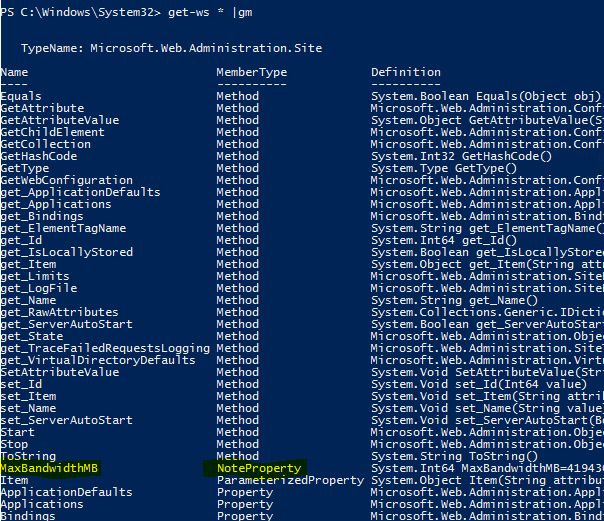
 本文介绍如何使用Windows PowerShell开发命令行工具,包括创建命令集(cmdlet)、使用正则表达式、集成自定义PowerShell插件以及利用扩展类型系统(ETS)扩展PowerShell对象。通过实例展示如何获取本地IIS7服务器的网站列表,并实现支持通配符的过滤功能。





 扫一扫
扫一扫


 389
389

 被折叠的 条评论
为什么被折叠?
被折叠的 条评论
为什么被折叠?
 到【灌水乐园】发言





