


 本文深入解析Docker常用命令,包括创建、运行、进入容器及管理镜像等操作,适合Docker初学者及进阶者阅读。
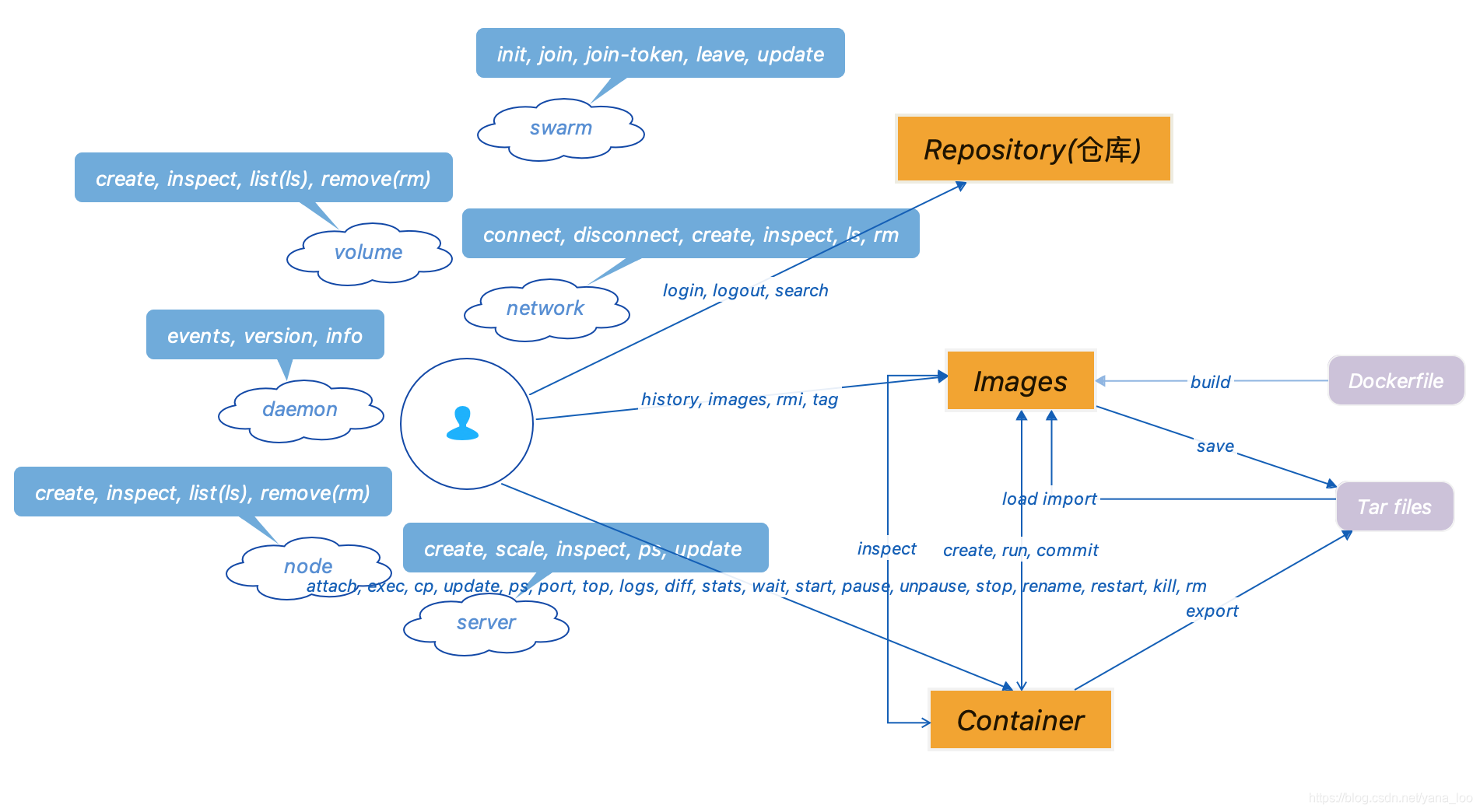
镜像相关
docker run = docker create + docker start
docker create [OPTIONS] IMAGES [COMMAND] [ARG..]
docker create -t -i centos bash
docker create -v /home/docker:/docker --name docker centos
docker run [OPTIONS] IMAGE [COMMAND] [ARG..]
docker run --name centos_bash --rm -i -t centos bash
| Name, shorthand | Description |
| --attach, -a | Attach to STDIN, STDOUT or STDERR |
| --cpu-shares, -c | CPU shares |
| --env, -e | Set environment variables |
| --hostname, -h | Container host name |
| --interactive, -i | Keep STDIN open even if not attached(进入交互模式) |
| --label, -l | Set mata data on a container |
| --memory, -m | Memory limit |
| --publish, -p | Publish a container's port(s) to the host |
| --publish-all, -P | Publish all exposed ports to random ports |
| --tty, -t | Allocate a pseudo-TTY(创建一个虚拟终端) |
进入容器
docker exec
Run a command in a running container
docker exex [OPTIONS] CONTAINER COMMAND [AGR...]
docker run --name centos_bash touch /tmp/execWorks
docker exec -it centos_bash
docker attach
Attach local standard input, output, and error streams to a running container
docker attach [OPTIONS] CONTAINER
删除(所有)镜像
docker rmi [images id1][image id2][...]
docker rmi $(docker images -q)





 扫一扫
扫一扫


 1698
1698

 被折叠的 条评论
为什么被折叠?
被折叠的 条评论
为什么被折叠?
 到【灌水乐园】发言





