



WampServer 安装了,启动后 WampServer 的图标是绿色的,看上去一切都正常,可是 localhost 就是打不开,原来又是 Windows Defender 又在作怪。 以下是解决方法:
-
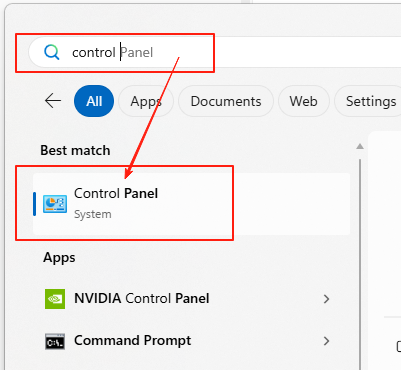
进入
控制面板
-
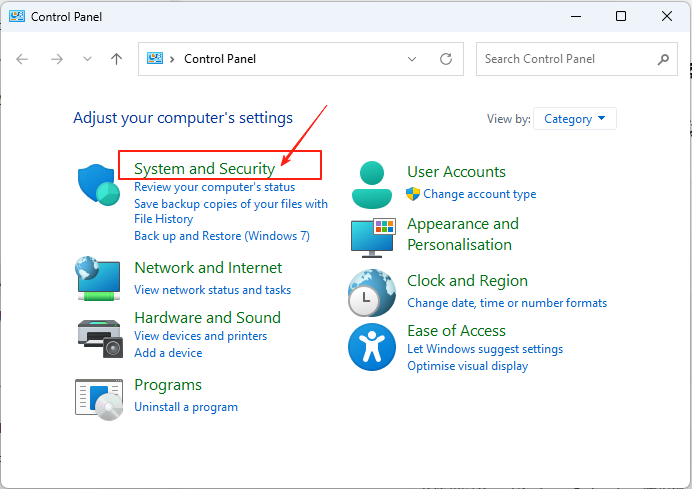
点
System and Security
-
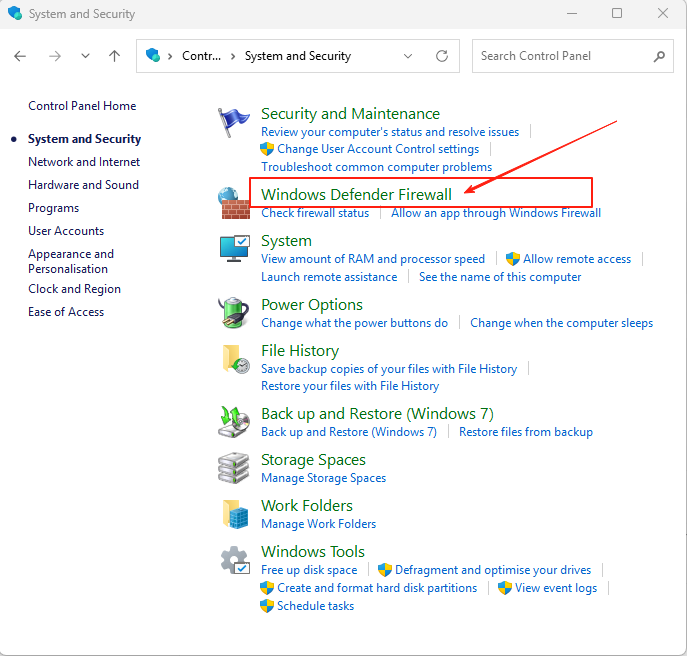
点
Windows Defender Firewall
-
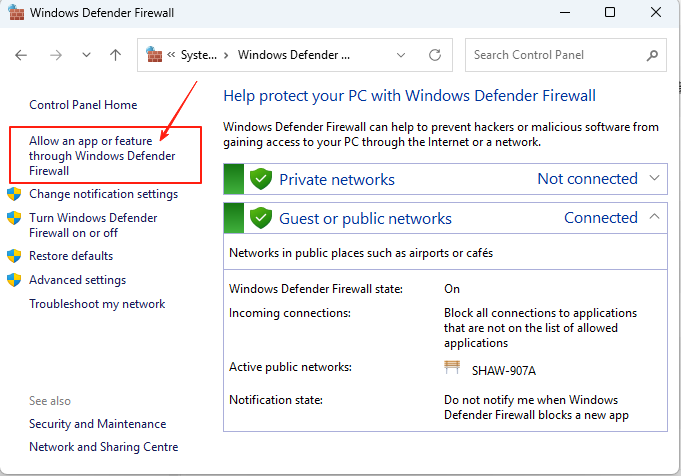
点
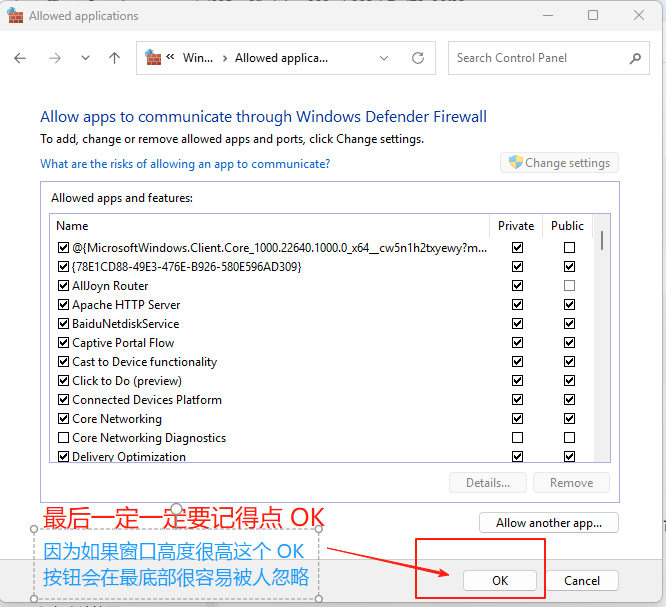
Allow an app or feature through Windows Defender Firewall
-
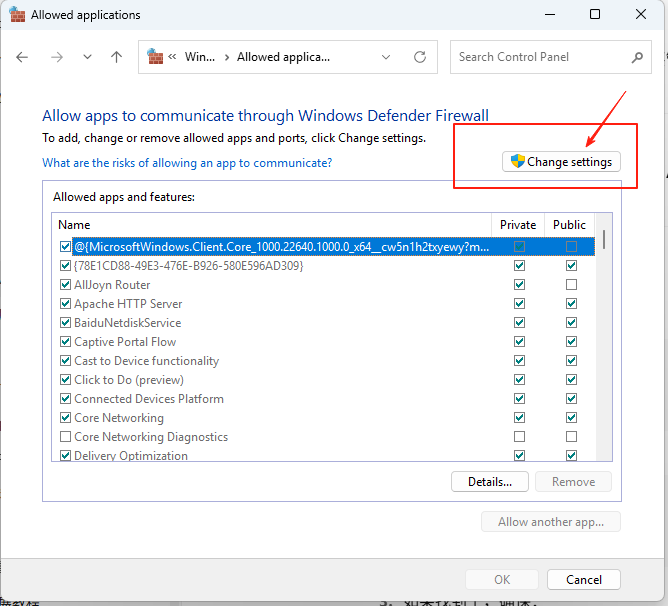
点
Change settings
-
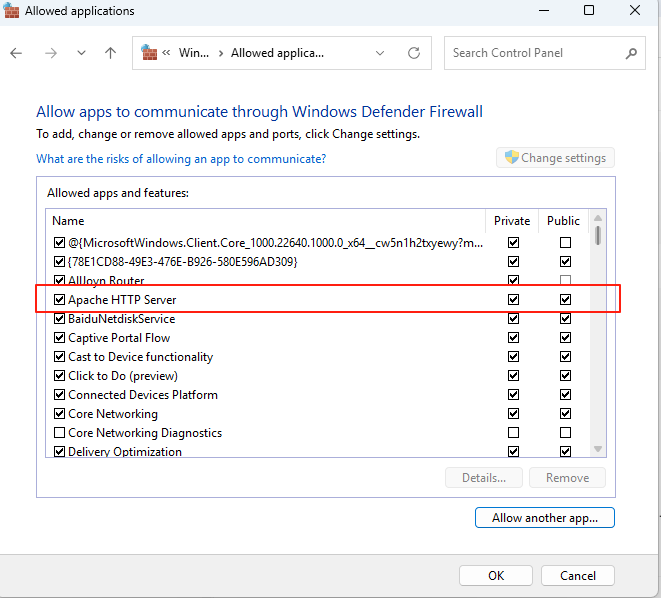
把
Apache HTTP Server两个勾都打上
-
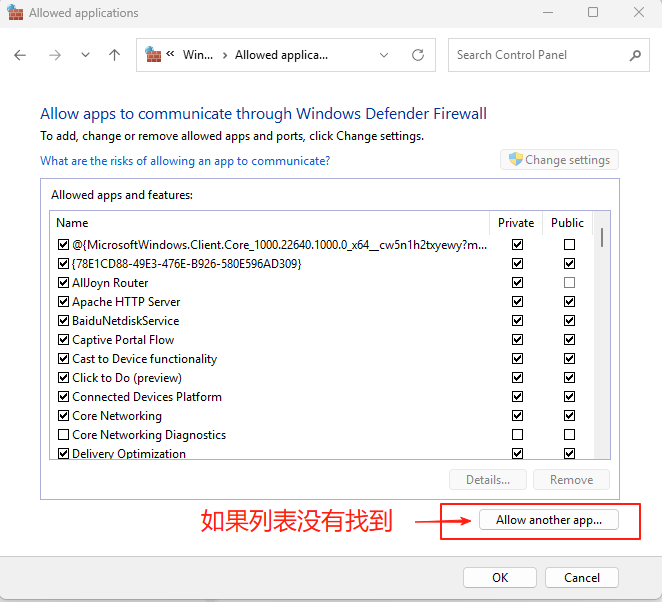
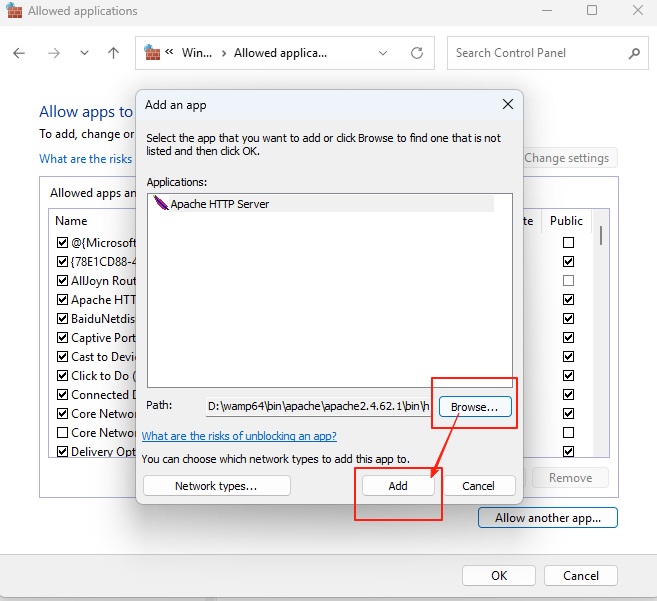
如果列表中没有
Apache HTTP Server, 点Allow another app, 再点Browse...,打开"D:\wamp64\bin\apache\apache2.4.62.1\bin\httpd.exe", 点Add, 最后在列表中打上两个勾,
-
点
OK





 扫一扫
扫一扫


 939
939

 被折叠的 条评论
为什么被折叠?
被折叠的 条评论
为什么被折叠?
 到【灌水乐园】发言





