



 本文详细解析了在使用Maven进行项目编译时遇到的常见错误:'No compiler is provided in this environment.Perhaps you are running on a JRE rather than a JDK?'。介绍了错误发生的原因,通常是因为工作环境中缺少JDK或者项目配置不正确导致。提供了具体的解决步骤,包括检查JDK安装、调整Eclipse项目设置以及确保Apache Tomcat运行时环境正确配置。
完整的错误信息:
[ERROR] Failed to execute goal org.apache.maven.plugins:maven-compiler-plugin:3.3:compile (default-compile) on project xinghe-interaction: Compilation failure
[ERROR] No compiler is provided in this environment. Perhaps you are running on a JRE rather than a JDK?
[ERROR] -> [Help 1]
[ERROR]
[ERROR] To see the full stack trace of the errors, re-run Maven with the -e switch.
[ERROR] Re-run Maven using the -X switch to enable full debug logging.
[ERROR]
[ERROR] For more information about the errors and possible solutions, please read the following articles:
[ERROR] [Help 1] http://cwiki.apache.org/confluence/display/MAVEN/MojoFailureException
[ERROR]
[ERROR] After correcting the problems, you can resume the build with the command
[ERROR] mvn <goals> -rf :xinghe-interaction
错误环境描述:
操作系统:Windows 7 x64
Eclipse:
Eclipse Java EE IDE for Web Developers.
Version: Luna Service Release 2 (4.4.2)
Build id: 20150219-0600
apachetomcat 8.022
JDK 1.8
apachemaven 3.3.3
Maven项目,在执行Maven Install时Console窗口输出上面的错误信息!
解决方法:
在出错的项目上点击鼠标右键,弹出的菜单中选择属性:

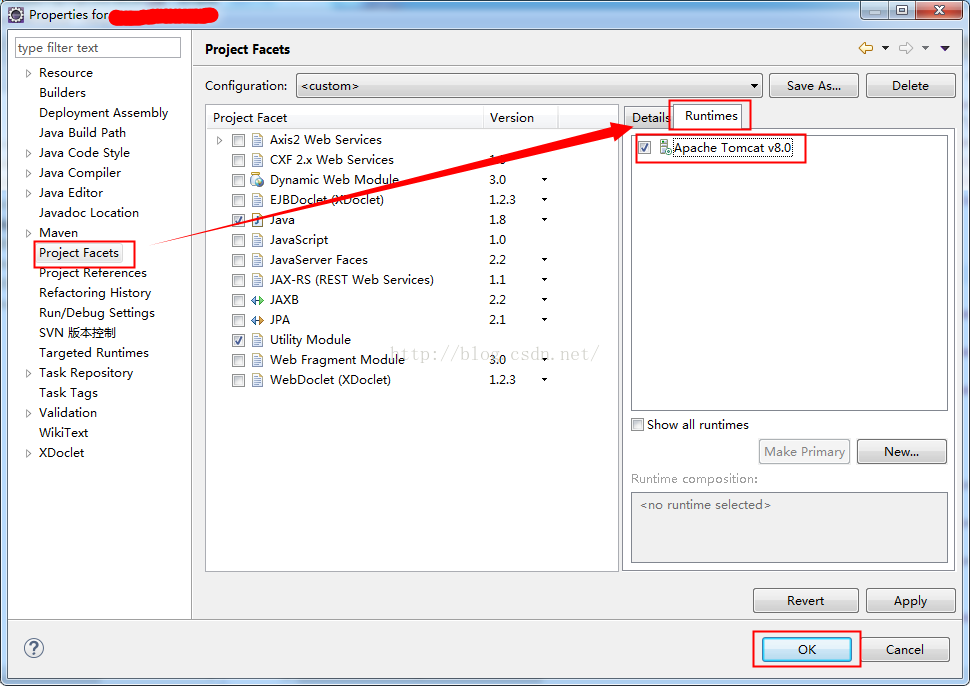
在弹出的窗口左侧选择“Project Facets”,右侧选择“Runtimes”,勾选Apache Tomcat v8.0;
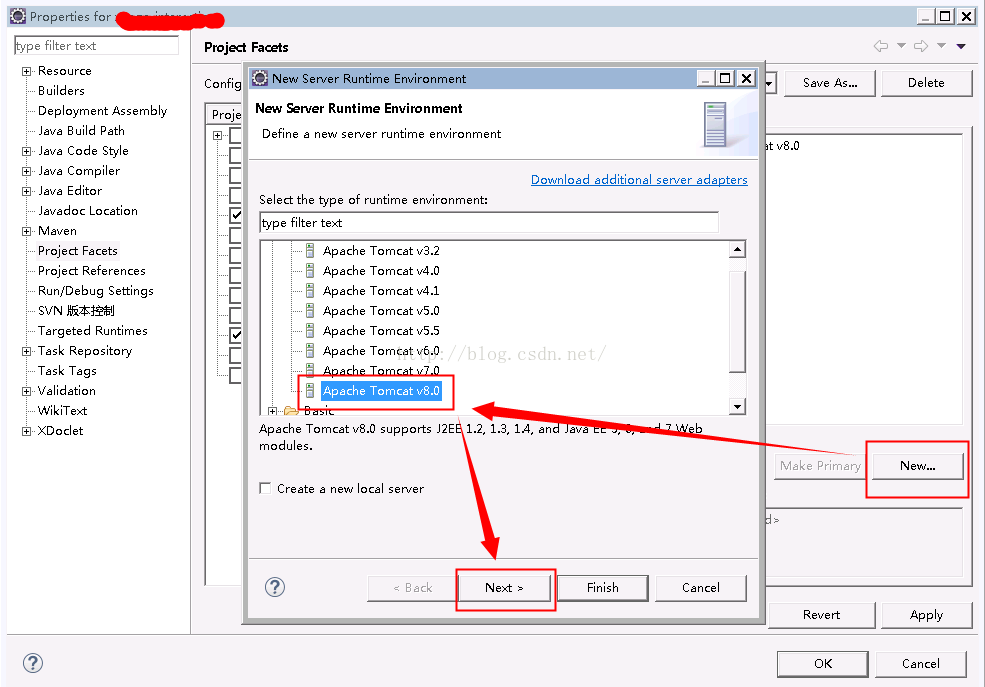
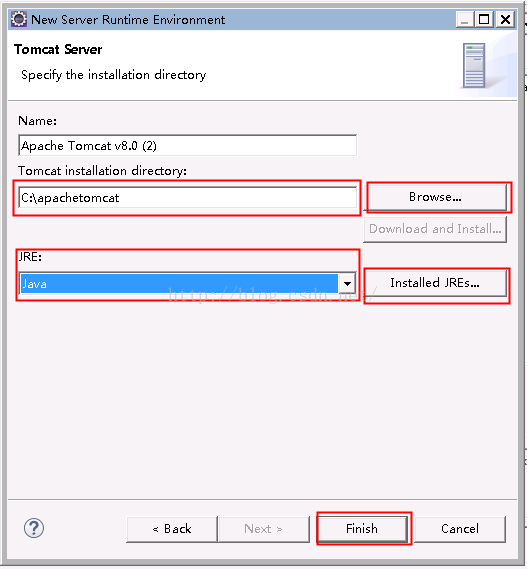
如果不存在,点击右下面的“New”按钮;





 扫一扫
扫一扫


 2470
2470

 被折叠的 条评论
为什么被折叠?
被折叠的 条评论
为什么被折叠?
 到【灌水乐园】发言





