


本节开始讲Android中的布局,Android中有六大布局,分别是: LinearLayout(线性布局),RelativeLayout(相对布局),TableLayout(表格布局) FrameLayout(帧布局),AbsoluteLayout(绝对布局),GridLayout(网格布局) 而今天我们要讲解的就是第一个布局,LinearLayout(线性布局),我们屏幕适配的使用 用的比较多的就是LinearLayout的weight(权重属性),在这一节里,我们会详细地解析 LinearLayout,包括一些基本的属性,Weight属性的使用,以及比例如何计算,另外还 会说下一个用的比较少的属性:android:divider绘制下划线!
1.本节学习图
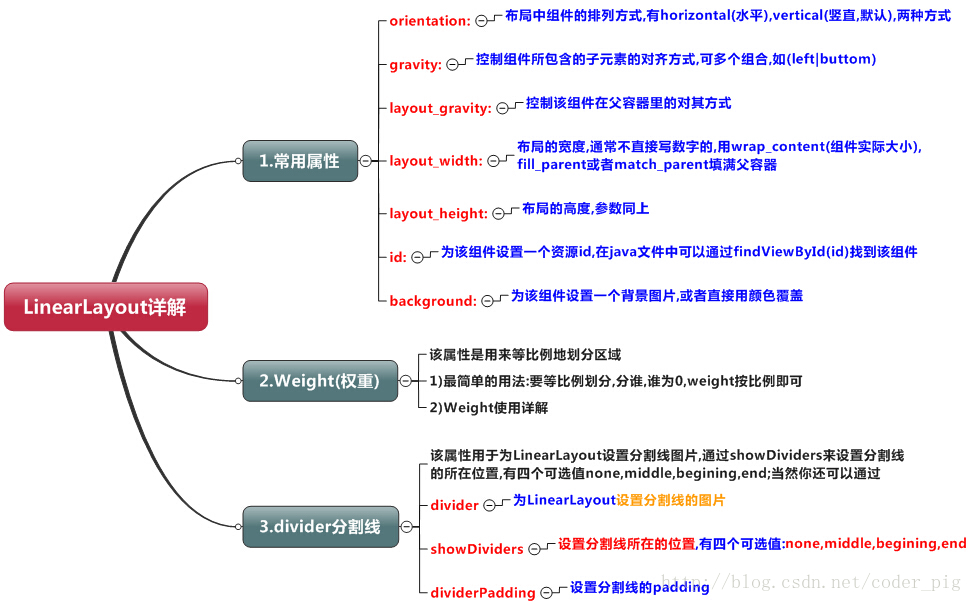
2.weight(权重)属性详解:
①最简单用法:
如图:
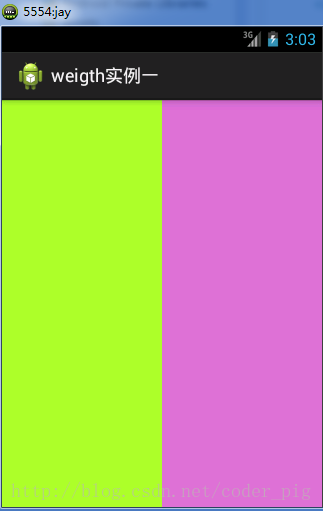
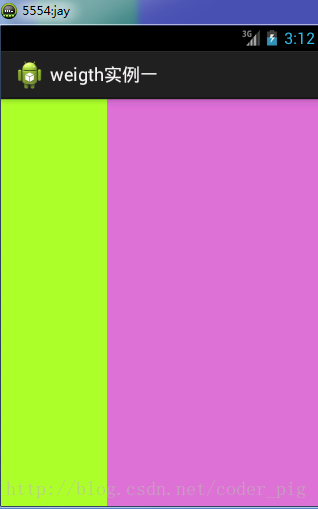
实现代码:
<LinearLayout xmlns:android="http://schemas.android.com/apk/res/android"
    xmlns:tools="http://schemas.android.com/tools"
    android:id="@+id/LinearLayout1"
    android:layout_width="match_parent"
    android:layout_height="match_parent"
    android:orientation="horizontal">

    <LinearLayout
        android:layout_width="0dp"
        android:layout_height="fill_parent"
        android:background="#ADFF2F"
        android:layout_weight="1"/>


    <LinearLayout
        android:layout_width="0dp"
        android:layout_height="fill_parent"
        android:background="#DA70D6"
        android:layout_weight="2"/>

</LinearLayout>
要实现第一个的1:1的效果,只需要分别把两个LinearLayout的weight改成1和1就可以了 用法归纳: 按比例划分水平方向:将涉及到的View的android:width属性设置为0dp,然后设置为android weight属性设置比例即可;类推,竖直方向,只需设android:height为0dp,然后设weight属性即可! 大家可以自己写个竖直方向的等比例划分的体验下简单用法!
②weight属性详解:
当然,如果我们不适用上述那种设置为0dp的方式,直接用wrap_content和match_parent的话, 则要接着解析weight属性了,分为两种情况,wrap_content与match_parent!另外还要看 LinearLayout的orientation是水平还是竖直,这个决定哪个方向等比例划分
1)wrap_content比较简单,直接就按比例的了
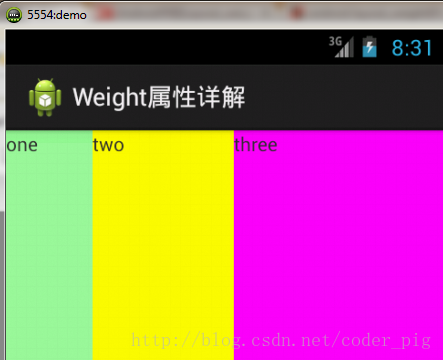
实现代码:
<LinearLayout xmlns:android="http://schemas.android.com/apk/res/android"
    xmlns:tools="http://schemas.android.com/tools"
    android:id="@+id/LinearLayout1"
    android:layout_width="match_p
 最低0.47元/天 解锁文章






 扫一扫
扫一扫


 2426
2426

 被折叠的 条评论
为什么被折叠?
被折叠的 条评论
为什么被折叠?
 到【灌水乐园】发言





