


 本文详细介绍如何配置本地yum源并实现共享。首先通过获取与系统版本匹配的镜像文件并将其挂载到指定目录来设置本地yum源。随后安装Apache以搭建HTTP服务器并共享这些镜像文件,实现网络内的yum源共享。
1 搞一个和系统匹配的镜像文件到系统中
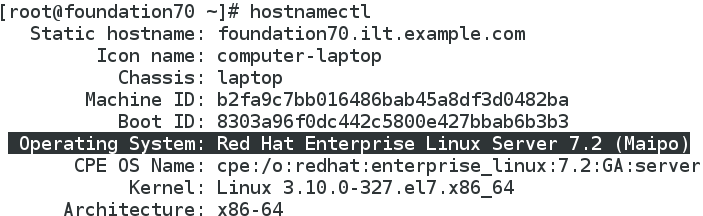
hostnamectl可查看电脑的系统版本
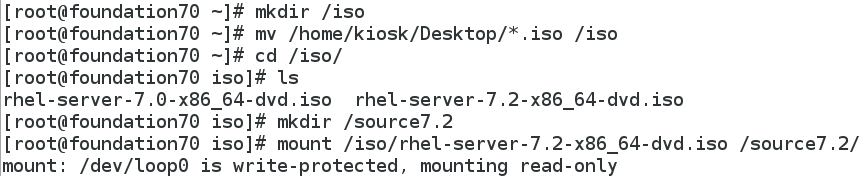
2 mkdir /iso ##建立一个根下的iso目录
mkdir /source7.0 /source7.2 ##再建立两个目录
mount /iso/rhel-server-7.0-x86_84-dvd.iso /source7.0 ##将镜像挂载到相应的根目录
mount /iso/rhel-server-7.2-x86_84-dvd.iso /source7.2
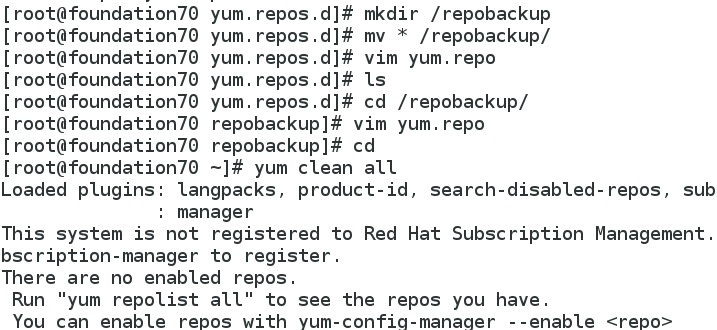
mkdir /repobackup ##建立根目录
mv * /repobackup ##将/etc/yum.repos.d中文件全部移入根目录
vim yum.repo ##编辑文件
[source7.2]
name=source7.2
baseurl=file:///source7.2 ####本地文件
gpgcheck=0
yum clean all ##清空所有yum缓存
################共享yum源######
1.在本地yum源配置完成之后安装apache
yum install httpd
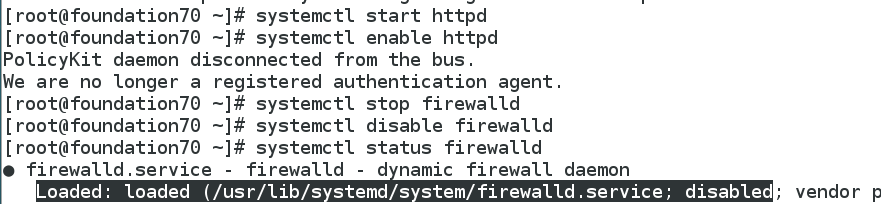
systemctl start httpd
systemctl enable httpd
systemctl stop firewalld
systemctl disable firewalld
mkdir /var/www/html/source7.0 /var/www/html/source7.2
2.挂载镜像
mount /iso/rhel-server-7.0-x86_64-dvd.iso /var/www/html/source7.0
mount /iso/rhel-server-7.2-x86_64-dvd.iso /var/www/html/source7.2
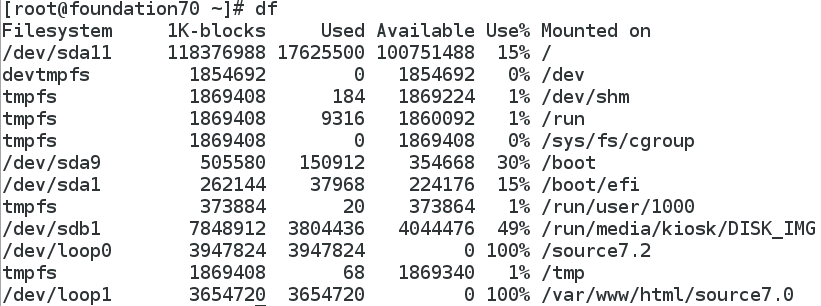
vim /etc/rc.d/rc.local ###########开机自动挂载###
写入:
mount /iso/rhel-server-7.0-x86_64-dvd.iso /var/www/html/source7.0
mount /iso/rhel-server-7.2-x86_64-dvd.iso /var/www/html/source7.2
:wq
chmod +x /etc/rc.d/rc.local


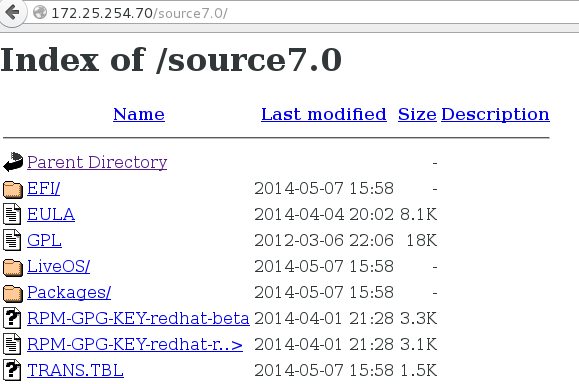
3.访问测试
在浏览器中输入地址
http://ip/source7.0
http://172.25.254.70/source7.0
4.配置虚拟机yum
rm -fr /etc/yum.repos.d/*
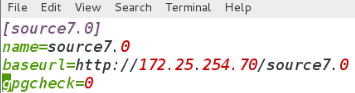
vim /etc/yum.repos.d/yum.repo
[source7.0]
name=source7.0
baseurl=http://172.25.254.70/source7.0 ####超文本文件
gpgcheck=0
yum clean all
###yum 应用安装####
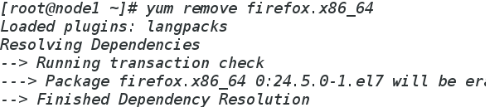
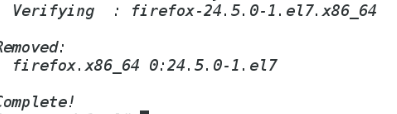
431 yum remove firefox.x86_64 ##卸载软件
432 yum list firefox.x86_64 ##查看软件源中是否有此软件
433 yum install firefox.x86_64 ##安装软件
434 yum repolist ##列出设定yum源信息

435 yum list installed ##列出已安装的软件

436 yum list installed | wc -l
437 yum list available | wc -l ##列出可以用yum安装的软件名称

438 yum reinstall firefox.x86_64 ##重新安装软件
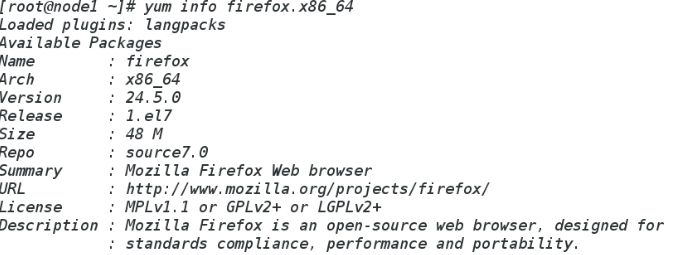
439 yum info firefox.x86_64 ##查看软件信息
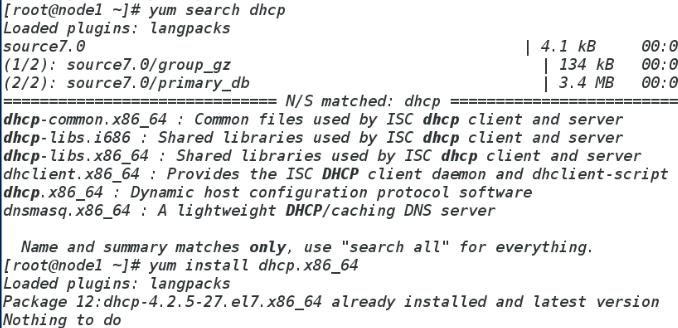
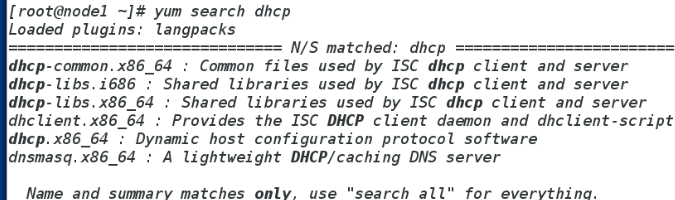
440 yum search dhcp ##根据软件信息搜索软件名字
441 yum whatprovides */ls ##在yum源中查找包含文件名的软件包

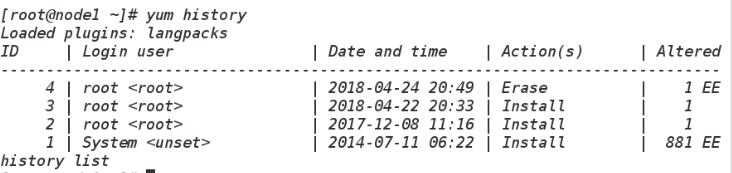
442 yum history ###yum安装历史





 扫一扫
扫一扫


 3485
3485

 被折叠的 条评论
为什么被折叠?
被折叠的 条评论
为什么被折叠?
 到【灌水乐园】发言





