


 本文介绍如何在Flutter中实现自定义Swiper卡片组件,包括卡片内容高度自适应、3D效果展示及自定义指示器样式。通过计算Text组件的高度并结合其他控件尺寸来动态调整Swiper的高度。
需求
- 1、横向滚动
- 2、卡片内容高度自定义
- 3、自定义指示器样式
效果
- 3D效果
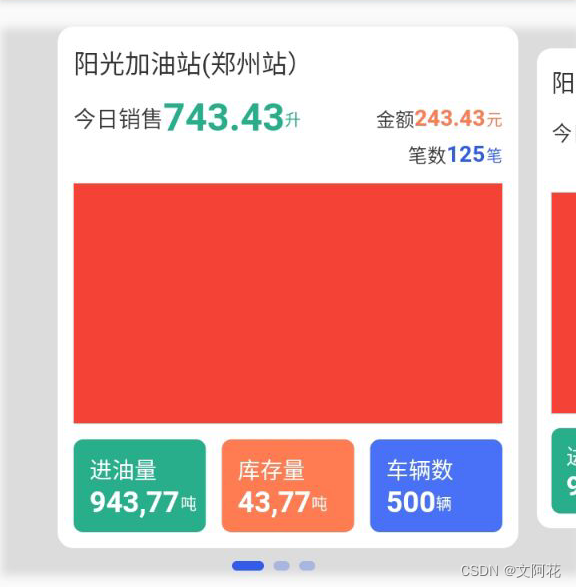
- 普通效果
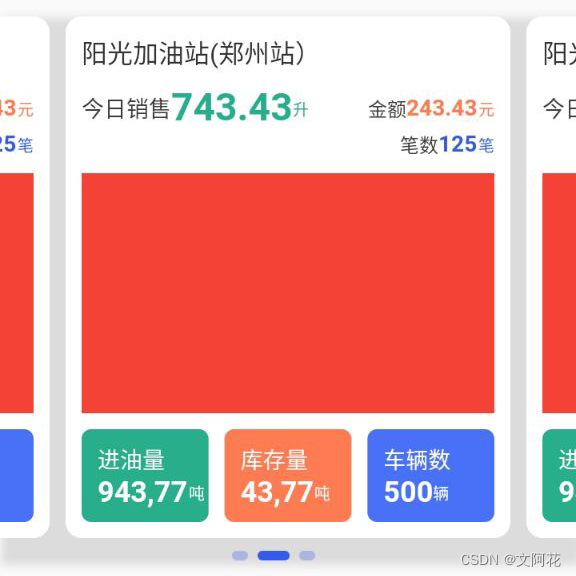
使用插件
flutter_swiper: ^1.1.6 最新版本参考pub.dev
代码
- 页面代码
/*成品油企业端-首页-3d效果卡片*/
import 'package:cpy_enterprise_frame_tidyup/utils/TextUtils.dart';
import 'package:cpy_enterprise_frame_tidyup/utils/screen.dart';
import 'package:cpy_enterprise_frame_tidyup/widgets/customize_swiperpagination.dart';
import 'package:flutter/cupertino.dart';
import 'package:flutter/material.dart';
import 'package:flutter_swiper/flutter_swiper.dart';
import '../dialog/intro_dialog.dart';
class MySwiperWidget extends StatefulWidget {
State<StatefulWidget> createState() => MySwiperState();
}
class MySwiperState extends State<MySwiperWidget> {
late double cardHeight = 100;
// final GlobalKey globalKey = GlobalKey();
void initState() {
super.initState();
Future.delayed(Duration(milliseconds: 1000), () {
setState(() {
//paddingtop(10)+加油站名称+间距(10)+二行文字+分割(10)+标题高度(45)+paddingbuttom(10)
if (cardHeight == 100) {
cardHeight = 10 +
TextUtils
.calculateTextSize(context, '阳光加油站(郑州站)', 16,
FontWeight.normal, Screen.width - 40, 1)
.height +
10 +
TextUtils
.calculateTextSize(context, '743,43', 24,
FontWeight.bold, Screen.width - 40, 1)
.height +
TextUtils
.calculateTextSize(context, '541,82', 14,
FontWeight.bold, Screen.width - 40, 1)
.height +
10 +
150 +
10 +
58 +
10 +
5+10;
print("cardHeight==${
cardHeight}");
}
});
});
}
Widget build(BuildContext context) {
return Scaffold(
appBar: AppBar(
title: Text("3D卡片效果"),
actions: <Widget>[
GestureDetector(
onTap: () {
ShowDialog(context);
},
child: Icon(Icons.add),
)
],
),
body: ListView(
shrinkWrap: true,
children: [
SizedBox(height: 20),
//3D效果
Swiper3DWidget(),
SizedBox(height: 20),
//普通效果
SwiperNormalWidget(),
SizedBox(height: 20),
],
),
);
}
//3D效果
Widget Swiper3DWidget() {
return Container(
height: cardHeight,
decoration: BoxDecoration(boxShadow: [
BoxShadow(
color: Colors.black12,
offset: Offset(2.0, 2.0), //阴影xy轴偏移量
blurRadius: 4.0, //阴影模糊程度
spreadRadius: 1.0 //阴影扩散程度
)
]),
child: Swiper(
scrollDirection: Axis.horizontal,
// 方向 Axis.horizontal
itemBuilder: (context, index) {
return buildWidget(0);
 最低0.47元/天 解锁文章






 扫一扫
扫一扫


 1591
1591

 被折叠的 条评论
为什么被折叠?
被折叠的 条评论
为什么被折叠?
 到【灌水乐园】发言





