<?php
date_default_timezone_set('Asia/Shanghai'); // 强制使用北京时间
require_once './include/conn.php';
// 获取当前用户历史消息并按时间排序
$h_user = getUserIP();
$rs = $db->get_one("select count(*) as tj from `h_kefu` where h_user = '{$h_user}' and h_who = 2 and h_isread = 0");
if($rs['tj'] > 0){
$query = "select * from `h_kefu` where h_user = '{$h_user}' and h_isread = 1 order by h_addTime asc,id asc";
}else{
$query = "select * from `h_kefu` where h_user = '{$h_user}' order by h_addTime asc,id asc";
}
$result = $db->query($query);
$messages = [];
while($rs_list = $db->fetch_array($result)){
$messages[] = $rs_list;
}
?>
<!DOCTYPE html>
<html lang="en">
<head>
<meta charset="UTF-8">
<meta name="viewport" content="width=device-width, initial-scale=1.0,maximum-scale=1.0,user-scalable=no">
<meta http-equiv="X-UA-Compatible" content="ie=edge">
<title>安全访问</title>
<link rel="stylesheet" href="/css/style7881.css">
<link rel="stylesheet" href="/iconfont/iconfont.css">
<link rel="stylesheet" href="/css/78812.6.0.css">
<link rel="stylesheet" href="https://res.qiyukf.net/sdk/tr/t_trade_mobile_m0_6dd2352f062861470694467bda09b417.css">
<link rel="icon" href="" type="image/x-icon">
<style>
/* 原有主题样式保持不变 */
/**
* ===========================
* Visitor-end - Skin variable theme color - Common layout
* ===========================
*/
/* trade */
.g-mask{background-color: #337eff;}
.g-slide .slide_hd{background-color: #337eff;}
.body_hd{background-color: #337eff;}
.head-minsize{background-color: #337eff;}
.m-msglist .msg_right .bot .text+.arrow:before{border-left-color:#337eff;}
/* trade end */
.g-hd{background-color: #337eff;}
.g-td.now_robot .u-btn,
.g-td.now_robot .u-btn:link,
.g-td.now_robot .u-btn:hover,
.g-td.now_robot .u-btn:active{background-color: #337eff; -moz-opacity:0.6;-khtml-opacity: 0.6;opacity: 0.6;}
.g-td.now_robot .form_cnt_send .u-btn{background-color: #337eff;}
.g-td.now_robot .form_cnt_send .u-btn:link{background-color:#337eff; -moz-opacity:0.6;-khtml-opacity: 0.6;opacity: 0.6;}
.g-td.now_robot .form_cnt_send .u-btn:hover{background-color:#337eff; -moz-opacity:0.8;-khtml-opacity: 0.8;opacity: 0.8;}
.g-td.now_robot .form_cnt_send .u-btn:active{background-color:#337eff; -moz-opacity:0.6;-khtml-opacity: 0.6;opacity: 0.6;}
/**
* ==================
* module
* ==================
*/
.m-msglist .msg_bubble .textcolor {color: #337eff !important}
.m-msglist .msg .bordercolor{border: 1px solid #337eff}
.m-msglist .msg_right .text,
.m-msglist .msg_right .qa,
.m-msglist .msg_right .qa-list,
.m-msglist .msg_right .action,
.m-msglist .msg_right .rich,
.m-msglist .msg_right .mobile-file,
.m-msglist .msg_right .question{background-color: #337eff;border-color: #337eff;}
.m-msglist .msg_right .un-read{color: #337eff}
.m-msglist .msg_right .text .arrow,
.m-msglist .msg_right .text .arrow:before,
.m-msglist .msg_right .image .arrow,
.m-msglist .msg_right .image .arrow:before,
.m-msglist .msg_right .qa .arrow,
.m-msglist .msg_right .qa .arrow:before,
.m-msglist .msg_right .qa-list .arrow,
.m-msglist .msg_right .qa-list .arrow:before,
.m-msglist .msg_right .action .arrow,
.m-msglist .msg_right .action .arrow:before,
.m-msglist .msg_right .rich .arrow,
.m-msglist .msg_right .rich .arrow:before,
.m-msglist .msg_right .question .arrow,
.m-msglist .msg_right .question .arrow:before,
.m-msglist .msg_right .audio .audio-wrap .arrow,
.m-msglist .msg_right .audio .audio-wrap .arrow:before,
.m-msglist .msg_right .mobile-file .arrow:before,
.m-msglist .msg_right .mobile-file .arrow,
.m-msglist .msg_right .crm-thirdorder .arrow{border-left-color:#337eff;}
.m-msglist .msg_right .crm-thirdorder .text+.arrow:before{border-left-color:#337eff;}
.m-msglist .msg_right .crm-thirdorder-bd{
border-color: #337eff;}
.m-msglist .msg_left .u-icon-avater{background-color: #fff;}
.m-msglist .msg_right .u-icon-avater{background-color: #337eff;}
.m-msglist .msg_right .audio .audio-wrap,
/* Bot/FAQ fusion template - Message - Web version */
.m-msglist .msg_right .crm-thirdorder .qiyu_template_mixReply .crm-thirdorder-bd{
border-color: #337eff;
background-color: #337eff;
color:#fff;
}
.m-msglist .msg_right .qiyu_template_mixReply+.arrow{
border-left-color: transparent;
}
.m-msglist .msg_right .qiyu_template_mixReply+.arrow:before{
border-left-color: #337eff;
}
/* Bot/FAQ fusion template - Message - Web version - Trade adaptation */
.m-msglist .msg_right .qiyu_template_mixReply .bot-bd{
border-color: #337eff;
background-color: #337eff;
color:#fff;
}
/* Bot/FAQ fusion template - Message - Mobile version */
.m-msglist .msg_right .crm-thirdorder .qiyu_template_mixReply .crm-thirdorder-bd+.arrow{
border-left-color: transparent;
}
.m-msglist .msg_right .crm-thirdorder .qiyu_template_mixReply .crm-thirdorder-bd+.arrow:before{
border-left-color: #337eff;
}
.m-modal-confirmphoto .ok{background-color: #337eff;}
.m-modal-confirmphoto .ok:hover{background-color:#337eff; -moz-opacity:0.8;-khtml-opacity: 0.8;opacity: 0.8;}
.m-modal-confirmphoto .ok:active{background-color:#337eff; -moz-opacity:0.6;-khtml-opacity: 0.6;opacity: 0.6;}
.m-form-evaluate .form_item.itm-tag-list .tag-item.active{color: #337eff; border-color: #337eff}
.m-form-evaluate .m-solve .z-sel{color: #337eff; border-color: #337eff}
.m-modal-filetrans .ok{background-color: #337eff;}
.m-modal-filetrans .ok:hover{background-color:#337eff; -moz-opacity:0.8;-khtml-opacity: 0.8;opacity: 0.8;}
.m-modal-filetrans .ok:active{background-color:#337eff; -moz-opacity:0.6;-khtml-opacity: 0.6;opacity: 0.6;}
.m-comment .comment_btn{background-color: #337eff;}
.m-comment .comment_btn:hover{background-color:#337eff; -moz-opacity:0.8;-khtml-opacity: 0.8;opacity: 0.8;}
.m-comment .comment_btn:active{background-color:#337eff; -moz-opacity:0.6;-khtml-opacity: 0.6;opacity: 0.6;}
.m-botentry li {border-color : #337eff}
.m-botentry li.highLight:after {background-color : #337eff}
.radio_button .button-multiple .enter-content-item .reply-button-li.highlight{color:#337eff;border-color:#337eff}
.radio_button .button-multiple-enter.highlight{background:#337eff}
.bot .date-picker {background-color : #337eff}
.rmc-picker-popup-header .rmc-picker-popup-item { color: #337eff}
/* Theme color of pagination button */
.g-chat-body .chat_show_bot .icon-triangle-left,
.g-chat-body .chat_show_bot .icon-triangle-right,
.radio_button .icon-triangle-left,
.radio_button .icon-triangle-right {
background-color:#337eff;
}
/* Theme color of title of robot's frequently asked question card style */
.m-msglist .msg .qa-list >.p.p_card >.qa_label {color: #337eff}
.m-msglist .msg .qa-list >.p.p_card >.qa_label-contain >.qa_label {color: #337eff}
.m-msglist .msg .qa-list >.p.p_card >.qa_label-contain >.qa_select > .tabs > .z-current {color: #337eff}
/* Theme color of robot's frequently used shortcut entry */
.m-msglist .msg .quick-entry-icon {color: #337eff}
/* Theme color of robot's evaluation */
.m-msglist .msg_bubble .eval-robot-answer.z-sel {color: #337eff}
.m-msglist .msg .qa .qa_eval_tag.sel {color: #337eff; border: 1px solid #337eff}
.m-msglist .msg .qa-list .qa_eval_tag.sel {color: #337eff; border: 1px solid #337eff}
.z-disabled button,
.z-disabled button:link,
.z-disabled button:hover,
.z-disabled button:active{background-color: #337eff; -moz-opacity:0.6;-khtml-opacity: 0.6;opacity: 0.6;}
.u-btn,
.u-btn-loadding,
.u-btn:link,
.u-btn:hover{background-color:#337eff;}
.u-btn:active,
.u-btn.z-disabled,
.u-btn.z-disabled:hover,
.u-btn.z-disabled:active,
.u-btn.z-disabled:link{background-color: #337eff; -moz-opacity:0.6;-khtml-opacity: 0.6;opacity: 0.6;}
.u-btn-disabled,
.u-btn-disabled:link,
.u-btn-disabled:hover,
.u-btn-disabled:active{background-color: #337eff;-moz-opacity:0.6;-khtml-opacity: 0.6;opacity: 0.6;}
.u-border-btn,
.u-border-btn:hover{background-color: #fff;border: 1px solid #337eff; color: #337eff !important}
.service-action,
.service-action:link,
.service-action:hover{background-color:#337eff !important; color: #fff !important; border: 0 !important}
.m-pre-evaluation .pre-evaluation-box .evaluation{background-color: #337eff},
</style>
<style type="text/css">
::-webkit-scrollbar {
width: 4px;
height: 4px;
}
::-webkit-scrollbar-button {
display: none;
}
::-webkit-scrollbar-thumb {
border-radius: 3px;
background: #dddfe0;
}
::-webkit-scrollbar-track {
width: 7px;
height: 7px;
}
::-webkit-scrollbar-track-piece {
background: transparent;
}
.vc-switch {
bottom: 170px !important;
}
</style>
<style>.rmc-picker,
.rmc-multi-picker {
height: 238px;
/*34*7*/
}
.rmc-multi-picker {
display: -webkit-box;
display: -ms-flexbox;
display: flex;
-webkit-box-align: center;
-ms-flex-align: center;
align-items: center;
}
.rmc-picker-item {
font-size: 16px;
height: 34px;
line-height: 34px;
padding: 0 10px;
white-space: nowrap;
position: relative;
overflow: hidden;
text-overflow: ellipsis;
color: #9b9b9b;
width: 100%;
-webkit-box-sizing: border-box;
box-sizing: border-box;
}
.rmc-picker {
display: block;
position: relative;
overflow: hidden;
width: 100%;
-webkit-box-flex: 1;
-ms-flex: 1;
flex: 1;
text-align: center;
}
.rmc-picker-mask {
position: absolute;
left: 0;
top: 0;
height: 100%;
margin: 0 auto;
width: 100%;
z-index: 3;
background-image: -webkit-gradient(linear, left top, left bottom, from(rgba(255, 255, 255, 0.95)), to(rgba(255, 255, 255, 0.6))), -webkit-gradient(linear, left bottom, left top, from(rgba(255, 255, 255, 0.95)), to(rgba(255, 255, 255, 0.6)));
background-image: linear-gradient(to bottom, rgba(255, 255, 255, 0.95), rgba(255, 255, 255, 0.6)), linear-gradient(to top, rgba(255, 255, 255, 0.95), rgba(255, 255, 255, 0.6));
background-position: top, bottom;
background-size: 100% 204px;
background-repeat: no-repeat;
}
.rmc-picker-content {
position: absolute;
left: 0;
top: 0;
width: 100%;
z-index: 1;
}
.rmc-picker-indicator {
-webkit-box-sizing: border-box;
box-sizing: border-box;
width: 100%;
height: 34px;
position: absolute;
left: 0;
top: 102px;
z-index: 3;
border-top: 1PX solid #ddd;
border-bottom: 1PX solid #ddd;
}
</style>
<style>.rmc-date-picker {
display: -ms-flexbox;
display: -webkit-box;
display: flex;
-ms-flex-align: center;
-webkit-box-align: center;
align-items: center;
padding: 10px 0;
}
.rmc-date-picker-item {
-ms-flex: 1;
-webkit-box-flex: 1;
flex: 1;
text-align: center;
}
</style>
<style>.rmc-picker-popup {
left: 0;
bottom: 0;
position: fixed;
width: 100%;
background-color: #fff;
}
.rmc-picker-popup-close {
display: none;
}
.rmc-picker-popup-wrap {
position: fixed;
overflow: auto;
top: 0;
right: 0;
bottom: 0;
left: 0;
z-index: 1050;
overflow-scrolling: touch;
outline: 0;
}
.rmc-picker-popup-mask {
position: fixed;
top: 0;
right: 0;
left: 0;
bottom: 0;
background-color: #373737;
background-color: rgba(55, 55, 55, 0.6);
height: 100%;
filter: alpha(opacity=50);
z-index: 1050;
}
.rmc-picker-popup-mask-hidden {
display: none;
}
.rmc-picker-popup-header {
background-image: -webkit-gradient(linear, left top, left bottom, from(#e7e7e7), color-stop(#e7e7e7), color-stop(transparent), to(transparent));
background-image: linear-gradient(to bottom, #e7e7e7, #e7e7e7, transparent, transparent);
background-position: bottom;
background-size: 100% 1px;
background-repeat: no-repeat;
position: relative;
display: -webkit-box;
display: -ms-flexbox;
display: flex;
-webkit-box-orient: horizontal;
-webkit-box-direction: normal;
-ms-flex-direction: row;
flex-direction: row;
}
.rmc-picker-popup-header-left,
.rmc-picker-popup-header-right {
padding-left: 15px;
padding-right: 15px;
}
.rmc-picker-popup-item {
color: #0ae;
font-size: 18px;
height: 44px;
line-height: 44px;
cursor: pointer;
-webkit-box-sizing: border-box;
box-sizing: border-box;
text-align: center;
-webkit-tap-highlight-color: transparent;
}
.rmc-picker-popup-item-active {
background-color: #ddd;
}
.rmc-picker-popup-title {
-webkit-box-flex: 1;
-ms-flex: 1;
flex: 1;
color: #666;
cursor: default;
}
.rmc-picker-popup-fade-enter,
.rmc-picker-popup-fade-appear {
opacity: 0;
-webkit-animation-duration: 0.3s;
animation-duration: 0.3s;
-webkit-animation-fill-mode: both;
animation-fill-mode: both;
-webkit-animation-timing-function: cubic-bezier(0.55, 0, 0.55, 0.2);
animation-timing-function: cubic-bezier(0.55, 0, 0.55, 0.2);
-webkit-animation-play-state: paused;
animation-play-state: paused;
}
.rmc-picker-popup-fade-leave {
-webkit-animation-duration: 0.3s;
animation-duration: 0.3s;
-webkit-animation-fill-mode: both;
animation-fill-mode: both;
-webkit-animation-timing-function: cubic-bezier(0.55, 0, 0.55, 0.2);
animation-timing-function: cubic-bezier(0.55, 0, 0.55, 0.2);
-webkit-animation-play-state: paused;
animation-play-state: paused;
}
.rmc-picker-popup-fade-enter.rmc-picker-popup-fade-enter-active,
.rmc-picker-popup-fade-appear.rmc-picker-popup-fade-appear-active {
-webkit-animation-name: rmcPopupPickerFadeIn;
animation-name: rmcPopupPickerFadeIn;
-webkit-animation-play-state: running;
animation-play-state: running;
}
.rmc-picker-popup-fade-leave.rmc-picker-popup-fade-leave-active {
-webkit-animation-name: rmcPopupPickerFadeOut;
animation-name: rmcPopupPickerFadeOut;
-webkit-animation-play-state: running;
animation-play-state: running;
}
@-webkit-keyframes rmcPopupPickerFadeIn {
0% {
opacity: 0;
}
100% {
opacity: 1;
}
}
@keyframes rmcPopupPickerFadeIn {
0% {
opacity: 0;
}
100% {
opacity: 1;
}
}
@-webkit-keyframes rmcPopupPickerFadeOut {
0% {
opacity: 1;
}
100% {
opacity: 0;
}
}
@keyframes rmcPopupPickerFadeOut {
0% {
opacity: 1;
}
100% {
opacity: 0;
}
}
.rmc-picker-popup-slide-fade-enter,
.rmc-picker-popup-slide-fade-appear {
-webkit-transform: translate(0, 100%);
-ms-transform: translate(0, 100%);
transform: translate(0, 100%);
}
.rmc-picker-popup-slide-fade-enter,
.rmc-picker-popup-slide-fade-appear,
.rmc-picker-popup-slide-fade-leave {
-webkit-animation-duration: 0.3s;
animation-duration: 0.3s;
-webkit-animation-fill-mode: both;
animation-fill-mode: both;
-webkit-animation-timing-function: cubic-bezier(0.55, 0, 0.55, 0.2);
animation-timing-function: cubic-bezier(0.55, 0, 0.55, 0.2);
-webkit-animation-play-state: paused;
animation-play-state: paused;
}
.rmc-picker-popup-slide-fade-enter.rmc-picker-popup-slide-fade-enter-active,
.rmc-picker-popup-slide-fade-appear.rmc-picker-popup-slide-fade-appear-active {
-webkit-animation-name: rmcPopupPickerSlideFadeIn;
animation-name: rmcPopupPickerSlideFadeIn;
-webkit-animation-play-state: running;
animation-play-state: running;
}
.rmc-picker-popup-slide-fade-leave.rmc-picker-popup-slide-fade-leave-active {
-webkit-animation-name: rmcPopupPickerSlideFadeOut;
animation-name: rmcPopupPickerSlideFadeOut;
-webkit-animation-play-state: running;
animation-play-state: running;
}
@-webkit-keyframes rmcPopupPickerSlideFadeIn {
0% {
-webkit-transform: translate(0, 100%);
transform: translate(0, 100%);
}
100% {
-webkit-transform: translate(0, 0);
transform: translate(0, 0);
}
}
@keyframes rmcPopupPickerSlideFadeIn {
0% {
-webkit-transform: translate(0, 100%);
transform: translate(0, 100%);
}
100% {
-webkit-transform: translate(0, 0);
transform: translate(0, 0);
}
}
@-webkit-keyframes rmcPopupPickerSlideFadeOut {
0% {
-webkit-transform: translate(0, 0);
transform: translate(0, 0);
}
100% {
-webkit-transform: translate(0, 100%);
transform: translate(0, 100%);
}
}
@keyframes rmcPopupPickerSlideFadeOut {
0% {
-webkit-transform: translate(0, 0);
transform: translate(0, 0);
}
100% {
-webkit-transform: translate(0, 100%);
transform: translate(0, 100%);
}
}
</style>
<style>.fishd-spin {
font-family: "Monospaced Number", "Chinese Quote", -apple-system, BlinkMacSystemFont, "Segoe UI", Roboto, "PingFang SC", "Hiragino Sans GB", "Microsoft YaHei", "Helvetica Neue", Helvetica, Arial, sans-serif;
font-size: 14px;
line-height: 1.5;
color: #333;
-webkit-box-sizing: border-box;
box-sizing: border-box;
margin: 0;
padding: 0;
list-style: none;
color: #337eff;
opacity: 0;
position: absolute;
-webkit-transition: -webkit-transform 0.3s cubic-bezier(0.78, 0.14, 0.15, 0.86);
transition: -webkit-transform 0.3s cubic-bezier(0.78, 0.14, 0.15, 0.86);
transition: transform 0.3s cubic-bezier(0.78, 0.14, 0.15, 0.86);
transition: transform 0.3s cubic-bezier(0.78, 0.14, 0.15, 0.86), -webkit-transform 0.3s cubic-bezier(0.78, 0.14, 0.15, 0.86);
display: none;
}
.fishd-spin-container {
height: 100%;
display: -webkit-box;
display: -ms-flexbox;
display: flex;
-webkit-box-pack: center;
-ms-flex-pack: center;
justify-content: center;
-webkit-box-align: center;
-ms-flex-align: center;
align-items: center;
}
.fishd-spin-text-loading {
color: #999;
text-align: center;
}
.fishd-spin-text-loading-dot i {
-webkit-animation: fishdDot 2s steps(1, end) infinite;
animation: fishdDot 2s steps(1, end) infinite;
}
.fishd-spin-spinning {
height: 100%;
opacity: 1;
position: static;
display: -webkit-box;
display: -ms-flexbox;
display: flex;
-webkit-box-pack: center;
-ms-flex-pack: center;
justify-content: center;
-webkit-box-align: center;
-ms-flex-align: center;
align-items: center;
}
.fishd-spin-nested-loading {
position: relative;
}
.fishd-spin-nested-loading > div > .fishd-spin {
position: absolute;
height: 100%;
max-height: 320px;
width: 100%;
z-index: 4;
}
.fishd-spin-nested-loading > div > .fishd-spin-sm .fishd-spin-text {
font-size: 12px;
}
.fishd-spin-nested-loading > div > .fishd-spin-lg .fishd-spin-text {
font-size: 18px;
}
.fishd-spin-nested {
position: relative;
zoom: 1;
}
.fishd-spin-nested:before,
.fishd-spin-nested:after {
content: "";
display: table;
}
.fishd-spin-nested:after {
clear: both;
}
.fishd-spin-nested:before,
.fishd-spin-nested:after {
content: "";
display: table;
}
.fishd-spin-nested:after {
clear: both;
}
.fishd-spin-blur {
pointer-events: none;
user-select: none;
overflow: hidden;
opacity: 0.7;
-webkit-filter: blur(0.5px);
filter: blur(0.5px);
/* autoprefixer: off */
filter: progid\:DXImageTransform\.Microsoft\.Blur(PixelRadius\=1, MakeShadow\=false);
}
.fishd-spin-blur:after {
content: '';
position: absolute;
left: 0;
right: 0;
top: 0;
bottom: 0;
background: #fff;
opacity: 0.3;
-webkit-transition: all 0.3s;
transition: all 0.3s;
z-index: 10;
}
.fishd-spin-tip {
color: #666;
}
.fishd-spin-dot {
position: relative;
display: inline-block;
font-size: 20px;
width: 20px;
height: 20px;
}
.fishd-spin-dot i {
width: 9px;
height: 9px;
border-radius: 100%;
background-color: #337eff;
-webkit-transform: scale(0.75);
-ms-transform: scale(0.75);
transform: scale(0.75);
display: block;
position: absolute;
opacity: 0.3;
-webkit-animation: fishdSpinMove 1s infinite linear alternate;
animation: fishdSpinMove 1s infinite linear alternate;
-webkit-transform-origin: 50% 50%;
-ms-transform-origin: 50% 50%;
transform-origin: 50% 50%;
}
.fishd-spin-dot i:nth-child(1) {
left: 0;
top: 0;
}
.fishd-spin-dot i:nth-child(2) {
right: 0;
top: 0;
-webkit-animation-delay: 0.4s;
animation-delay: 0.4s;
}
.fishd-spin-dot i:nth-child(3) {
right: 0;
bottom: 0;
-webkit-animation-delay: 0.8s;
animation-delay: 0.8s;
}
.fishd-spin-dot i:nth-child(4) {
left: 0;
bottom: 0;
-webkit-animation-delay: 1.2s;
animation-delay: 1.2s;
}
.fishd-spin-dot-spin {
-webkit-transform: rotate(45deg);
-ms-transform: rotate(45deg);
transform: rotate(45deg);
-webkit-animation: fishdRotate 1.2s infinite linear;
animation: fishdRotate 1.2s infinite linear;
}
.fishd-spin-sm .fishd-spin-dot {
font-size: 14px;
width: 14px;
height: 14px;
}
.fishd-spin-sm .fishd-spin-dot i {
width: 6px;
height: 6px;
}
.fishd-spin-lg .fishd-spin-dot {
font-size: 32px;
width: 32px;
height: 32px;
}
.fishd-spin-lg .fishd-spin-dot i {
width: 14px;
height: 14px;
}
.fishd-spin.fishd-spin-show-text .fishd-spin-text {
display: inline-block;
margin-left: 10px;
color: #999;
}
@media all and (-ms-high-contrast: none), (-ms-high-contrast: active) {
/* IE10+ */
.fishd-spin-blur {
background: #fff;
opacity: 0.5;
}
}
@-webkit-keyframes fishdDot {
0%,
20% {
opacity: 0;
}
40% {
opacity: 1;
}
60% {
text-shadow: 0.5em 0;
}
80%,
100% {
text-shadow: 0.5em 0, 1em 0;
}
}
@keyframes fishdDot {
0%,
20% {
opacity: 0;
}
40% {
opacity: 1;
}
60% {
text-shadow: 0.5em 0;
}
80%,
100% {
text-shadow: 0.5em 0, 1em 0;
}
}
@-webkit-keyframes fishdSpinMove {
to {
opacity: 1;
}
}
@keyframes fishdSpinMove {
to {
opacity: 1;
}
}
@-webkit-keyframes fishdRotate {
to {
-webkit-transform: rotate(405deg);
transform: rotate(405deg);
}
}
@keyframes fishdRotate {
to {
-webkit-transform: rotate(405deg);
transform: rotate(405deg);
}
}
</style>
<style type="text/css">.auto-1691801729900{font-size:12px;line-height:160%;} .auto-1691801729900 a{margin:0 2px;padding:2px 8px;color:#333;border:1px solid #aaa;text-decoration:none;} .auto-1691801729900 .js-disabled{cursor:default;} .auto-1691801729900 .js-selected{cursor:default;background-color:#bbb;} .auto-1691801729918{position:absolute;width:0;height:0;overflow:hidden;} .auto-1691801729919-parent{position:relative;} .m-check-item { cursor: pointer; display: inline-block; position: relative; height: 26px; line-height: 16px; width: 120px; font-size: 14px; color: #333333; border: 1px solid #e8e8e8; border-radius: 2px; padding: 4px 20px; box-sizing: border-box; text-align: center; margin-top: 10px; margin-right: 9px; } .m-check-item:last-child { margin-right: 0px; } .m-check-item.checked { border-color: #5092e1; } .m-check-item>input { display: inline-block\9; position: absolute; left: 5px; top: 3px; } .m-check-item>span { display: inline-block; width: 100%; overflow: hidden; word-wrap: normal; white-space: nowrap; text-overflow: ellipsis; } .m-check-item>i { position: absolute; display: none; top: 6px; right: 4px; } .m-check-item.checked>i { border-color: #5092e1; display: block; }</style>
<style>
.bd_title{
position: relative;
font-size: 16px;
color: #fff;
height: 48px;
line-height: 48px;
background: #5092e1;
zoom: 1;
background-color: #337eff;
font-size: 16px;
}
.bd_title .left{
position: relative;
padding: 0 16px;
overflow: hidden;
height: 100%;
}
.bd_title .left .icon{
float: left;
margin-top: 12px;
margin-right: 10px;
line-height: initial;
height: 100%;
}
.bd_title .left .text{
width: auto;
text-align: center;
margin-right: 30px;
}
.kf_box{
margin-top: 15px;
width: 100%;
margin: 10px 0;
text-align: center;
}
.kf_box h3{
display: inline-block;
padding: 0 9px;
border-radius: 15px;
word-break: break-all;
font-size: 12px;
color: #fff;
line-height: 2;
background: #d0d3d9;
}
.bd_title .but{
position: relative;
top: -50px;
float: right;
margin-right: 8px;
}
.conts{
display: inline-block;
margin-top: 0px;
padding: 3px 8px;
border: 1px solid #fff;
border-radius: 3px;
color: #fff;
font-size: 13px;
background-color: transparent;
vertical-align: middle;
}
ul {
display: block;
list-style-type: disc;
padding: 4px 16px 12px 12px;
}
li{
list-style: none;
}
/* 聊天容器调整 */
.msg-box {
padding: 0;
}
.PullToRefresh-content {
padding: 0 5px;
}
/* 头像样式 */
.img1, .img2 {
width: 45px;
height: 45px;
overflow: hidden;
border-radius: 50%;
display: flex;
align-items: center;
justify-content: center;
}
.img1 {
float: left;
margin-left: 0 !important;
margin-right: 8px;
}
.img2 {
float: right;
margin-right: 0 !important;
margin-left: 8px;
}
.img1 img, .img2 img, .Avatar img, .u-icon-avater {
border-radius: 50% !important;
width: 80% !important;
height: 80% !important;
object-fit: cover !important;
display: block;
}
.Message-main .Avatar {
width: 45px !important;
height: 45px !important;
border-radius: 50% !important;
overflow: hidden !important;
display: flex !important;
align-items: center !important;
justify-content: center !important;
}
/* 消息气泡样式 */
.msg .content {
max-width: 70%;
padding: 8px 12px;
border-radius: 18px;
margin-top: 5px;
}
.msg.clearfix .content {
float: left;
margin-left: 0;
background-color: #f0f0f0;
color: #333;
}
.msg.clearfix.on .content {
float: right;
margin-right: 0;
background-color: #337eff;
color: #fff;
}
/* 时间样式:小装饰,固定中间,不独占一行 */
.time-separator {
font-size: 10px !important;
color: #999 !important;
margin: 8px auto !important;
padding: 2px 8px !important;
background: rgba(0,0,0,0.05) !important;
border-radius: 10px !important;
display: inline-block !important;
text-align: center !important;
clear: both !important;
position: relative !important;
left: 50% !important;
transform: translateX(-50%) !important;
z-index: 1 !important;
}
</style>
</head>
<body class="m-mobile-frame" id="auto-id-1691801730040" style="font-size:14px">
<div class="service">
<div class="chat_show_loading u-errtip j-loading f-hide" id="jz"><img src="https://qiyukf.nosdn.127.net/sdk/res/default/loading_3782900ab9d04a1465e574a7d50af408.gif"> <span class="j-loading-txt">正在连接,请稍等...</span></div>
<div class="service">
<div class="chat_show_loading u-errtip j-loading f-hide" id="ljcg" style="margin-left: -50px;"><span class="j-loading-txt">连接成功</span></div>
<div class="bd_title">
<div class="left">
<div class="icon">
<a href="javascript:;" onclick="history.go(-1);"><img src="https://qiyukf.nosdn.127.net/sdk/res/img/prev_fb1146ba7f3ea25f1bbb8db373fb710f.png" alt></a>
</div>
<div class="text">
<span class="name">闲鱼官方在线客服中心</span>
</div>
</div>
</div>
<div class="msg-box">
<div class="PullToRefresh-content PullToRefresh-transition" style="transform: translate3d(0px, 0px, 0px);">
<div class="PullToRefresh-indicator"></div>
<div class="Message left" data-id="167012827668700566" data-type="card">
<div class="Message-main">
<div class="Message-inner">
<div class="Message-content" role="alert" aria-live="assertive" aria-atomic="false">
<div class="ComponentMessage" data-spm-anchor-id="a311a.7996332.0.i0.7f0e3f5dNPC0Mt">
</div>
</div>
</div>
</div>
</div>
<div class="kf_box">
<h3>闲鱼人工客服 为您服务</h3>
</div>
<!-- 初始客服消息 -->
<div class="Message left" data-id="169177542802256502" data-type="text">
<div class="Message-main">
<span class="Avatar Avatar--md Avatar--circle">
<img src="/img/xy1.png"></span>
<div class="Message-inner">
<div class="Message-content" role="alert" aria-live="assertive" aria-atomic="false">
<div class="Bubble text" data-type="text"><p><span style="color:red;">闲鱼网在线授权客服工号10788号很高兴为您服务,请简单描述您需要咨询的问题!您好请问有什么可以帮到您呢?</span></p>
</div>
</div>
</div>
</div>
</div>
</div>
<!-- 历史消息(带时间间隔判断) -->
<?php
$lastTime = 0; // 上一条消息时间戳
foreach($messages as $rs_list){
$currentTime = strtotime($rs_list['h_addTime']);
$sendTimeText = date('H:i', $currentTime);
// 时间间隔超过60秒则显示时间分隔符
if($lastTime == 0 || ($currentTime - $lastTime) > 60){
echo '<div class="time-separator">' . $sendTimeText . '</div>';
}
// 输出消息内容
if($rs_list['h_who'] == 2){ // 客服消息
echo '
<div class="msg clearfix">
<div class="img1">
<img src="/img/xy1.png" alt="">
</div>
<div class="content">
<span>' . $rs_list['h_content'] . '</span>
</div>
</div>
';
} else { // 客户消息
echo '
<div class="msg clearfix on">
<div class="img2">
<img src="http://tc.chuzhong.icu/i/2025/11/10/wei91.png" alt="">
</div>
<div class="content">
<span>' . $rs_list['h_content'] . '</span>
</div>
</div>
';
}
$lastTime = $currentTime; // 更新上一条消息时间戳
}
?>
<p id="msgzone"></p>
</div>
<div class="msg-post">
<textarea enterkeyhint="send" rows="1" placeholder="输入消息..." type="text" class="Input Input--outline Composer-input" id="cont"></textarea>
<svg id="bd" onclick="bd5()" style="width: 33px; height: 33px; margin: 5px 0px 5px 5px; display: block;" t="1687901693741" class="icon" viewBox="0 0 1024 1024" version="1.1" xmlns="http://www.w3.org/2000/svg" p-id="8335" width="200" height="200">
<path d="M696 480H544V328c0-4.4-3.6-8-8-8h-48c-4.4 0-8 3.6-8 8v152H328c-4.4 0-8 3.6-8 8v48c0 4.4 3.6 8 8 8h152v152c0 4.4 3.6 8 8 8h48c4.4 0 8-3.6 8-8V544h152c4.4 0 8-3.6 8-8v-48c0-4.4-3.6-8-8-8z" p-id="8336"></path>
<path d="M512 64C264.6 64 64 264.6 64 512s200.6 448 448 448 448-200.6 448-448S759.4 64 512 64z m0 820c-205.4 0-372-166.6-372-372s166.6-372 372-372 372 166.6 372 372-166.6 372-372 372z" p-id="8337"></path>
</svg>
<svg t="1687903493556" id="bd999" onclick="bd6()" style="width: 33px; height: 33px; margin: 5px 0px 5px 5px; display: none;" class="icon" viewBox="0 0 1024 1024" version="1.1" xmlns="http://www.w3.org/2000/svg" p-id="2305" width="200" height="200">
<path d="M512 42.666667c259.2 0 469.333333 210.133333 469.333333 469.333333s-210.133333 469.333333-469.333333 469.333333S42.666667 771.2 42.666667 512 252.8 42.666667 512 42.666667z m0 64C288.149333 106.666667 106.666667 288.149333 106.666667 512s181.482667 405.333333 405.333333 405.333333 405.333333-181.482667 405.333333-405.333333S735.850667 106.666667 512 106.666667z m-104.746667 256a8.533333 8.533333 0 0 1 6.037334 2.496L512 463.850667l98.688-98.688a8.533333 8.533333 0 0 1 6.037333-2.496h66.346667a8.533333 8.533333 0 0 1 6.037333 14.570666l-131.84 131.861334 137.642667 137.664a8.533333 8.533333 0 0 1-6.037333 14.570666h-66.346667a8.533333 8.533333 0 0 1-6.037333-2.496L512 554.346667l-104.512 104.490666a8.533333 8.533333 0 0 1-6.037333 2.496h-66.346667a8.533333 8.533333 0 0 1-6.016-14.570666l137.664-137.664-131.861333-131.861334A8.533333 8.533333 0 0 1 340.906667 362.666667h66.346666z" fill="#333333" p-id="2306"></path>
</svg>
<input class="Btn Btn--primary Composer-sendBtn" type="button" data-spm-anchor-id="a311a.7996332.0.i13.46163080lIYNkZ" onclick="comment();" value="发送">
</div>
<div style="display: none;" id="bd777">
<div class="Toolbar">
<div class="Toolbar-item" data-type="album">
<button class="Btn Toolbar-btn" type="button">
<span class="Toolbar-btnIcon">
<label for="file">
<img src="/img/kjs.png">
</label>
</span>
<span class="Toolbar-btnText">相册</span>
<input type="file" accept="image/*" id="file" onchange="upload()" style="width:0;height:0">
</button>
</div>
</div>
</div>
</div>
<script src="https://cdn.staticfile.org/jquery/3.5.1/jquery.min.js"></script>
<script src="https://g.alicdn.com/chatui/icons/2.1.0/index.js"></script>
<script src="js/jquery.min.js"></script>
<script src="layer/layer.js"></script>
<script src="js/indexsjk.js"></script>
<script>
// 记录最后一条消息的时间戳(用于新消息时间判断)
let lastMessageTime = <?php echo empty($messages) ? 0 : strtotime(end($messages)['h_addTime']); ?>;
// 重写发送消息函数,添加时间间隔判断
function comment() {
const cont = $('#cont').val().trim();
if (!cont) return;
// 获取当前北京时间
const now = new Date();
const currentTime = now.getTime() / 1000; // 转换为秒级时间戳
const timeText = now.getHours().toString().padStart(2, '0') + ':' +
now.getMinutes().toString().padStart(2, '0');
// 间隔超过60秒显示时间分隔符
if (lastMessageTime === 0 || (currentTime - lastMessageTime) > 60) {
$('#msgzone').before(`<div class="time-separator">${timeText}</div>`);
}
// 发送消息(保持原有逻辑)
$.post('ajax.php?act=send', {content: cont}, function(data) {
if (data.code === 1) {
$('#msgzone').before(`
<div class="msg clearfix on">
<div class="img2">
<img src="http://tc.chuzhong.icu/i/2025/11/10/wei91.png" alt="">
</div>
<div class="content">
<span>${cont}</span>
</div>
</div>
`);
$('#cont').val('');
lastMessageTime = currentTime; // 更新最后一条消息时间
// 滚动到底部
$('.PullToRefresh-content').scrollTop($('.PullToRefresh-content')[0].scrollHeight);
}
}, 'json');
}
</script>
</body>
</html>
点击发送按钮没反应





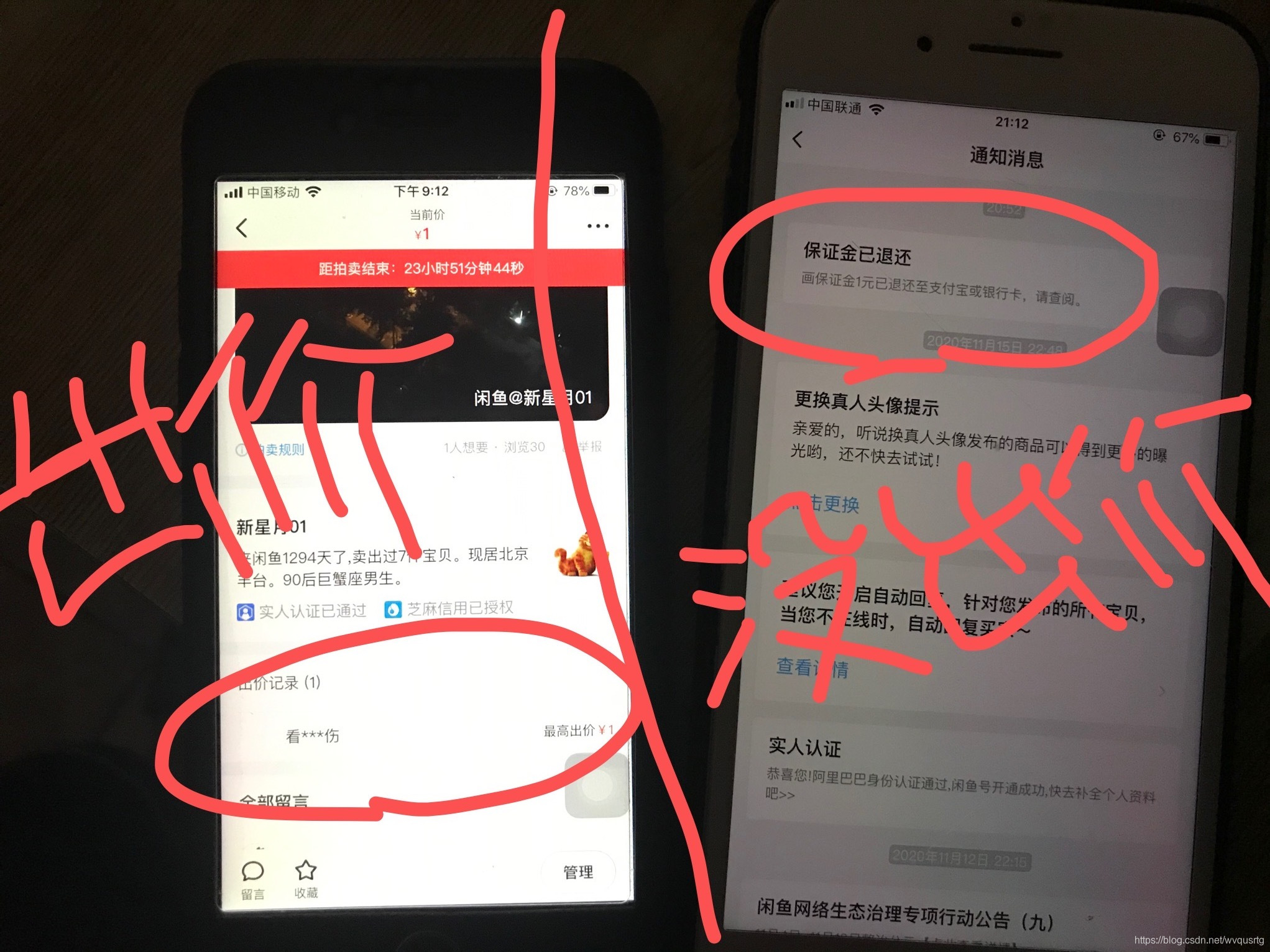
 本文详细介绍了在闲鱼平台上参与拍卖的基本流程,包括竞拍前的保证金缴纳、竞拍失败后的保证金退还规则、竞拍成功后的注意事项以及在交易过程中可能遇到的问题解决办法。






 扫一扫
扫一扫


 5321
5321

 被折叠的 条评论
为什么被折叠?
被折叠的 条评论
为什么被折叠?
 到【灌水乐园】发言





