


一、常用组件与容器
JFrame类提供了下面两种格式的构造方法。
(1)JFrame():创建不指定标题的窗体。
(2)JFrame(String title): 创建指定标题的窗体。
package com.hg.day27.demo01;

import javax.swing.*;
import java.awt.*;
import java.awt.event.ActionEvent;
import java.awt.event.ActionListener;
import static javax.swing.WindowConstants.EXIT_ON_CLOSE;

public class DialogDemo01 extends JDialog {

    public DialogDemo01(JFrame jframe) {
        super(jframe,false);
        this.setBounds(100,100,500,500);

        Container container = this.getContentPane();
        container.setLayout(null);
//        container.add(new Label("大数据五班"));
        JButton button = new JButton("我是大数据五班");
        button.setBounds(30,30,200,50);
        container.add(button);
    }

    public static void main(String[] args) {
        JFrame j = new JFrame();
        j.setVisible(true);
        j.setBounds(100,100,700,500);
        j.setDefaultCloseOperation(EXIT_ON_CLOSE);

        Container container = j.getContentPane();
        container.setLayout(null);

        JButton button = new JButton("我要登录");
        button.setBounds(30,30,200,50);
        button.addActionListener(new ActionListener() {
            @Override
            public void actionPerformed(ActionEvent e){
                DialogDemo01 s = new  DialogDemo01(j);
                s.setVisible(true);
                System.out.println("我被点击");

            }
        });
        container.add(button);
    }
}
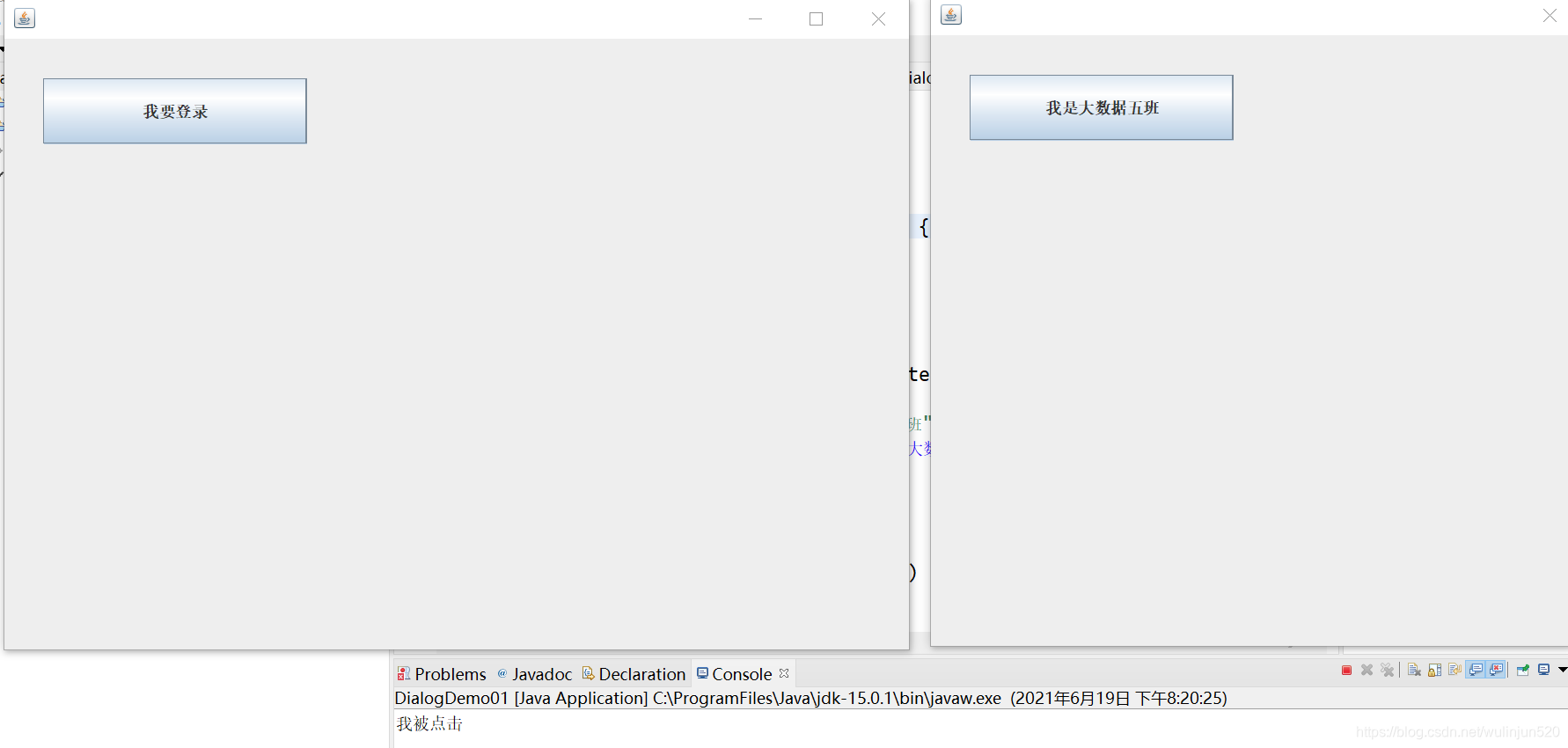
输出得到:
二。布局管理
package com.hg.day27.demo03;

import javax.swing.*;

import java.awt.*;

import static javax.swing.WindowConstants.EXIT_ON_CLOSE;


public class TestFlowLayout {
    public static void main(String[] args) {
        JFrame j = new JFrame();
        j.setVisible(true);
        j.setBounds(100,100,700,500);
        j.setDefaultCloseOperation(EXIT_ON_CLOSE);
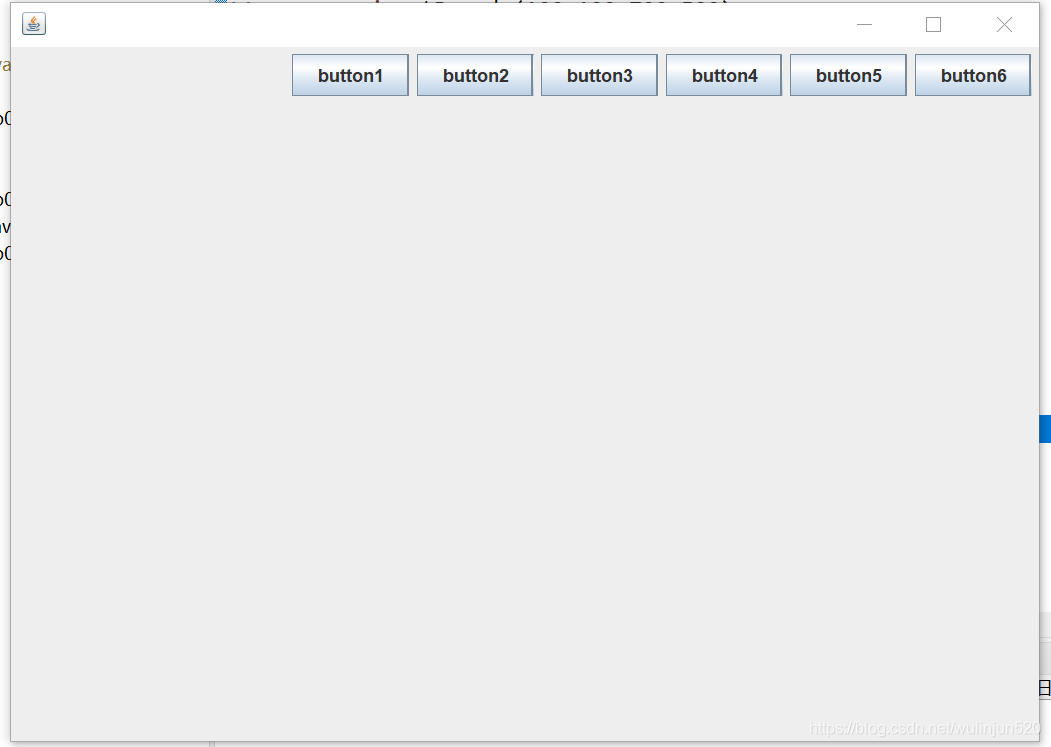
        j.setLayout(new FlowLayout());
        j.setLayout(new FlowLayout(FlowLayout.RIGHT));

        JButton button1 = new JButton("button1");
        JButton button2 = new JButton("button2");
        JButton button3 = new JButton("button3");
        JButton button4 = new JButton("button4");
        JButton button5 = new JButton("button5");
        JButton button6 = new JButton("button6");
        j.add(button1);
        j.add(button2);
        j.add(button3);
        j.add(button4);
        j.add(button5);
        j.add(button6);

    }
}





 扫一扫
扫一扫


 16万+
16万+

 被折叠的 条评论
为什么被折叠?
被折叠的 条评论
为什么被折叠?
 到【灌水乐园】发言





