


难点:
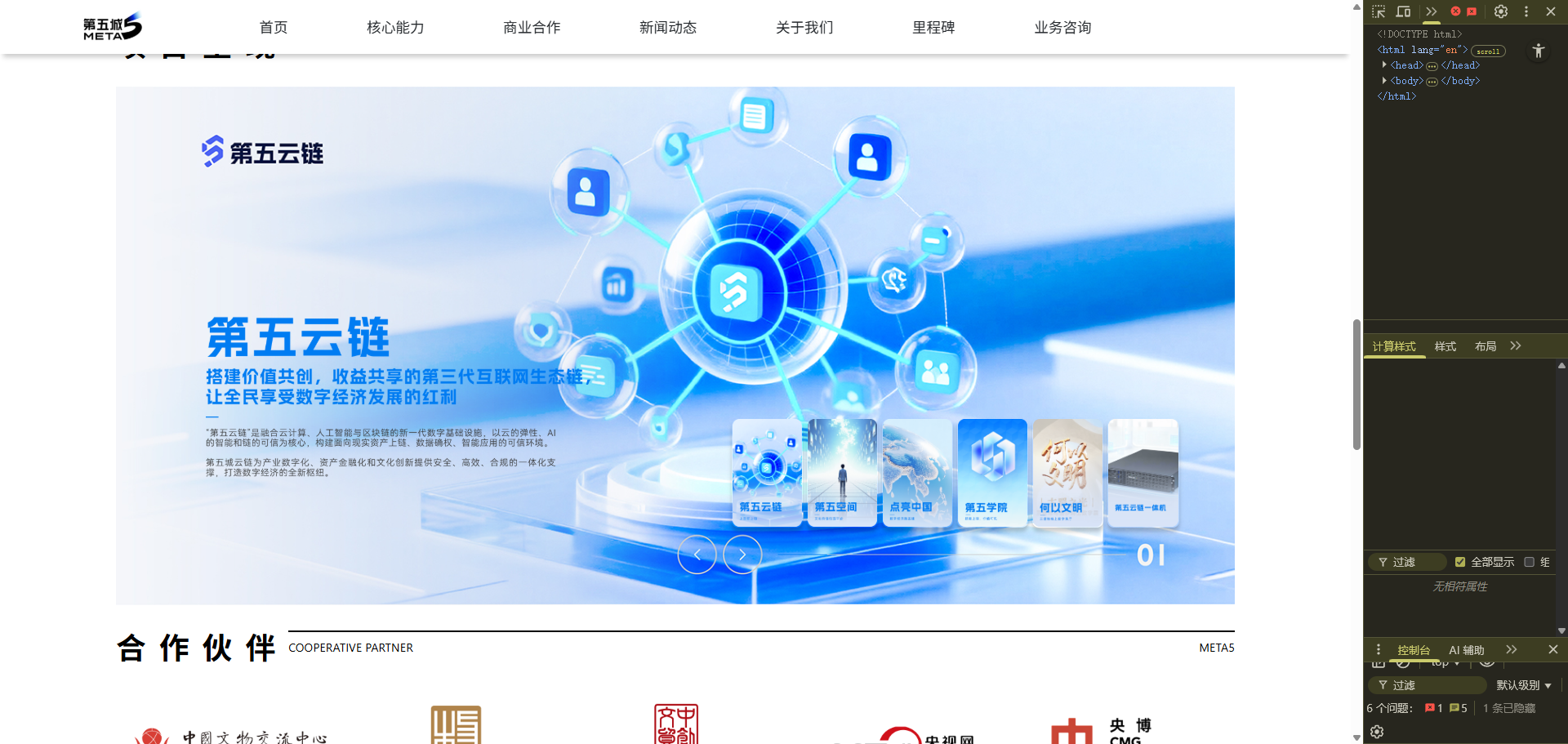
1.动画有两部分,一是背景的切换,二是左侧文字上下翻转;
2.响应式计算布局,以及图片按比例缩放大小;
17-31-22
<div class="container mt-5" style="max-width: 1400px" section="business">
<div class="header-part header">
<div class="title"><span>项目呈现</span></div>
<div class="subtitle">
<div class="line"></div>
<p class="content">
<span class="text-uppercase">Project Presentation</span
><span>META5</span>
</p>
</div>
</div>
<div class="d-none d-lg-block mx-auto py-4">
<div class="shadowBox" style="display: none" cooperation-1>
<div id="title_0">
<img
src="/upfile/asset/business/new/tt1.png"
class="business-title"
onclick="clickBusinessBtn(0)"
/>
</div>
<div id="title_1">
<img
src="/upfile/asset/business/new/tt2.png"
class="business-title"
onclick="clickBusinessBtn(1)"
/>
</div>
<div id="title_2">
<img
src="/upfile/asset/business/new/tt3.png"
class="business-title"
onclick="clickBusinessBtn(2)"
/>
</div>
<div id="title_3">
<img
src="/upfile/asset/business/new/tt4.png"
class="business-title"
onclick="clickBusinessBtn(3)"
/>
</div>
<div id="title_4">
<div
onclick="clickBusinessBtn(4)"
style="
width: 60%;
height: 100px;
margin-right: 8px;
cursor: pointer;
padding-bottom: 100px;
"
>
</div>
</div>
<div id="title_5">
<img
src="/upfile/asset/business/new/tt6.png"
class="business-title"
onclick="clickBusinessBtn(5)"
/>
</div>
</div>
<div class="business-container">
<div class="business-item-wrap">
<img
src="/upfile/asset/business/new/b1.jpg"
class="business-item"
id="business-item1"
/>
<img src="/upfile/asset/business/new/b2.jpg" id="business-item2" />
<div class="business-btn-wrap">
<div class="business-item-btn">
<div class="btn btn1" data-index="6">
<img src="/upfile/asset/business/new/bt6.png" />
</div>
<div class="btn btn1" data-index="1">
<img src="/upfile/asset/business/new/bt1.png" />
</div>
<div class="btn btn2" data-index="2">
<img src="/upfile/asset/business/new/bt2.png" />
</div>
<div class="btn btn3" data-index="3">
<img src="/upfile/asset/business/new/bt3.png" />
</div>
<div class="btn btn4" data-index="4">
<img src="/upfile/asset/business/new/bt4.png" />
</div>
<div class="btn btn5" data-index="5">
<img src="/upfile/asset/business/new/bt5.png" />
</div>
<div class="btn btn6" data-index="6">
<img src="/upfile/asset/business/new/bt6.png" />
</div>
</div>
</div>
<div class="business-item-btn2">
<span onclick="clickSliderBtnByDirection(false)"><</span>
<span onclick="clickSliderBtnByDirection(true)">></span>
</div>
<div id="business-info1" class="business-info1">
<div class="title1" title1>
<img
src="/upfile/asset/business/new/tt1.png"
class="business-title"
/>
</div>
</div>
<div id="business-info2" class="business-info2">
<div class="title2" title2>
<img
src="/upfile/asset/business/new/tt2.png"
class="business-title"
/>
</div>
</div>
</div>
</div>
</div>
<div class="d-block d-lg-none mx-auto py-3 m_lists" cooperation-1>
<img
src="/upfile/asset/business/new/mb1.jpg"
style="width: 100%"
onclick="clickBusinessBtn(0)"
/>
<img
src="/upfile/asset/business/new/mb2.jpg"
onclick="clickBusinessBtn(1)"
style="width: 100%"
/>
<img
src="/upfile/asset/business/new/mb3.jpg"
onclick="clickBusinessBtn(2)"
style="width: 100%"
/>
<img
src="/upfile/asset/business/new/mb4.jpg"
onclick="clickBusinessBtn(3)"
style="width: 100%"
/>
<img
src="/upfile/asset/business/new/mb5.jpg"
style="width: 100%"
onclick="clickBusinessBtn(4)"
/>
<img
src="/upfile/asset/business/new/mb6.jpg"
onclick="clickBusinessBtn(5)"
style="width: 100%"
/>
</div>
<div class="modal fade" modal-p1>
<div class="modal-dialog" style="max-width: 1200px">
<div class="modal-content p-3">
<div class="d-flex align-items-stretch flex-lg-row flex-column">
<div style="width: 65%" video-result></div>
<div style="width: 35%" p1-right class="px-3 position-relative">
<div class="mt-3" style="font-size: 20px; font-weight: bold">
茶之城
</div>
<div class="mt-3" style="font-size: 0.8rem">
基于中国传统文化元素生成的大型主题空间,通过将文化元素与数字场景进行有机的融合赋能传统商业模式,打造具有更高潜力的数字生活空间
</div>
<div
style="bottom: 0; position: absolute; left: 0; width: 100%"
bottom-btn
class="text-center pl-3"
>
<span
class="d-inline-block"
goto="https://download.meta5.cn/MetaFive_v1.0.0.apk"
><span
class="vcity-btn px-5 py-0 d-flex align-items-center justify-content-center"
><i
class="vicon vicon-logo-android mr-2"
style="font-size: 1.6rem"
></i
>茶之城下载链接</span
></span
>
</div>
</div>
</div>
</div>
</div>
</div>
<script>
$(".shadowBox img").click(function () {
console.log("click tt3");
// location.href = "https://space5.art";
});
function clickBusinessBtn(index) {
// $(".shadowBox img").eq(index).trigger("click");
console.log("click tt index:", index);
if (index == 2) {
// location.href = "https://dlzg.cn/";
window.open("https://dlzg.cn/", "_blank");
} else if (index == 3) {
window.open(" https://meta5edu.com/courses", "_blank");
// https://meta5edu.com/courses
} else if (index == 4) {
$("[modal-p2] [video-result]").html(
'<video id="myVideo" autoplay loop controls="" style="display: inline-block; width:100%; border-radius: 5px; "><source src="/upfile/asset/v2.mp4" type="video/mp4"></video>'
);
$("[modal-p2]").modal("show");
} else if (index == 1) {
$("[modal-p3] [video-result]").html(
'<video id="myVideo" autoplay loop controls="" style="display: inline-block; width:100%; border-radius: 5px; "><source src="/upfile/asset/v3.mp4" type="video/mp4"></video>'
);
$("[modal-p3]").modal("show");
} else {
alert("网站即将上线,敬请期待");
}
}
</script>
<div class="modal fade" modal-p2>
<div class="modal-dialog" style="max-width: 1200px">
<div class="modal-content p-3">
<div class="d-flex align-items-stretch flex-lg-row flex-column">
<div style="width: 65%" video-result></div>
<div style="width: 35%" p2-right class="px-3 position-relative">
<div class="mt-3" style="font-size: 20px; font-weight: bold">
数字展览
</div>
<div class="mt-3" style="font-size: 0.8rem">
以创意点亮知识,迸发出具有启发性的数字信息形式展示文明形态。
</div>
<div
style="bottom: 0; position: absolute; left: 0; width: 100%"
bottom-btn
class="text-center pl-3"
>
<span class="d-inline-block" goto="https://hywm.meta5.cn"
><span
class="vcity-btn px-5 py-0 d-flex align-items-center justify-content-center"
><i
class="vicon vicon-logo-android mr-2"
style="font-size: 1.6rem"
></i
>何以文明体验链接</span
></span
>
</div>
</div>
</div>
</div>
</div>
</div>
<script>
$("[modal-p2]").on("hide.bs.modal", function () {
$("[modal-p2] [video-result]").html("");
});
</script>
<div class="modal fade" modal-p3>
<div class="modal-dialog" style="max-width: 1200px">
<div class="modal-content p-3">
<div class="d-flex align-items-stretch flex-lg-row flex-column">
<div style="width: 65%" video-result></div>
<div style="width: 35%" p3-right class="px-3 position-relative">
<div class="mt-3" style="font-size: 20px; font-weight: bold">
第五空间
</div>
<div class="mt-3" style="font-size: 0.8rem">
<div>第五城旗下线上线下文化体验展览品牌。</div>
<div>
多层级物理空间搭载轻量化线上文旅体验,以文化IP赋能线下实体项目。
</div>
</div>
<div
style="bottom: 0; position: absolute; left: 0; width: 100%"
bottom-btn
class="text-center pl-3"
>
<span class="d-inline-block"
><span
class="vcity-btn px-5 py-0 d-flex align-items-center justify-content-center"
goto="https://space5.art"
><i
class="vicon vicon-logo-android mr-2"
style="font-size: 1.6rem"
></i
>第五空间官网链接</span
></span
>
</div>
</div>
</div>
</div>
</div>
</div>
<script>
$("[modal-p3]").on("hide.bs.modal", function () {
$("[modal-p3] [video-result]").html("");
});
</script>
<div class="modal fade" modal-p4>
<div class="modal-dialog" style="max-width: 1200px">
<div class="modal-content p-3">
<div class="d-flex align-items-stretch flex-lg-row flex-column">
<div style="width: 65%" video-result></div>
<div style="width: 35%" p4-right class="px-3 position-relative">
<div class="mt-3" style="font-size: 20px; font-weight: bold">
线下赋能
</div>
<div class="mt-3" style="font-size: 0.9rem; line-height: 25px">
<div>以线上线下双循环形态,促进“文化+”产业融合。</div>
<div>突破时空维度</div>
<div>虚拟资产互通</div>
<div>文旅教育闭环</div>
<div>品牌社交裂变</div>
</div>
</div>
</div>
</div>
</div>
</div>
<script>
// $("[cooperation-1] > div:eq(3)").click(function () {
// $("[modal-p4] [video-result]").html(
// '<video id="myVideo" autoplay loop controls="" style="display: inline-block; width:100%; background:#000; height:500px; border-radius: 5px; "><source src="/upfile/asset/v4.mp4" type="video/mp4"></video>'
// );
// $("[modal-p4]").modal("show");
// });
$("[modal-p4]").on("hide.bs.modal", function () {
$("[modal-p4] [video-result]").html("");
});
</script>
<style>
@media (max-width: 1200px) {
[modal-p1] [video-result],
[p1-right] {
width: 100% !important;
}
[modal-p1] [bottom-btn] {
position: static !important;
margin-top: 30px;
padding-left: 0px !important;
}
[modal-p1] [bottom-btn] span {
max-width: 300px !important;
}
[modal-p2] [video-result],
[p2-right] {
width: 100% !important;
}
[modal-p2] [bottom-btn] {
position: static !important;
margin-top: 30px;
padding-left: 0px !important;
}
[modal-p2] [bottom-btn] span {
max-width: 300px !important;
}
[modal-p3] [video-result],
[p3-right] {
width: 100% !important;
}
[modal-p3] [bottom-btn] {
position: static !important;
margin-top: 30px;
padding-left: 0px !important;
}
[modal-p3] [bottom-btn] span {
max-width: 300px !important;
}
[modal-p4] [video-result],
[p4-right] {
width: 100% !important;
}
[modal-p4] [bottom-btn] {
position: static !important;
margin-top: 30px;
padding-left: 0px !important;
}
[modal-p4] [bottom-btn] span {
max-width: 300px !important;
}
[modal-p4] [video-result] video {
height: 360px !important;
}
}
[cooperation-1] img {
filter: drop-shadow(0px 0.2rem 0.2rem rgba(0, 0, 0, 0.5));
transition: all 0.3s;
}
[cooperation-1] > div {
position: relative;
cursor: pointer;
transition: all 0.3s;
}
[cooperation-1] > div span {
position: absolute;
padding: 5px 10px;
color: #fff;
left: 30px;
bottom: 20px;
background: rgba(0, 0, 0, 0.5);
display: inline-block;
border-radius: 5px;
font-size: 1.3rem;
transition: all 0.3s;
}
/* [cooperation-1] > div:hover { transform: scale(105%);}
[cooperation-1] > div:hover img{filter: drop-shadow(0px .2rem .4rem rgba(0,0,0,.5))} */
</style>
<script>
$("[goto]").each(function () {
let $t = $(this);
$(this).click(function () {
confirm("是否前往[" + $t.text() + "]?", function () {
location.href = $t.attr("goto");
});
});
});
</script>
<script>
(function (global) {
function BusinessSlider(options) {
this.containerSelector =
options.containerSelector || ".business-container";
this.btnSelector = options.btnSelector || ".business-item-btn .btn";
this.img1 = document.getElementById("business-item1");
this.img2 = document.getElementById("business-item2");
this.title1 = document.getElementById("business-info1");
this.title2 = document.getElementById("business-info2");
this.currentIndex = 1;
this.animationRunning = false;
this.transitionDuration = 600;
this.itemWidth = 100;
this.scrollDiffX = 0;
this.gapWidth = 8;
this.direction = "";
this.timer = null;
this.images = options.images || [];
this.currentArr = ["btn1", "btn2", "btn3", "btn4", "btn5", "btn6"];
}
/** 初始化内容 */
BusinessSlider.prototype.initData = function () {
// console.log("BusinessSlider initData", this.currentIndex);
$secondBtn = $(".business-item-btn .btn").eq(1);
$now_currentIndex = parseInt($secondBtn.attr("data-index"));
// this.currentIndex = parseInt($currentIndex);
// this.currentIndex = 1;
let firstTitleDom = document.getElementById(
"title_" + ($now_currentIndex - 1)
);
// console.log("firstTitleDom:", $(firstTitleDom).find("img").attr("src"));
if (firstTitleDom) {
$(this.title1)
.find("img")
.attr("src", $(firstTitleDom).find("img").attr("src"));
}
// scroll
let itemWidth = this.itemWidth;
// console.log("itemWidth:", itemWidth);
this.scrollDiffX = Math.ceil(itemWidth + this.gapWidth);
// console.log(itemWidth);
// console.log("scrollDiffX:===>", this.scrollDiffX);
$(".business-item-btn").scrollLeft(this.scrollDiffX);
};
BusinessSlider.prototype.initTimer = function () {
let self = this;
if (self.timer) clearInterval(self.timer);
self.timer = setInterval(function () {
// let nextIndex = (self.currentIndex + 1) % $(self.btnSelector).length;
// self.goNextSlider(nextIndex);
// self.clickSliderBtnByDirection(false);
if (self.animationRunning) return;
if (window["busines_hidden"]) {
console.log("页面不可见,暂停历史时间球滚动 bussines");
return;
}
self.clickByDirection(true);
}, 3500);
};
BusinessSlider.prototype.changeItemPos = function (
currentIndex,
direction = "left"
) {
// console.log("changeItemPos:", currentIndex, direction);
let that = this;
let currentArr = this.currentArr;
let endArr = [];
// endArr
let preDom = $(".business-item-btn .btn")
.eq(currentIndex - 1)
.clone(true);
for (let i = currentIndex; i < currentArr.length; i++) {
endArr.push(currentArr[i]);
}
for (let i = 1; i < currentIndex; i++) {
endArr.push(currentArr[i]);
}
// console.log("endArr:", endArr);
this.currentArr = endArr;
// 根据 endArr 重新排列按钮位置
if (direction === "right") {
// 点击右按钮.向左滑动
// 把前面currentIndex 元素位置调整到后面
let scrollLeftTotal = 0;
let leftDoms = [];
$(".business-item-btn .btn").each(function (index, element) {
// console.log("第 " + index + " 个按钮:", $(element).text());
if (index < currentIndex && index !== 0) {
scrollLeftTotal += $(element).width() + that.gapWidth;
// $('<div>').append($(element).clone()).appendTo($(".business-item-btn"));
$(".business-item-btn").append($(element).clone(true));
leftDoms.push(element);
} else if (index === 0) {
// 替换掉0 为当前的
scrollLeftTotal += $(element).width() + that.gapWidth;
}
});
$(".business-item-btn").animate(
{ scrollLeft: scrollLeftTotal },
that.transitionDuration, // 动画时长(毫秒)
"linear", // 缓动函数('linear' 或 'linear')
function () {
// 动画结束后执行
// console.log("动画结束,当前 scrollLeft =", $(this).scrollLeft());
// // 瞬间移除,然后scorllLeft = 0
$(".business-item-btn").scrollLeft(that.scrollDiffX);
leftDoms.forEach((eleDom) => {
eleDom.remove();
});
setTimeout(() => {
let firstBtn = $(".business-item-btn .btn").eq(0);
firstBtn.attr("data-index", preDom.attr("data-index"));
firstBtn
.find("img")
.attr("src", preDom.find("img").attr("src"));
}, 100);
}
);
} else {
// 点击左按钮, 插入元素,并想右画的, 只需要操作最前面一个,因为右按钮只能滑动单次
const $btns = $(".business-item-btn .btn");
const $lastBtn = $btns.last().clone(true);
$lastBtn.hide();
const $secondBtn = $btns.eq(0); // 索引从0开始
$secondBtn.after($lastBtn);
$(".business-item-btn").animate(
{ scrollLeft: 0 },
600, // 动画时长(毫秒)
"linear", // 缓动函数('linear' 或 'linear')
function () {
$lastBtn.show();
$(".business-item-btn").scrollLeft(that.scrollDiffX);
setTimeout(function () {
let firstBtn = $btns.eq(0);
firstBtn.attr("data-index", $btns.eq(-2).attr("data-index"));
firstBtn
.find("img")
.attr("src", $btns.eq(-2).find("img").attr("src"));
$btns.last().remove();
// void $(".business-item-btn").offsetWidth;
// // 瞬间移除,然后scorllLeft = 0
}, 200);
}
);
}
};
/** 主切换逻辑 */
BusinessSlider.prototype.goNextSlider = function (indexBtn) {
let self = this;
if (self.animationRunning) return;
if (self.currentIndex === indexBtn) return;
// how to cal direction ?
// let direction = self.currentIndex <= indexBtn ? "right" : "left";
// console.log("----", self.currentIndex, indexBtn, self.direction);
self.animationRunning = true;
let targetDom = self.img1;
let toDom = self.img2;
let targetTitleDom = self.title1;
let toTitleDom = self.title2;
// 判断indexBtn 的id
let data_index = $(".business-item-btn .btn")
.eq(indexBtn)
.attr("data-index");
data_index = parseInt(data_index);
// data_index = (data_index + 6) % 6;
if (data_index - 1 < 0) {
data_index = $(".business-item-btn .btn").length;
}
if (!document.getElementById("title_" + (data_index - 1))) {
console.error("title not found:", "title_" + (data_index - 1));
return;
}
// console.log("title dom check:", data_index);
$(".business-item-btn .btn").each(function (index) {
let attr_index = $(this).attr("data-index");
if (attr_index == data_index) {
// console.log("found btn:", index, attr_index);
// $(this).addClass("active-btn");
// 设置当前索引
indexBtn = index;
}
// $(this).attr("data-index", index);
});
let imgSrc = "/upfile/asset/business/new/b" + data_index + ".jpg";
// 处理图片
toDom.src = imgSrc;
toDom.style.transition = "all 0.6s linear";
toDom.classList.add("active");
// console.log(
// "title dom:",
// document.getElementById("title_" + (data_index - 1))
// );
// let ttImg = $("title_" + (data_index - 1)).find("img").attr("src");
// $(toTitleDom).find("img").attr("src", ttImg);
targetTitleDom.style.transition = "all 0.6s linear";
toTitleDom.style.transition = "all 0.6s linear";
targetTitleDom.classList.add("fade-out");
toTitleDom.classList.add("fade-in");
toTitleDom.innerHTML = document.getElementById(
"title_" + (data_index - 1)
).innerHTML;
// 动画结束后同步内容
setTimeout(function () {
targetDom.src = imgSrc;
toDom.style.transition = "all 0s linear";
targetTitleDom.innerHTML = toTitleDom.innerHTML;
// $(targetTitleDom)
// .find("img")
// .attr("src", $(toTitleDom).find("img").attr("src"));
targetTitleDom.style.transition = "all 0s linear";
toTitleDom.style.transition = "all 0s linear";
// targetTitleDom.classList.remove("fade-out");
// toTitleDom.classList.remove("fade-in");
}, self.transitionDuration);
// 完成动画后解锁
setTimeout(function () {
self.animationRunning = false;
targetTitleDom.classList.remove("fade-out");
toTitleDom.classList.remove("fade-in");
toDom.classList.remove("active");
self.currentIndex = 1;
}, self.transitionDuration + 500);
self.changeItemPos(indexBtn, self.direction);
};
/** 按方向切换 */
BusinessSlider.prototype.clickByDirection = function (isNext) {
// console.error(isNext);
let that = this;
let btns = $(".business-item-btn .btn");
// console.log("btns", btns);
let targetIndex = isNext
? (that.currentIndex + 1) % btns.length
: (that.currentIndex - 1 + btns.length) % btns.length;
// true NaN 1 0 NaN NaN 1
// console.log(
// "00000000000000000000",
// isNext,
// targetIndex,
// that.currentIndex,
// btns.length,
// (that.currentIndex + 1) % btns.length,
// (that.currentIndex - 1 + btns.length) % btns.length,
// that.currentIndex
// );
// $(btns[targetIndex]).trigger("click");
that.clickHandler(targetIndex, isNext ? "right" : "left");
};
BusinessSlider.prototype.clickHandler = function (operIndex, direction) {
let self = this;
if (self.animationRunning) return;
// console.log(self.currentIndex, operIndex);
if (operIndex === undefined || operIndex === null) {
console.error("....");
return;
}
self.direction = direction || "right";
// console.log(self.direction);
self.goNextSlider(operIndex);
};
/** 按钮绑定 */
BusinessSlider.prototype.bindEvents = function () {
let self = this;
$(self.btnSelector).on("click", function () {
let operIndex = $(this).index();
self.clickHandler(operIndex, "right");
// let operIndex = $(this).index();
// console.log(self.currentIndex, operIndex);
// // self.direction = 'right';
// console.log(self.direction);
// self.goNextSlider(operIndex);
});
};
/** 初始化启动 */
BusinessSlider.prototype.start = function () {
let self = this;
if (self.timer) clearInterval(self.timer);
self.currentIndex = 1;
// console.log('')
// 检测dom是否可见
if ($(window).width() >= 750) {
// 检测当前元素是否存在,不存在,则不渲染
// let btnWrapDom = document.getElementsByClassName("business-item-btn");
// console.log("000.0000", btnWrapDom);
// console.log("000.0000元素存在");
this.initData();
this.bindEvents();
this.initTimer();
}
};
BusinessSlider.prototype.clearTimer = function () {
let self = this;
if (self.timer) {
clearInterval(self.timer);
self.timer = null;
}
};
BusinessSlider.prototype.startTimer = function () {
this.initTimer();
};
// 挂到全局
global.BusinessSlider = BusinessSlider;
})(window);
$(document).ready(function () {
// console.error("bussineszs...ready....");
let resizeBusiness;
resizeBusiness && clearTimeout(resizeBusiness);
let slider = new BusinessSlider({
containerSelector: ".business-container",
btnSelector: ".business-item-btn .btn",
});
slider.start();
const target = document.querySelector(".business-item-btn");
// if (target) {
// const observer = new IntersectionObserver((entries) => {
// entries.forEach((entry) => {
// if (entry.isIntersecting) {
// // console.log("✅ 元素可见");
// window["busines_hidden"] = false;
// slider.start();
// } else {
// console.log("❌ 元素不可见");
// window["busines_hidden"] = true;
// }
// });
// });
// observer.observe(target);
// }
document.addEventListener("visibilitychange", function () {
if (document.hidden) {
console.log("🚫 页面被隐藏了(切到后台)");
// 停止动画、暂停视频、停止定时器等
window["busines_hidden"] = true;
} else {
console.log("✅ business页面重新可见");
// 恢复动画、恢复计时等
// console.log("✅ 元素可见");
window["busines_hidden"] = false;
// slider.start();
}
});
let lastWidth = window.innerWidth;
$(window).resize(function () {
if (window.innerWidth == lastWidth) {
return;
}
resizeBusiness && clearTimeout(resizeBusiness);
resizeBusiness = setTimeout(function () {
slider.start();
}, 200); // 200ms 后执行,可以根据需要调整时间
lastWidth = window.innerWidth;
});
// 外部调用示例
window.clickSliderBtnByDirection = function (isNext) {
slider.clickByDirection(isNext);
};
});
</script>
<style>
.business-container {
background: #eee;
width: 100%;
position: relative;
}
.business-item-wrap {
width: 100%;
position: relative;
overflow: hidden;
}
.business-item-wrap img {
width: 100%;
height: auto;
display: block;
}
.m_lists img {
margin-bottom: 20px;
padding: 0 5px;
filter: drop-shadow(0px 0.2rem 0.2rem rgba(0, 0, 0, 0.5));
}
.business-item-wrap .business-title {
padding-bottom: 0px;
width: 80%;
height: auto;
margin-right: 8px;
cursor: pointer;
}
@media (min-width: 750px) {
.business-container {
background: #eee;
width: 100%;
position: relative;
}
.business-item-wrap {
width: 100%;
position: relative;
overflow: hidden;
}
#business-item2 {
position: absolute;
width: 100%;
height: 100%;
bottom: 0;
left: 0;
opacity: 0;
/* transition: all 0.6s linear; */
scale: 0;
transform-origin: bottom center;
/* transform: translateX(40%); */
}
#business-item2.active {
opacity: 1;
scale: 1;
}
.business-info1 {
position: absolute;
bottom: 5%;
left: 8%;
width: 45%;
height: 50%;
overflow: hidden;
font-size: 50px;
opacity: 1;
/* transition: all 0.6s linear; */
}
.business-info2 {
position: absolute;
bottom: 5%;
left: 8%;
font-size: 50px;
width: 45%;
height: 50%;
overflow: hidden;
opacity: 0;
transform: translateY(100%);
/* transition: all 0.6s linear; */
}
.business-info1.fade-out {
opacity: 0;
transform: translateY(-100%);
}
.business-info2.fade-in {
opacity: 1;
transform: translateY(0%);
}
.business_title {
font-size: 50px;
}
.business_description {
font-size: 26px;
}
.business-btn-wrap {
position: absolute;
bottom: 15%;
right: 0;
width: 40%;
overflow: visible; /* 外层可见 */
}
.business-item-btn {
display: flex;
overflow-x: auto; /* 内层控制滚动 */
overflow-y: hidden;
gap: 8px;
z-index: 10;
flex-wrap: nowrap;
flex-direction: row;
height: 100%;
}
.business-item-btn::-webkit-scrollbar {
display: none; /* 隐藏滚动条 */
}
.business-item-btn .btn {
padding: 0;
/* box-shadow: 0 5px 5px rgba(0, 0, 0, 0.2); */
/* transition: all 0.3s linear; */
width: 100px;
display: inline-block;
padding-top: 0%;
height: auto;
flex: 0 0 auto;
overflow: visible;
border: 0;
}
.business-item-btn .btn img {
border-radius: 8px;
transition: all 0.3s linear;
height: 90%;
margin-top: 5%;
/* height: 90%;
width: 100%; */
/* margin-top: 5%; */
overflow: hidden;
transform-origin: center center;
}
.business-item-btn .btn.shrink {
width: 0;
opacity: 0;
}
.business-item-btn .btn img:hover {
transform: scale(1.05);
box-shadow: 0 5px 5px rgba(0, 0, 0, 0.3);
}
.business-item-btn2 {
position: absolute;
bottom: 6%;
right: 42%;
display: flex;
gap: 10px;
z-index: 10;
font-size: 20px;
color: #333;
width: 8%;
/* background-color: rgba(0, 0, 0, 0.3); */
}
.business-item-btn2 span {
display: inline-block;
width: 50%;
height: 50%;
line-height: 50px;
text-align: center;
border-radius: 50%;
background: #fff;
box-shadow: 0 0 5px rgba(0, 0, 0, 0.2);
cursor: pointer;
opacity: 0;
z-index: 99;
}
}
</style>
</div>





 扫一扫
扫一扫


 740
740

 被折叠的 条评论
为什么被折叠?
被折叠的 条评论
为什么被折叠?
 到【灌水乐园】发言





