





 本文详细分析了Intel e3800的GPIO驱动源码,探讨了Linux下i386平台GPIO端口的操作,特别提到了在研华IBOX101工控机上使用GPIO的挑战,包括Super IO和南桥GPIO的区别,并提供了对/proc/ioports和/proc/iomem的支持信息。
IBOX101 gpio
E:\BACnet\工控机\
linux x86 gpio 控制 方法 收集 (没有收集到)
/sys/class/gpio
echo 89 > /sys/class/gpio
echo 2 > export
bash: echo: write error: Invalid argument
echo 89 > /sys/class/gpio/export
-sh: write error: Device or resource busy
调X86平台GPIO的时候,先看清是Super IO (SIO)的GPIO,还是南桥(PCH)的GPIO
它们可能重名,比如都叫GP20
这些GPIO都是通过打开/dev/port设备来操作,只不过操作的地址不同
原理图上,PCH(南桥)的GPIO一般表示为PCH_GPIOxxx
南桥GPIO调时看文档看Intel的datasheet
而SIO的芯片一般是winbond的,看这个文档调试
GPIO还要驱动?
只要CPU不是在用户模式下,就可以直接使用GPIO。
本文对Intel e3800的GPIO驱动源码进行分析。
一、概述
1.1 内核配置
Intel e3800的GPIO在Linux内核中使用的驱动名为gpio_ich(为了行文方便,将对应的设备称为“gpio_ich设备”)。驱动源码位于:drivers/gpio/gpio-ich.c
本文基于linux 3.17.1版本内核进行分析。
内核配置(make menuconfig)信息如下:
Device Drivers —>
-*- GPIO Support —>
Intel ICH GPIO
使用模块形式编译,在加载该驱动后,就可以使用lsmod查看。另外,也会生成对应的驱动设备目录:/sys/bus/platform/devices/gpio_ich/。
linux下i386平台gpio端口操作
对/proc/ioports和/proc/iomem的支持
root@ubuntu:/proc# cat ioports
0000-006f : PCI Bus 0000:00
0000-001f : dma1
0020-0021 : pic1
0040-0043 : timer0
0050-0053 : timer1
0060-0060 : keyboard
0064-0064 : keyboard
0070-0077 : PCI Bus 0000:00
0070-0077 : rtc0
0078-0cf7 : PCI Bus 0000:00
0080-008f : dma page reg
00a0-00a1 : pic2
00c0-00df : dma2
00f0-00ff : fpu
02e0-02e7 : serial
02e8-02ef : serial
02f0-02f7 : serial
02f8-02ff : serial
03e8-03ef : serial
03f8-03ff : serial
0400-047f : pnp 00:01
0400-0403 : ACPI PM1a_EVT_BLK
0404-0405 : ACPI PM1a_CNT_BLK
0408-040b : ACPI PM_TMR
0420-042f : ACPI GPE0_BLK
0430-0433 : iTCO_wdt.0.auto
0450-0450 : ACPI PM2_CNT_BLK
0460-047f : iTCO_wdt.0.auto
0500-05fe : pnp 00:01
0600-061f : pnp 00:01
0680-069f : pnp 00:01
0a00-0a2f : pnp 00:02
0a30-0a3f : pnp 00:02
0a40-0a4f : pnp 00:02
0cf8-0cff : PCI conf1
0d00-ffff : PCI Bus 0000:00
1000-1fff : PCI Bus 0000:01
2000-2fff : PCI Bus 0000:02
d000-dfff : PCI Bus 0000:04
d000-d01f : 0000:04:00.0
e000-efff : PCI Bus 0000:03
e000-e01f : 0000:03:00.0
f000-f01f : 0000:00:1f.3
f020-f03f : 0000:00:13.0
f020-f03f : ahci
f040-f043 : 0000:00:13.0
f040-f043 : ahci
f050-f057 : 0000:00:13.0
f050-f057 : ahci
f060-f063 : 0000:00:13.0
f060-f063 : ahci
f070-f077 : 0000:00:13.0
f070-f077 : ahci
f080-f087 : 0000:00:02.0
1
-
解锁进入Super I/O配置空间:
向IO端口2E 处写入87h, 01h, 55h,55h
IoPortWrite(2Eh, 87h);
IoPortWrite(2Eh, 01h);
IoPortWrite(2Eh, 55h);
IoPortWrite(2Eh, 55h); -
读取/设置各个GPIO状态值.
(1). 读取GPIO状态值。
IoPortWrite(0x2E, 0xCF);
Data = IoPortRead(0x2F);
此时Data的8个bit就表示GPIO80-87这8个GPIO的是输入还是输出(值为0 = input mode, 1 = output mode)。
Data.bit0 == 0 GPIO80是输入状态; Data.bit0 == 1 GPIO80是输出状态
Data.bit1 == 0 GPIO10是输入状态; Data.bit1 == 1 GPIO81是输出状态
……
Data.bit6 == 0 GPIO86是输入状态; Data.bit6 == 1 GPIO86是输出状态
Data.bit7 == 0 GPIO87是输入状态; Data.bit7 == 1 GPIO87是输出状态
此时8个GPIO状态值就在IO端口A07h处,对应关系如下(值为0 = low, 1 = high):
IoPortRead(A07h).bit0 == 0 GPIO80是low; IoPortRead(A07h).bit0 == 1 GPIO80是high
IoPortRead(A07h).bit1 == 0 GPIO81是low; IoPortRead(A07h).bit1 == 1 GPIO81是high
……
IoPortRead(A07h).bit6 == 0 GPIO86是low; IoPortRead(A07h).bit6 == 1 GPIO86是high
IoPortRead(A07h).bit7 == 0 GPIO87是low; IoPortRead(A07h).bit7 == 1 GPIO87是high
linux下i386平台gpio端口操作
这个有可能能用
http://www.it610.com/article/5429105.htm
研华主板上大多使用的superIO
研华主板上大多使用的superIO
研华主板上大多使用的superIO
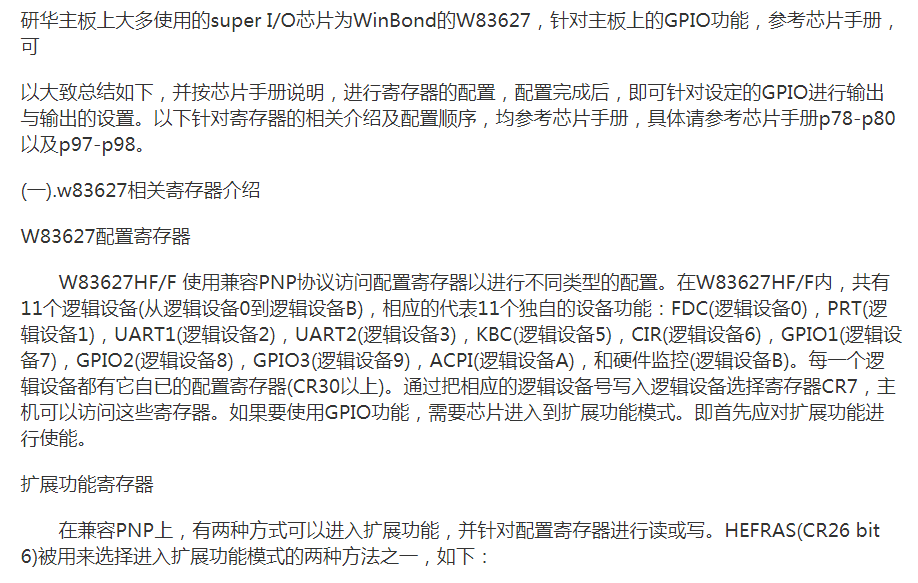
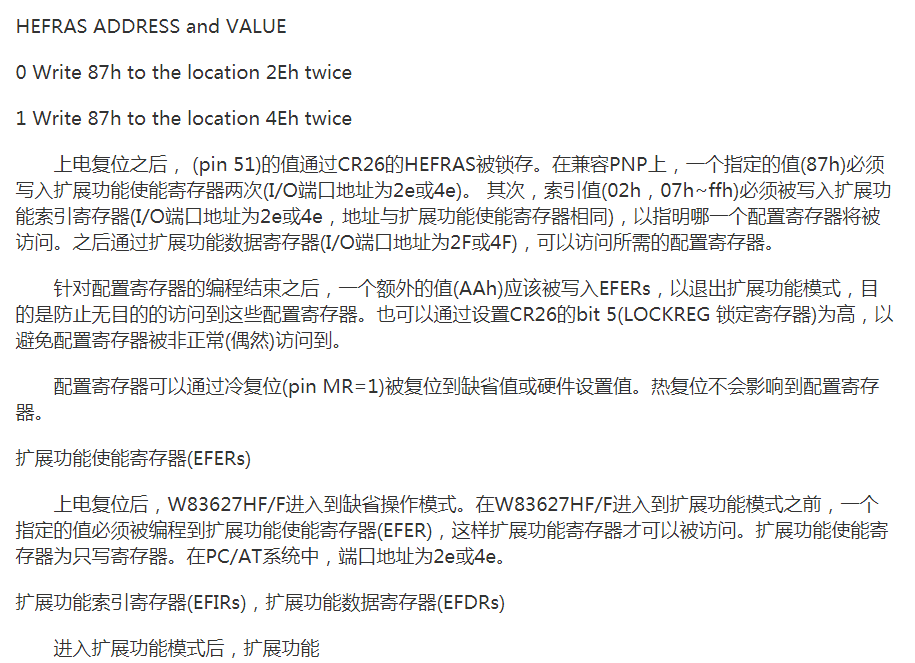
GPIO
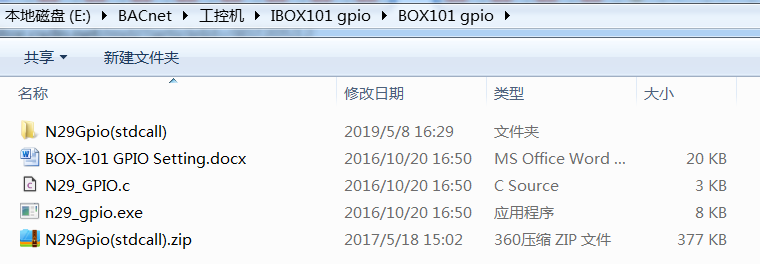
工控机重装系统
rufus-3.5p
rufus-3.5p.exe
ubuntu-16.04.5-server-amd64.iso
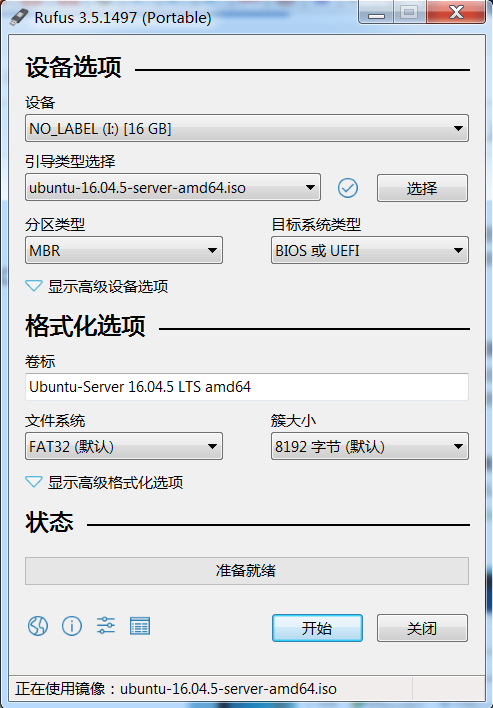
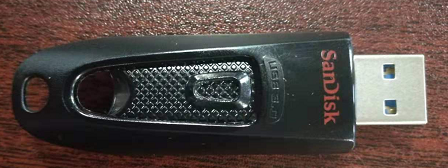
装系统用到的u盘





 扫一扫
扫一扫


 2059
2059

 被折叠的 条评论
为什么被折叠?
被折叠的 条评论
为什么被折叠?
 到【灌水乐园】发言





