



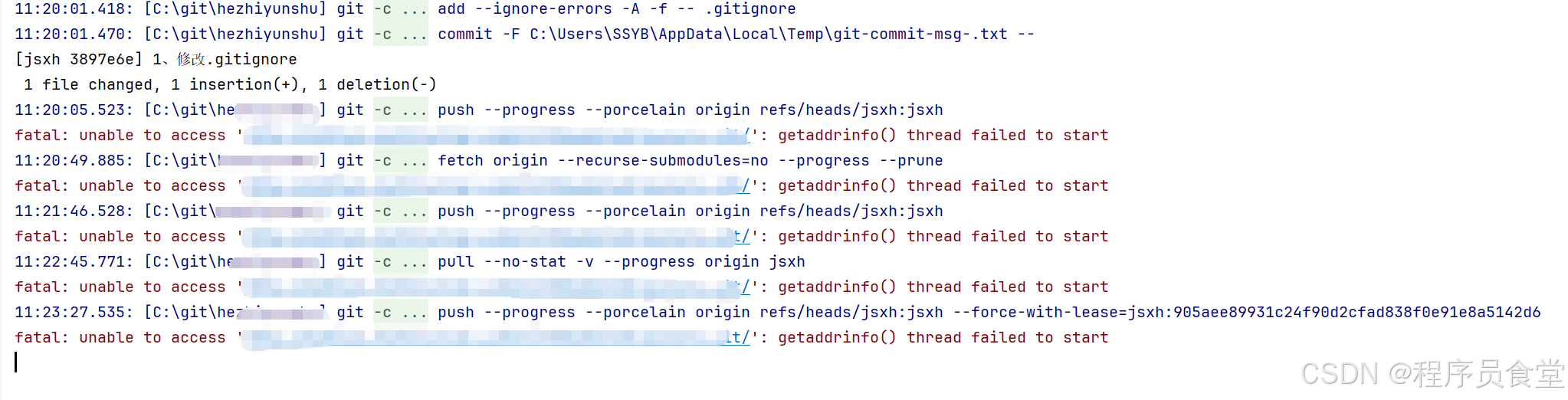
11:20:05.523: [C:\git\yang] git -c credential.helper= -c core.quotepath=false -c log.showSignature=false push --progress --porcelain origin refs/heads/jsxh:jsxh
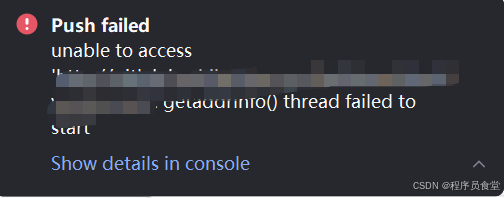
fatal: unable to access 'http://gitlab.XXXX.com/lteam/yang.git/': getaddrinfo() thread failed to start
确保你的电脑能正常上网
尤其是能否访问这个地址:
ping gitlab.xxxx.com
如果 ping 不通,可能是:
-
域名拼错
-
该 GitLab 是内网地址,你当前网络不在内网
-
DNS 无法解析这个域名
尝试用 IP 地址代替域名(临时绕过 DNS)
如果你知道这个 GitLab 服务器的 IP 地址,可以临时用 IP 代替域名:
git clone http://<IP地址>/lteam/yang.git
检查 DNS 设置
你可以试试换一个 DNS,比如:
-
Google DNS:
8.8.8.8 -
阿里 DNS:
223.5.5.5
修改方法(Windows):
-
打开“网络和共享中心” → 更改适配器设置 → 右键你的网络 → 属性 → IPv4 → 手动填写 DNS。
关闭代理或 VPN(如果有)
有些代理或 VPN 会导致 DNS 解析失败,先关闭试试:
git config --global --unset http.proxy
git config --global --unset https.proxy
重启电脑或 Git 工具
有时是系统线程资源耗尽,重启一下 Git Bash、IDE 或电脑可能就好了。







 扫一扫
扫一扫


 被折叠的 条评论
为什么被折叠?
被折叠的 条评论
为什么被折叠?
 到【灌水乐园】发言





