


 本文深入讲解了CSS伪元素::after、::before、::first-letter、::first-line和::selection的使用方法及注意事项,通过实例展示了如何利用这些伪元素增强网页布局和样式。
css伪元素
- ::after
伪元素在元素之后添加的内容。
- ::before
伪元素在元素之前添加的内容。
注意:::after ::before每个元素值存在一个多次设置会覆盖上一次的样式,必须存在content属性,个别样式可能还要display:block才能显示。
<!doctype html>
<html lang="en">
 <head>
  <meta charset="UTF-8">
  <title>伪元素</title>
  <style>
	#box > div::before{content:"\260E";color:red;font-size:20px}
	#box > div::after{content:"\2639";color:red;font-size:20px}
  </style>
 </head>
 <body>
  <div id="box">
	<div>123456789</div>
  </div>
 </body>
</html>
页面效果:
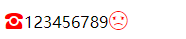
content用的HTML特殊字符符号,链接:http://www.webhek.com/post/html-enerty-code.html.
- ::first-letter
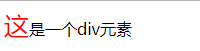
伪元素向文本的第一个字母添加样式。
<!doctype html>
<html lang="en">
 <head>
  <meta charset="UTF-8">
  <title>伪元素</title>
  <style>
	#box::first-letter{color:red;font-size:25px}
  </style>
 </head>
 <body>
  <div id="box">这是一个div元素</div>
</html>
页面效果:
4. ::first-line
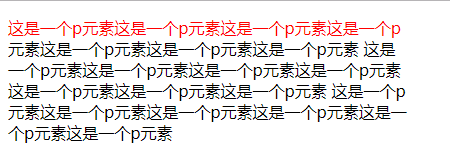
伪元素向每个段落的第一行字母添加样式。
<!doctype html>
<html lang="en">
 <head>
  <meta charset="UTF-8">
  <title>伪元素</title>
  <style>
	p{width:400px}
	p::first-line{color:red}
  </style>
 </head>
 <body>
  <p>这是一个p元素这是一个p元素这是一个p元素这是一个p元素这是一个p元素这是一个p元素这是一个p元素
  这是一个p元素这是一个p元素这是一个p元素这是一个p元素这是一个p元素这是一个p元素这是一个p元素
  这是一个p元素这是一个p元素这是一个p元素这是一个p元素这是一个p元素这是一个p元素</p>
 </body>
</html>
页面效果:
5. ::selection
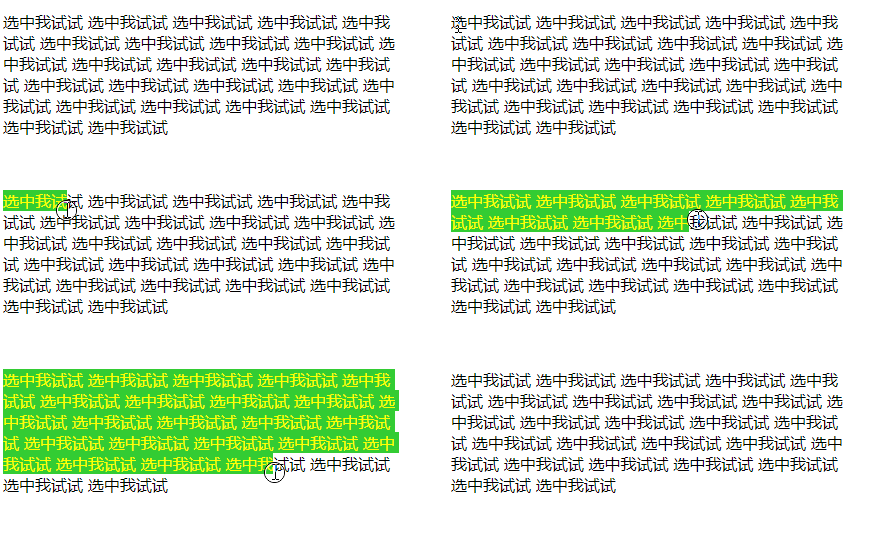
伪元素选择器匹配元素中被用户选中或处于高亮状态的部分。
注意:::selection只可以用于少数的css属性,如:(color,background,cursor,outline)。
<!doctype html>
<html lang="en">
 <head>
  <meta charset="UTF-8">
  <title>伪元素</title>
  <style>
    p{width:400px}
	p::selection{color:yellow;background:#33cc00;}
  </style>
 </head>
 <body>
  <p>选中我试试 选中我试试 选中我试试 选中我试试 选中我试试 选中我试试 选中我试试 选中我试试 选中我试试 选中我试试 选中我试试 选中我试试 选中我试试 选中我试试 选中我试试 选中我试试 选中我试试 选中我试试 选中我试试 选中我试试 选中我试试 选中我试试 选中我试试 选中我试试 选中我试试 </p>
 </body>
</html>
页面效果:





 扫一扫
扫一扫


 229
229

 被折叠的 条评论
为什么被折叠?
被折叠的 条评论
为什么被折叠?
 到【灌水乐园】发言





