来源:https://diwfpqo78m.feishu.cn/docx/NOl4dsah8o4LtixcOv4cdjB3nfb
-
Dalle
-
0.13 美元 / 生成
-
6pen
-
免费排队生成
-
付费快速生成: 0.1人民币起
可以看出,商业化的 AI绘画的服务目前几乎不区分 ToB 或 ToC ,更多是提供按量或按需付费的服务,无论是企业还是个人用户都可以使用。这种收费模式是因为这些原因:
-
AI生成使用显卡服务器,维持免费使用需要付出巨大成本
-
缺乏生成图之后的闭环,无法从免费用户获得其他方面的收入
-
受限于尚处在争议中的版权及其它道德因素,其它商业化手段还有待探索
ToB 的可能性
AI绘画在 ToB 领域天然拥有更多可能性,但受限于模型质量,版权争议,以及目前较早期的技术阶段,还很少有公开落地的案例,但我们认为在下列方向,可能会在未来涌现出更多 ToB 的成功案例:
-
广告行业
-
ToB 素材库
-
设计师/美术工作者辅助工具
-
营销定制服务
-
线下实体结合服务
-
元宇宙等线上虚拟空间
争议,问题,潜力和未来
争议
目前 AI 绘画的最大的争议在于版权归属,以及模型是否有权利指定版权归属,众所周知,AI模型训练所使用的大量素材,可能包含了未经授权的,有明确版权方的图片数据,因此模型源头就带有「未经授权」的烙印,支持者一方则认为,AI模型经过训练,迭代,蒸馏,最终沉淀下来的是单纯的,崭新的运算方法,由这种运算方法产出的图片,版权归属应该由模型指定。
即便如此,目前获得较多认可的说法是,如果在AI生成图片的文本描述( prompt )中,指定了在世的艺术家,那么绝对不应该申明该图片的版权。
我们提倡,如果在生成 prompt 中指定了在世艺术家,那么至少应该将AI生成的图片以 CC0 协议发布,同时应该保留艺术家的相关信息,并且在得到艺术家授权前,尽量不做商业用途,即便这样,依然可能会对艺术家造成困扰,目前全世界范围内对此都还在进行讨论,AI和人类艺术家的更好的合作规则也急需尽快建立。
版权问题的探索
6pen 对原创艺术家发放问卷,并搜集到了 368 份艺术家反馈,其中 7.1% 的受访艺术家明确表示自己已经被 AI 模型学习,67%的艺术家对此还不确定。
27% 的艺术家无论如何都不希望AI模型使用自己的风格,27%的艺术家希望如果生成者使用了自己的风格,那么需要在使用图片时展示艺术家的信息,37%的艺术家希望如果使用自己的风格,那么需要向自己付费,完全不介意的只有6.9%
对目前的 AI 绘画(包括模型和产品),绝大部分艺术家都持有负面的态度,NPS评分低至-89,这主要的原因在于,那些在未经授权就被模型学习的大量人类艺术家,其本身并不能从模型生成中获益,但生成的图片却可能为生成者带来收益,这既不公平,也在某种程度上破坏了生产关系,还将进一步瓦解人类的创作动力——为了免于成为模型学习的素材,原创性的探索将会减少,新的风格,范式,流派都可能会停止出现。
但是,如果未来AI绘画能更具规范,例如:
-
使用版权干净的素材训练模型
-
使用艺术家风格,向其进行分成付费
-
和艺术家共同探索新的风格边界
-
为人类创作提供辅助性功能
-
尊重艺术家 **不被AI模型学习 **的意愿
根据我们的问卷调查,如果这些问题得到解决,那么艺术家对AI生成图片技术的 NPS 评分将提高 4 倍,绝大多数艺术家认为这样的 AI 生成是可以被接受的。
然而这样的模式建立也并不容易,其中在技术,产品和规则上都需要很多创新和尝试,6pen 将在搜集更多反馈后开始行动,我们也会将探索的过程随时分享。
其他问题
技术问题
虽然在过去的几个月,AI绘画技术已经得到了快速的发展,但依然有一部分问题一直存在,包括:
-
对显卡,主要是显存,要求较高,成本高昂
-
无法精确的指定画面对象的数量,例如“三只猪和四只老虎”
-
人的肢体(主要是手指)和眼球效果较差
-
多主体对象生成效果差(往往只会保留一个或两个主体对象)
-
无法进行有逻辑延续的故事性生成
不过,这些问题有望在未来 6-12 个月得到较大改善
技术性道德问题
和其它赛道不同,AI绘画既依托先进的AI技术,又(很多时候)依托开源世界的能力,因此可能会有一些其他行业所不存在的可能的道德问题,例如在 Stable Diffusion 开源之后,从国内涌现出较多的封装型产品,其中许多都存在技术性道德问题,包括:
-
不遵守开源模型 licence ,包装成自研或国产 AI 进行营销 *
-
直接将可能含有艺术家风格的生成图片用于版权交易或NFT
-
将未经安全过滤的图片直接展示给用户,可能含有歧视,暴力,色情或其他内容
-
过度封装,隐藏艺术家的相关信息
-
使用非开源服务,用爬虫等方式获取其他服务的生成结果,封装成独立产品
- 据我们统计,2022年9月后国内涌现的AI绘画产品,95% 都使用了 Stable Diffusion,但是按照 Stability License 展示必要信息的,只有不到 10 %
这些问题可能会阻碍行业的健康发展,甚至加剧不同立场的用户群体之间的矛盾,其中有些难以避免,另一些则完全是故意为之,我们也再次呼吁,从业者应该理性的,有尊严的进行探索和创新。
未来的市场预估
AI 绘画目前依然是快速增长的市场,技术也在快速发展,根据我们的预测,在未来五年,全世界的图片内容可能有10-30%为AI生成或AI辅助生成,据此估算其市场规模可能超过600亿。
但如果要达到这样的数字,前述的问题和争议都需要得到妥善的解决,就总体而言,AI绘画的技术发展确实很快,甚至快到法律和规则还远远没有跟上,就已经产生了巨大的影响力,这不一定是好事,但也蕴含着许多新的可能性,我们应该更加谨慎,小心的进行探索,尽可能的保护而非损害更多人的利益。
如果AI技术的发展是以人类创作力的枯竭为代价,那 AIGC 将是人类之最大不幸,但如果我们能找到好的方式,来激励人类无穷的创造力,并让所有人都从中受益,那么,这将能成为开启一个更美好的世界的钥匙,我们正处在这两条道路的中间,我们无法停止前进,我们也将注视着,看到人类将迈向何方。
我们希望,能走向对的那方。
奶奶看了都会的Midjourney入门教程!! - 知乎
来源:https://diwfpqo78m.feishu.cn/docx/KdKOduvZNovEnSxBS9ocU56lnJh
🔗 原文链接: https://zhuanlan.zhihu.com/p/618532…
目录
一、前言篇
1.1 AI绘图是什么?
AI绘画,顾名思义就是利用人工智能进行绘画,是人工智能生成内容(AIGC)的一个应用场景。其主要原理简单来说就是收集大量已有作品数据,通过算法对它们进行解析,最后再生成新作品,而算法也便是AI绘画的核心,是它得以爆火的基础。
1.2 Midjourney是什么?
Midjourney是一个由Midjourney研究实验室开发的人工智能程序,可根据文本生成图像,目前架设在Discord频道上。于2022年7月12日进入公开测试阶段,使用者可通过Discord的机器人指令进行操作,可以创作出很多的图像作品。
1.3 Discord频道是什么?
Discord是前几年诞生的非常火的一种新型聊天工具,类似QQ、微信群。
Midjourney的使用方式是:通过给Discord频道内的聊天机器人发送对应文本,聊天机器人返回对应的图片。
所以想用Midjourney,需要先注册一个discord 账号,然后进入Midjourney的Discord频道。我们注册了账号之后,可以用浏览器使用discord,也可以下载他们的客户端。
1.4 AI绘图前景如何?
AI绘图在未来有很大的前景,因为它具有以下几个方面的优势:
- 自动化程度高
AI绘图可以通过算法和数据自动化生成绘图,减少人工操作和错误,提高效率和准确性。
- 精度高
AI绘图可以利用深度学习和神经网络等技术对大量的图像进行学习和训练,从而提高绘图的精度和质量。
- 可扩展性强
AI绘图可以通过不断地学习和训练来不断提高其绘图的能力和品质,随着技术的不断发展,其绘图的应用范围也会不断扩大。
- 可定制化
AI绘图可以根据用户的需求进行定制,根据不同的绘图场景和目的,生成不同的绘图结果。
- 应用广泛
AI绘图可以应用于多个领域,例如设计、建筑、艺术、医疗、教育等,为人们提供更加便捷和高效的绘图解决方案。
然而,AI绘画本身存在着一个非常大的争议——版权问题。AI绘画的核心是模型,而训练它则需要使用大量数据,其中不可避免的会出现未经授权的图片。另外,经过运算之后所生成的图像版权究竟归属于谁在目前也尚未有定论,使得部分艺术家对AI绘画表示反对。因此,要实现市场的良性发展,版权或许是AI绘画行业首先需要解决的问题。
随着时代向Web3.0、元宇宙、虚拟人等等这些代表着未来的概念迈进,AI技术现如今正在以一个令大众应接不暇的速度发展,绘画领域出现AI的身影是发展的必然,而AI绘画近月来的爆火也只是在技术不断积累之下的爆发。作为下一代互联网中图像领域的未来最大生产力,在版权问题得到规范之后,AI未来的市场潜力是超乎想象的。
1.5 设计师怎么把握这个趋势?
首先,AI绘画可以为设计师提供更多的设计灵感和创作元素。AI绘画可以模仿人类绘画的艺术风格和风格元素,为设计师提供更多的参考和灵感,使得设计师可以更加轻松地完成作品。 其次,AI绘画可以提高设计效率和质量。与传统的绘画方式相比,AI绘画可以通过自动化和算法优化,快速生成高质量的设计作品,节省设计师的时间和精力。 但是,AI绘画也可能对设计师造成威胁。一方面,AI绘画可能会取代一些设计师的工作。特别是一些简单的设计任务,如图标设计、平面设计等,可能会被AI绘画完全取代,使得这些设计师的就业机会受到影响。
作为设计师,我们可以将AI绘图作为辅助工具,来帮助我们快速的实现设计想法,提供更多的灵感和创意。我们需要不断地学习和更新自己的技能,以保持与时俱进。了解最新的技术和工具,研究和探索AI绘图的潜力和应用,探索如何将AI绘图应用到更广泛的设计领域中,这样才能更好地适应未来的设计趋势。
二、注册篇
2.1 如何注册Midjourney账号?
Midjourney官网链接: http://www. midjourney.com 前面说了,Midjourney架设在Discord频道上,所以这里我们主要注册Discord就好啦,来吧展示:
- 使用条件
需要使用国外网络(对这块有疑问的可以通过主页联系我)
- 注册流程
打开Midjourney网站之后,点击 “sign in”。(如果你已经注册了账号,点击“join the beta”会自动进入到“discord,新用户就不用搭理这个啦)
点击“sign in” 后会出现这个登录界面,点击下方的“注册”按钮,然后弹出一个填写信息框,大家按照要求去填写就好了。
注意!!!**
邮箱:**** 建议用国外的邮箱,国内邮箱不**一定能注册Discord;
用户名: 咱用国外的软件建议还是用些英文名比较好,Discord社区大部分都是国外友人,当然这个不强求,名字取的简单一点吧,不用搞的太复杂;
密码: 用自己常用的的密码吧,不然容易忘(本人),密码可以复杂点,避免出现不可控因素;
出生日期: 年龄填18岁以上的,也不要填的很离谱,万一人家做限制什么的;
然后就是进行人机验证了,根据要求去填写信息,(这里如果人机验证出现不了的原因是“科学上网”的原因)
之后你的邮箱就会收到验证信息,按要求点击就好了。
注意的是,如果填写信息之后出现错误(如左1 也可能是其他的错误方式展示),不要着急,等邮箱收到验证信息确定之后就好了,未收到信息之前什么也不用做。最后就是授权登录就大功告成了。
- 客户端与APP
最后提一嘴,Discord是可以下载客户端和app端的,看自己的习惯和需求进行选择。
官网链接: https:// discord-nu.vercel.app/
Android下载: https://discord.cn.aptoide.com/
windows下载: https://discordapp.com/api/download?platform=win i
os下载 : https://itunes.apple.com/us/app/discord-chat-for-games/id985746746
mac下载: https://discordapp.com/api/download?platform=osx
liunx下载: https://discordapp.com/api/download?platform=linux&format=deb
2.2 将Midjourney服务器连接到Discord上
- 进入到“Discord”界面
接着上面的操作,我们点击左下角的“Go to Discord”去到Discord界面:
- 创建服务器
然后就会出现创建服务器的弹窗,然后点击“亲自创建”,选择“仅供我和我的朋友使用”,创建服务器名称,头像可以是官方默认的(可以不填),后面的信息就随便填写啦,填写完成之后进入我们的服务器,那么创建服务器就大功告成了。
这边有部分同学进来可能是英文界面的,莫慌! 跟着我接下来的操作:
点击左下角个人信息的设置按钮,找到“language”这个选项,然后选择“中文”,就完事了,那我们继续讲后面的:
- 添加Midjourney机器人
创建好自己的服务器之后还不能开始作图,因为我们的Midjourney机器人还没添加进来,你可以把这个理解为是个群聊服务器,可以拉好友进来聊天,跑题了 ,回到我们的主题:
点击左侧“探索公开服务器”这个按钮(左侧这一排的功能都是服务器功能,“我”所在的服务器、创建服务器、公开服务器都在这,这些功能很简单理解,感兴趣自己研究研究)。这里大家应该看到我们的主角了吧,没错,就是第一个Midjourney,然后点进去吧(出现这个欢迎弹窗,咱不管它)。
出现了一大堆信息,这个社区是公开的,很多人都在这里做图,左侧的一栏是该服务器频道,有Midjourney管理人员的频道,发布一些更新信息等,还有公众的作图频道,我建议可以在里面看看人家怎么给关键词做图的,不建议在这里生成自己的图,太多信息了。
接下来就是加入Midjourney这个社区,同样,它会让你验证,我们按步骤点击就好了。
注意:这里可能验证一遍之后你并没有加入社区,可能是网络原因,影响不大,重复验证一遍即可(一次过的忽略)下面是加入成功之后的界面:
然后我们切换下频道,频道这边的随便点击一个,然后点击右边顶部的“成员名单”按钮(注意哦,需要点击下面的一个频道才会显示“成员名单”按钮):
点击“Midjourney Bot”,点击“添加到服务器”,选择刚刚咱们创建的服务器,后面授权验证就好了,可以进到我们的服务器,可以看到,机器人已经在我们的成员列表里了,这样就大功告成了。
到这一步我们的准备工作就做完了,可以开始进行创作了,我下面会讲下Midjourney的付费方式,对这个不需要了解的同学直接跳过。
2.3 会员付费方式
Midjourney给予普通用户25分钟的免费作图时间(这个时间是机器人作图期间的时间,未作图的时间不计入),这个时间可以让你体验一下,不考虑付费的话,要好好珍惜跑图时间哦,用完就生不了图了。
如果是想好好的研究学习Midjourney,并且用在工作中,那咱还是跳不掉付费这个流程,毕竟25分钟,对于想要生成我们想要的图片,这个时间是不够的,过程中会大量的调试跑图。
- 进入订阅中心
我们回到Midjourney页面,这个链接: https://www. midjourney.com/app/
点击左侧的“Manage Sub”,订阅的种类如下,可以用浏览器翻译一下查看信息,这里我们一般按月付的方式(大佬忽略我这句话,自行选择月/年付),月付的价格会比年费贵点。我建议的是大家要付费就选择“Standard Plan”的方式,也就是30美金/月,10美金可用的图片数量是不够用的,大家可以对比下:
-
10美金:每月可以生成200张图片,适合轻度使用者。
-
30美金:每月生成的图片无限制,每月15小时的fast使用时长。
-
60美金:每月生成的图片无限制,每月30小时的fast使用时长。
- 会员充值条件
需要使用境外的信用卡,如果没有,可以去某宝上找,订阅的流程我就不详细描述了,大家自行研究吧。
三、操作篇
3.1 如何用 Midjourney 创作你的第一幅 AI 作品
- 关键词生成图片
回到我们的服务器,然后在下面的输入框输入“/”,它会弹出一系列的命令(如果没弹窗,退出重新登录即可),我们先点击“/imagine”(这个参数我后面再做详细解释),然后会出现如下画面:
输入一组关键词,切记:一组关键词的后面需要加上英文的逗号“,”然后按空格键,空一格就行,看我下面这组关键词:
An mascot robot, smiling, modern robot, round robot, cartoon, flying, fist up, crypto coins background
(吉祥物机器人,微笑,现代机器人,圆形机器人,卡通,飞行,拳头,加密币背景)
然后我们接着上一步,在对话框内输入这组关键词,我建议大家不要直接复制,先用键盘敲,体验下这个操作。
点击回车发送,然后它会让我们进行授权,我们点击“Accept tos”授权就行了。
然后等待机器人的出图,在发送的关键词后面可以看到图片生成的进度,等一会就会出来图片了:
- 图片指令及导出图片
生成完成后,会出现两排按钮
U的意思放大图片,U1/U2/U3/U4分别指的是放大四张图片中的某一张
V的意思采用图片的构图形式,重新生成一组类似的图片,V1/V2/V3/V4的顺序与U的顺序一样,如图
举个栗子,比如我想要导出第一张图片,那么我们点击U1就好了(等待机器出图):
然后咱们点击图片,点击在浏览器中打开,然后保存图片,这张图片就被下载了(一定要用浏览器打开再保存图片,不然图片的尺寸会很小,会模糊的)
换个栗子,我觉得第一张图片还行,构图风格还不错,就是差点细节,想要再优化下,那我们就点击V1,接下来的操作就与上面一样啦,是不是很简单。
一般情况下,我们可以把同一组关键词多生成几组图片,这里可以点击“重复”按钮,然后你就会看见多条生成图片的消息,等待机器人作图,然后找到你喜欢的几张图片进行挑选即可。
- Midjourney的尺寸和分辨率
所有尺寸均为正方形1:1的长宽比。
每个 Midjourney 版本模型的默认升频器。
- 使用高档重做按钮
升级图像(U1、U2、U3、U4)后,你会在图像下方看到一行按钮,可让您使用不同的升级器模型重新进行升级。
点击重做,Midjourney会在原图的基础上优化和调整细节,有些情况重做的效果不如原效果,根据情况调整。
3.2 AI绘画描述词分享
这里给大家分享下关键词词汇,帮助大家更快的掌握AI绘图,篇幅有限,有需要的朋友可以加我们的社群领取更多更详细的资源哦~
3.3 Discor操作命令
- 基本命令概述
(这里只列出一些我们会用到的参数命令,其他的参数对我们学习AI绘画意义不大)
-
/ask 获取问题的答案。你可以提一些问题让midjourney给你回答,类似FAQ;
-
/blend 融图,一共可以上传6张图片,发送给机器人会帮你把上传的图片融合一起生成新的一组图片;
-
/docs 在官方的Midjourney Discord服务器中使用,可以快速生成本用户指南中涉及的主题链接;
-
/fast 切换到快速模式,一般还有Fast使用时长不需要切换这个命令;
-
/help 显示关于Midjourney Bot的有用基本信息和提示,帮助中心,字面意思;
-
/imagine 使用提示生成一个图像,这个就是生图的命令,输入关键词发送;
-
/info 查看关于你的账户和任何排队或运行中的工作的信息,可以查看账户的剩余作图时长等相关信息;
-
/stealth 对于专业计划的用户(60美金/月):切换到隐身模式。意思是你生成的图片不在社 区展示;
-
/piblic 对于专业计划的用户(60美金/月):切换到公共模式,字面意思;
-
/subscribe 为用户的帐户页面生成个人链接;
-
/settings 查看和调整Midjourney Bot的设置;
-
/prefer option set 创建或管理一个自定义选项;
-
/prefer option list 查看你当前的自定义选项;
-
/prefer suffix 指定一个后缀,添加到每个提示的末尾;
-
/show 使用图像作业ID,在Discord内重新生成作业;
-
/relax 切换到放松模式。这个模式比Fast慢,一般付费的同学用完Fast之后会自动切换到Relax;
-
/prefer remix 开启/关闭混音模式。
-
/imagine 关键词作图
输入“/”,选择“imagine”,然后会出现这种状态:
在Prompt后面输入英文关键词,格式上面说了,一组关键词+ , + 空格 +关键词:
点击发送等待出图就可以了,在上面演示了这个操作,还不清楚的再看一遍这个操作流程。
- /blend 多张图片融图
输入“/”,选择“blend”,然后会出现这种状态:
选择上传的图片,默认是上传两张,可以点击增加,一共是6张:
发送等待出图,然后大功告成:
- /settings 调整机器人设置
输入“/”,选择“settings”,直接发送,然后出现下列参数设置:
- 版本设置
下面这些是选择绘图的模式,目前V5模式仅适用于订阅用户,点击选中:
提示(大家一般用V4或者V5就好了,其他的可以尝试):
Midjourney V5 模型是最新最先进的模型,该模型具有非常高的Coherency,擅长解释自然语言提示,分辨率更高
Midjourney V4 模型具有三种略有不同的"风格”,对模型的风格调整进行了细微调整,通过在 V4提示末尾添加–style a --style 4b 或来试验这些版本。- -v 4 --style 4c 是当前默认值,不需要添加到提示末尾。
Midjourney V1 - V3 您可以使用 --version 或 --v 参数或使用/settings 命令并选择模型版本来访问更早的 midjourney 模型。不同的模型擅长处理不同类型的图像。
Niji Model 该模型是 Midjourney 和Spellbrush—niji之间的合作,经过调整可以制作动画和插图风格。该模型对动漫、动漫风格和动漫美学有更多的了解。一般来说,它在动态和动作镜头以及以角色为中心的构图方面表现出色。 --niji
一般这个模型用在动画插画上,如果你需要画一幅插画,那么用niji模式比V系列模型效果更好。
MJ test 偶尔会临时发布新模型以供社区测试和****反馈。目前有两种可用****的测试模型: --test 和 --****testp ,它们可以与 --creative 参数结合使用以获得更多不同的成分。(一般不会使用这个模型)
可以在关键词后面这样设置版本,在关键词后面加入版本参数设置不受默认设置的影响。
- 图片质量
设置用于作业****的质量参数。半质量** = --**q .5 ,基本质量 = ****--q 1 ,高质量 = --q 2 。
**
参数更改生成图像所花费**** --quality 的 –q 时间。更高质量的设置需要更长的时间来处理并产生更多的细节。更高的值还意味着每个作业使用更多的 GPU 分钟数。质量设置不影响分辨率。
默**认 --**quality 值为** 1。较高的值会使用更多订阅的**GPU 分钟。 --quality 接受以下值:默认模型的**** **.25、.5 和 1。较大的值将向下舍入为 1。 --quality 仅影响初始图像生成。 --quality 适用于模型版本1、2、3、4、5 和 niji。
更高的 --quality 设置并不总是更好。有时较低的 --quality 设置可以产生更好的结果——这取决于您尝试创建的图像。较低的 --quality 设置可能最适合手势抽象外观。较高的 --quality 值可以改善受益于许多细节的建筑图像的外观。选择与您希望创建的图像类型最匹配的设置。
版本可兼容的参数设置,没有打勾的代表该参数不能生效。
可以在关键词后面这样设置参数,在关键词后面加入参数设置不受上面默认设置的影响:
- 风格化参数
设置用于作业的风格化参数****。
风格低 = –s 50 ****,风格中 = --s 100 ,风格高 = --s 250 ,风格非常高 = --s 750 ,
这个 Midjourney Bot 经过训练可以生成有利于艺术色彩、构图和形式的图像。或参数影响该训练应用 --stylize 的 --s 强度。低程式化值生成的图像与提示非常匹配,但艺术性较差。高程式化值创建的图像非常具有艺术性,但与提示的联系较少。
不同的Midjourney 版本模型具有不同的风格化范围,表示只能在范围内输入数值。
不同的数值生成的图片在细节上有较大的区别,大家根据图片效果可以适当的调试。
可以在关键词后面这样设置参数,在关键词后面加入参数设置不受上面默认设置的影响:
- 操作模式
在公共模式和隐****身模式**之间切换。对应于**** **/public 和 /stealth 命令。
切换到混音模式
**
/prefer remix** 使用命令或使用** /settings** 命令并切换按钮激活混音模式 ️ Remix Mode 。Remix 更改图像网格下的变化按钮(V1、V2、V3、V4)的行为。启用 Remix 后,它允许您在每个变体****期间编辑提示。要重新混****合高档选择 Make Varia****tions 。
启用后 Remix ,变体按钮在使用时变为绿色而不是蓝色。 您可以在使用 Remix 时切换模型版本。 完成 Remix 后,使用 /settings 或 /prefer remix 命令将其关闭。 通过不修改弹出窗口中的提示,在 Remix 处于活动状态时创建标准图像变体。
**
在Fast 和 Rela**xed 模式之间切换。对应于 /fast 和 /relax 命令。
- /prefer option set 自定义首选项参数
使用 prefer 命令创建自定义选项,以自动将常用参数添加到提示末尾。 /prefer au****to_dm 完成的工作会自动发送到直接消息 /prefer option 创建或管****理自定义选项。 /prefer option list 查看您当前的自定义选项。 /prefer suffix 指定要添加到每个提示末尾的后缀。
**
**
/prefer option set 创建可用于将多个参数快速添加到提示末尾的自定义参数。
**
/prefer option set mine --hd --ar** 7:4 创建一个名为“我的”的选项,转换为 --hd --ar 7:4 .
使用** /imagine prompt vibrant California poppies --mine , 被解释为 /ima**gine prompt vibrant California poppies --hd --ar 7:4 。
将“value”字段留空以删除选项。
/prefer option list 列出使用创建的所有选项 prefer option set. 用户最多可以有 20 个自定义选项。
要删除自定义选项,请使用** ****/**prefer option set 值字段并将其留空。
- /info 查看账号服务信息
**使用该 **/info 命令查看有关当前排队和正在运行的作业、订阅类型、续订日期等信息。
3.4 Imagine关键词绘图
- 关键词的结构组成
基本关键词:一个基本的提示可以简单到一个单词、短语或表情符号。
高级关键词:可以包括一个或多个图像链接、多个文本短语或单词,以及一个或多个后缀参数
关键词的语法顺序
-
**主题: **人、动物、人物、地点、物体等。
-
**媒介: **照片、绘画、插图、雕塑、涂鸦、挂毯等。
-
**环境: **室内、室外、月球上、纳尼亚、水下、翡翠城等。
-
**照明: **柔和、环境、阴天、霓虹灯、工作室灯等
-
**颜色: **充满活力、柔和、明亮、单色、彩色、黑白、柔和等。
-
**情绪: **稳重、平静、喧闹、精力充沛等。
-
**构图: **人像、爆头、特写、鸟瞰图等。
**
举个栗**子:
-
**主题: **a woman wearing streetwear(一个穿着街头服饰的女人)
-
**媒介: **Vintage 90’s anime style(90年代的复古动漫风格)
-
**环境: **cluttered 7/11 interior(凌乱的7/11室内)
-
**照明 **:neon lights(霓虹灯)
-
**颜色: **sci-fi colors(科幻色彩)
-
**情绪: **noisy(喧闹)
-
**构图: **close up(近距离)
-
完整关键词:
a woman wearing streetwear, Vintage 90’s anime style, cluttered 7/11 interior, neon lights, sci-fi colors, noisy, close up
(当然,也不必这么严格,可以多尝试不同的关键词组合,只要我们能达到自己想要的效果即可)提醒一下:关键词描述的越详细,生出的图片效果越精准。
- 关键词垫图(图生图)
关键词垫图就是大家所说的“喂图”,可以通过Midjourney绘制出与所垫的图片风格类似,具体来看看怎么做的吧:
- 上传参考图,点击输入框左侧的加号,选择上传图片(可多选图片上传):
- 发送之后,右键点击图片,复制链接
注意:如果你在这里没出现“复制链接”,可以把图片点开然后右键复制链接,如果还复制不了,那你就把图片在浏览器打开,然后复制“图片地址”。
还有一个注意事项:图片地址的后缀必须是.png、.gif或.jpg结尾,不然图片不会生效。
- 然后把链接复制到“/imagine”里,可以多个链接使用:
切记:每一个链接复制之后,必须空格一下,然后再复制第二个链接
-
复制完链接之后还不能直接发送,直接发送会报错,这个跟“/blend”不一样,这个不是融图,你可以理解是给机器人作为参考。然后我们需要在链接后面打上关键词:
-
注意了,在链接后面也需要空一格才能生效,然后我们打上关键词:Adidas sneakers(阿迪达斯运动鞋)
- 发送后就会生成类似风格的图片了,想要图片按你的想法来,那你就多描述关键词,多尝试跑图。
- 最后我们来看下官方演示的案例:
这里可以直接拖拽图片我也是没想到。6666啊
- Multi Prompts 设置权重
可以让 Mid****journey Bot 单独考虑两个或多个单独的概念 :: 作为分隔符。分隔提示允许您为提示的各个部分分配相对重要性。**
**
多提示基础
:: 在提示中添加双冒号向** Midjourn**ey B****ot 表明它应该分别考虑提示的每个部分。 在下面的示例中,对于提示, hot dog 所有单词都被考虑在一起,Midjourney Bot 生成美味热狗的图像。如果将提示分成两部分, hot:: dog 则将两个概念分开考虑,从而创建温暖的狗的图片。
双冒号之间没有空格 :: Multi-prompts work with Model Versions 1 , 2 , 3 , 4 Any参数仍然添加到提示的最后。 niji
**
提**示权重
当使用双冒****号 :: 将提示分成不同的部分时,您可以在双冒号后立即添加一个数字,以分配提示的该部分的相对重要性。**
在下面的示例中,提示**** **hot:: dog 生成了一只热狗。将提示更改为使“ 热” hot::2 dog 一词的重要性是“狗”一词的两倍,从而产生了一只非常 热的狗的图像!
[模型版本] 1 , 2 , 3 只接受整数作为权重 [模型版本] 4 可以接受权重的小数位 非指定权重默认为 1。
**
负提**示权重
可以将负权重添加到提示中以删除不需要的元素,所有权重的总和必须是正数。
3.5 Imagine关键词后缀参数
-
纵横比(aspect ratios ) --aspect ,或 --ar 调整图片的比例;
-
混乱(chaos) ****--chaos <number 0–100> 改变结果的多样性。较高的值会产生更多不寻常和意外的世代;
-
**负面提示(no) –no **负面提示,在提示词末尾加上 --no 可以让画面中不出现某些内容;
-
生成质量(quality) ****--quality <.25, .5, 1, or 2> ,或 --q <.25, .5, 1, or 2> 您要花费多少渲染质量时间。默认值为 1。值越高渲染时间越高,值越渲染时间越低。
-
种子(seed) –seed <integer between 0–4294967295> 用过 Midjourney 的同学会发现在发送提示词后,MJ 最开始的图像里会有一个非常模糊的噪点团 ,然后逐渐变得具体清晰,而这个噪点团的起点就是“Seed” 种子编号是为每个图像随机生成的,但可以使用 --seed 或 --sameseed 参数指定。使用相同的种子编号和提示将产生相似的结束图像。
-
停止(stop) ****--stop <in****teger between 10–100> 使用 --stop 参数在流程中途完成作业。以较早的百分比停止作业会产生更模糊、更不详细的结果。
-
**平铺(tile) **–tile 参数生成可用作重复拼贴的图像,以创建织物、壁纸和纹理的无缝图案;
-
**版本(version) **用 --version 或 --v 参数或使用 /settings 命令并选择型号版本来使用其他型号。不同的模型擅长处理不同类型的图像。
-
风格(style) ****--style <4a, 4b or 4c> 在 Midjourney模型版本4的版本之间切换
-
程序化(stylize) ****--stylize <numbe****r> ,或 --s 参数会影响 Midjourney 的默认美学风格应用于 Jobs 的强度。
-
**聚光灯(uplight) –uplight **选择 U 按钮时使用替代的“轻型”升频器。结果更接近原始网格图像。放大后的图像细节更少,更平滑。
-
**乌贝塔(upbeta) –upbeta **选择 U 按钮时使用替代的 beta 升频器。结果更接近原始网格图像。放大后的图像添加的细节明显更少。
**
默认值(模型版本 **4)
**
默认值(模型版本** 5)
(大于 2:1 的宽高比是实验性的,可能会产生不可预测的结果)
- 模型版本参数
-
–niji** **另一种模型专注于动漫风格的图像;
-
–hd** **使用早期的替代模型来生成更大、更不一致的图像。该算法可能适用于抽象和风景图像;
-
–test** **使用 Midjourney 特殊测试模型;
-
–testp** **使用 Midjourney 特殊的以摄影为重点的测试模型;
-
--version <1, 2, 3, 4, or 5> 或者 --v <1, 2, 3, 4, or 5> 使用不同版本的 Midjourney 算法。当前算法 (V4) 是默认设置。
-
其他参数
-
–creative** 修改 test 和 testp **模型更加多样化和创造性;
-
–iw** **设置相对于文本权重的图像提示权重。默认值为 --iw 0.25;
-
–sameseed** **种子值创建一个大的随机噪声场,应用于初始网格中的所有图像。当指定 --sameseed 时,初始网格中的所有图像都使用相同的起始噪声,并将生成非常相似的生成图像;
-
–video** 保存正在生成的初****始**图像网格的进度视频。表情符号使用 ☉️ 对完成的图像网格做出反应,以触发将视频发送到您的直接消息。 --video 放大图像时不起作用。
-
模型版本和参数兼容性
3.6 常用后缀参数详解
- Aspect Ratios(纵横比)
–aspect 参数 --ar 更改生成图像的纵横比。宽高比是图像的宽****高比。它通常表示为用冒号分隔的两个数字,例如 7:4 或 4:3。
正方形图像具有相等的宽度和高度,描述为 1:1 的纵横比。图片可以是 1000px × 1000px,或者 1500px × 1500px,纵横比仍然是 1:1。计算机屏幕的比例可能为 16:10。宽度是高度的1.6倍。所以图像可以是 1600px × 1000px、4000px × 2000px、320px x 200px 等。
默认纵横比为 1:1。 --aspect 必须使用整数。使用 139:100 而不是 1.39:1。 纵横比影响生成图像的形状和组成。 放大时,某些宽高比可能会略有变化。
最大纵横比
不同的Midjourney 版本模型具有不同的最大纵横比。
该** --ar** 参数将接受从 1:**1(正方形)到每个模型的最大纵横比**的任何纵横比。但是,在图像生成或放大过程中,最终输出可能会略有修改。示例:提示使用 --ar 16:9 (1.78) 创建具有 7:4 (1.75) 纵横比的图像。
大于 2:1 的宽高比是实验性的,可能会产生不可预测的结果。
提示示例:** imagine/ prompt vibrant california** poppie**s --ar 5:4
**常见的纵横比
–aspect 1:1 默认纵横****比。 --aspect 5:4 常见的框架和打印比例。 –aspect 3**😗*2 印刷摄影中常见。 --aspect 7:4 靠近高清电视屏幕和智能手机屏幕。
如何更改纵横比
添加 --aspect : , 或 --ar : 到提示的末尾。
- Chaos(混乱)
参数影响初始图像网格 --chaos 的 --c 变化程度。高 --chaos 值将产生更多不寻常和意想不到的结果和组合。较低的 --chaos 值具****有更可靠、可重复的结果。
-**-chaos 范围值 0–100。 默认 --chaos 值为 0。
chao**s的生成的效果
低值 --chaos
使用较低的 --chaos 值或不指定值将生成每次运行作业时略有不同的初始图像网格。
提示示例: imagine/ prompt watermelon owl hybrid
**高值 --ch****aos
–chaos 每次运行作业时,使用较高的值将产生更**多变化和意外的初始图像网格。
提示示例: imagine/ prompt watermelon owl hybrid --c 50
非常高**的值 --ch****aos
–chaos 每次运行作业时,使用极高的值将产生不**同的初始图像网格,并且具有意想不到的构图或艺术媒介。
提示示例: imagine/ prompt watermelon owl hybrid --c 100
**
如何改变Chaos值
添加 --chaos <value> 或 --c <val**ue> 到提示的末尾。
- Quality(质量)
参数更改生成图像所花费 --quality 的 --q 时间**。更高质量的设置需****要更长的时间来处理并产生更多的细节。更高的值还意味着每个作业使用更多的 GPU 分钟数。质量设置不影响分辨率。
默认 –quality 值为 1。较高的值会使用更多订阅的GPU 时间。 --quality 接受以下值:默认模型的 .25、.5** 和 1。较大的值将向下舍入为 1。 --quality 仅影响初始图像生成。 --quality 适用于模型版本1、2、3、4、5 和 niji。
质量设置
更高的 --quality 设置并不总是更好。有时较低的 --quality 设置可以产生更好的结果——这取决于您尝试创建的图像。较低的 --quality 设置可能最适合手势抽象外观。较高的 --quality 值可以改善受益于许多细节的建筑图像的外观。选择与您希望创建的图像类型最匹配的设置。
提示示例: /imagine prompt woodcut birch forest --q .25
**
版本质量**兼容性
**
使用 --quality**** 或 –q 参数
添加 --quality ****<**value> 或 --q 到提示的末尾。
**
使用设**置命令
从菜单中 /sett****ings 选择您的首选值。 quality
- Seed(种子)
用过 Midjourney** 的同学会发现在发送提示词后,MJ 最开始的图像里会有一个非常模糊的噪点团 ,然后逐****渐变得具体清晰,而这个噪点团的起点就是“Seed” 种子编号是为每个图像随机生成的,但可以使用 --seed 或 --sameseed 参数指定。使用相同的种子编号和提示将**产生相似的结束图像。
–seed 接受整数 0–4294967295。 --seed 值仅影响初始图像网格。 --seed 值模型版本 1 、 2 、 3 、 test 和 testp 是不确定的,将产生相似但不相同的图像。在模型版本 中使用相同的提示+种子+参数 ,将产生相同的图像。 45niji
seed参数
如果未指定种子,Midjourney 将使用随机生成的种子编号,每次使用提示时都会生成多种选项。
使用随机种子运行 3 次
提示示例: /imagine prompt celadon owl pitcher
**
使用指定种子运行 **3 次
提示示例: /imagine pr****ompt celadon owl pitcher --seed 123
**
同数****值参数
–seed 值创建一个大****的**随机噪声场,应用于初始网格中的所有图像。指定时 --sameseed ,初始网格中的所有图像都使用相同的起始噪声,并将生成非常相似的生成图像。
**
如何查找工作的种**子编号
使用 Discord 表情符号反应,通过对工作使用 ☉️ 信封表情符号做出反应,在不和谐中找到工作的种子编号。
**
如何更改种子编号
使用 –seed 或 --sameseed 参数,添加 --seed <va****lue>** 或 --sameseed 到提示的末尾。
- Shop(停止)
使用 --stop** 参数在流程中途完成作业**。以较早的百分比停**止作业会产生更模糊、更不详细的**结果。
–stop 接受值:10–100。 默认 --stop 值为 100。 --stop 时不起作用。
不同Shop的对比
shop和 Bet****a Upscale
放大时,该 --stop 参数不会影响作业。但是,停止会产生更柔和、细节更少的初始图像,这将影响最终放大结果的细节水平。下面的放大图像使用了Beta Upscaler。
**
使用 --stop** 参数**
添加 --stop <va****l**ue> 到提示的末尾。
- Stylize(程序化)
Midjourney Bot 经过训练可以生成有利于艺术色彩、构图和形式的图像。或参数影响该训练应用 --stylize 的 --s 强度。低程式化值生成的图像与提示非常匹配,但艺术性较差。高程式化值创建的图像非常具有艺术性,但与提示的联系较少。
–stylize 的默认值为 100,并且在使用默认 [V4 模型] 时接受 0-1000 的整数值。
不同的Midjourney 版本模型具有不同的风格化范围。
**
通用风格**化设置
V4**模型
提示示例: /imagi****n**e prompt illustrated figs --s 100
V5模**型
提示示例: /imagin****e** prompt colorful risograph of a fig --s 100
**
使用stylize参数
添加 --stylize ****<**value> 或 --s 到提示的末尾。
**
使用设****置命令
/sett****i**ngs 从菜单中键入并选择您喜欢的风格化值。
- Tile(平铺)
–tile** 参数生成可用作重复拼贴的图像,以创**建织物、壁纸和纹理的无缝图案。
–tile 适用于模型 版本1、2、3、5 --tile 只生成一个tile。使用像这种无缝模式检查器这样的模式制作工具来查看拼贴重复。
Tile示例
使用Midjourney的模型测试/Testp
使用Midjourney模型 5
**
如何使用tile参数
添加 --****t**ile 到提示的末尾。
- Version(版本)
Midjourney 定期发布新模型版本以提高效率、一致性和质量。默认为最新型号,但可以使用 --version 或** --v 参数或使用 /settings 命令并选择型号版本来使用其他型号。不同的模型擅长处理不同类型的图像。
–version 接受值 1、2、3、4 和 5。 --version 可以缩写 --v
最**新模型(V5)
Midjourney V5 模型是最新最先进的模型,于 2023 年 3 月 15 日发布。要使用此模型,请将参数添加 --v 5 到提示末尾,或使用 /settings 命令并选择 5️⃣ MJ Version 5
该模型具有非常高的Coherency,擅长解释自然语言提示,分辨率更高,并支持高级功能,例如重复模式 --tile
**
V**4模型
Midjourney V4 模型是由 Midjourney 设计并在新的 Midjourney AI 超级集群上训练的全新代码库和全新 AI 架构。最新的 Midjourney 模型拥有更多关于生物、地点、物体等的知识。它更擅长正确处理小细节,并且可以处理包含多个角色或对象的复杂提示。第 4 版模型支持图像提示和多提示等高级功能。
该模型具有非常高的Coherency并且在Image Prompts方面表现出色。
**
V4的 样式 4****a**、4**b 和 4c
Midjourney Model Version 4 具有三种略有不同的**“风格”,对模型的风格调整进行了细微调整。通过****在 V4 提示末尾添加 --style 4a 、 --style 4b 或来试验这些版本。 --style 4c
–v 4 --style 4c 是当前默认值,不需要添加到提示末尾。
关于样式 4a 和 4b 的注释
–style 4a 且 --style 4b 仅支持 1:1、2:3 和 3:2 纵横比。 --style 4c 支持高达 1:2 或 2:1 的纵横比。
**
以前**的模型
您可以使用 --ver****sion 或**** –v 参数或使用 /sett****ings 命令并选择模型版本来访问更早的 m****idjourney 模型。不同的模型擅长处理不同类型的图像。
提示示例: /imagine prompt vibrant California poppies --v 1
**
Nij****i模型
该模型是 Midjourney 和Spellbrush niji 之间的合作,经过调整可以制作动画和插图风格。该模型对动漫、动漫风格和**动漫美学有更多的了解。一般来说,它在动态和动作镜头以及以角色为中心的构图方面表现出色。 --niji
提示示例: /imagine prompt vibrant California poppies --niji
**
–nij****i** 型号 说明
Niji 不支持 --****stylize** 参数。使用 /settings 命令并选择 Style Med 重置为所有**** –niji 提示的默认****样式设置。Niji ****支持多提示或图像提示。
Test****模**型
偶尔会临**时发布新模型以供社区测试和反馈****。****目前有两种可用的测试模型: --test 和 --**testp ,它们可以与 --creative 参数结合使用以获得更多不同的成分。
提示示例: /imagine prompt vibrant California poppies --testp --creative
当前测试模型的注释** --tes****t** 和** --test**p
测试模型仅支持 --stylize 1250–5000** 之间的值****。** 测试模型不支****持多提示或图像提****示 测试模型的最****大纵横比为 3:2 或 2:3。 当宽高比为 1:1 时**,测试模型仅生成两个****初始网格图像。** 当纵横**比不是 1:**1 时,测试模型只生成一张初始网格图像。 靠近提示前面的词可能比靠近后面的词更重要。
使用版本或测试参数
将 --v 1 , --v 2 , --v 3 , --v 4 , --v 4 --style 4a , --v4 --style 4b --test , --testp , --test --creative , --testp --creative 或添加 --niji 到提示的末尾。
**
使用设置命令
输入 /sett****i**ngs 并从菜单中选择您喜欢的版本。
- Video(视频)
使用该 --video** 参数创建正在生成的初始图像网格的短片。使用信封** ☉️** 表情符号对完成的工作做出反应,让 Midjou**rney Bot 将视频链接发送到您的直接消息。
–video 仅适用于图像网格,不适用于高档。 --video 适用于模型版本 1 、 2 、 3 、 test 和 testp 。
视频示例
**
如何获取**视频链接
提示示例: /imagine p****rompt Vibrant ****California Poppies --video
1、 添加 --video 到提示的末尾;
2、作业完成后,单击添加反应;
3、选择 ☉️ 信封表情符号;
**
4、Midjourney 机器****人**会将视频链接发送到您的直接消息;
5、单击链接可在浏览器中查看您的视频。右键单击或长按以下载视频;
如何使用视频参数
添加 --video 到提示的末尾。
四、分享篇
4.1 好用的关键词网站
看到这,想必大家对Midjourney绘图有一定的了解了吧,那么接下来大家需要的就是怎么描述关键词了,这个才是AI绘图的核心,这里我给大家分享几个关键词网站参考,各种高质量的图片你也能轻而易举的做出来。
AI提示词(Prompt)工具库: https:// prompthero.com/
Midjourney关键词助手: https:// prompt.noonshot.com/
Prompt Hunt: https://www. prompthunt.com/
PromptBase: https:// promptbase.com/
Ai画廊: https://www. aigallery.top/aigjz? c2=15&c3&c4&t
Phraser: https:// phraser.tech/inspiratio n
AI绘画风格库: https:// lib.kalos.art/
Playgroundai: https:// playgroundai.com/
(AI 导航)一起用 AI: https:// 17yongai.com/
(AI 导航)Futurepedia: https://www. futurepedia.io/
4.2 Ai绘图案例分享
- 插画风格
**
来自**外星的兔子
关键词:
photo of a rabit monster in the space, style of laurie greasley, studio ghibli, akira toriyama, james gilleard, genshin impact, trending pixiv fanbox, acrylic palette knife, 4k, vibrant colors, devinart, trending on artstation, low details
空间中的兔子怪物照片,劳里·格里斯利,吉卜力工作室,鸟山明,詹姆斯·吉勒德的风格,源信冲击,流行pixiv风扇盒,亚克力色板刀,4k,充满活力的颜色,devinart,在artstation上流行,低细节
**
矢**量插画
关键词:
Vector illustration, Flat illustration, Illustration, man working on the table with laptop, Trending on Artstation, Popular on Dribbble, Cozy wallpaper, Pastel colors
矢量插图,平面插图,插图,用笔记本电脑在桌子上工作的人,在Artstation上的趋势,在Dribbble上的流行,舒适的壁纸,柔和的颜色
**
数**字插画
关键词:
Vector illustration, Minimalistic, Digital illustration, Hacker wearing a hoodie and a face mask working on a computer, T-shirt design, Dramatic Lighting, Trending on Artstation, Award winning, Icon, Highly detailed
矢量插图,极简主义,数字插图,黑客穿着卫衣和口罩在电脑上工作,t恤设计,戏剧性的照明,艺术展上的趋势,获奖,图标,高度详细
- 电影风格
**
空中**岛屿
关键词:
A communist city, stablished on flying islands that have mechanisms in the bottom, seen from below the flying islands and afar, soft color palette, movie style, Cinematic, Photography, Sharp, Hasselblad, Dramatic Lighting, Depth of field, Medium shot, Soft color palette, 80mm, Incredibly high detailed, Lightroom gallery
一个共产主义城市,建立在飞行的岛屿上,在底部有机制,从飞行的岛屿下面和远处看,柔和的调色板,电影风格,电影,摄影,锐利,哈苏,戏剧性的灯光,景深,中等镜头,柔和的调色板,80mm,高细节,Lightroom画廊
**
赛**博朋克黑暗幻想
关键词:
Neuromancer, cyberpunk, Apocalypse, Dark fantasy, Cityscape, 8k wallpaper, Dark color palette, Hieronymus Bosch, H, R, Giger
神经漫游者,赛博朋克,天启,黑暗幻想,城市景观,8k壁纸,深色调色板,耶罗尼米斯·博斯,H, R,吉格尔
**
山**底小木屋
关键词:
A wooden cabin on an alpine montain, outside view with look into a valley, autumn wheater and sun, Realistic, Intricately detailed, Cinematic composition, Cinematic lighting, Lightroom gallery, Behance contest winner, Professional photography, Unsplash, Low angle
高山上的木屋,可以看到山谷,秋天的小麦和太阳,现实主义,复杂的细节,电影构图,电影照明,Lightroom画廊,Behance大赛冠军,专业摄影,无飞溅,低角度
- 3D风格
可爱的卡通兔子
关键词:
3d cartoon style cute rabbit character with a happy face, future, funko pop, 3d, Hyper realistic
3d卡通风格的可爱的兔子角色,有一个快乐的脸,未来,Funko流行,3D,超现实的
**
太空宇**航员
关键词:
Tiny, Cute, small, An astronaut in space with distant planets in the background, Miniature, Diorama, Orthographic view, Cinematic lighting, Gediminas Pranckevičius, Giuseppe Arcimboldo, Goro Fujita, Intricate, Hyp er detailed, 4k
微小,可爱,小,宇航员在太空中与遥远的行星为背景,微缩,立体,正投影视图,电影照明,Gediminas pranckeviius, Giuseppe Arcimboldo,藤田五郎,复杂,Hyp er细节,4k
**
超写实**主义机器人
关键词:
Hyperrealism, Hyper detailed, Cute, Sci-fi, 3D, cute, robot assistant made of thunder, loveable, Disney character, friendly, cute, Simple, Icon, Popular on Dribbble, Dieselpunk, High-end, Realistic textures, Centered
超写实主义,超细节,可爱,科幻,3D,可爱,机器人助手,雷,可爱,迪士尼人物,友好,可爱,简单,图标,流行Dribbble, Dieselpunk,高端,现实纹理,居中
五、结语
本次教学分享到此结束,如果您有任何问题,可以与我私信联系,或者加下方二维码。如果本文对您有所帮助,也欢迎将其分享给需要的小伙伴。以上教程均经过实测。关注我,获取更多关于AIGC相关知识的资讯。
StableDiffusion模型资源探索食用指南
来源:https://diwfpqo78m.feishu.cn/docx/A1UxdkXAxouOq9xUc49cZkpCnsJ
目录
常用模型分发传播流程、资源渠道汇总
-
HuggingFace的Stable Diffusion模型分区
-
Discord&TG&Reddit
寻找好的模型,给自己找到趁手的魔法水晶球
-
kawaye1_6000(Q萌)
-
dreamlike-photoreal-2.0(写真风)
-
FloydianSound/WLOP_Diffusion_v1-5 (WLOP 厚涂)
-
服务器上编写python脚本优雅下载模型文件
0.安装huggingface hub库
3.20号 ChatGPT国产开源平替–ChatGLM部署教程
3.3号 搭建自己的stablediffusion绘画机器人 图文教程
1.27号更新 img2img专用模型 自然语言指导图像编辑 生成速度极快 (几秒)
1.23号更新 Lora 模型使用
1.15号更新 补充EMA depth 等模型后缀名的含义、补充Reddit社区
1.14 号更新 关于VAE文件,你需要了解的都在这
1.12 号更新 使用huggingface hub api 优雅下载模型
问渠哪得清如许 为有源头活水来
经过小半年的发展积累,全民炼炉热潮仍如火如荼的进行,大到各路厂牌亲自下场,小到社区社群用户的遍地建私炉.以SD1.4/1.5 为基线模型、多方向、多维度、交叉螺旋进化发展着. 包括各式各样的自训练微调方法(text inversion 、hypernetwork、dreambooth、native training、DreamArtist、Lora),社区一直在探索在大模型基础上Fine-tune(自训练)的最优雅的解决方案,试图寻找一种让模型在不断高效学习具体风格或实物的同时又不至于抛弃模型原先的泛化性的(生成时二三次元皆可 而不是只能生成特定的风格)可持续的(不断把新东西加进去)、弹性的(按需训练,量大量小皆可)训练方案.
本文主要讲的是完整结构的稳定扩散模型( vae decoder、 unet clip、 encoder)几个G的那种
给模型添加预览图 便于查找
新版webUI自带模型预览图功能,默认本地所有模型上都显示 no preview 即没有预览图,我们可以生成完图片后 再次找到添加模型的位置,鼠标移动模型卡标题处,上方会出现replace preview(替换预览)红色字样 点击即可将刚刚生成的图设置为此模型的预览图
如果想把任意一张图片设置为模型的预览图,可以将图片拖拽到img2img中 然后进行替换.
lora的下载使用见2023.1.23更新的教程
LoRA 指南 158 赞同 · 22 评论 文章
text inversion 、hypernetwork下载使用
NovelAI hypernetwork 自训练教程 115 赞同 · 44 评论 文章
纷繁复杂的模型迭代推新让人眼花撩乱,而普通AIGC绘画者更多地还是考虑如何便捷地找到自己心仪的优秀模型文件并创作出让人眼前一亮的作品.因此,有必要讲讲寻找检索心仪模型并应用的Workflow.( 至于如何搭建部署webui 可以去看之前的文章教程 )
使用stable-diffusion-webui部署NovelAi/Stable Diffusion 保姆级教程、命令解释、原理讲解(colab、windows、Linux ) 240 赞同 · 95 评论 文章
常用模型分发传播流程、资源渠道汇总
HuggingFace的 Stable Diffusion模型分区
- 模型训练作者在训练完模型、测试效果后,通常会将模型上传到HuggingFace的 Stable Diffusion模型分区
Hugging Face SD模型分区
Huggingface TI分区
https:// cyberes.github.io/stabl e-diffusion-textual-inversion-models/
Discord&TG&Reddit
而这些作者往往都是开源社区、社群的活跃成员,所以除了在HuggingFace上传模型外也会编写相关介绍帖子及模型链接在Discord TG Reddit中的社区社群中.
电报模型分享群(需魔法上网)
Discord相关频道中模型帖子区 (需魔法上网)
Shinonome AI Lab discord截图
reddit的 stable diffusion 社区
Civitai
一些优秀的模型会被收录到专门的模型汇总网站如Civitai中, UI清爽无需登陆
Civitai | Stable Diffusion models, embeddings, hypernetworks and more
civitai网站截图
模型常见格式介绍
刚接触huggingface模型仓库的同学难免会被一堆文件感到困惑,搞不清自己到底该下那个文件.所以在这里讲下这些仓库的常见构成
huggingface SD2.1官方仓库
如图、此种情况下模型训练作者一般都会上传ckpt格式(即webui适用的格式)的同时上传适用于diffusers库的格式,也即把sd各个部分(unet,vae-变分自编码器,clip-文本编码器) [1] 训练好的权重(一般是bin格式)以及scheduler(调度算法)和tokenizer(分词器)等等配置信息分别单独保存在不同的文件夹中.所以我们只需找到ckpt格式的模型文件下载即可.
Safetensors
huggingface后来又推出了safetensors 格式, 旨在取代前面介绍的格式 ,使用方法上与ckpt格式类似,也是下载到webui的model文件夹下即可(如果webUI加载不出safetensors格式模型,可能是webui版本过旧,请gitpull更新)
比ckpt格式加载速度更快更安全
safetensors直接可以在webUI中原生调用,无需转换格式
在webUI中使用safetensors格式模型的具体细节可以参阅下方给出的链接
https://github.com/AUTOMATIC1111/stable-diffusion-webui/pull/4930github.com/AUTOMATIC1111/stable-diffusion-webui/pull/4930 github.com/AUTOMATIC1111/stable-diffusion-webui/pull/4930
模型文件名常见后缀含义解读
有时仓库里会有多个模型文件,文件名后缀各不相同,这里简单介绍下文件名常见后缀及其含义:
ControlNet
AI 绘画引入 ControlNet,将会带来哪些影响? 133 赞同 · 7 评论 回答
instruct-pix2pix
在 stable-diffusion-webui 中使用 instruct-pix2pix (1.27号更新 img2img专用模型 自然语言指导图像编辑 生成速度极快 (几秒) )
在 stable-diffusion-webui 中使用 instruct-pix2pix模型 111 赞同 · 9 评论 文章
fp16、fp32
代表着精度不同,精度越高所需显存越大、效果也会相应增加;
512、768
代表着默认训练分辨率时512X512还是768X768,理论上默认分辨率高生成效果也会相应更好;
inpaint
代表着是专门为imgtoimg中的inpaint功能训练的模型,在做inpaint时效果会相对来说较好.
depth
代表此模型是能包含处理图片深度信息并进行inpainting和img2img的
EMA
模型文件名中带EMA一般意味着这是个用来继续训练的模型,文件大小相对较大
与之相比,正常的、大小相当较小的那个模型文件是为了做推理生成的
对于那些有兴趣真正理解发生了什么的人来说,应该使用EMA模型来进行推理
小模型实际上有EMA权重。而大模型是一个 “完整版”,既有EMA权重,也有标准权重。因此,如果你想训练这个模型,你应该加载完整的模型,并使用use_ema=False。
什么是EMA权重,为什么它们应该是更好的?
就像你作为一个学生在接受训练时,也许你会在最后一次考试中寄了,或者决定作弊并记住答案。所以一般来说,通过使用考试分数的平均值,你可以更好地了解到学生的表现,
由于你不关心幼儿园时的分数,如果你只考虑去年的分数(即只用一组最近的实际数据值来预测),你会得到 MA (moving average 移动平均数). 而如果你保留整个历史,但给最近的分数以更大的权重,则会得到 EMA (exponential moving average 指数移动平均数)。
这对具有不稳定训练动态的GANs来说是一个非常重要的技巧,但对扩散模型来说,它其实并不是那么重要。
VAE
vae模型文件并不能和正常模型文件一样独立完成图片生成 ,关于VAE文件,我写了篇比较全面的文章,可以跳转查看
在StableDiffusion中说起VAE时,我们在谈论什么? 86 赞同 · 6 评论 文章
模型安利及魔法少女
寻找好的模型,给自己找到趁手的魔法水晶球
这部分安利三个模型(因为篇幅原因先介绍这些 ,这三个模型都是ckpt文件 下载到model文件夹下 webui里就可以直接调用了 模型下载链接已嵌到每个模型标题中)与此同时将会以魔法少女为生成主题给大家演示下各个模型的使用,用到的prompt也会分享给大家
kawaye1_6000 (Q萌)
画师: 디얍/opinew6
作者:厨 子
备注:webui中直接使用即可,如加特定tag[chibi]
prompt示例:直接输角色英文名即可
**美少女战士 **-> a portrait of Tsukino Usagi, from Sailor Moon,chibi
效果演示: 月野兔 弹丸论破 蒂法 拉克丝 miku
dreamlike-photoreal-2.0 (写真风)
Dreamlike Photoreal 2.0是一个基于Stable Diffusion 1.5的拟真模型,由dreamlike.art制作。
你可以给你的prompt添加photo,使你的生成看起来更逼真。
非正方形的长宽比对某些提示的效果更好。如果你想要一张肖像照片,试着使用垂直长宽比。如果你想要一张风景照片,试着使用一个水平的长宽比。
这个模型是在768x768px的图像上训练的,所以使用768x768px、640x896px、896x640px等。在更高的分辨率下,如768x1024px或1024x768px,它的效果也相当好。
**星守拉克丝prompt **-> the Lady of Luminosity,star guardian from league of legends, character portrait, ultra realistic, concept art, intricate details, highly detailed
**月野兔prompt **-> amazing masterclass portrait of sailor moon ], hearthstone splash art, deiv calviz, splash art, natural light, elegant, intricate, fantasy, atmospheric lighting, hd wallpaper, ultra high details, cinematic composition, sharp focus, depth of field, f/1.8, 24mm, full shot
效果演示: 拉克丝 月野兔
FloydianSound/WLOP_Diffusion_v1-5 (WLOP 厚涂)
有能力请到WLOP官网支持WLOP大大
https://www.artstation.com/wlop www.artstation.com/wlop
prompt: amazing masterclass portrait of lux from league of legends, character portrait, highly detailed, blonde curls, big blue eyes ,fantasy art,atmospheric lighting,a detailed painting by wlop ,masterpiece, magic girl,full shot
prompt: amazing masterclass portrait of sailor moon , hearthstone splash art, natural light, elegant, intricate, fantasy, atmospheric lighting, hd wallpaper, ultra high details, holding a magic book
amazing masterclass portrait of sailor moon , natural light, elegant, intricate, fantasy, atmospheric lighting, hd wallpaper, ultra high details, cinematic composition, sharp focus, f/1.8, 24mm, {{arms behind back}},stunning environment
amazing masterclass portrait of lux from league of legends, character portrait, highly detailed,a picture of a woman , blonde curls, big blue eyes ,trending on pixiv, fantasy art,romantic angelic,a detailed painting by wlop ,masterpiece
the Lady of Luminosity, from league of legends, character portrait, highly detailed,a picture of a woman , blonde curls, big blue eyes ,trending on pixiv, fantasy art,romantic angelic,a detailed painting by wlop ,masterpiece
miku is singing, character portrait, highly detailed,romantic lighting,shimmering light,masterpiece,look from side,depth of field,stunning environment,sharp focus
img2img
炫彩皮肤
模型下载方法汇总
本地机器
如果带GUI本地机器运行stablediffusion,下载没啥好说的 直接浏览器找到下载按钮点击就完事了 慢的话fq 或者复制下载链接到迅雷等下载软件里
linux服务器
如果是服务器 下面介绍两种方法
使用aria2c下载模型文件
apt install aria2 下载安装aria2
使用命令 aria2c 加上模型下载链接 huggingface civital的都可以 然后回车即可
下载链接可参考下面的截图
#使用示例
aria2c https://civitai.com/api/download/models/5180
服务器上编写python脚本优雅下载模型文件
来回在自己电脑和服务器之间用FTP传模型非常耗时费力,可以在服务器上编写几行python代码就能快速从huggingface上下载自己需要的模型文件(当然也可以用aria2c 来下载、可以根据实时网络环境择优选择)
下载模型脚本代码示例
0.安装huggingface hub库
没有安装的话 在终端命令行中输入以下安装命令并回车
pip install huggingface_hub
1.创建脚本、填写参数
在任意路径创建一个python文件文件名随意,将下面代码复制进去
from huggingface_hub import hf_hub_download
hf_hub_download(repo_id="",filename="",cache_dir="/root/autodl-tmp/stable-diffusion-webui/models/Stable-diffusion/")
#cache_dir后是webui存放sd模型的路径、如有不同自行修改
复制你要去下载的模型所在仓库名并填入 repo_id 参数中
复制你要模型具体文件名并填入 filename 参数中
cache_dir** 参数是模型下载存放路径 为方便起见,直接填写webui存放sd**模型的路径,这样下载完就可以直接在webUI启动后读取调用.路径如有不同自行修改
2.执行下载脚本
ps: 如果和我一样使用autodl平台可以在使用脚本前使用平台提供的加速代理
AutoDL帮助文档 www.autodl.com/docs/network_turbo/
终端命令行跳转到python脚本所在路径 输入 python <脚本文件名>.py 并回车即可开始下载
autodl 加速后模型下载速度从几mb每秒到十几mb每秒 这样下载一个模型的时间都能控制在五六分钟左右 节省了很多时间
3.使用模型
下载完成后sd models模型文件夹会多出来这些东西,跟我们平时直接上传单独模型文件不一样
这里是因为huggingface要在我们机器上维护一套模型缓存系统 所以所有下载的模型都按照这个统一的格式保存
blobs文件夹下是实际的模型文件、snapshots文件夹下的只是blobs模型文件的符号软连接(再深究就是Linux文件系统的知识了,感兴趣的同学可以去下面这个issue看看)
https://github.com/huggingface/huggingface_hub/issues/1240 github.com/huggingface/huggingface_hub/issues/1240
webui会自动识别到嵌套文件夹下的模型,所以我们无需对这样的文件结构做调整
webUI中直接可以识别
safetensors格式速度确实快
之后要下别的模型只需把脚本文件的两个参数改下即可复用
优雅 永不过时
- wlop lora
更多huggingface hub的API使用方法 请查看官方文档 https:// huggingface.co/docs/hug gingface_hub/package_reference/file_download
Changelog
3.20号 ChatGPT国产开源平替–ChatGLM部署教程
SeASnAkE:ChatGPT国产开源平替–ChatGLM部署教程 75 赞同 · 11 评论 文章
3.3号 搭建自己的stablediffusion绘画机器人 图文教程
搭建自己的stablediffusion绘画机器人 121 赞同 · 22 评论 文章
3.3号 更新显存优化常见思路
StableDiffusion Optimization(显存优化 推理加速 xFormers、cuDNN) 45 赞同 · 8 评论 文章
1.27号更新 img2img专用模型 自然语言指导图像编辑 生成速度极快 (几秒)
在 stable-diffusion-webui 中使用 instruct-pix2pix模型 111 赞同 · 9 评论 文章
1.23号更新 Lora 模型使用
LoRA 指南 158 赞同 · 22 评论 文章
1.15号更新 补充EMA depth 等模型后缀名的含义、补充Reddit社区
1.14 号更新 关于VAE文件,你需要了解的都在这
在StableDiffusion中说起VAE时,我们在谈论什么? 86 赞同 · 6 评论 文章
1.12 号更新 使用huggingface hub api 优雅下载模型
TODO
下面是将于近期陆续更新的内容 敬请期待
-
如何使用huggingface hub api 优雅下载模型 \sqrt{}
-
包括多语言模型在内的更多优秀模型推荐
-
transformers 和 diffusers 讲解使用
-
prompt书写策略 \sqrt{}
-
sd api模式运行 以及python nodejs调用 中间件封装整合
用无边记做的部分汇总
参考
- 关于SD的结构(unet,vae,clip-text_encoder)的更多信息 可以参阅HuggingFace官方的博客 https://huggingface.co/blog/stable_diffusion
编辑于 2023-03-20 11:55 ・IP 属地浙江
101个Mindjourney 咒语
来源:https://diwfpqo78m.feishu.cn/docx/VMz5dFhF2orQGRxlb7jcw66inEe
绿荧光沙滩 At night sky, the beach is covered with blue and green fluorescence, the huge moon, elf light, stars, facula, the sea with fluorescence, the shining golden beach, the starry sky with moonlight, Michael james Smith’s matte painting, reflection, cg rendering, volume light, space art, bioluminescence, unreal engine 5, magic of light, unreal engine rendering, super wide angle, super wide angle, high definition. --ar 9:16 =DISPIMG(“ID_485C9420886A4DD1BAFBD111673926E5”,1)
蓝色玫瑰海洋 https://s.mj.run/vuxkS7-eaTI Blue ocean,blue sky,white beach of Maldives,pink,roses of different sizes on the beach,blue roses, many tiny and colorful luminous particles,illuminated by the Milky way,Arctic,tundra and,iceberg,fantasy,high detail,beauty,8K,octane shading,complex details,ultra wide angle of view, panoramic shooting,8K.HD --ar 9:16 =DISPIMG(“ID_FC676619B1C24D68A8309D78A437EA9C”,1)
蓝色海洋 白色沙滩 粉玫瑰 Blue ocean,blue sky,white beach of Maldives,pink,roses of different sizes on the beach,blue roses, many tiny and colorful luminous particles,illuminated by the Milky way,Arctic,tundra and,iceberg,fantasy,high detail,beauty,8K,octane shading,complex details,ultra wide angle of view, panoramic shooting,CG matte painting,8K.HD --ar 9:16 =DISPIMG(“ID_DDDCE4E2C61B4AA1823E8F20B508E431”,1)
银河沙滩 https://s.mj.run/lHhemDoEztw The picture is transparent, a silvery white big crescent is scattered on the beach with the Milky Way stars, there are many fuchsia and blue peaches floating on the beach, fuchsia and blue peach blossoms, many fuchsia and blue Peaches Floating on the Sea Flower, Silver, Ultra Wide, Unreal Engine, dream,smoke,HD, --ar 9:16 --q 5 =DISPIMG(“ID_590363B4729C4D2B9FD892B2D2EAF1E3”,1)
极昼蓝色冰川 https://s.mj.run/Bgjwu3D-Qpw Blue ocean, blue sky, white beach of Maldives, pink, roses of different sizes on the beach, blue roses, white roses, many tiny and colorful luminous particles, illuminated by the Milky way, the north pole, tundra and icebergs, fantasy, high detail, beauty, 8K, octane shadow, complex details, ultra wide angle of view, panoramic shooting, 8K. HD --ar 9:16 =DISPIMG(“ID_D0416156824C40DD9C8E59AA918C4CEB”,1)
夜晚银河雪滩 Night, Milky Way, starlight, silver white crescent moon,blue ocean,white snowy beach, frozen Milky Way shines on many tiny and blue rose crystals,artictundra,fantasy, highly detailedbeautiful,8k octane render photorealistic,intricate detailsUltra-wide viewing angle,Panoramic shots 8k HD --ar 9:16 =DISPIMG(“ID_3125A492343549C8AD7C233D4242FEFD”,1)
恶魔王子 prince of darkness, devil, demon, portrait, 8k, photorealistic, highly detailed, hdr, volumetric lighting, octane render, unreal engine —ar 9:16 —upbeta —testp —creative --upbeta =DISPIMG(“ID_37123B1737E34B22A44BEEA22EF182B3”,1)
赛博朋克埃及猫 Anthropomorphic majestic egipcian cat + cyberpunk style + purple + blue + blue eyes + black background + finely detailed armor, 8k, unreal engine --ar 9:16 --s 5000 --upbeta --testp --upbeta =DISPIMG(“ID_137CCB0121F54732AB1179402159DB19”,1)
用这个基本不会生成出来这种,做个参考 cloaked warrior woman with a small secretive smile, mysterious —testp —creative —ar 2:3 --upbeta =DISPIMG(“ID_EB0120EEC10445DCAA99B60BDFA7A1D9”,1)
外星人 beautiful alien biotech sorceress wearing dark-blue and black biotech armor with golden accents, vibrant face warpaint, intricate details, cinematic lighting, photo realistic, close-up portrait —ar 2:3 —test --upbeta =DISPIMG(“ID_C601DE0DFCDC44A99D0362F4D8F1A2FD”,1)
黑豹 Anthropomorphic majestic panther knight, portrait, finely detailed armor, cinematic lighting, intricate filigree metal design, 4k, 8k, unreal engine, octane render --ar 9:16 --s 5000 --upbeta --testp --upbeta =DISPIMG(“ID_BBE9CFF66D60444780A3987F5EC9868E”,1)
黑豹 Chadwick boseman as black panther, purple magical ruin tattooed on skin, intricate little detail with internal purple glow, armored black panther suit, magical background, octane render, volumetric lighting, hyper detail, shot on film, cosmic wonder, vibrant, 85mm, --ar 9:16 --testp --upbeta --iw 7 --upbeta =DISPIMG(“ID_40357D76B1AA456C98B0D123C3330523”,1)
蓝色海洋 Blue ocean, shimmering these stars, white snow color transparent ice cubes with roses, frozen frozen, fell in the sea and snow moon reflected in the Milky Way, the arctic, tundra, glacier, at dusk, fantasy, highly detailed, beautiful, 8 k, octane render, lifelike, the details of the complex, super wide viewing Angle, 8k --ar 9:16 =DISPIMG(“ID_90A7D87DD6FD4BEB977FF3EF3E5EEAED”,1)
夜晚紫冰川 This is surreal and exquisite CG rendering. At night, the pale blue sky, glaciers covering the beach, purple heart-shaped stones, glowing paths, roses, the moon, starlight, art, high definition, starry sky, many tiny and colorful luminous particles, illuminated by the Milky Way, the Arctic, tundra and icebergs, fantasy, high details, beauty, 8K, octane light and shadow, complicated details, super wide angle, panoramic shooting, 8k. High definition.Volumetric light --ar 9:16 --upbeta =DISPIMG(“ID_A7C3F2DC1450440785EF4C471355572C”,1)
极昼 Night, Milky Way, starlight, Colorful aurora,silver white crescent moon with Milky Way starlight sprinkled on the glacier, there are many luminous creatures, the glacier is the shape of love, pebbles, luminous creatures, fluorescent, color, dream, ultra-wide Angle light, Unreal engine, 4K HD, volume light, bioluminescence, ultra-wide Angle of view,HD --ar 9:16 --s 5000 =DISPIMG(“ID_C2C4B607F339406FA10BDFF348E834C0”,1)
玫瑰花瓶 **A panoramic sky garden rose world in a special-shaped transparent glass bottle, castle, roses, petals are flying, romance, dream, Greg lat Kosky, night, red rose Pavilion, art station trend, bright lights, smoke, wood support, UE4, HD, lighting, winter, AUV --ar 9:16 =DISPIMG(“ID_2DCCB3992383492BA19C7F57544D6A94”,1)
月亮女神 https://s.mj.run/sKPJG0Au-Bo goddess of the moon in her human form, stunningly beautiful, symmetrical facial features, freckles like constellations on her skin, galaxy and stars above, moonlight, celestial atmosphere, white hair, grey eyes, celestial, magic, fantasy themed, octane render, 8k, photorealistic --upbeta --testp --ar 9:16 --upbeta --upbeta =DISPIMG(“ID_D11F3E96E43A4152ABFC2D8A08151166”,1)
夜晚银河 At night, the Milky Way, starlight, the silver crescent moon with the galactic starlight sprinkled on the beach, There are many luminous creatures on the beach, the shape of the beach is love, pebbles, shells, sauer, coconut, trees, luminous creatures, fluorescent, gold, green, pink, blue, dream, super wide angle light, unreal engine4K…HD --ar 9:16 =DISPIMG(“ID_B034465510B545A1B4683D679226A585”,1)
梦幻教堂 An ultra high definition ultra real photo fiber light picture, super dream church, butterfly spirit, time tunnel, romance, fantasy, sky, clouds, fairy tale, Unreal technology engine rendering, 3D, Unreal engine 5, object luminescence, light magic, CG ancient Chinese rendering, super wide perspective hd --ar 9:16 =DISPIMG(“ID_B7EFADFFBBEB4520BBFF76AB31634A9E”,1)
星光沙滩 Night, Milky Way, starlight, silver white crescent moon with Milky Way starlight sprinkled on the beach, there are many luminous creatures, the beach is the shape of love, pebbles, luminous creatures, have some butterfly is fly ,fluorescent, pink, color, dream, ultra-wide Angle light, Unreal engine, 4K HD, volume light, bioluminescence, ultra-wide Angle of view,HD --ar 9:16 =DISPIMG(“ID_DCE808B96A2E4C328A52D7DE467CCF13”,1)
星光蝴蝶 Night, Milky Way, starlight, silver white crescent moon with Milky Way starlight sprinkled on the beach, there are many luminous creatures, the beach is the shape of love, pebbles, luminous creatures, have some butterfly is fly ,fluorescent, pink, color, dream, ultra-wide Angle light, Unreal engine, 4K HD, volume light, bioluminescence, ultra-wide Angle of view,HD --ar 9:16 =DISPIMG(“ID_91634F3B95A64CFFAACBA111C556E193”,1)
精灵蝴蝶 Dream Forest, butterfly with colourful wings, Fairy tale Style, lifelike, Lots of Crystal Flowers, Moonlight Effect, High detail, Unreal 3D Digital Art Engine, 2000s Animation Style, Fairy Elves ,16k, HD --ar 9:16 =DISPIMG(“ID_1A36A3B593C447D98BF0BF2BDB5DA4EB”,1)
漫画女孩 Cygames girl character concept art and illustration by akihiko yoshida , ultimate dressy , amazing detailed face in profile closeup, galaxy in blue hair, Jewelry eyes , wearing a white galaxy dress , Line Array Speaker , Extreme Explosion , Subwoofer , kyoani character face , cute ,pretty girl , dynamic pose, portrait , pixiv daily ranking , pixiv , artstation ,specatcualr details, Volumetric Lighting , Dramatic lighting —ar 9:16 --test --creative --upbeta =DISPIMG(“ID_FC1825B2A56841E7A21BD7452C320312”,1)
献花的小浣熊 a tiny adorable raccoon ofering a flower, sakura bloomed background, pixar style, fantasy, epic scene, volumetric light, octane render, 8k --ar 9:16 --s 1250 --testp --upbeta =DISPIMG(“ID_5A65CF8C175A4C4E8F656EEAEB87777F”,1)
和服兔子 cute anthropomorphic bunny in a kimono under cherry blossoms in pixar style, octane render --testp --ar 1:2 --upbeta =DISPIMG(“ID_38A97A93893B42D0A94C049F37CB147E”,1)
秋鼠冒险家 https://s.mj.run/0lsTs3U73Ho Pixar Style, Tiny cute and adorable fall rat adventurer dressed in hoodie, jean - baptiste monge , anthropomorphic , dramatic lighting, 8k, portrait, --ar 9:16 --s 5000 --testp --upbeta =DISPIMG(“ID_FC31B9ADC748463FB8BD72BCDE7789D5”,1)
小男孩与狗 Ethereal portrait of a boy and his dog, best friends, beautifully lit, bokeh, —ar 2:3 —testp --upbeta =DISPIMG(“ID_6C483F47FA2F401A8CD2E8FCA0700C76”,1)
年轻女孩 https://s.mj.run/LDXCY1exS0k full shot of a beautiful young girl, digital art, 4K, by Kyoto Animation, artgerm, tsuaii, Krenz Cushart, Ilya Kuvshinov, Rossdraws, trending on artstation, anatomically correct --ar 9:16 --upbeta --testp --upbeta --upbeta =DISPIMG(“ID_C8D44C9AD3B7480FB2CB3FB85093E730”,1)
女蜘蛛侠 https://s.mj.run/sZb34Ni9veg Marvels Spider-Gwen, portrait, beautiful figure, Hood, cinematic lighting, Photorealism, Bokeh blur, High detail, Sony Alpha α7, ISO1900, --aspect 9:32 --testp --testp --upbeta =DISPIMG(“ID_4C5E7B564B9F40CDBFA6C6DBD1C5AB1F”,1)
拟人猫咪 Pixar Style, Tiny cute and adorable white kitty adventurer in hooded assassin robe , jean - baptiste monge , anthropomorphic , dramatic lighting, backlit, 8k, portrait, --ar 9:16 --s 5000 --testp --upbeta --upbeta =DISPIMG(“ID_35868FAFA0AC435AA36158E1D9C595E2”,1)
机器人赛博朋克 Action figure, Ethereal cyborg, skin-tight neon armour, sensuality, glamour, artgerm, Moebius, medium shot, holy synthwave lighting, octane render, 8k --ar 2:3 --creative --test --upbeta =DISPIMG(“ID_5A770E4288114F0D89509E1007B496A5”,1)
海神波塞冬 https://s.mj.run/20eLV_QCrl0 artistic half-body portrait of Poseidon the sea god, underwater background, backlit, artstation, wlop and artgerm style --ar 9:16 --test --upbeta =DISPIMG(“ID_30FC6A8994A148BB93C70348E9DEC2F7”,1)
银翼杀手 A beautiful portrait of ana de armas from blade runner 2047 by greg rutkowski, raymond swanland and artgerm, sharp focus, trending on artstation, ultra realistic digital art, highly detailed, digital painting, artstation, concept art, smooth, sharp focus, illustration --test --ar 9:16 --upbeta --s 5000 --test --upbeta =DISPIMG(“ID_52FCD5E44A7646B4BEDB0ADAC2195723”,1)
蝙蝠侠 Batman rage portrait, ultra realistic, right side view, dark eyes 12k, black, dark knight, Unreal Engine 5, RTX, Ray Tracing, volumetric light, shine --test --upbeta --ar 2:3 --no text, signature --upbeta --upbeta =DISPIMG(“ID_DDC2DB905780408A947CB83566148134”,1)
极光倒影 https://s.mj.run/Jcu-Avh6qcM HD glossy photo, Sparks Lake , Bend Oregon, galactic sunset Milky Way, --ar 9:16 --test --creative --upbeta =DISPIMG(“ID_E6731B7E9CA546DFA9A91C1BC7DD0921”,1)
极光倒影 HD glossy photo, Sparks Lake , Bend Oregon, galactic sunset Milky Way, --ar 9:16 =DISPIMG(“ID_8F3AFE262ECC42168095008FF75853EF”,1)
樱花树林 dark style painted, river flowing through forest of cherry blossom trees , under a galaxy filled sky, beautiful, galaxies, deep colors,ultra lighting, Bioelectric Modular Synthesizer, perfect symmetry, cinematic, volumetric lighting, --ar 9:16 =DISPIMG(“ID_C14E8D5403744D08A1B0ED39AFF797EB”,1)
梦幻蘑菇屋 Dream Forest, Summer Pink Mushroom House, Marshmallow Cloud, Magic Flower, Lighting, Beauty, FairyTale Art Style, Volumetric Lighting, High Detail, Unreal 3D Digital Art, 90s Animation Style, Sailor Moon HD --ar 9:16 --q 3 =DISPIMG(“ID_03D0413B5BBF45E3A8EA91A3CC6521D3”,1)
七彩瀑布 https://s.mj.run/F8cBxmLjusg A matte painting of beautiful Huge cliff, rainbow waterfall, water mist, soft light, crystal texture of clouds, fairy tales, dreams, Fluorescence, volume light,below the waterfall is a huge lake, blue water,8k, Volumetric light --ar 9:16 --test --creative --upbeta =DISPIMG(“ID_FC2953EE357546D9975AB034CE967EFD”,1)
深海蓝花 There is a kind of flower that is blue. Its petals are as deep as sea water, and its heart is like dew. There are many green leaves on the branches, and many crystal blue Lotus. You can feel its loyalty and purity in comparison with love.HD --ar 9:16 =DISPIMG(“ID_0EC3309EB92E4784806405CFBE2F7F63”,1)
金莲花 There are many round gold coins in the pool, beside which there are golden lotus flowers, frozen roses, and 4k 7x 1 plant roses at night make the room full of romantic.HD --ar 9:16 =DISPIMG(“ID_3F1466A434FF439C8EA74833B96FA775”,1)
紫色沙滩 You have reached the maximum allowed number of concurrent jobs. Don’t worry, this job will start as soon as another one finishes! Note: cancelling queued jobs was temporarily disabled =DISPIMG(“ID_C010F265FACF468386943CD173BB2371”,1)
红玫瑰瀑布 https://s.mj.run/0g-2ICMpBMs Romantic Firefly Snow Forest Cliff Valley Overlooking Waterfall Starry Sky Movie Lighting Effect Crystal Crystal Red Rose Sharp and complicated details Ultra-high resolution and Ultra-high definition --ar 9:16 --v 3 =DISPIMG(“ID_8D17702B07824BA689D0B721EBD7D95E”,1)
粉色玫瑰沙滩 https://s.mj.run/PjgWNOzI52Q The picture is transparent, a large silvery white crescent is sprinkled on the sand accompanied by the Milky Way stars, there are many pink and blue roses floating on the sand, pink and blue roses floating on the sea, a beach in the shape of a heart, glowing creatures, Silver, Unreal Engine, Ultra Wide, 4K HD, HD. --ar 9:16 --v 3 =DISPIMG(“ID_045EF0F413784BD2A10C3D7DE96994CC”,1)
银河灯塔 https://s.mj.run/bQ0iB06FD84 a beach covered in lots of Fluorescent color rocks under a night sky, the silvery white crescent moon, Rocks surrounded by roses, Towering lighthouse + lighting, Fluorescent Sea, Moonlight shines on a sea of twinkling stars, a matte painting by Michael James Smith, Reflection, featured on cg society, Volumetric light, space art, bioluminescence, unreal engine 5, Magic of light, rendered in unreal engine, Ultra-wide viewing angle, Ultra-wide viewing angle, Ultra-wide viewing angle --ar 9:16 --v 3 --v 3 =DISPIMG(“ID_1694741C44E24055A1A2D728DCF07EFF”,1)
梦幻蓝荧光 https://s.mj.run/4SmKnMueOdI < a beach covered in lots of Light Blue rocks under a night sky, Milky Way and the huge moon ,the glowing quicksand flowing from the moon to the sea, petals flying, the sea waves are rolling, with green light in the waves, bright stars, fireflies, clouds, Super beautiful,dreamy, romantic, uplight, 8K, Volumetric lighting, Volumetric light,soft light, unreal engine, octane render, Ultra-wide viewing angle, --ar 9:16 --iw 5 --v 3 =DISPIMG(“ID_C9571F51B05D4A189FF2BD81D336BB67”,1)
夜空下的荧光 https://s.mj.run/NBVwU14gKvo a beach covered in lots of Light Blue rocks under a night sky, Milky Way and the huge moon ,the glowing quicksand flowing from the moon to the sea, petals flying, the sea waves are rolling, with green light in the waves, bright stars, fireflies, clouds, Super beautiful,dreamy, romantic, uplight, 8K, Volumetric lighting, Volumetric light,soft light, unreal engine, octane render, Ultra-wide viewing angle, --ar 9:16 --iw 5 --v 3 =DISPIMG(“ID_71C0B5F1F597434FBDB519104D3DFC0B”,1)
荧光月牙 Night, the Milky Way, starlight, the silvery white crescent moon is accompanied by the Milky Way starlight sprinkled on the beach, there are many glowing creatures in the beach, the beach is the shape of love, pebbles, glowing creatures, fluorescent, golden, color, dreamy, super wide-angle light , Unreal Engine, 4K HD, , HD. --ar 9:16 --v 3 =DISPIMG(“ID_A02D7412865643979A6EE2E84D2AC01B”,1)
游戏cg女神 Close up portrait photo of Megan Fox as part cyborg part human, intimidating stare, Atmospheric, 600mm lens, Sony Alpha α7, epic, dramatic, cinematic lighting, high contrast, 8k, photo realistic, character design --testp --ar 2:3 --upbeta =DISPIMG(“ID_F4C5C1258DE14F51896DA9993E47DCD8”,1)
高山流水 large ornate ancient cathedral in the ethereal jungle atop a waterfall with birds flying overhead, dramatic, high detail, love in the air, wisdom, beauty, respect of the water, cathedral is large and ancient and beautiful, sea serpent, 🐍, perfect render, --ar 9:16 --testp --s 1301 --upbeta =DISPIMG(“ID_F6062954FAA54C5580DD5291963B64EB”,1)
梦幻花场 field of flowers fantasy, leafy tree, swing, light, glitter effect stars, small house in the middle of the forest, hills, waterfall, stream, path, glitter effect, sparkle, painting, light pink sky clouds, purple an blue tones, epic, pastel light, After Effects, light soft, --ar 5:7 =DISPIMG(“ID_FC065AB99FB04F3BB054F9233E8E6F26”,1)
田野小猫 https://s.mj.run/HcyxeVf0RRw kitten in a field, anime, in the style of studio ghibli, 90’s anime, hd, intricate detail, soft lighting, 8k --ar 2:3 --upbeta --testp --upbeta =DISPIMG(“ID_4FBECB89AC444EE3A9E3E51EAC1180FD”,1)
紫金狮王 Pixar Style, full body of a lion king, standing on four legs, dust particles and soft lights, diffused light, fog, portrait, intricately detailed uniform, purple, blue and orange, intricate detailed metal design, bioluminescent colors, 4k, octane render, epic composition, golden ratio --ar 5:8 --testp --upbeta --seed 3 --upbeta --upbeta =DISPIMG(“ID_D332B71A1E9E46799F8C614C1188149A”,1)
高清灭霸 Portrait of Thanos, Using The Infinity Gauntlet, Photorealism, Bokeh blur, High detail, Sony Alpha α7, ISO1900, --aspect 9:32 --testp --creative --testp --upbeta =DISPIMG(“ID_34A3497814DC4DD9AB9C23E2E890623D”,1)
紫蓝色荧光沙滩 In the night sky, the beach is covered with violet blue fluorescence, moon, elf light, stars, facula, the sea with fluorescence, the shining golden love beach, the starry sky with moonlight, Michael james Smith’s matte painting, reflection, cg rendering, body light, space art, bioluminescence, unreal engine 5, magic of light, unreal engine rendering, super wide angle, super wide angle, high definition. --ar 9:16 =DISPIMG(“ID_0D0A5ECEA49F4D4DB353F160EA18D7EA”,1)
精灵之光海滩 In the night sky, the beach is covered with blue and yellow fluorescence, the moon, elf light, stars, facula, the sea with fluorescence, the shining golden love beach, the starry sky with moonlight, Michael james Smith’s matte painting, reflection, cg rendering, volume light, space art, bioluminescence, unreal engine 5, magic of light, unreal engine rendering, super wide angle, super wide angle, high definition. --ar 9:16 =DISPIMG(“ID_12D76BC2083D400080BE1947024EA8A3”,1)
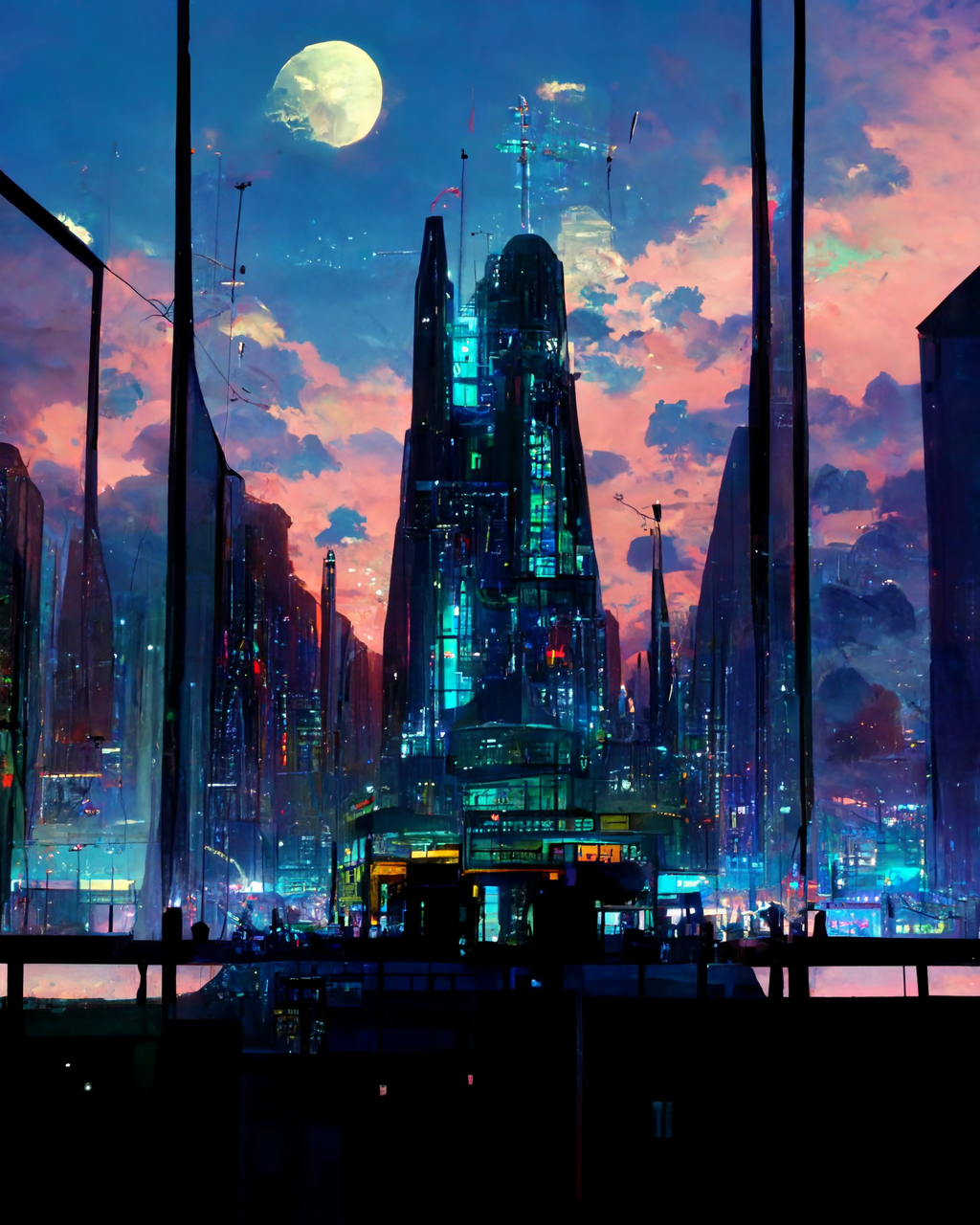
未来都市 https://i.mj.run/f2747be1-81ac-4d61-99e7-1a5190412ec1/0_0.png a futuristic city on a giant screen, neon, moon lighting, Spectacular details, Epic composition, in the Style of Hayou Miyazaki, and Shinkai Makoto, Anime, Animation Concept Art, Studio Ghibli, Natural Lighting, Realistic, Beautifully Detailed, 16k --ar 12:16 --test --creative --upbeta =DISPIMG(“ID_276F1208781E4B828E8C18B33A3E7497”,1)
星河湖面 Unreal Engine, Light Painting, Nightlight, LED, Beautiful Lighting, Bioluminescence, Ray Tracing Reflections, Mysterious, glowing river of stars from near to far, the back of a beautiful elf on a boat, with forests and fireflies on both sides, a magnificent glowing crystal palace at the end of the river, a huge full moon held up by the palace, and a waterfall of stars from above flow down --q 2 --s 2300 --ar 10:16 =DISPIMG(“ID_E2AE0F0FBB0B4ED1BF3936D0F31C1594”,1)
浩瀚星河 https://s.mj.run/M1SdX_Ega98 Unreal Engine, Light Painting, Nightlight, Beautiful Lighting, Bioluminescence, Ray Tracing Reflections, light effect, the vast and deep starry sky, the huge luminous full moon hangs in the night sky, the luminous Galaxy waterfall flows down from the moon and flows down the mist-shrouded mountains. By the lake at the foot of the mountain, trees with blue light, firefly spots, ancient Chinese pavilions and pavilions with dim lights, osmanthus flower shadows, reflections in the lake, and boats with stars on the lake --iw 2 --q 2 --s 2300 --ar 10:16 =DISPIMG(“ID_1C5E3F3A0D1D423F97783BAAE7200627”,1)
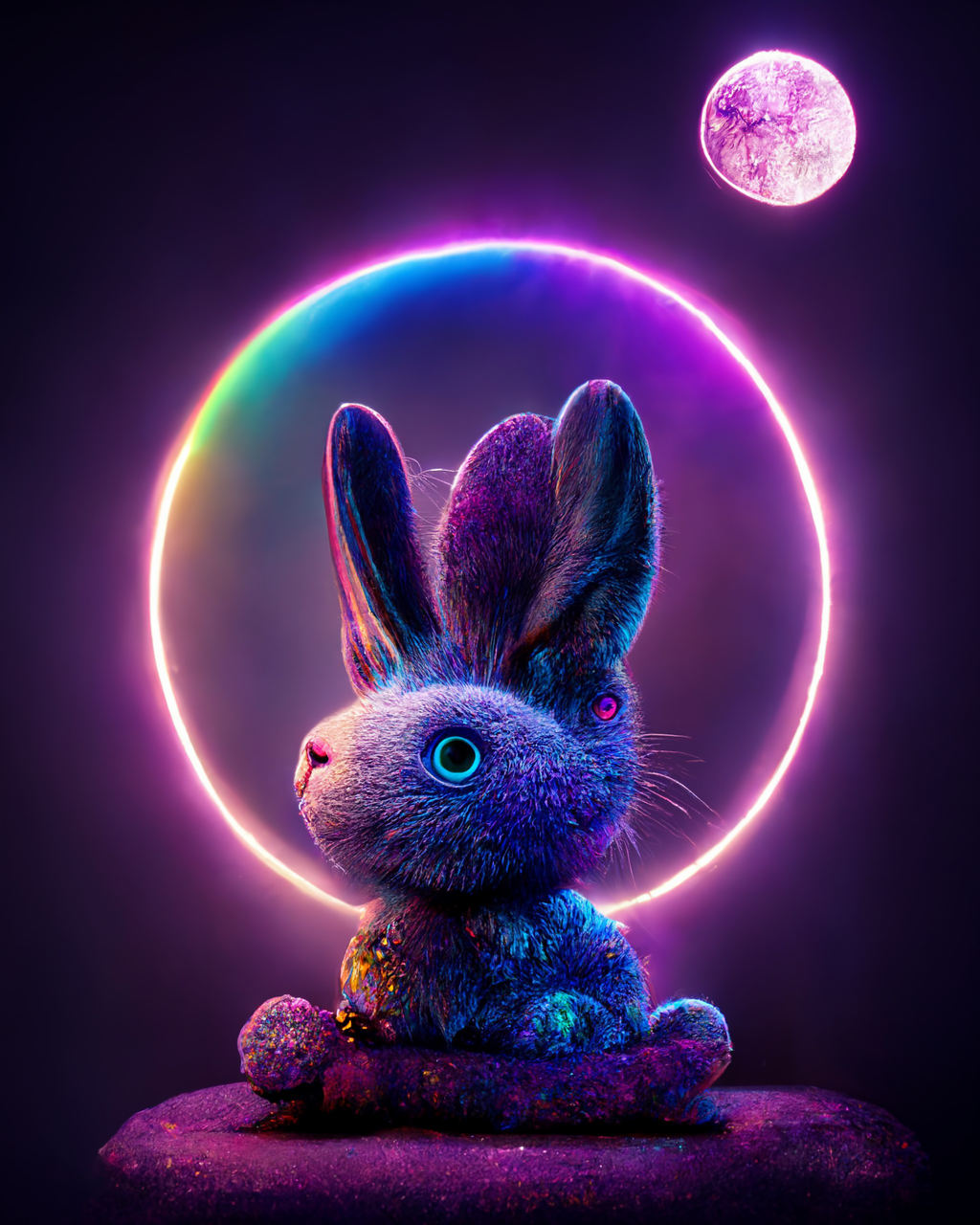
魔法兔 https://i.mj.run/c945e371-700b-4cbc-9057-6d43ca5c321e/0_0.png Cute magic rabbit, Purple Rainbow symbol, magic effect, bioluminescence, in front of a huge luminous moon, cute environment, neon lights, complex details, surreal, 8K, triple lighting, high resolution, Vray rendering 3D --ar 9:12 --test --creative --upbeta =DISPIMG(“ID_DB6EEAC1CD56439598ECA241699B64E4”,1)
紫色蝴蝶城堡 Fairy tale of lavender, clear skies, butterflies flying, moon, castle, transparent Butterfly, lavender flower language: waiting for love, sweet love, missing. Purple lavender emits refracted light, crystal, quietness, fairy tales, lighting effects, dreams, super wide-angle lighting, unreal engine, --ar 9:16 --uplight =DISPIMG(“ID_FB48E1BB2B18480DB94A139ED83D7FF2”,1)
超逼真小龙 toothless from how to train your dragon, portrait, hyperrealistic, photorealistic, incredible detail, photography, shot on 45mm, depth of field, high contrast, 8K, volumetric lighting, octane render, transparency, magical background, --ar 9:16 --testp --upbeta =DISPIMG(“ID_951F6D89BC92479685107ADE4B8FB9A5”,1)
钢铁侠 Close up portrait photo of Robert Downey Jr as Iron Man, intimidating stare, Atmospheric, 600mm lens, Sony Alpha α7, epic, dramatic, cinematic lighting, high contrast, 8k, photo realistic, character design --ar 9:16 --testp --upbeta =DISPIMG(“ID_4263211B82974EA2A9E90A683E6761A6”,1)
七彩独角兽 very cute fluffy rainbow unicorn, symmetrical, hyperrealistic, volumetric lighting, octane render, very detailed, portrait, 3ds max, --ar 9:16 --testp --upbeta =DISPIMG(“ID_BC36EB309BA94144AAE1806754A46D2F”,1)
金发美女 https://s.mj.run/eW_7TakbVFc intricate stunning highly detailed girl by artgerm and edouard bisson, pale eyes, long blonde hair, portrait, soft studio lighting, ultra realistic gold filigree detailed bodice, photorealistic, octane render, unreal engine, hyper detailed, volumetric lighting, hdr, octane render, 4k, 8K --mp --upbeta --test --creative --upbeta =DISPIMG(“ID_E4AD61D2A7AC4FC0A0B3C0FCF9A630E1”,1)
东方神话祥云 **<<https://s.mj.run/WQ8-6rK3wh4>> This is a beautiful real picture, Perfect details:: Oriental mythology, super exquisite, colorful auspicious clouds, colorful dragons, huge moon, starry sky, dreams, gems, smoke, Movie HD, magic, u unreal engine, a lot of details, surrealism, lighting, octane shadow, complex details, ultra wide angle, panoramic shooting, 8K, UE4, HD --ar 9:16 =DISPIMG(“ID_763B09811A274565B1B9BFD9AB5EE2D0”,1)
绿色花朵海滩 <https://s.mj.run/hDvebUqOozE> < < A big crescent moon is on the sea, and the white beach road is covered with green flowers, light beads, star system, starry sky, fireflies, water bubbles, Miyazaki Hayao style, romantic flowers, 8k HD, CG rendering, HD ,8k --ar 9:16 =DISPIMG(“ID_0492FB19A14C46F0BAFB399809B0794F”,1)
蓝紫色瀑布 Blue with purple dream night sky, there are waterfalls n the air, a large waterfall under the waterfall, there are mountains around the waterfall, the waterfall with fluorescence, the waterfall sea water crystal clear, purple reflection,HD,4K,HD --ar 9:16 =DISPIMG(“ID_13A310C8A165407B906A89F371D47AEE”,1)
梦幻小猫 Cuty Nintendo GameBoy Advance, dreaming world, a sleeping fluffy kitten ears, rendered Pixer-style, pastel illust , smiling , Hairy clothes hardware, Octane rendering and cinematic color grading for whimsy and dramatic lighting,happy emotions Unreal Engine rendering, hyperrealism, ultra detail, warm colors, happy, --ar 9:16 --testp --upbeta =DISPIMG(“ID_8FF333C0D99647DDA22D0267EA8AA01D”,1)
冰蓝宇宙 https://i.mj.run/1e5632a4-0a44-4b59-b4ba-09aaa0628aed/0_0.png The dream at the center of the universe from far away,fantasy,blue small ice&water sparrows flying --ar 16:9 =DISPIMG(“ID_5623B7E7F2BB4FD98D24CB703C0F74D0”,1)
灯塔海涛 moody beach scene of a lighthouse, Unreal Engine, photo realistic, Cinematic Lighting --ar 10:16 --test --s 1250 --upbeta =DISPIMG(“ID_524D4D1480BB4C9B9FA80490B421CD0B”,1)
银河星光新月 Night, Milky Way, starlight, silver white crescent moon with Milky Way starlight sprinkled on the beach, there are many luminous creatures, the beach is the shape of love, pebbles, luminous creatures, fluorescent, pink, color, dream, ultra-wide Angle light, Unreal engine, 8K HD, volume light, bioluminescence, ultra-wide Angle of view,HD --ar 9:16 --s 5000 =DISPIMG(“ID_1871ABE48BC74FB39270C3BE3BDC3A8B”,1)
彩虹星光 https://i.mj.run/aace42d0-1e4c-40c1-a69d-b6fbf3129044/0_3.png Under the starry sky, a fantastic rainbow covers the beach, with many colorful roses and glowing crystal pebbles on the beach. Starlight, meteor, silver crescent moon and Milky Way starlight scattered on the beach, luminous creatures, fluorescent, golden, colorful, dreamy, super wide-angle light, unreal engine, 4K HD --ar 9:16 --v 3 --v 3 =DISPIMG(“ID_C4C73E5443D64B4F8A5DC0EAD01527A3”,1)
紫玫瑰新月 The picture is transparent. A huge silver-white crescent moon is scattered on the beach. The Milky Way shines with many purple-blue roses. There are many purple-blue rose flowers on the beach, fantasy, highly detailed, beautiful, 8k, octane rendering, real photos, complex details, ultra-wide viewing angle, panoramic shooting, and several purple-blue roses in the foreground. Duo HD --ar 9:16 =DISPIMG(“ID_C0CFE6F296E343C18A4A62F6D7A80503”,1)
金光沙滩 In the night sky, the beach is covered with blue and yellow fluorescence, the moon, elf light, stars, facula, the sea with fluorescence, the shining golden love beach, the starry sky with moonlight, Michael james Smith’s matte painting, reflection, cg rendering, volume light, space art, bioluminescence, unreal engine 5, magic of light, unreal engine rendering, super wide angle, super wide angle, high definition. --ar 9:16 =DISPIMG(“ID_970A02E78A5A4BF784868D3E2DD7F18B”,1)
雅典娜梦宫 Athena’s Dream Palace, Sapphire, Amethyst, Crystal, Wide Angle, Large Aperture Luminous Gem, Foreground Pale Pink Rose, Starry Sky, Zoom Engine, Octane Rendering, Volume Lighting, HD --ar 9:16 =DISPIMG(“ID_41D607424CD74E218607829C10F5DA8D”,1)
半机械人梅根 Close up portrait photo of Megan Fox as part cyborg part human,high-quality portrait, as a cyberpunk geisha, Bokeh blur f/1.4, studio lighting, pastel colors, award winning 8K UHD ultra high definition studio 24mm lens Sony Alpha α7 ISO1900 --ar 2:3 --test --upbeta --upbeta --upbeta --upbeta =DISPIMG(“ID_D9E1DC5930F74FC1BF468B6FA74951CC”,1)
半机械人超人 Portrait photo of Henry Cavill as cyborg part human, high quality portrait as cyberpunk geisha, futuristic, blur f/1.4, studio lighting, pastel colors, award-winning 8K UHD Ultra HD Studio 24mm Lens Sony Alpha α7 ISO1900 --ar 2:3 --test --upbeta --upbeta --upbeta --upbeta =DISPIMG(“ID_920EE75ECEAE46A1935710BA1EEA5A60”,1)
赛博朋克机械人 Portrait photo of Ben Affleck as cyborg part human, high quality portrait as cyberpunk geisha, futuristic, blur f/1.4, studio lighting, pastel colors, award-winning 8K UHD Ultra HD Studio 24mm Lens Sony Alpha α7 ISO1900 --ar 2:3 --test --upbeta --upbeta --upbeta --upbeta =DISPIMG(“ID_F7A08BE8A6AB43539073F8D01F44531E”,1)
半机械人朱莉 Portrait photo of Angelina Jolie as cyborg part human, high quality portrait as cyberpunk geisha, futuristic, blur f/1.4, studio lighting, pastel colors, award-winning 8K UHD Ultra HD Studio 24mm Lens Sony Alpha α7 ISO1900 --ar 9:16 --test --upbeta --upbeta --upbeta --upbeta =DISPIMG(“ID_E46A62682B6B478ABFEB2F296D6B373F”,1)
梦幻彩虹沙滩 Blue sea, blue sea, dreamy rainbow cover the beach, and there are many colorful roses and shining crystal pebbles on the beach. Starlight, silver crescent moon and galaxy starlight are scattered on the beach, luminous creatures, fluorescent, golden, colorful, dreamy, super wide-angle light, unreal engine, 4K HD --ar 9:16 =DISPIMG(“ID_D12904E4A84F4E4CAACFFE9E8F53081D”,1)
蓝色荧光沙滩 At night sky, the beach is covered with blue and yellow fluorescence the moon, elf light, stars, facula, the sea with fluorescence, the shining golden beach, the starry sky with moonlight, Michael james Smith’s matte painting, reflection, cg rendering, volume light, space art, bioluminescence, unreal engine 5, magic of light, unreal engine rendering, super wide angle, super wide angle, high definition. --ar 9:16 =DISPIMG(“ID_1770139BD8EB460C9DE40A4516A0EAF8”,1)
银河沙滩 a beach covered in lots of Light Blue rocks under a night sky, Milky Way and the huge moon ,the glowing quicksand flowing from the moon to the sea, petals flying, the sea waves are rolling, with green light in the waves, bright stars, fireflies, clouds, Super beautiful,dreamy, romantic, uplight, 8K, Volumetric lighting, Volumetric light,soft light, unreal engine, octane render, Ultra-wide viewing angle, --ar 9:16 --iw 5 --v 3 =DISPIMG(“ID_C0531BC6D353429B8CDD175208BEF47F”,1)
繁星湖面 Night sky, The stars shine on the silky lake , Aurora, Full moon, Elf light, Stars, The stars are twinkling , The wide lake, Starry sky, Matte painting by Michael James Smith, CG rendering, Volume light, Space art, Bioluminescence, Unreal Engine 5, Ultra-wide angle, High definition ,HD Volumetric light --ar 9:16 =DISPIMG(“ID_ABDB85B190764B128E55DAD5704B4A24”,1)
森林花海 This is an artistic picture of a valley forest flower sea. There are valleys, forests, peach trees, plum trees and yellow trees in the picture. Flowers are flying in the air, and the light shines through the flowers, falling flowers and mist. The background is light blue, dream, art station, super wide angle, panoramic view at the top, 8K.HD --ar 9:16 =DISPIMG(“ID_7BEE96DBE2C94168996D9FD84D6A2070”,1)
山水画 The whole canvas is full of night lights.This is a surreal CG rendering of ancient China. Ancient Chinese architecture, Close-up of a glowing blue river in the middle of two mountains,the Dragon floats in the sky, the moon is silver, There is a galaxy in the sky–uplight.8k --ar 9:16 =DISPIMG(“ID_274E8B6AA08643CE9779FB211C802C4F”,1)
金币树 A vacant lot on the growth of several trees, trees covered with golden fruit, leaves are green, clearly visible, under the tree covered with a lot of golden coins. The Sky is bright and sunny,HD --ar 9:16 =DISPIMG(“ID_04E7DC690A224FD69468A84914DAF910”,1)
紫莲彩云 Blue sky, colorful clouds, sun, light, green forest, blue castle, mountain, river, purple lotus, green lotus leaf, pond, white rabbit, dragonfly, boat, leaves,3D, super realistic, clear details, film effects, high definition, 8K, strong visual impact, super wide Angle visual impact is amazing,HD --ar 9:16 --iw 10 --s 5000 --q 2 --upbeta =DISPIMG(“ID_7746A4E50B1249C7A23F59423377367E”,1)
极光森林 The aurora,Dream Forest, There are auroras on the river, the reflection,starry sky --ar 9:16 =DISPIMG(“ID_5DBF6CCE10B54564B22BDF77195E1EAD”,1)
冰雪蓝玫瑰 Blue ice and snow, blue ocean, blue transparent lake water, dusk stars shining blue roses in ice, 8k, HD,hd --ar 9:16 =DISPIMG(“ID_6AAA6108EA0D4469BBD19C79A9F7E7EB”,1)
梦幻精灵森林 Magical fresh fairy tale forest landscape, background with glowing lights, hyper realism, fantasy, radiant light,elven kingdom, unreal engine, hyper realism, highly realistic, sureal, beautiful romantic, remote, detailed and intricate environment, --ar 9:16 --q 2 --s 5000 =DISPIMG(“ID_AC56E9B0654F458D8B85D04561C3B080”,1)
蓝色极光 the grand piano put in the frostforest , surrounded by freez water, night sky, have a green blue Aurora, a few light from Aurora reflection the freez water, sky, night sky, grand piano, aurora, cinematic, landscape, ultra detail, 8k, realistic, photorealistic, photo photo realistic image, natueral, scenery --ar 9:16 =DISPIMG(“ID_60B49C8A03E54A248168152D607388B8”,1)
古镇 **This surreal CG rendering from ancient China shows a stream with ancient buildings in the south of the Yangtze River on a dark night. The stars twinkled in the night sky. The light was dim and weak. There is lightning in the water, a tree is evergreen, a moon, 8K, HD --ar 9:16 =DISPIMG(“ID_C7AD0DCB16B84AD398CEC4E42518844A”,1)
彩色沙滩 The night sky is full of colorful beaches, golden surrounding rocks, lights, fluorescent sea, moonlight on the twinkling star sea, popular across the sky, Matt painting by Michael James Smith, reflection, characteristics of CG society, volume light, space art, bioluminescence, unreal engine 5, magic of light, unreal engine rendering, ultra wide perspective, 8K --ar 9:16 =DISPIMG(“ID_1DF5181ED54442268E3C4503B24B9FE9”,1)
彩虹瀑布 summer starry night, aurora borealis, iridescent, jungle,Luminous colorful stone,Pink waterfall flow,flowers, rolling hills in distance, studio Ghibli style, rendered in unreal engine with clean details,AUV, 4k detail post-processing, Art Station, rendering byoctane, unreal engine --ar 9:16 --uplight =DISPIMG(“ID_A1A6948438544E7289DF6A934C763F1A”,1)
发光玫瑰沙滩 A beach, CG rendering, the ground was covered a lot of blue gems, 8 k resolution, a paved road, rose to the front of crystal + light beacon, lighting effects, large flower roses, super more rose petals floating in the air, integrity, overlooking, lighting effects, surrounded by a lot of roses, roses sea, sea of fluorescence, cigarette smoke, Michael. Matte painting by James Smith, 8K resolution, Epic composition, Super Detail handling, Reflection, Social Selection, Space Art, Bioluminescence, Unreal Engine 5, Magic of Light, In Unreal Engine, Ultra Wide Angle, Ultra View, Fantastic 16K, HD --ar 9:16 --uplight =DISPIMG(“ID_6CFFEA8CF09D4B9EB4D46841407437BB”,1)
红宝石郁金香 sunset, sapphire, ruby, crystal, jade, surrealism, pink tulip, flower, fantasy, movie epic effect, exquisite, ultra wide field of view, CG rendering, 3D, realism, detail, HD, machinery, sunset, sky and stars, pond, reality, redshift rendering, CGI, 3D, ultra detail, reality, 8K, masterpiece, function artstation, ultra wide angle HD --ar 9:16 --iw 10 --s 5000 --q 2 --upbeta =DISPIMG(“ID_1FDC0D1D972846CEAA585E0F3D7400FB”,1)
祥云城堡 The autumn night sky drifts with lavender clouds, below is a red rose garden castle, surrounded by pink clouds outside the lake, full of flower boat fantasy wonderland lighting effect,fantasy project HD --ar 9:16 --iw 10 --s 5000 --q 2 --upbeta =DISPIMG(“ID_BA75A68FC46B4AC3AB10DB24B16075D2”,1)
彩虹瀑布城堡 Hanging gardens of Babylon White, Pink, Blue, Luminous Water, Colorful waterfalls,Flowing from top to bottom,apple tree,Redshift Rendering, 3D, Super Detail, Realistic, 8K, Masterpiece, Functional Art Station, Top View, Panorama, Super Wide Angle --ar 9:16 --uplight =DISPIMG(“ID_F830CD4C9DCE4135B64CBF31DC69123B”,1)
魔法宫殿 magical palace, heaven, white, tiffany blue, pink, glowing water, pink rose, magic, photorealistic, redshift rendering, CGI, 3D, super detail, photorealistic, 8K, masterpiece, feature artstation , ultra-wide --ar 9:16 --s 3000 =DISPIMG(“ID_41A37075126B48ABB75C486F5CDD974D”,1)
心形树 Logan Hicks, nature, deviantartstation, Castro, magical palace, sasent, giant heart-shaped world tree, pink blussam, emerging path, surrealist photos,HD --ar 9:16 =DISPIMG(“ID_A74F2ECE3A3B4A0EB9C47704EF450140”,1)
省了几千块! Stable Diffusion“网页版”上线,超详细教程
来源:https://diwfpqo78m.feishu.cn/docx/X467d7PMpooD2SxGlXPcJvrvn3d
一个抖音AI绘画博主绝对不会告诉你的Stable Diffusion内幕
前几周,我在抖音上看到有人分享关于Stable Diffusion的安装和绘画教程。Stable Diffusion,简称SD,是一款比我之前提到的Midjourney更强大的AI绘画软件。如果说Midjourney是一个艺术家,那么Stable Diffusion就是一个专业设计师。而且使用它是完全免费的,而且它所生成的图像非常惊艳。
我对它进行了一番研究,发现大部分人不仅出售Stable Diffusion的安装教程,还附带AI绘画的教学内容。
除此之外,目前Stable Diffusion主要用于电商AI模特、产品摄影图和辅助AI绘画等领域。
起初,我对在抖音上教普通人使用SD持怀疑态度,因为能够熟练使用SD的人实在是太少了。
首先,SD的安装过程相对复杂,大多数普通人并不了解如何操作。
其次,SD对显卡要求较高,大部分电脑无法满足运行要求。
再者,即使在低配电脑上安装了SD,生成图像的速度也非常缓慢。
然而,我发现了一个小秘密,他们所教的Stable Diffusion实际上不受电脑配置的限制。
顺藤摸瓜,我发现国内已经有一家公司上线了一个SD界的神器
Stable Diffusion网页版
https://www.lanrui-ai.com/register?invitation_code=0951224320
你可以将网页版的Stable Diffusion理解为一个云游戏平台的工作原理。如果对云游戏的概念不太了解的话,我来简单解释一下。
云游戏的核心思想是将游戏的所有运算工作都放在云端完成,然后将游戏画面传输到你的低配电脑上,这样你就可以通过远程方式来玩高端游戏了。举个例子,比如你想玩《原神》,这款游戏占用的存储空间很大,你的手机或者电脑可能无法承载,但你可以在一个云游戏平台上注册,通过流媒体的方式来进行游戏。
现在的Stable Diffusion和Midjourney一样,只需要一台电脑就可以轻松启动了。它的工作方式类似于云游戏平台,所有的处理工作都在云端完成,而你所需要做的只是通过键盘来进行操作。
而且,这个网页版的功能和体验与安装在你自己电脑上的版本几乎没有差别。
然而,由于这个工具目前在AI绘画的小圈子中传播,很多人还不知道它的存在。
最近,我注意到在抖音和小红书上已经有很多人利用这个信息差来赚钱。
Stable Diffusion的前景实际上比Midjourney更广阔,比如国内上个月上线的Vega AI,因为它可以让用户自己训练模型,因此用户数量大幅增加。
我估计等门槛再降低一点,Stable Diffusion在国内也将迎来爆发期。
下面是Stable Diffusion的“网页版”超详细教程!
为了方便大家理解,你可以把它当成一个AI绘画游戏。
按照下面的步骤,你可以生成一个属于自己的绘画网址。
最酷的是,你可以将这个链接发送给你的朋友或同事(他们也可以使用这个绘画工具),当然,使用它会扣除你的余额。
打开网站并安装Stable Diffusion。
2、创建工作空间
点击右上角的[进控制台]。
接着你需要选择显卡,比如我选择的是这个[3090-24G]
目前价格还可以,1.9/小时,比买一张显卡便宜。
启动速度就俩字一一牛逼
名称:自己起一个就好了,一般就用默认的
运行环境镜像: 公有镜像/others/sd-webui/v4.27
网盘: 挂载
数据盘会计费,看自己需要选择用不用.
数据集: sd-base
启动以后大概要等[3-5分钟],你就可以进入VsCode界面
3、VsCode界面
确认是[运行中]的状态,点击[进入],选择[VS Code]
选择 Terminal -New Terminal
然后输入这两行命令,这一步之前有很多人说出错,其实很简单。
先输入 cd /app
然后按回车键,等第二行出现了user@lsp-ws:/app$
再输入 bash start.sh
再按回车键
等到一连串的代码出现running on local url,就说明成功了
启动完成,回到控制台,点击复制调试地址,会复制一个网址。
Stable Diffusion"网页版”画图测试
接下来我们要先测试一下我们的Stable Diffusion有没有启动成功?
(1) 先切换一下主模型
这个里面已经有一些自带的了,比如 (chilloutmix NiPrunedFp16Fix]
(2) 接着输入这两行prompt
正面提示词: (masterpiece:1.1), (best quality:1.1), highly detailed, {highres), fan extremelydelicate and beautiful, (ultra detailed), (disheveled hair), (illustration), (dynamic angle), (1girl),colored hair:1.5)), (Fashionable clothing), standing,Fashion model, looking at viewer, (interview)simple background), beautiful detailed eyes, delicate beautiful face, Floating, (high saturation).(colorful splashes), (colorful bubble), (shining),(beautiful detailed Light and shadow)
负面提示词: easynegative, paintings, sketches,(worst quality:2), (low quality:2), (normaquality:2), lowres, normal quality, ((monochrome)), ((grayscale)), skin spots, acnes, skinblemishes, age spot, glansextra fingers,fewer fingers,strange fingers,bad hand
(3) 设置一下其他参数
(4) lora模型选择,韩国娃娃
点击右上方的[Generate] 按钮,启动成功
1分钟左右,出图的速度快到飞起
值得收藏的AI绘画提示词网站
来源:https://diwfpqo78m.feishu.cn/docx/ZvvLdMvrEorjHExrWmEc6GKyn1g
值得收藏的ai绘画提示词网站。(网址均需复制到浏览器打开,个别网站需要魔法)
1、finding.art
网址:https://finding.art/
百万AI画作与Prompt任意搜索 已支持 Stable-diffusion、midjourney、waifu、NovelAI。
2、魔咒百科词典
网址:https://aitag.top/
魔法导论必备工具, 简单易用的AI绘画tag生成器。可自由选择tag,汇集后一次复制使用,非常简便。
3、元素法典——Novel AI 元素魔法全收录
网址:https://docs.qq.com/doc/DWHl3am5Zb05QbGVs
你没看错,这是国内先驱们用腾讯文档制作的一份优质tag生成的美丽插图,可以使人快速照抄使用,无需思考,直接吟唱咒语。
4、prompthero
网址:prompthero.com
5、prompthunt
网址:www.prompthunt.com
6、OpenArt ai
网址:OpenArt.ai
7、arthub ai
网址:arthub.ai
8、publicprompts
网址:publicprompts.art
9、lexica art
网址:lexica.art
10、AI画廊
网址:aigallery.top/tool
11、ai-creator
网址:ai-creator.net
12、AIGODLIKE社区
网址:www.aigodlike.com
13、元素法典
网址:tomxlysplay.com.cn
14、AI魔导树
网址:aimds.top
15、片绘
网址:community.hua-der.com
16、艺术家词库集合
网址:www.midlibrary.io
17、艺术家风格流派
网址:lib.kalos.art
18、PixAI.Art
网址:https://pixai.art/
有了这些网站,你还怕没提示词可用吗?
3D图标画不出?看这里,AI绘画3分钟搞定!
来源:https://diwfpqo78m.feishu.cn/docx/S9ondmAkcoInIKxfYX1c7XTUnqt
细心小伙伴,可能发现「我们的设计日记」公众号已经改名「 AI 绘画师日记 」,近期星球内容和框架,也会做一些调整,会带着大家往新的方向走。 正如我昨天说的,AI 绘画是生产力革命,发展很快,明天会怎么样,我不知道。 但至少在这个浪潮里,我们是一个冲浪者。
图标设计 已经成为设计里面很重要的一部分,无论是 UI 设计还是创意设计,用心设计的图标都能吸引用户注意力,在这个碎片化时代,图标设计的对品牌起着至关重要的作用。
借助 midjourney 我们可以快速 尝试各种风格设计 ,今天我整理了一些 midjourney 提示词,它能帮我们快速设计出不同的图形。
1.直播礼物图标
如果在平时工作中,接到一组直播图标需求,可能设计师先要画草图,再尝试风格,确定风格后再深入细化,一组图标下来你可能需要小一周时间,但今天你借助 midjourney 你能快速设计出类似的图标风格。不废话,直接上礼物图标公式。
通过这组公式,你能很轻松画出你想要的游戏图标类型,我们来看看星球小伙伴通过这个公式画的直播礼物图标。
当然这中间的各种参数你都可以灵活调整,比如色彩,背景颜色,学 AI 绘画一定是理解背后的核心,而不是被单词,就像我们学英语一样,一定不是死记硬背,而是心中有画面,再让 ai 把我们想法实现出来。 通过上面那个公式,我们就可以举一反三做更多的变化,当然在后面,我们也会在星球组织各种打卡活动,带着大家在 AI 绘画方向进行实战,掌握这些各种参数细节。
2.APP图标
通过这组Ai公式,我们可以快速设计出一些 app 图标,各种风格都能快速出图,当然目前 AI 出的图标因为是图片,很多细节可能需要二次调整,但是已经大大释放了我们生产力,让设计师可以更加专注在创意上。
目前 AI 才一岁不到,虽然目前很多设计都显得很智能,但是在前期作为创意方向完全是可以帮助设计师更快找到灵感。 所以我星球给星球小伙伴说,AI 来了其实不可怕,关键我们要 把 AI 当作我们的武器,去拥抱变化 。
3.毛玻璃风格图标
微软毛玻璃风格可以说是当前最流行的图形趋势,它的细节层次感,纹理的处理,以及玻璃的质感,让很多设计师追随,今天你可以通过 AI 绘画轻轻松松画出这样的风格。
这种风格阿里云,腾讯云都很流行,就适合在 B 端场景去学习,去运用,如果你想系统掌握这套风格,不妨按照我上面的公式试试。
如果你想做的扁平化一点,修改相关提示词也可以完成类似效果。
4.线条填充图标
线的图标大家都见的比较多,这两年这种带品牌色的图标设计非常流行,在 AI 里面也能快速实现这种效果。
通过这个公式,我们加上行业特征,以及颜色要求就能轻松完成各种线条图标的设计,非常适合于设计师我们前期快速做图标灵感。
5.3d 图标
如果在从前,你拿到一组 3d 图标需求,我估计设计师要熬夜几个通宵,但今天不会,你只需要掌握了这个 3d 图标公式,轻轻松松完成。
我们能通过这些关键词组合,能得出很多很多立体图标设计,你可以用在你需要的场景里面,这里面其实用的关键词,如果学过 3d 同学可能很熟悉,3d 渲染,c4d,这些关键词。 非常适合于在一些科技行业和一些大型项目里面。
AI 的出现让这些平时做设计很难的图形,今天变的简单,作为设计师我们一定要拥抱 AI 绘画而不要去排斥它。
6.卡通图标
这种图标相信大家都见过,特别在夏天非常清爽,很适合去一些店铺的海报,这种图标像水彩画的,非常细腻。 如果你的产品场景中需要有一些手绘插画的形式,那么也可以轻松通过 AI 绘画完成这类型图标设计。
说到 niji 模式可能新手不太清楚,它是 AI 绘画软件 midjourney 下面一个模型,专注于动漫设计,能让你画风瞬间变得二次元和卡哇伊,非常适合于在一起写插画创作,二次元等场景,当然画这种图标也很是很轻松。 感兴趣的同学到时候可以在我们星球打卡的课程里面,我详细的和大家讲解。
最后
希望今天这篇 AI 绘画的文章能给大家一些启发,能在工作中帮助大家解决一些困惑。 最后文末,送给大家一份 《AI绘画中英文词典》 里面有上千个AI绘画提示词,帮大家能更好理解 AI 绘画和掌握 AI 绘画。
同时,这周我会有一个 AI** 绘画的公开课 **,给大家系统讲讲 AI 绘画软件如何使用,怎么注册,文中的案例也会有实操。想听公开课的同学直接 扫码报名 ,资料会在群里发放。
🔗 原文链接: https://mp.weixin.qq.com/s/FmrjrZri…
Stable Diffusion中人物去除与背景融合的技巧
来源:https://diwfpqo78m.feishu.cn/docx/YILddxMa4oN87AxYf1HcqN8inxc
最近我有这么一个需求,做AI动画的时候,需要一张背景图,不过之前生成的图里面有人物,现在需要把上面的人物去掉,只要纯粹的背景图,网上搜了下资料,发现SD里面可以实现,这里把步骤分享给大家。
01
需求分析
以前通常情况下是用图生图中的局部重绘功能,希望把人物重绘成背景,但是这种方法很多时候生成的画面只会用一个物体替代另外一个物体,难以获得想要的效果,比如下面这样,涂黑的地方又生成其他奇奇怪怪的东西,达不到我的需求。
我的需求是扣掉人物后的地方背景是干净的,和后面场景要融合。
SD可以通过 ControlNet 的 inpaint 重绘模型实现我的需求,下面是实操步骤和效果展示。
02
实操步骤
上面原图也是之前文生图实现的,所以提示词我还有,把里面人物的描述都去掉,就留下其他描述场景的
**(**Masterpiece, best picture quality realistic :1.2),underwater, fish,
如果你这个是网图,那么就要去Tagger反推里面,把你的图编辑按钮,移动画框把人物屏蔽掉,然后反推提示词,得出来的词记得检查下是否有描述人物的,有的话去掉即可。
在文生图那边,填入上面这个描述词,ControlNet启用,把上面原图拖进去,点击编辑把人物涂黑。
预处理选择 inpaint_global_harmonious,模型选择inpaint,权重默认1,后面有需要再增加。
控制模式记得选择 **更偏向提示词 **。
ControlNet 中的inpaint模型,除了重绘遮罩的部份外,遮罩意外的地方或多或少也会被重绘,带来的好处就是它能更好的将重绘区域与整体画面融合。
然后就可以开始生成图片,多生成几张,挑选效果最好的。效果图如下:
正常这时候生成的图就可以用了,但是如果发现不满意,如我上图所示发现还有点瑕疵,层次还有点问题,这时候可以到图生图那边,同样的描述词, ControlNet 启用,我这里用深度模型,重绘程度设置至少要0.5,太低的话还会出现这 个分层问题。

 1万+


 扫一扫


 被折叠的 条评论
为什么被折叠?
 到【灌水乐园】发言