


 本文介绍了Unity中的玩家角色自动移动、相机跟随玩家移动、墙壁随玩家移动以及障碍物的随机生成和自动销毁功能实现,涉及了物理引擎、摄像机控制和游戏逻辑设计。
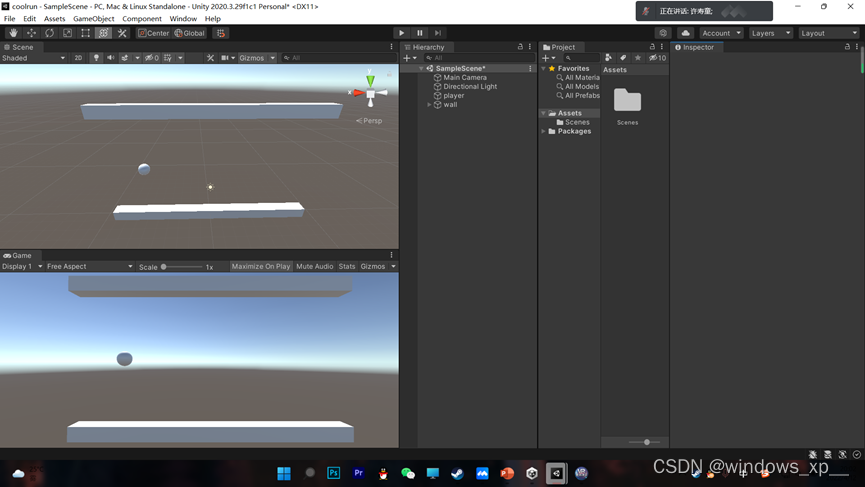
1、场景的搭建
2、小球移动代码
using System.Collections;
using System.Collections.Generic;
using UnityEngine;

public class PlayerMove : MonoBehaviour {
    public float speedAutoMove = 1;
    public float speedMoveUpAndDown = 1;
    public Rigidbody rd;
	// Use this for initialization
	void Start () {
        rd = gameObject.GetComponent<Rigidbody>();
	}

	// Update is called once per frame
	void Update () {

        PlayerAutoMove();
        PlayerMoveUpAndDown();

    }
    private void PlayerAutoMove()
    {
        rd.AddForce(Vector3.right);
    }
    private void PlayerMoveUpAndDown()
    {
        float v = Input.GetAxis("Vertical");
        rd.AddForce(v * speedMoveUpAndDown * Vector3.up);
    }
}
3、相机跟随
using System.Collections;
using System.Collections.Generic;
using UnityEngine;

public class CameraControl : MonoBehaviour {
    public GameObject player;
    private float offset;
	// Use this for initialization
	void Start () {
        offset = gameObject.transform.position.x - player.transform.position.x;
	}

	// Update is called once per frame
	void Update () {
        gameObject.transform.position = new Vector3(offset+ player.transform.position.x, gameObject.transform.position.y, gameObject.transform.position.z);
	}
}
4、墙壁跟随移动
using System.Collections;
using System.Collections.Generic;
using UnityEngine;

public class WallControl : MonoBehaviour {
    private float offset;
    public GameObject player;

	// Use this for initialization
	void Start () {
        offset = gameObject.transform.position.x - player.transform.position.x;

    }
    void Update()
    {
        FollowPlayerMove();
    }

	// Update is called once per frame
	void FollowPlayerMove () {
        gameObject.transform.position = new Vector3(player.transform.position.x+offset,0,0);
	}
}
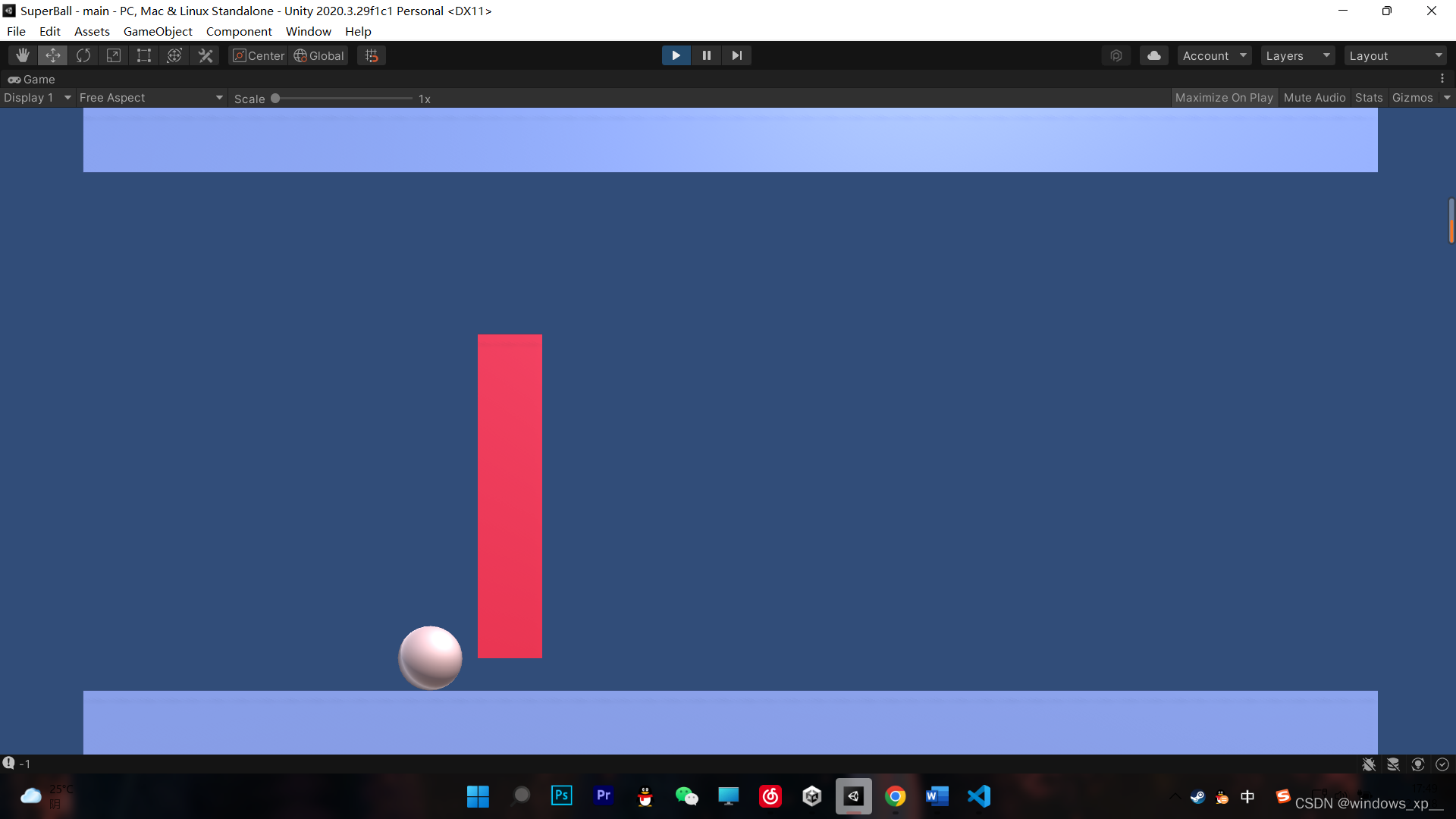
5、障碍物随机生成
using System.Collections;
using System.Collections.Generic;
using UnityEngine;

public class BarrierControl : MonoBehaviour {
    public int barrierInterval=5;
    public GameObject player;
    public GameObject CurrentBarrier;
    public GameObject BarrierPre;
	// Use this for initialization
	void Start () {

	}

	// Update is called once per frame
	void Update () {
        AutoCreatBarrier();

    }
    // 障碍物自动生成
    public void AutoCreatBarrier()
    {
        if(player.transform.position.x>CurrentBarrier.transform.position.x)
        {
            //生成新的障碍物
            float targetX = CurrentBarrier.transform.position.x + barrierInterval;
            float targetY = RandomBarrierPosition();
            Vector3 targetPos = new Vector3(targetX,targetY,0);
            GameObject g = Instantiate(BarrierPre,targetPos,Quaternion.identity);
            //随机大小
           g.transform.localScale = new Vector3(g.transform.localScale.x, RandomBarrierSize((int)g.transform.position.y), g.transform.localScale.z);
            //判断障碍更换
            CurrentBarrier = g;
        }
    }
    //障碍随机大小
    public float RandomBarrierSize(int r)
    {
        int rAbs = Mathf.Abs(r);
        if(rAbs==0)
        {
            return 6;
        }
        else
        {
            return (3-rAbs)*2+1;
        }
    }
    //障碍物随机位置
    public float RandomBarrierPosition()
    {
       int r = Random.Range(-3,3);
        Debug.Log(r);
        return r;
    }

}
5、障碍物移出视野自动销毁
using System.Collections;
using System.Collections.Generic;
using UnityEngine;

public class AutoDestoryBarriers : MonoBehaviour {

    private void OnTriggerEnter(Collider other)
    {
        Destroy(other.gameObject);
    }
}





 扫一扫
扫一扫


 4063
4063

 被折叠的 条评论
为什么被折叠?
被折叠的 条评论
为什么被折叠?
 到【灌水乐园】发言





