


使用html、css、js技术制作轮播图
文章目录
前言
快来看轮播图的制作呀 ~
一、制作思路
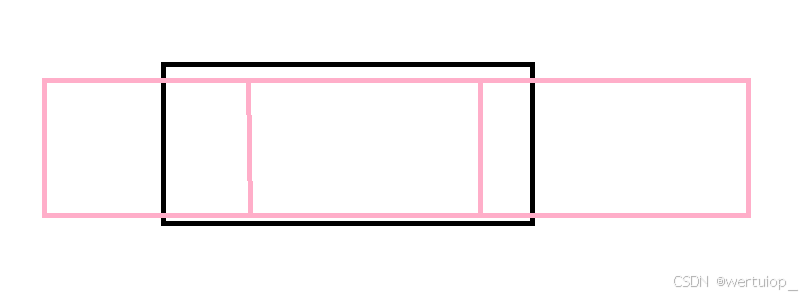
设置边框和胶卷,使胶卷在边框上滑动,从而实现。
二、html部分
用div标签设置边框,ul标签设置胶卷
<body>
<div class="container">
    <ul class="imgbox" >
        <li><img src="img/01.png" alt=""></li>
        <li><img src="img/02.png" alt=""></li>
        <li><img src="img/03.png" alt=""></li>

    </ul>

    <ul class="btn">
        <li class="left"> < </li>
        <li class="right"> > </li>
    </ul>
    <ul class="page">
        <li class="current">1</li>
        <li>2</li>
        <li>3</li>
    </ul>
</div>

</body>
三、css部分
<style>
    *{
        padding: 0;
        margin: 0;
    }
    img{
        width: 200px;
        height: 150px;
    }
    .container{
        width: 800px;
        height:300px ;
        /* background: yellow; */
        margin: 100px auto;
        position: relative;
        overflow: hidden;

    }
    .container .imgbox{
        width: 2400px;
        height: 100%;
        /* background: aqua; */
        display: flex;
        position: absolute;
        /* left:0px;
        left:-800px;
        left:-1600px; */
    }

.container .imgbox li{
    list-style: none;
    width: 800px;
}

.container .imgbox li img{
    width: 100%;
    height: 100%;
    object-fit: cover;
}
.container .btn{
    position: absolute;
    /* background: yellow; */
    width: 750px;
    height: 50px;
    margin: 125px 25px;

    display: flex;
    justify-content: space-between;
    align-items: center;
}
.container .btn li{
    list-style: none;
    width: 50px;
    height: 50px;
    background: rgb(255,255,255,0.5);
    text-align: center;
    line-height: 50px;
    border-radius: 25px;
    cursor: pointer;

}

.page{
    position: absolute;

    width: 100%;
    margin-top: 260px ;
    display: flex;
    justify-content: center;
}
.page li{
    list-style: none;
    background: rgba(255,255,255,0.5);
    margin: 0 5px;
    padding: 3px 5px;
    cursor: pointer;
    font-size: 14px;

}
.page .current{
    background: rgba(27,114,226,0.5);
    color:#fff;
}
</style>
四、js部分
准备设置
var imgbox =document.querySelector(".imgbox")
var left_btn =document.querySelector(".left")
var right_btn =document.querySelector(".right")
var page_item =document.querySelectorAll(".page li")
imgbox.style.left="0px"
切换轮播图的核心方法
var change =function(offest){
    var position =parseInt(imgbox.style.left)+offest
    console.log(position)
    if(position<-1600){
      position =0
    }else if(position>0){
        position =-1600
    }
  imgbox.style.left=position+"px"
}
点击进行上一页切换
 left_btn.onclick=function(){change(800)
    //页码变换
    oldpage--
    highlight()
 }
点击进行下一页切换
right_btn.onclick=function(){change(-800)
    //页码变换
    oldpage++
    highlight()
}
自动切换
var timer=setInterval(right_btn.onclick,4000)
避免手动自动冲突
left_btn.onmouseenter = function() {
    clearInterval(timer)
}
right_btn.onmouseenter = function() {
    clearInterval(timer)
}
left_btn.onmouseleave = function() {
    timer = setInterval(right_btn.onclick, 4000)
}
right_btn.onmouseleave = function() {
    timer = setInterval(right_btn.onclick, 4000)
}
页码样式切换函数
var highlight =function(){
    if(oldpage>3){
        oldpage=1
    }else if(oldpage<1){
        oldpage=3
    }
        for(var i=0;i<page_item.length;i++){
            page_item[i].className=""
            if(i==oldpage -1){
                page_item[i].className="current"

            }

}}
任意页码切换
for(var i=0;i<page_item.length;i++){
    page_item[i].onclick=function(){

        //图片切换
        change((oldpage-this.innerText)*800)
        oldpage =this.innerText

         //样式切换
         highlight()
    }
         //鼠标悬停时停止定时器
         page_item[i].onmouseenter = function() {
            clearInterval(timer)
        }
         //鼠标离开时开始定时器
         page_item[i].onmouseleave = function() {
            timer = setInterval(right_btn.onclick, 4000)
        }
}
五、结果展示
总结
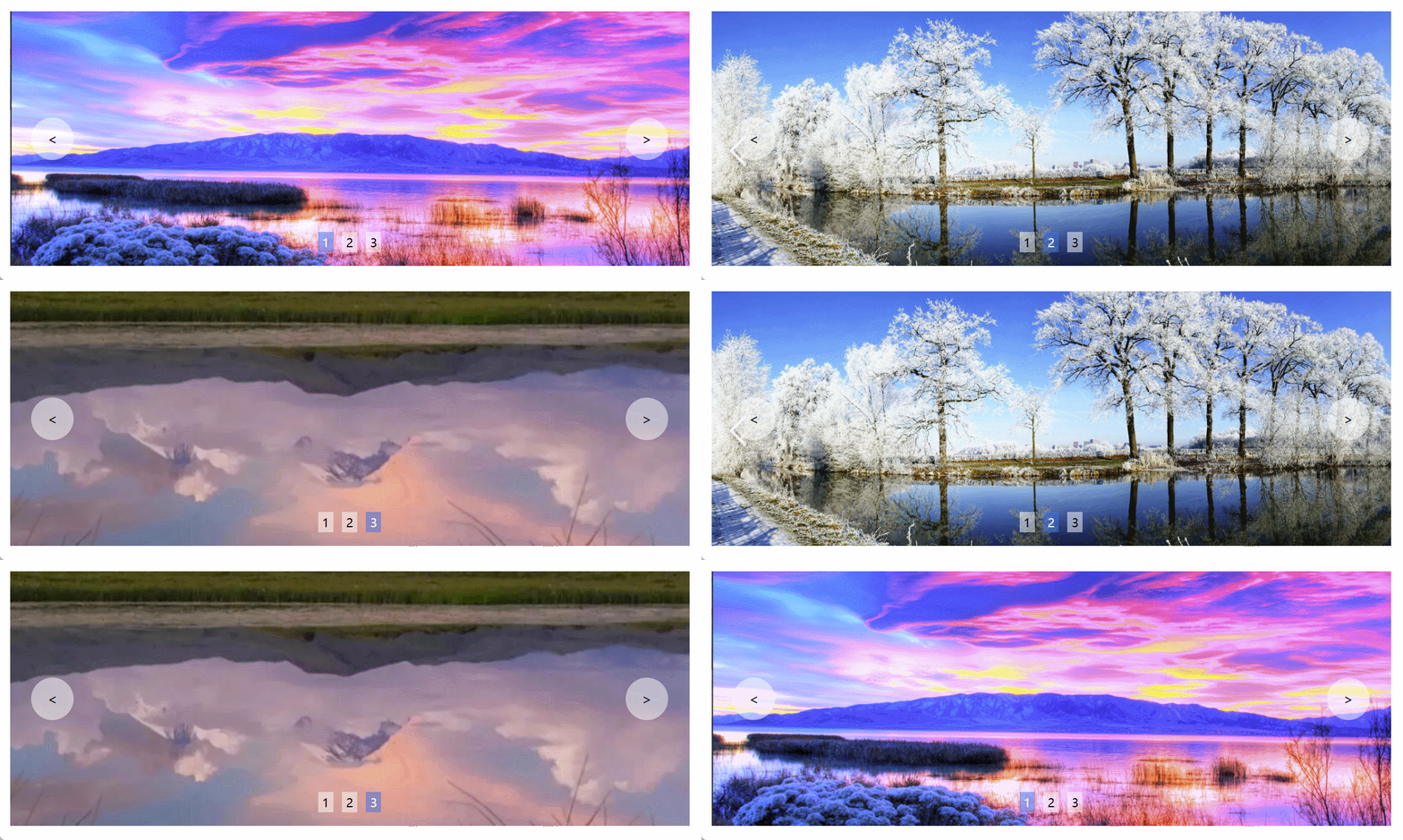
这就是轮播图的制作过程。





 扫一扫
扫一扫


 被折叠的 条评论
为什么被折叠?
被折叠的 条评论
为什么被折叠?
 到【灌水乐园】发言





