


 本文详细介绍了如何在Rancher环境中离线安装kubectl,配置NFS共享存储,部署PHP、MySQL和Nginx服务,包括创建PV/PVC、应用yaml文件、设置Ingress规则,并通过实际案例展示了从部署到访问的全过程。
一、master节点 安装kubectl
离线安装 上传资料中的kubectl
[root@rancher~]# chmod +x kubectl && mv kubectl /usr/local/bin/kubectl
或在线安装kubectl
[root@rancher~]#tee  /etc/yum.repos.d/kubernetes.repo <<'EOF'
[kubernetes]
name=Kubernetes
baseurl=https://mirrors.aliyun.com/kubernetes/yum/repos/kubernetes-el7-x86_64/
enabled=1
gpgcheck=1
repo_gpgcheck=1
gpgkey=https://mirrors.aliyun.com/kubernetes/yum/doc/yum-key.gpg
https://mirrors.aliyun.com/kubernetes/yum/doc/rpm-package-key.gpg
EOF
[root@rancher~]#yum  install -y kubectl
创建kubectl配置文件

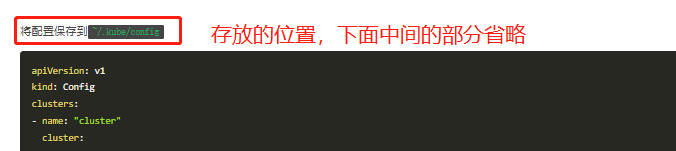
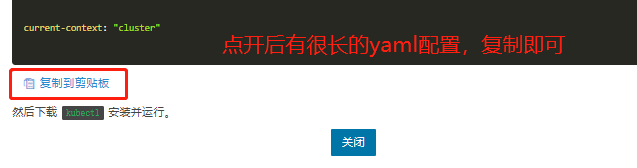
[root@rancher~]#mkdir ~/.kube
[root@rancher~]#vim ~/.kube/config
[root@rancher~]#kubectl  get node
二、服务的部署
1、部署nfs共享存储
[root@rancher ~]#  mkdir -p /web/{html,data}
[root@rancher ~]# yum -y install nfs-utils rpcbind  #安装nfs
[root@rancher~]#vim /etc/exports
/web/html  *(rw,no_root_squash)
/web/data  *(rw,no_root_squash)
[root@rancher ~]#  systemctl enable --now rpcbind   nfs
* 表示任何人都有权限连接,也可以是一个网段192.168.4.0/24(ro) ,一个IP,一个域名
no_root_squ
 最低0.47元/天 解锁文章






 扫一扫
扫一扫


 1879
1879

 被折叠的 条评论
为什么被折叠?
被折叠的 条评论
为什么被折叠?
 到【灌水乐园】发言





