


 文章讲述了红帽企业Linux中kickstart的自动化安装方法,包括创建Kickstart文件以预设安装过程中的答案,支持多机批量安装,以及如何配置网络、密码和分区等。还介绍了如何调整安装源和从光盘启动的过程。
kickstart对于企业的重要意义
许多系统管理员宁愿使用自动化的安装方法来安装红帽企业 Linux.为了满足这种需要,红帽创建了kickstart安装方法.使用kickstart,系统管理员可以创建一个文件,这个文件包含了在典型的安装过程中所遇 到的问题的答案.
Kickstart文件可以存放于单一的服务器上,在安装过程中被独立的机器所读取.这个安装方法可以支持使用单一kickstart文件在多台机器上安装红帽企业Linux,这对于网络和系统管理员来说是个理想的选择.Kickstart给用户提供了一种自动化安装红帽企业Linux的方法.
在安装系统时,当答案确定或者需要大规模安装系统时,记录所有问题的答案就叫做kickstart
kickstart文件的生成
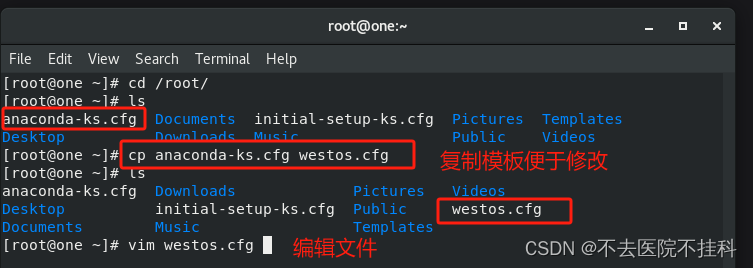
cd /root/
cp anaconda-ks.cfg westos.cfg
vim westos.cfg


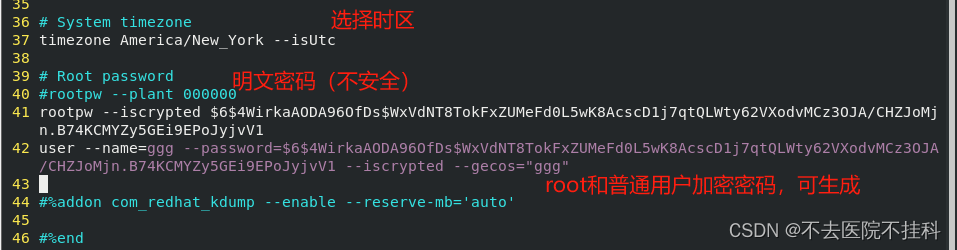
在中间加入reboot命令(自动重启,后面代码有)

生成密码的指令:
[root@one ~]# openssl passwd -6
Password:
Verifying - Password:
$6$4WirkaAODA96OfDs$WxVdNT8TokFxZUMeFd0L5wK8AcscD1j7qtQLWty62VXodvMCz3OJA/CHZJoMjn.B74KCMYZy5GEi9EPoJyjvV1

#version=RHEL8
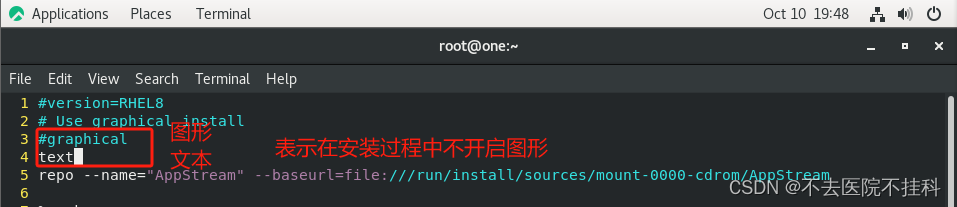
# Use graphical install
#graphical
text
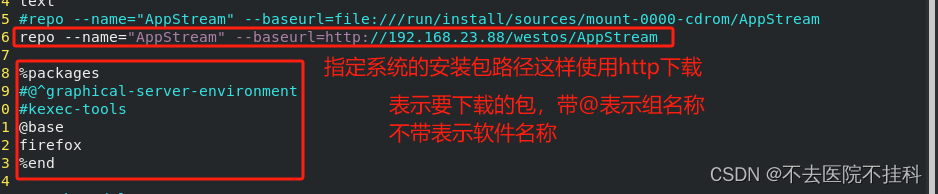
#repo --name="AppStream" --baseurl=file:///run/install/sources/mount-0000-cdrom/AppStream
repo --name="AppStream" --baseurl=http://192.168.23.88/westos/AppStream

%packages
#@^graphical-server-environment
#kexec-tools
@base
firefox
%end

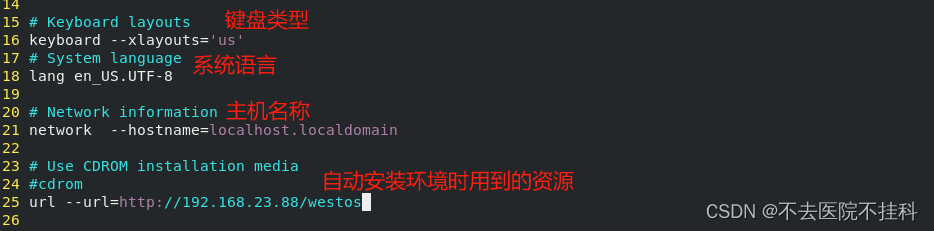
# Keyboard layouts
keyboard --xlayouts='us'
# System language
lang en_US.UTF-8


# Network information
network  --hostname=localhost.localdomain

# Use CDROM installation media
#cdrom
url --url=http://192.168.23.88/westos

# Run the Setup Agent on first boot
#firstboot --enable
firstboot --disable

#ignoredisk --only-use=sda
autopart
# Partition clearing information
clearpart --all --initlabel

# System timezone
timezone America/New_York --isUtc

# Root password
#rootpw --plant 000000
rootpw --iscrypted $6$4WirkaAODA96OfDs$WxVdNT8TokFxZUMeFd0L5wK8AcscD1j7qtQLWty62VXodvMCz3OJA/CHZJoMjn.B74KCMYZy5GEi9EPoJyjvV1
user --name=ggg --password=$6$4WirkaAODA96OfDs$WxVdNT8TokFxZUMeFd0L5wK8AcscD1j7qtQLWty62VXodvMCz3OJA/CHZJoMjn.B74KCMYZy5GEi9EPoJyjvV1 --iscrypted --gecos="ggg"
reboot
%post
touch /mnt/westos/file{1..10}
%end

#%addon com_redhat_kdump --enable --reserve-mb='auto'

#%end

#%anaconda
#pwpolicy root --minlen=6 --minquality=1 --notstrict --nochanges --notempty
#pwpolicy user --minlen=6 --minquality=1 --notstrict --nochanges --emptyok
#pwpolicy luks --minlen=6 --minquality=1 --notstrict --nochanges --notempty
#%end
下载语法检测工具,检测有无语法问题
dnf search kickstart
dnf install pykickstart python3-kickstart -y
ksvalidator westos.cfg
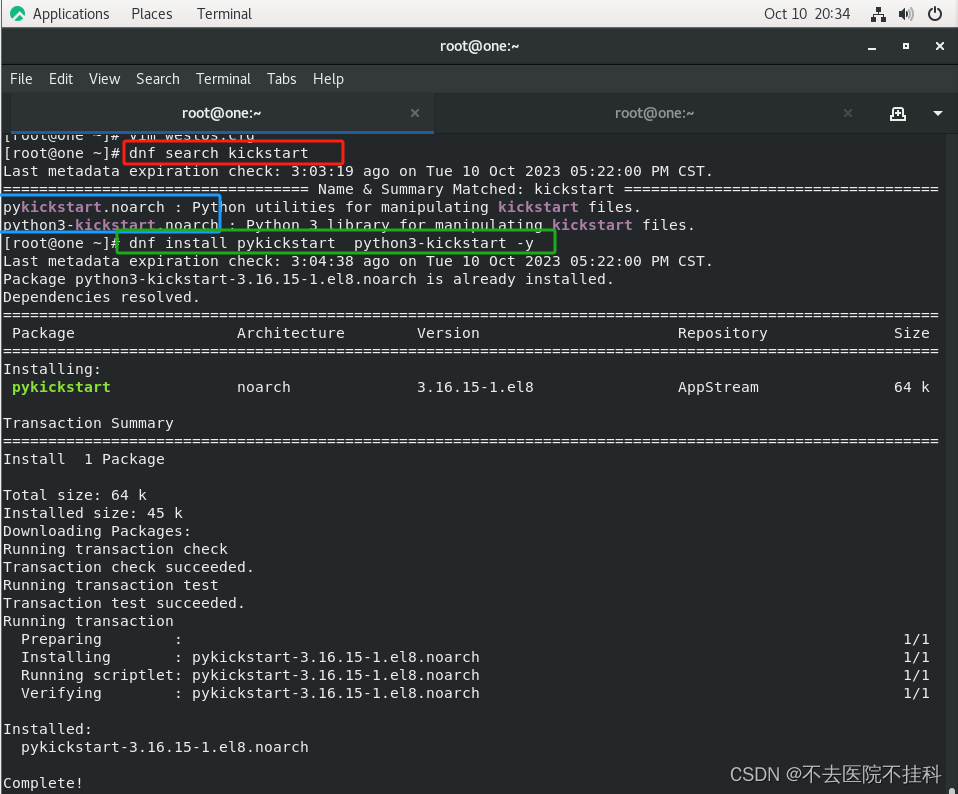
这样就代表语法没问题

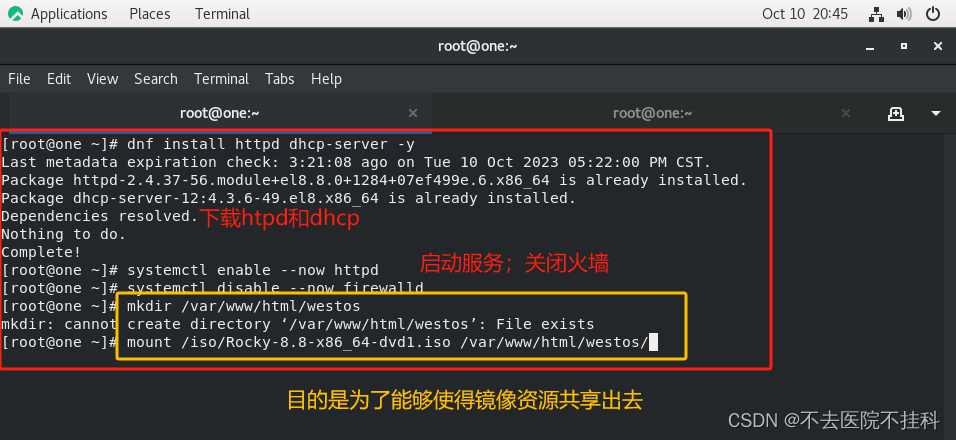
搭建系统安装所需要的环境
dnf install httpd dhcp-server -y
systemctl enable --now httpd
systemctl disable --now firewalld
mkdir /var/www/html/westos
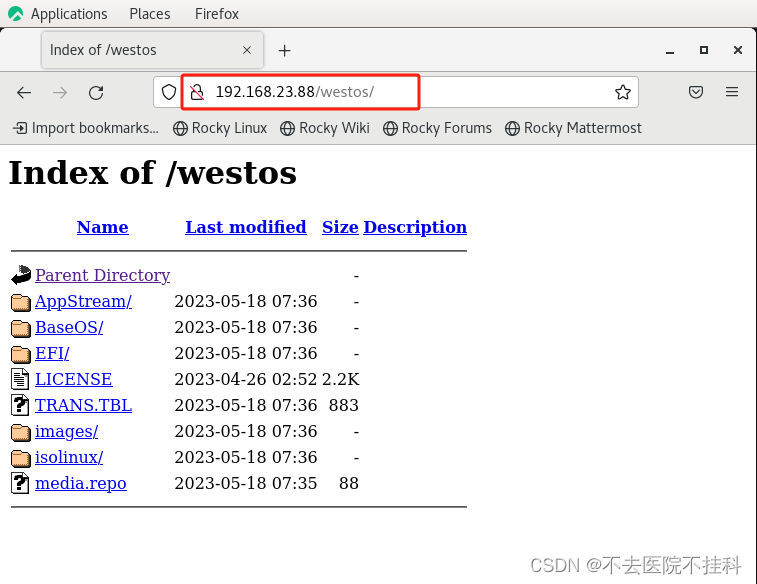
mount /iso/Rocky-8.8-x86_64-dvd1.iso /var/www/html/westos/
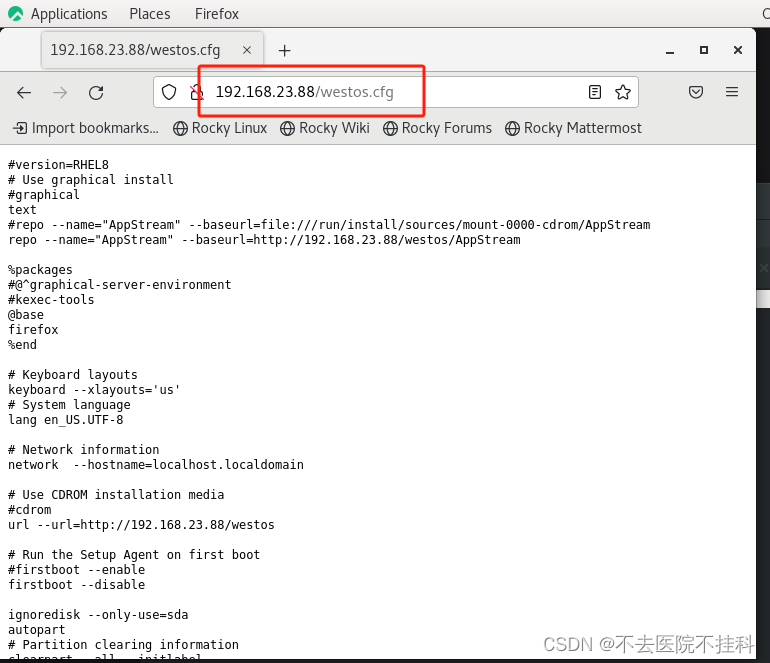
配置成功访问ip结果是这样的
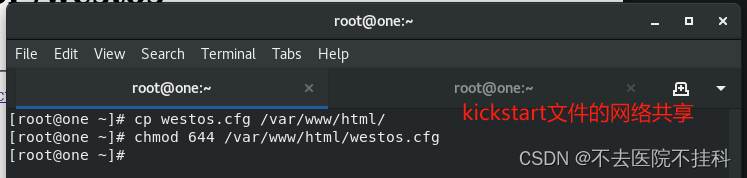
cp westos.cfg /var/www/html/
chmod 644 /var/www/html/westos.cfg
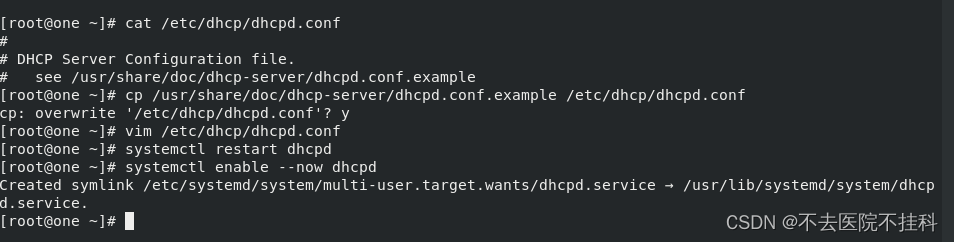
[root@one ~]# cat /etc/dhcp/dhcpd.conf
#
# DHCP Server Configuration file.
# see /usr/share/doc/dhcp-server/dhcpd.conf.example
[root@one ~]# cp /usr/share/doc/dhcp-server/dhcpd.conf.example /etc/dhcp/dhcpd.conf
cp: overwrite '/etc/dhcp/dhcpd.conf'? y
[root@one ~]# vim /etc/dhcp/dhcpd.conf[root@one ~]# systemctl enable --now dhcpd
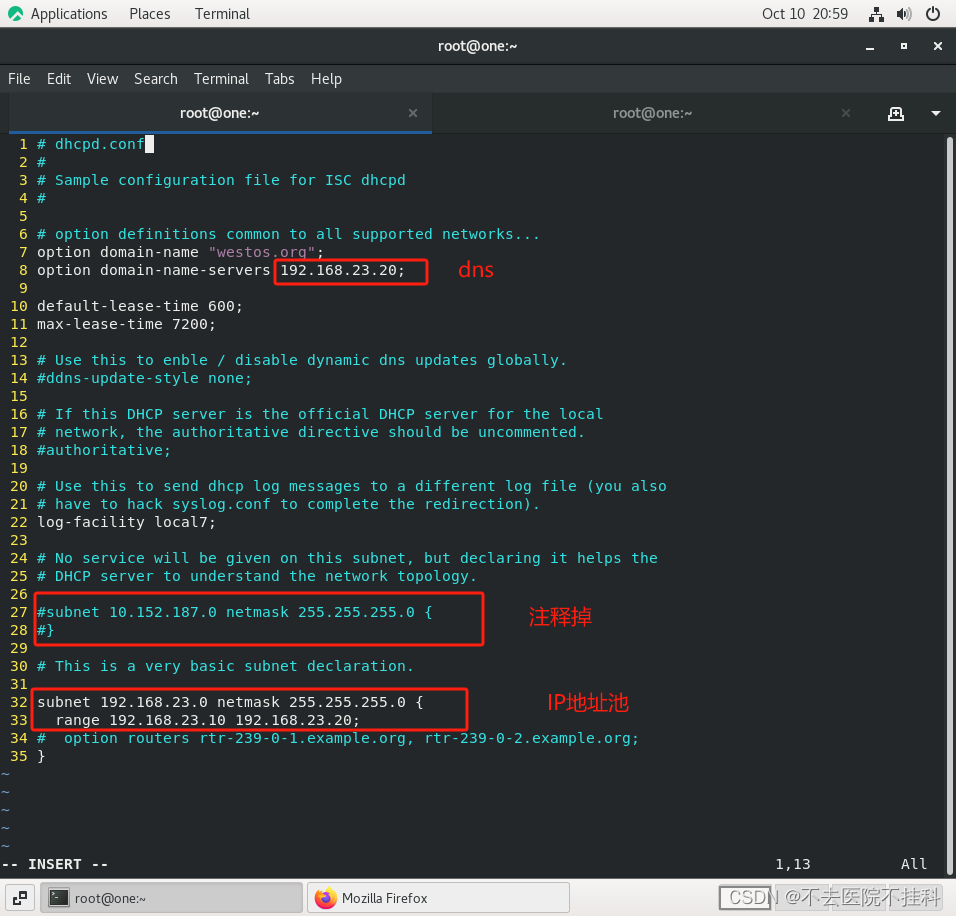
# dhcpd.conf
#
# Sample configuration file for ISC dhcpd
#

# option definitions common to all supported networks...
option domain-name "westos.org";
option domain-name-servers 192.168.23.20;

default-lease-time 600;
max-lease-time 7200;

# Use this to enble / disable dynamic dns updates globally.
#ddns-update-style none;

# If this DHCP server is the official DHCP server for the local
# network, the authoritative directive should be uncommented.
#authoritative;

# Use this to send dhcp log messages to a different log file (you also
# have to hack syslog.conf to complete the redirection).
log-facility local7;

# No service will be given on this subnet, but declaring it helps the
# DHCP server to understand the network topology.

#subnet 10.152.187.0 netmask 255.255.255.0 {
#}

# This is a very basic subnet declaration.

subnet 192.168.23.0 netmask 255.255.255.0 {
  range 192.168.23.10 192.168.23.20;
#  option routers rtr-239-0-1.example.org, rtr-239-0-2.example.org;
}
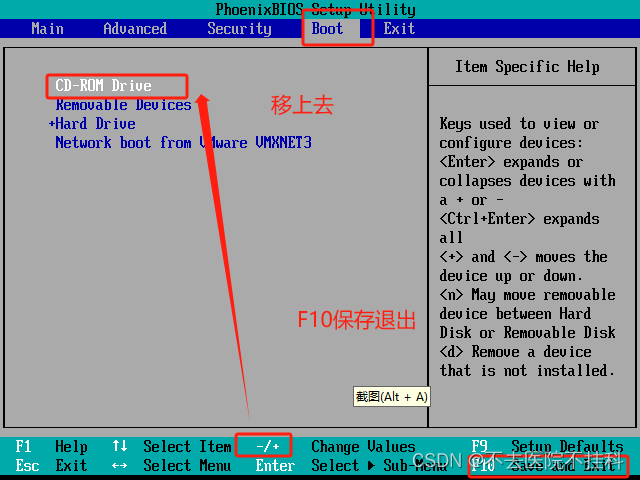
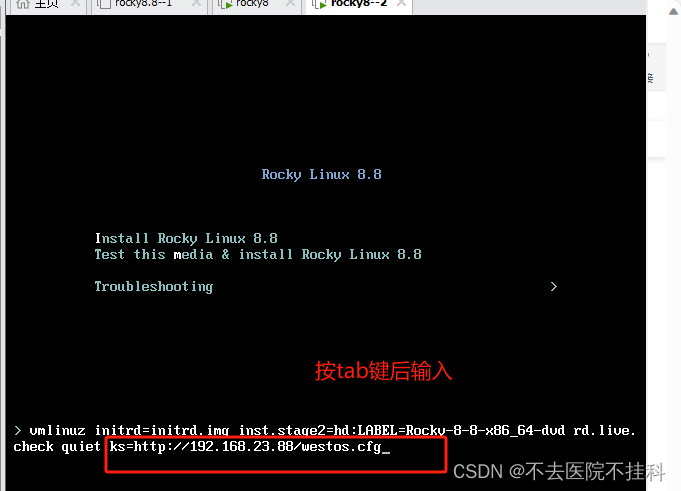
利用kickstart安装系统
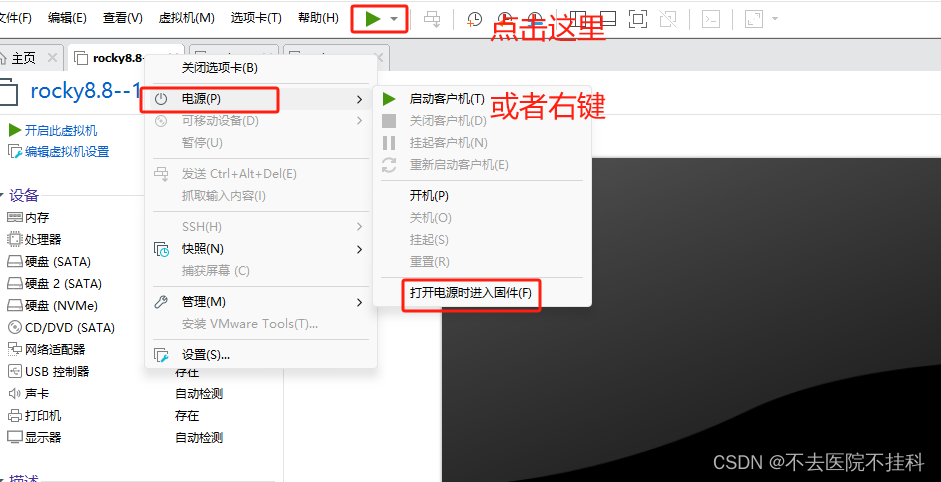
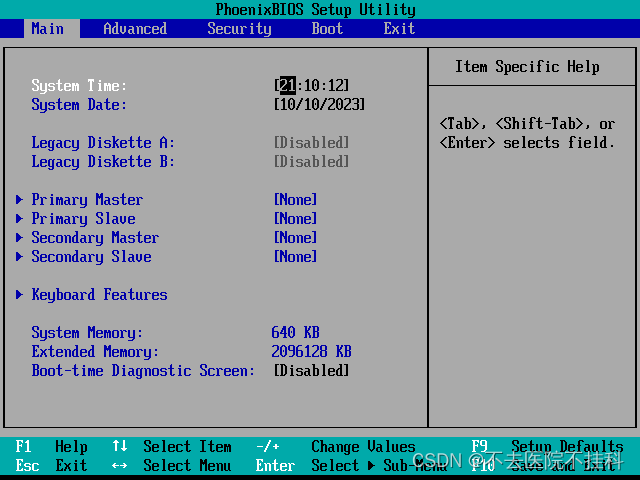
调整为从光盘启动
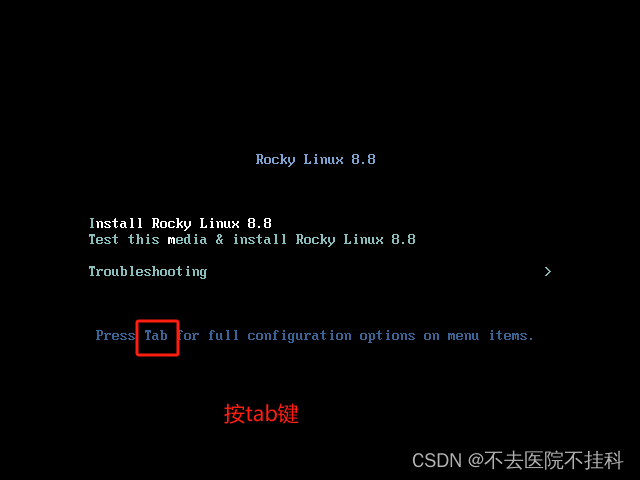
ks=http://192.168.23.88/westos.cfg





 扫一扫
扫一扫


 4322
4322


 到【灌水乐园】发言



