


 本文档详细介绍了在CRMEB系统中如何新建前端页面并配置路由。首先在views/product下创建新的页面目录及index.vue文件,接着在router/modules/product.js中添加路由配置,使页面在http://localhost:9528/admin/product/guarantee可访问。其次,创建views/station目录,建立notice子目录和Index.vue文件,并在router/modules下新建station.js路由模块,最后在router/Index.js中导入并设置页面路径http://localhost:9528/admin/station/notice。
**创建新的页面**
新建一个页面的流程
一. 在原来的文件夹中添加一个新的页面:
比如在product文件夹下新建一个商品保障服务的页面productGuarantee
首先在views目录下的product文件夹下面新建一个文件夹productGuarantee,再在该文件夹下新建一个index.vue文件

然后找到router文件夹下moudles下的product.js文件,在该文件下面加入你新加的页面要跳转的链接和页面地址
1{
2 path: ‘guarantee’,
3name: ‘ProductGuarantee’,
4meta: {
5 title: ‘保障服务’,
6noCache: true
7 },
8 component: () => import(’@/views/product/productGuarantee/index.vue’)
9}

在浏览器访问:http://localhost:9528/admin/product/guarantee

二. 在views下面添加新的文件夹,并添加新的页面,比如现在在views下面添加一个station文件夹
首先在views下新建station文件夹,并在station下新建notice文件夹和Index.vue文件
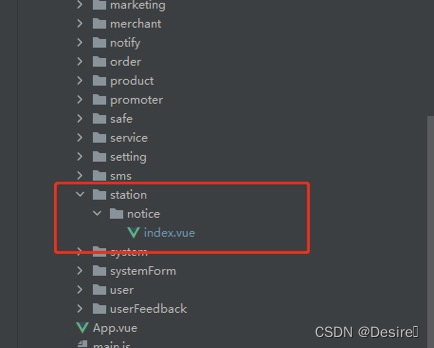
然后在router文件夹下的moudles文件夹下新建station.js,声明stationRouter然后导出
import Layout from ‘@/layout’
import { roterPre } from ‘@/settings’
const stationRouter =
{
path: ${roterPre}/station,
name: ‘station’,
meta: {
icon: ‘’,
title: ‘公告列表’
},
alwaysShow: true,
component: Layout,
children: [
{
path: ‘notice’,
name: ‘stationNotice’,
meta: {
title: ‘公告列表’
},
component: () => import(’@/views/station/notice/index’)
}
]
}
export default stationRouter
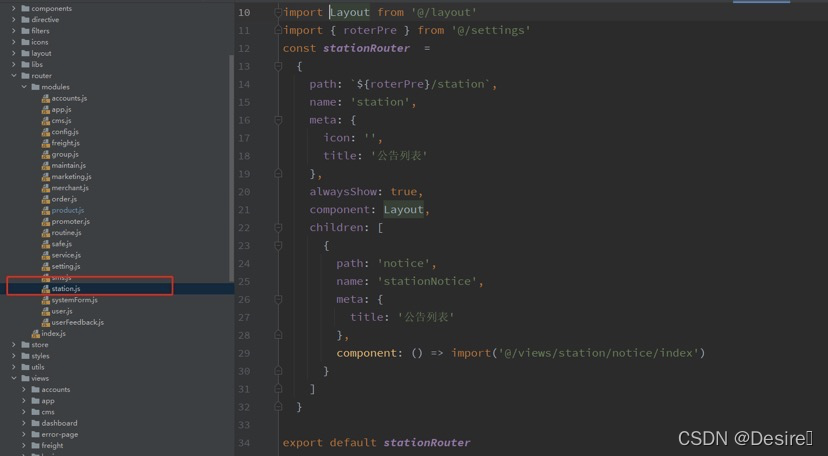
在router文件夹下的Index.js中导入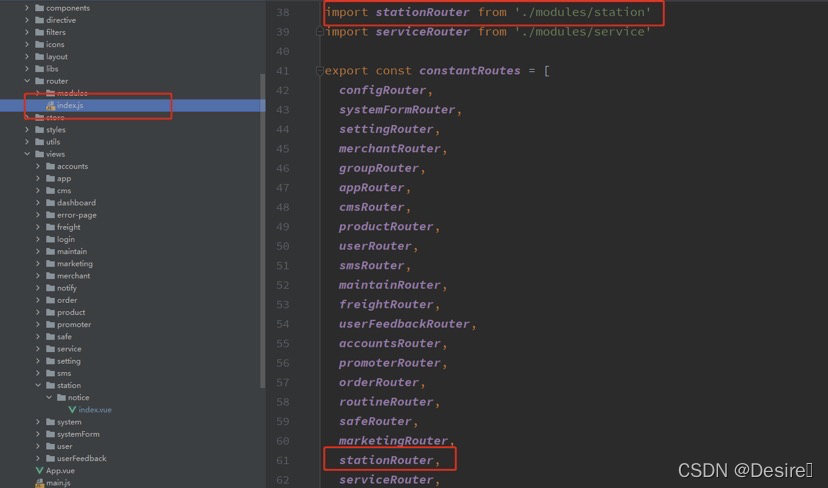
在页面访问:http://localhost:9528/admin/station/notice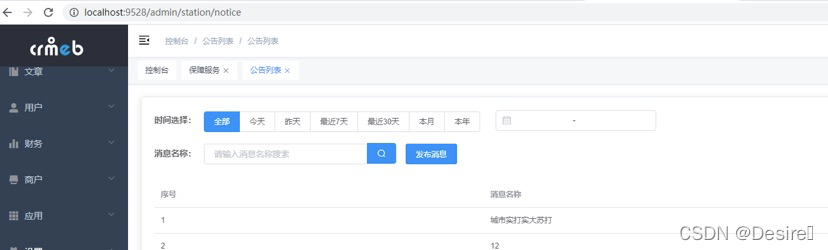





 扫一扫
扫一扫


 被折叠的 条评论
为什么被折叠?
被折叠的 条评论
为什么被折叠?
 到【灌水乐园】发言





