


大文件传输系统技术方案
需求分析与技术挑战
作为深圳软件有限公司的项目负责人,我们深入分析了贵公司对大文件传输系统的需求,主要面临以下技术挑战:
- 超大文件处理:单文件100G的高效传输
- 文件夹结构保留:完整保留层级结构,非打包传输
- 高稳定性断点续传:浏览器刷新/关闭不丢失进度
- 多环境兼容性:跨平台(Windows/macOS/Linux)、跨浏览器(含IE8)
- 安全要求:支持SM4/AES加密,传输与存储安全
- 高并发下载:避免服务器资源耗尽
- 现有系统集成:兼容JSP/Spring Boot/Vue/React等技术栈
技术架构设计
整体架构
[客户端] ---HTTPS(加密)---> [Nginx负载均衡] ---> [应用服务集群]
                                     |
                                     v
[阿里云OSS] <---加密存储---> [文件处理服务] <---> [MySQL集群]
核心技术选型
- 文件分片:采用动态分片策略(默认10MB/片,大文件自动调整)
- 断点续传:基于Redis+MySQL的双重进度保存机制
- 文件夹处理:虚拟文件系统(VFS)维护目录结构
- 加密模块:国密SM4与AES可插拔式加密组件
- 传输优化:TCP BBR拥塞控制算法+多线程传输
核心功能代码示例
前端上传组件(Vue2示例)
export default {
  data() {
    return {
      files: [],
      progress: 0,
      uploadId: '',
      chunkSize: 10 * 1024 * 1024, // 10MB
      concurrentLimit: 3
    }
  },
  methods: {
    handleFileChange(e) {
      this.files = Array.from(e.target.files)
      this.prescanFiles(this.files)
    },
    async prescanFiles(files) {
      const { data } = await this.$http.post('/api/upload/prepare', {
        files: files.map(f => ({
          name: f.name,
          size: f.size,
          relativePath: f.webkitRelativePath || ''
        }))
      })
      this.uploadId = data.uploadId
    },
    async startUpload() {
      for (const file of this.files) {
        await this.uploadFile(file)
      }
    },
    async uploadFile(file) {
      const totalChunks = Math.ceil(file.size / this.chunkSize)
      const chunks = Array(totalChunks).fill().map((_, i) => ({
        index: i,
        start: i * this.chunkSize,
        end: Math.min(file.size, (i + 1) * this.chunkSize)
      }))

      // 并发控制上传
      const queue = []
      for (let i = 0; i < chunks.length; i++) {
        const chunk = chunks[i]
        const blob = file.slice(chunk.start, chunk.end)

        queue.push(this.uploadChunk(file, blob, chunk))

        if (queue.length >= this.concurrentLimit) {
          await Promise.all(queue)
          queue.length = 0
        }
      }
      await Promise.all(queue)

      // 完成上传
      await this.$http.post('/api/upload/complete', {
        uploadId: this.uploadId,
        fileName: file.name,
        fileSize: file.size,
        totalChunks,
        filePath: file.webkitRelativePath || ''
      })
    },
    async uploadChunk(file, blob, chunk) {
      const formData = new FormData()
      formData.append('file', blob)
      formData.append('uploadId', this.uploadId)
      formData.append('chunkIndex', chunk.index)
      formData.append('fileName', file.name)
      formData.append('filePath', file.webkitRelativePath || '')

      try {
        await this.$http.post('/api/upload/chunk', formData, {
          onUploadProgress: progressEvent => {
            const percent = Math.round((progressEvent.loaded / progressEvent.total) * 100)
            this.updateProgress(file.name, chunk.index, percent)
          }
        })
      } catch (error) {
        console.error('上传分片失败:', error)
        await this.uploadChunk(file, blob, chunk) // 自动重试
      }
    },
    updateProgress(fileName, chunkIndex, percent) {
      // 更新进度逻辑
    }
  }
}
后端核心处理(Spring Boot示例)
@RestController
@RequestMapping("/api/upload")
public class FileUploadController {

    @Autowired
    private FileStorageService storageService;

    @Autowired
    private RedisTemplate redisTemplate;

    @PostMapping("/prepare")
    public ResponseEntity prepareUpload(@RequestBody UploadPrepareRequest request) {
        String uploadId = UUID.randomUUID().toString();

        // 初始化上传任务
        UploadSession session = new UploadSession();
        session.setUploadId(uploadId);
        session.setFiles(request.getFiles());
        session.setStatus(UploadStatus.INITIALIZED);
        session.setCreatedAt(new Date());

        // 存储到Redis和数据库
        redisTemplate.opsForValue().set("upload:" + uploadId, session);
        storageService.saveUploadSession(session);

        return ResponseEntity.ok(new UploadPrepareResponse(uploadId));
    }

    @PostMapping("/chunk")
    public ResponseEntity uploadChunk(
            @RequestParam("file") MultipartFile file,
            @RequestParam("uploadId") String uploadId,
            @RequestParam("chunkIndex") int chunkIndex,
            @RequestParam("fileName") String fileName,
            @RequestParam(value = "filePath", required = false) String filePath) {

        // 验证上传会话
        UploadSession session = (UploadSession) redisTemplate.opsForValue().get("upload:" + uploadId);
        if (session == null || session.getStatus() != UploadStatus.INITIALIZED) {
            return ResponseEntity.status(HttpStatus.BAD_REQUEST).body("无效的上传会话");
        }

        try {
            // 加密存储分片
            byte[] encryptedChunk = CryptoUtils.encrypt(file.getBytes(),
                storageService.getEncryptionAlgorithm(),
                storageService.getEncryptionKey());

            String chunkKey = String.format("%s/%s/%d", uploadId, fileName, chunkIndex);
            storageService.storeChunk(chunkKey, encryptedChunk, filePath);

            // 更新进度
            session.getChunkStatuses().put(chunkKey, ChunkStatus.COMPLETED);
            redisTemplate.opsForValue().set("upload:" + uploadId, session);

            return ResponseEntity.ok().build();
        } catch (Exception e) {
            return ResponseEntity.status(HttpStatus.INTERNAL_SERVER_ERROR)
                .body("分片上传失败: " + e.getMessage());
        }
    }

    @PostMapping("/complete")
    public ResponseEntity completeUpload(@RequestBody UploadCompleteRequest request) {
        // 验证所有分片已上传
        // 合并分片
        // 生成最终文件元数据
        // 清理临时数据

        return ResponseEntity.ok(new UploadCompleteResponse(request.getFileName(), finalPath));
    }

    // 其他端点:暂停、恢复、取消上传等
}
文件加密模块(Java实现)
public class CryptoUtils {

    private static final String AES_ALGORITHM = "AES/CBC/PKCS5Padding";
    private static final String SM4_ALGORITHM = "SM4/CBC/PKCS5Padding";

    public static byte[] encrypt(byte[] data, String algorithm, String key)
            throws NoSuchAlgorithmException, NoSuchPaddingException,
                   InvalidKeyException, IllegalBlockSizeException,
                   BadPaddingException, InvalidAlgorithmParameterException {

        Cipher cipher = Cipher.getInstance(getCipherAlgorithm(algorithm));
        SecretKeySpec keySpec = new SecretKeySpec(generateKey(algorithm, key), algorithm);
        IvParameterSpec iv = generateIv(algorithm);

        cipher.init(Cipher.ENCRYPT_MODE, keySpec, iv);
        return cipher.doFinal(data);
    }

    public static byte[] decrypt(byte[] encryptedData, String algorithm, String key)
            throws NoSuchAlgorithmException, NoSuchPaddingException,
                   InvalidKeyException, IllegalBlockSizeException,
                   BadPaddingException, InvalidAlgorithmParameterException {

        Cipher cipher = Cipher.getInstance(getCipherAlgorithm(algorithm));
        SecretKeySpec keySpec = new SecretKeySpec(generateKey(algorithm, key), algorithm);
        IvParameterSpec iv = generateIv(algorithm);

        cipher.init(Cipher.DECRYPT_MODE, keySpec, iv);
        return cipher.doFinal(encryptedData);
    }

    private static String getCipherAlgorithm(String algorithm) {
        return algorithm.equalsIgnoreCase("SM4") ? SM4_ALGORITHM : AES_ALGORITHM;
    }

    private static byte[] generateKey(String algorithm, String key) {
        // 密钥生成逻辑
    }

    private static IvParameterSpec generateIv(String algorithm) {
        // IV生成逻辑
    }
}
系统特性与优势
1. 高可靠断点续传机制
我们设计了三级恢复机制确保断点续传的可靠性:
- 客户端缓存:LocalStorage保存基本进度信息
- 服务端Redis缓存:实时更新上传状态
- 数据库持久化:定时同步确保数据不丢失
2. 文件夹结构处理方案
采用虚拟文件系统(VFS)技术维护原始目录结构:
// 数据结构示例
{
  "uploadId": "xyz123",
  "root": {
    "name": "project",
    "type": "directory",
    "children": [
      {
        "name": "src",
        "type": "directory",
        "children": [
          {
            "name": "main.js",
            "type": "file",
            "size": 1024,
            "chunks": [{"id":1,"status":"completed"},...]
          }
        ]
      }
    ]
  }
}
3. 性能优化措施
- 动态分片策略:根据网络状况自动调整分片大小(1MB-20MB)
- 智能重试机制:指数退避算法处理失败分片
- 内存优化:采用零拷贝技术处理大文件,避免内存溢出
实施计划与交付物
阶段交付计划
-
第一阶段(2周):核心传输模块开发
- 文件分片上传/下载
- 基础加密模块
- 进度跟踪系统
-
第二阶段(3周):高级功能实现
- 文件夹结构处理
- 多浏览器兼容层
- 管理控制台
-
第三阶段(1周):系统集成与测试
- 与现有系统对接
- 性能压力测试
- 安全审计
交付物清单
- 完整源代码(包含前端组件与后端服务)
- 详细技术文档(架构设计、API文档、部署指南)
- 多种技术栈集成示例(JSP/Vue/React)
- 性能测试报告与优化建议
- 安全合规认证材料
商务合作方案
基于贵公司年项目量和预算考虑,我们提供以下授权方案:
-
买断授权(98万元):
- 公司内部无限项目使用
- 永久免费升级维护
- 专属技术支持通道
- 定制开发服务优惠
-
配套服务:
- 现场技术培训(2次)
- 年度系统健康检查
- 紧急问题4小时响应
随方案附上我司与央企合作的项目证明材料(合同扫描件、软件著作权证书等),可供贵公司审阅。
本方案完全满足贵公司对大文件传输系统的所有技术要求,且在稳定性、安全性和兼容性方面有显著优势。我们期待与贵公司合作,共同打造行业领先的文件传输解决方案。
导入项目
导入到Eclipse:点击查看教程
导入到IDEA:点击查看教程
springboot统一配置:点击查看教程
工程
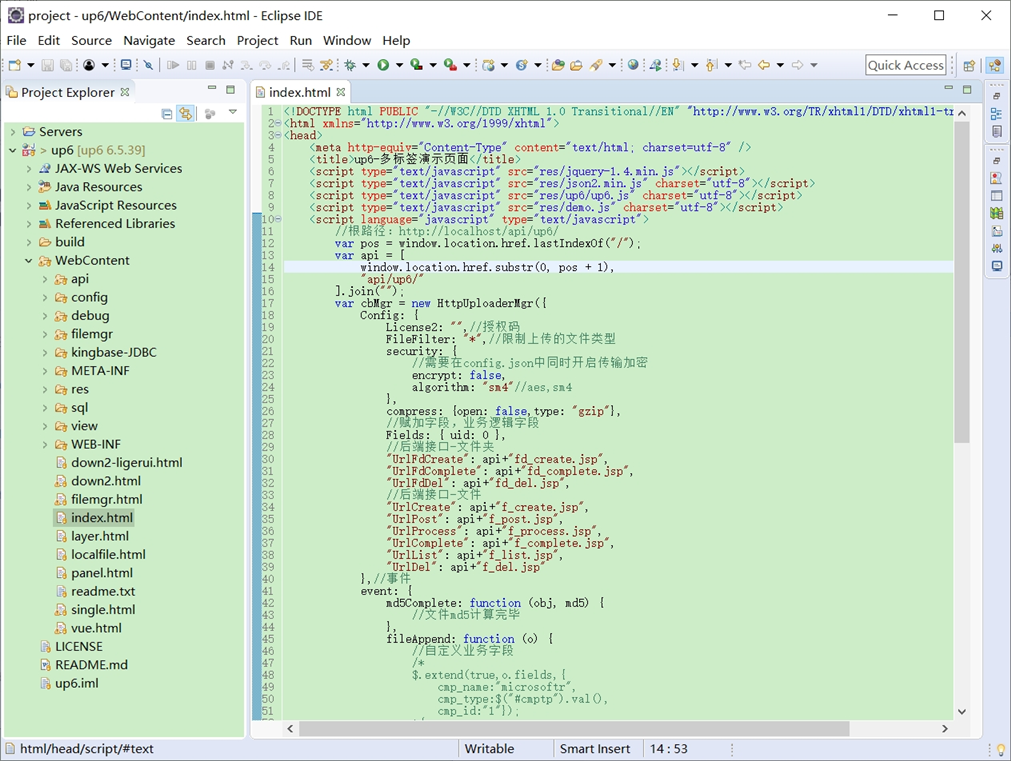
NOSQL
NOSQL示例不需要任何配置,可以直接访问测试
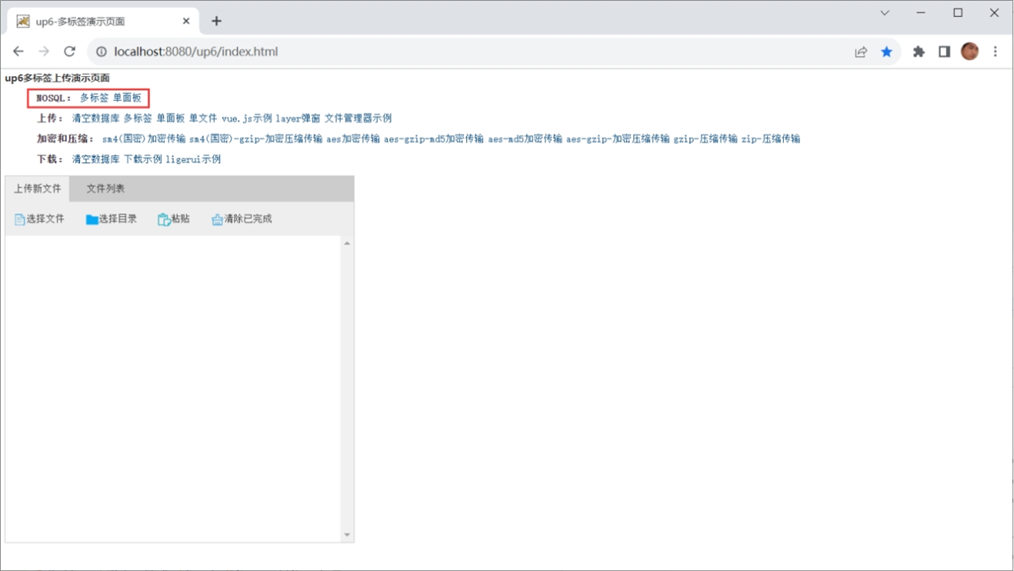
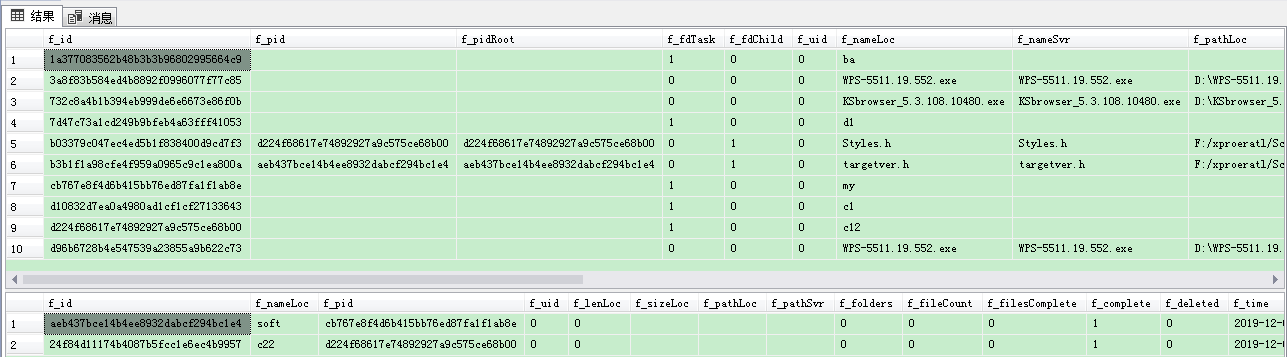
创建数据表
选择对应的数据表脚本,这里以SQL为例
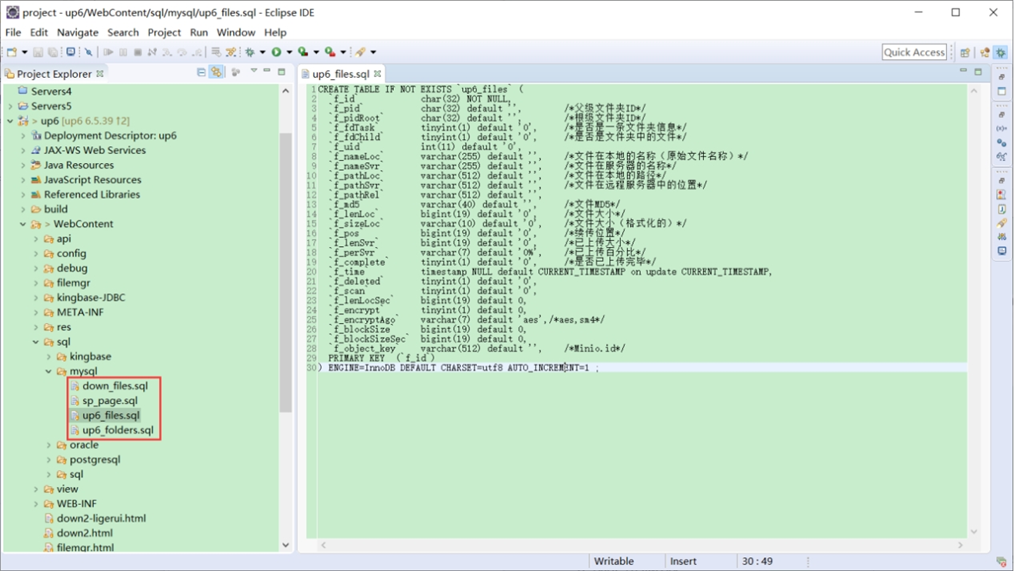
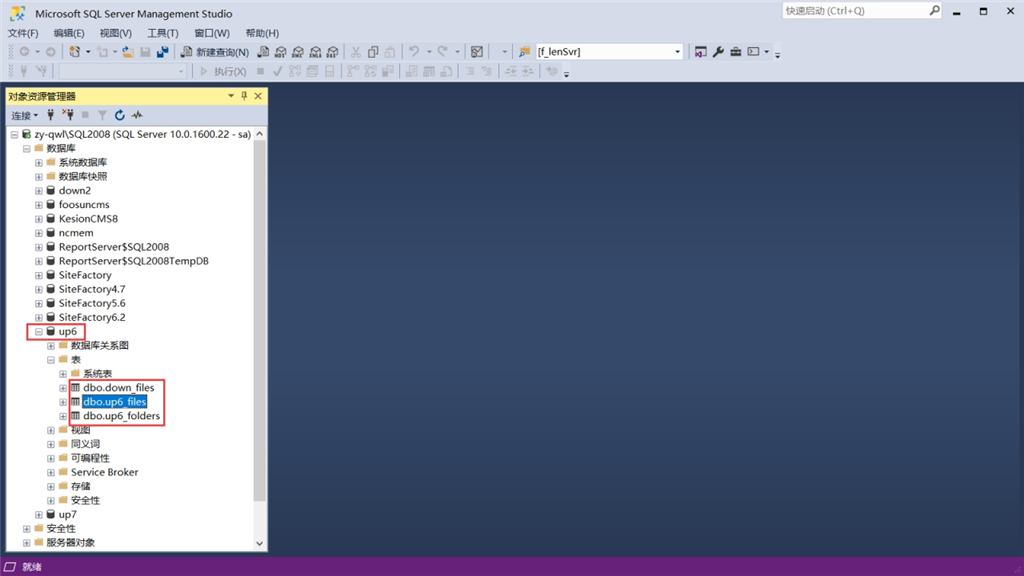
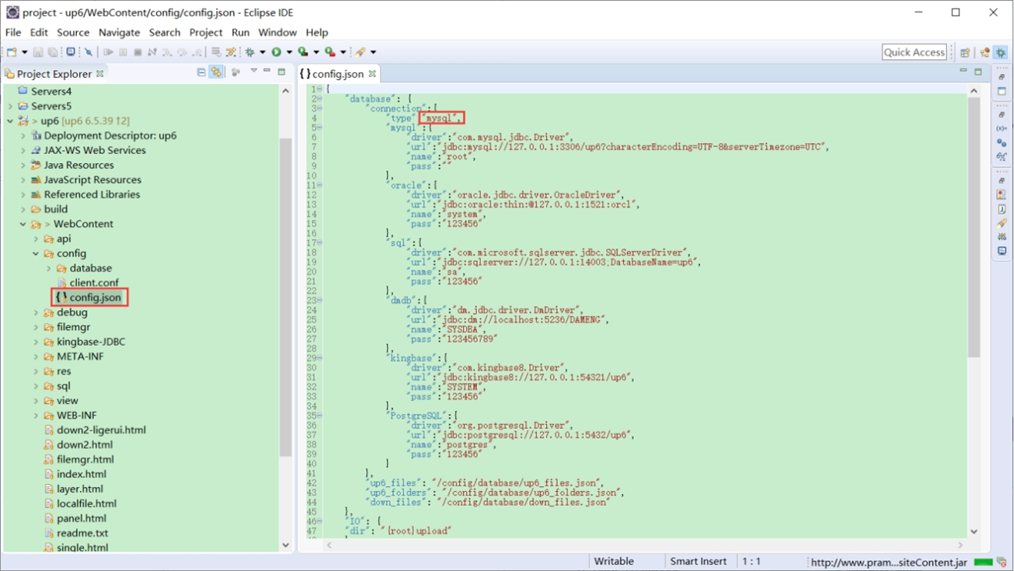
修改数据库连接信息
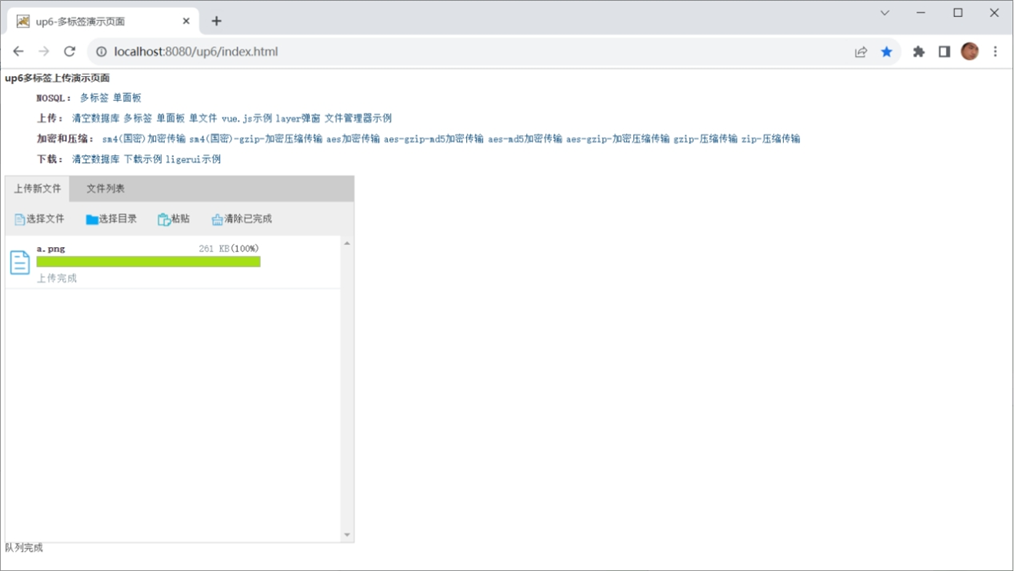
访问页面进行测试
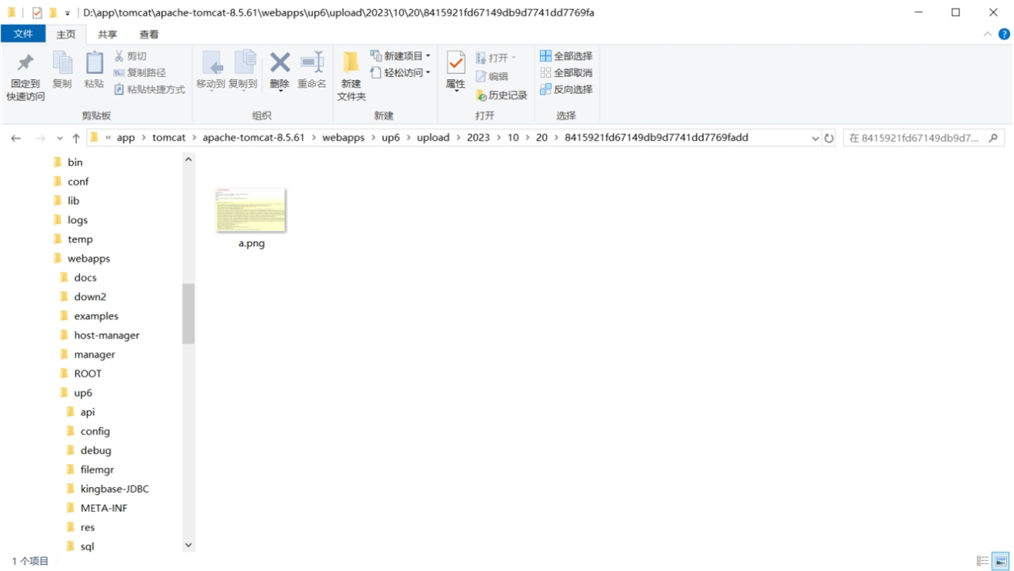
文件存储路径
up6/upload/年/月/日/guid/filename
效果预览
文件上传
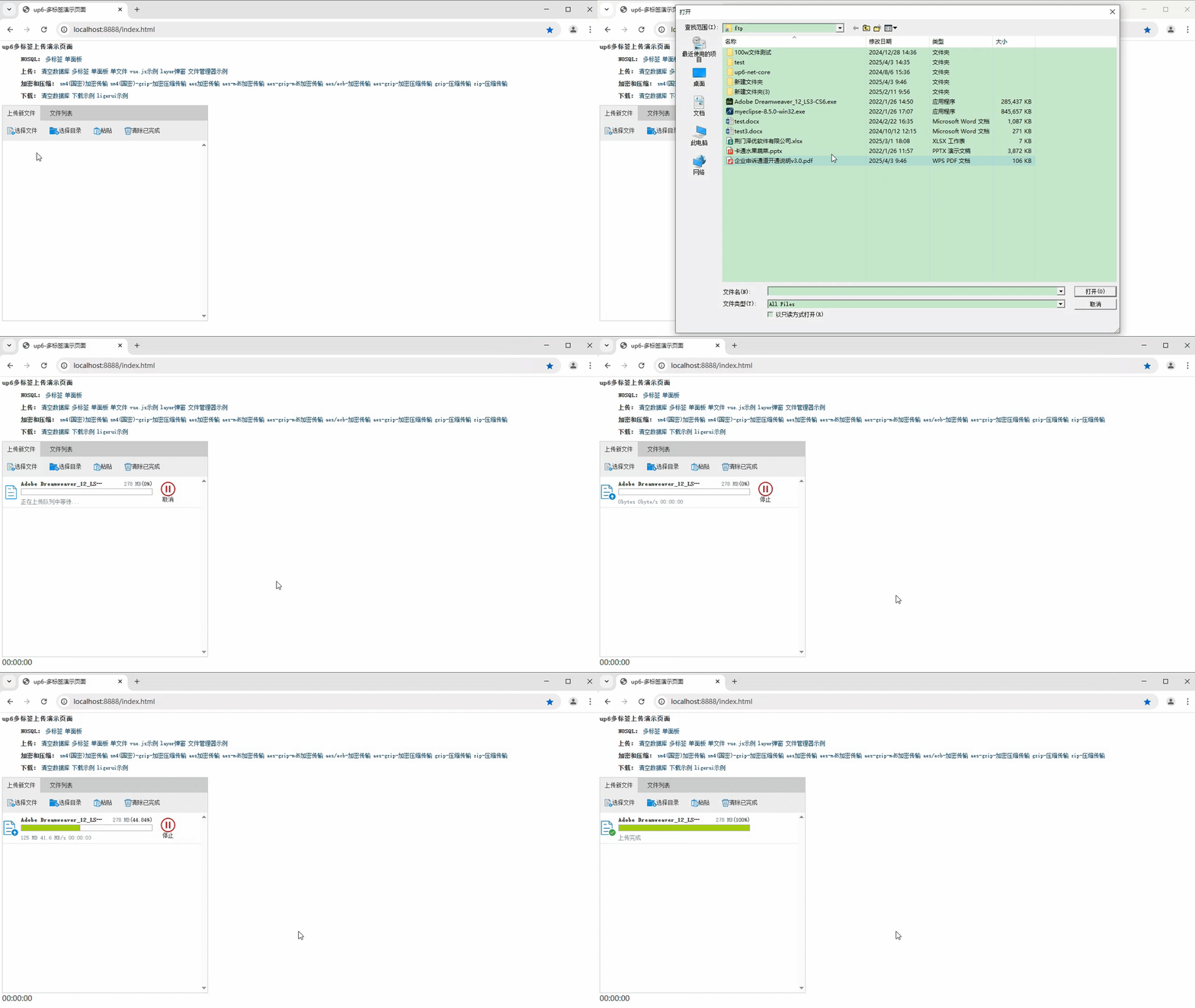
文件刷新续传
支持离线保存文件进度,在关闭浏览器,刷新浏览器后进行不丢失,仍然能够继续上传

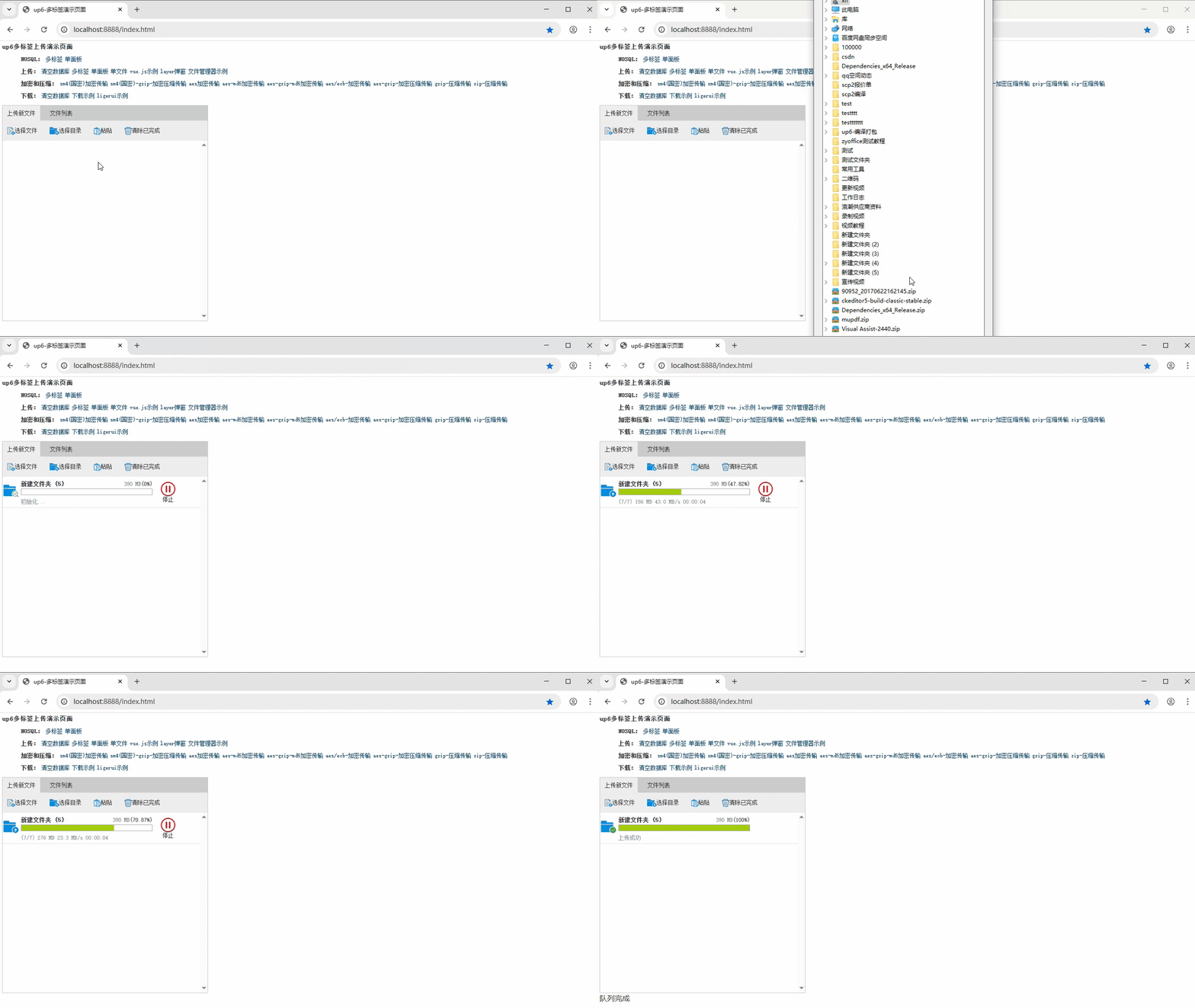
文件夹上传
支持上传文件夹并保留层级结构,同样支持进度信息离线保存,刷新页面,关闭页面,重启系统不丢失上传进度。
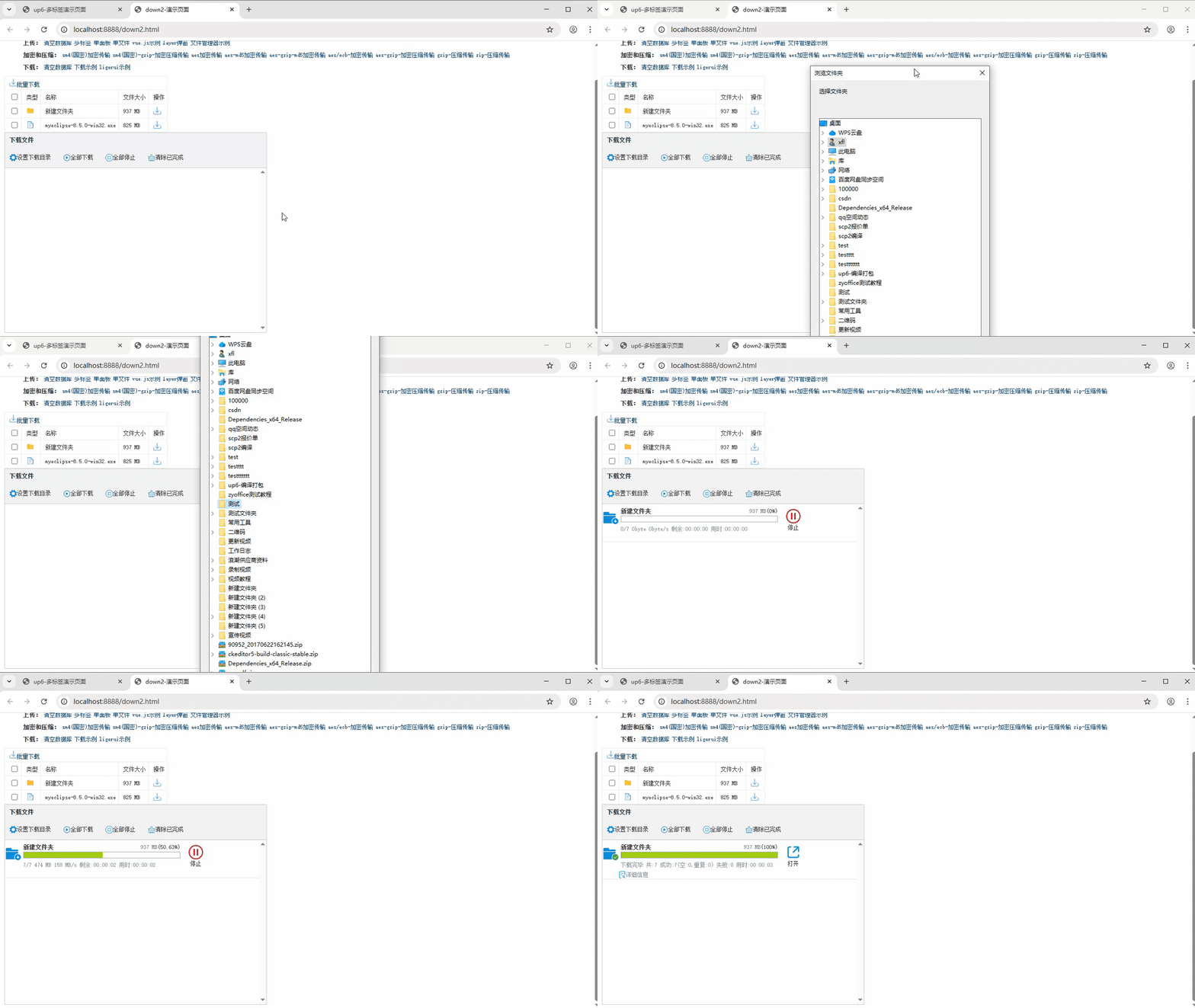
批量下载
支持文件批量下载

下载续传
文件下载支持离线保存进度信息,刷新页面,关闭页面,重启系统均不会丢失进度信息。

文件夹下载
支持下载文件夹,并保留层级结构,不打包,不占用服务器资源。





 扫一扫
扫一扫


 910
910

 被折叠的 条评论
为什么被折叠?
被折叠的 条评论
为什么被折叠?
 到【灌水乐园】发言





