





目录
内容:
获取数据库表字段、字段类型、字段注释等。现已汇总数据库:SqlServer、MySql、Oracle
SqlServer数据库
TableName:表名;
ColumnName:字段名;
ColumnType:字段类型;
IsNullable:是否能为空;
DefaultData:默认值;
ColumnDescription:字段注释;
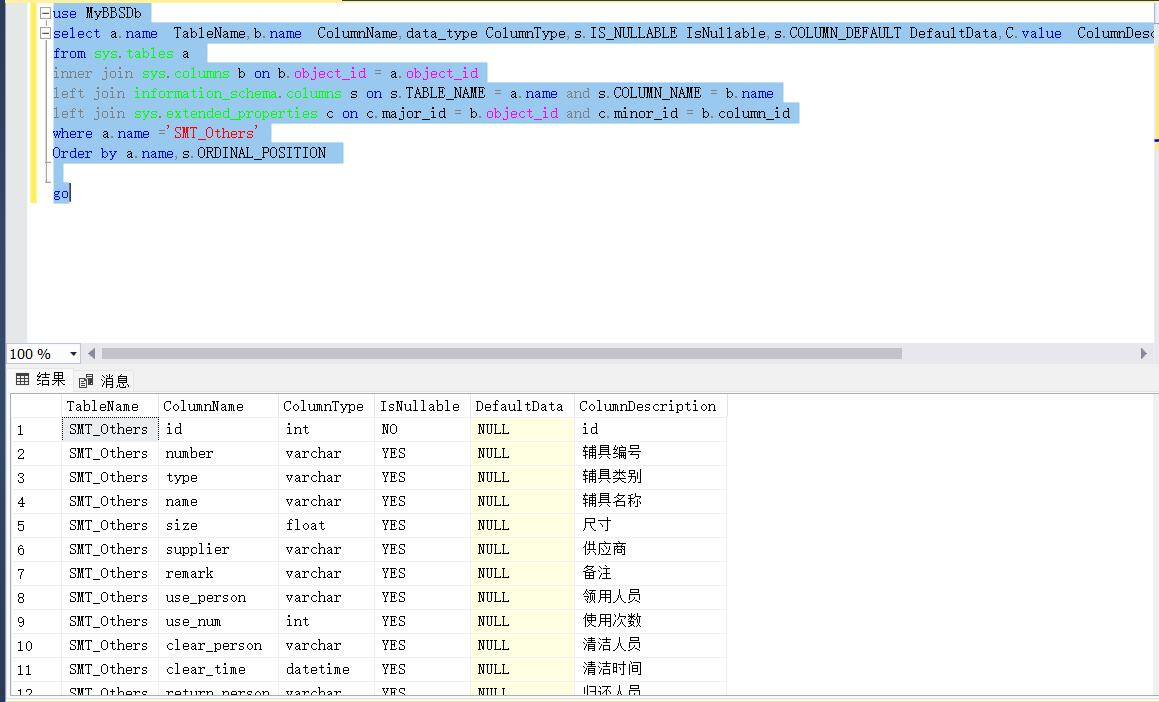
查询某数据库某张表的字段与注释
use 数据库名
select a.name  TableName,b.name  ColumnName,data_type ColumnType,s.IS_NULLABLE IsNullable,s.COLUMN_DEFAULT DefaultData,C.value  ColumnDescription
from sys.tables a
inner join sys.columns b on b.object_id = a.object_id
left join information_schema.columns s on s.TABLE_NAME = a.name and s.COLUMN_NAME = b.name
left join sys.extended_properties c on c.major_id = b.object_id and c.minor_id = b.column_id
where a.name ='表名'
Order by a.name,s.ORDINAL_POSITION;

go
查询某数据库所有表的字段与注释
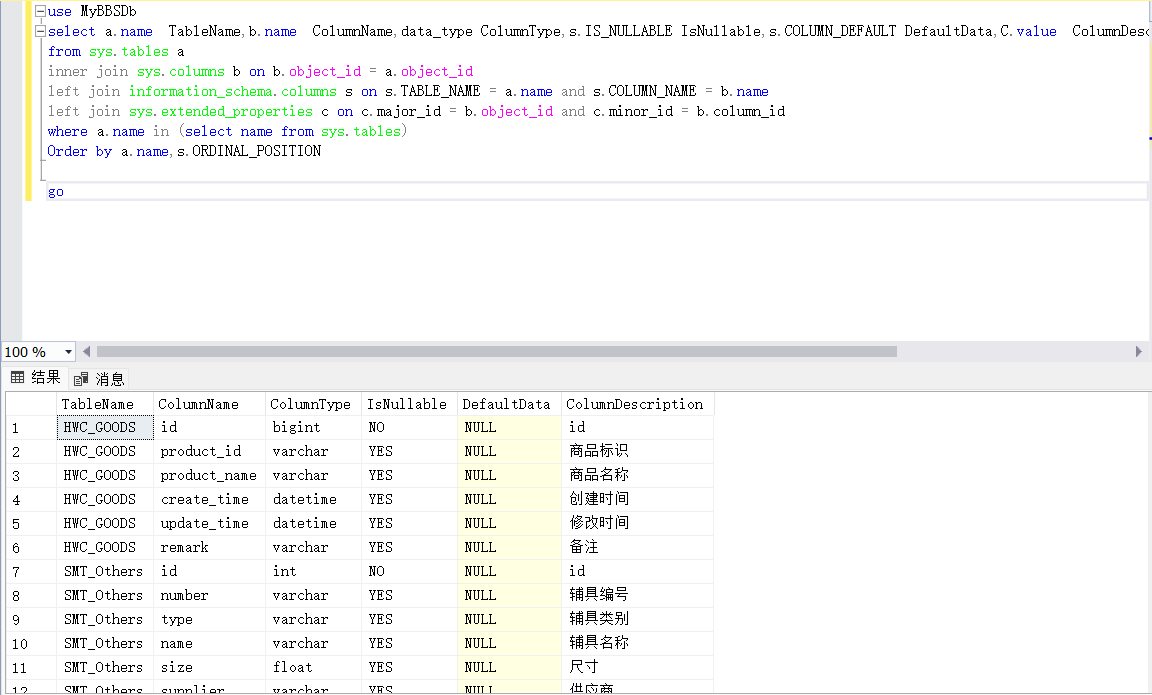
use 数据库名
select a.name  TableName,b.name  ColumnName,data_type ColumnType,s.IS_NULLABLE IsNullable,s.COLUMN_DEFAULT DefaultData,C.value  ColumnDescription
from sys.tables a
inner join sys.columns b on b.object_id = a.object_id
left join information_schema.columns s on s.TABLE_NAME = a.name and s.COLUMN_NAME = b.name
left join sys.extended_properties c on c.major_id = b.object_id and c.minor_id = b.column_id
where a.name in (select name from sys.tables)
Order by a.name,s.ORDINAL_POSITION;

go
MySql数据库
DatabaseName:数据库名;
TableName:表名;
ColumnName:字段名;
ColumnType:字段类型;
IsNullable:是否能为空;
DefaultData:默认值;
ColumnDescription:字段注释;
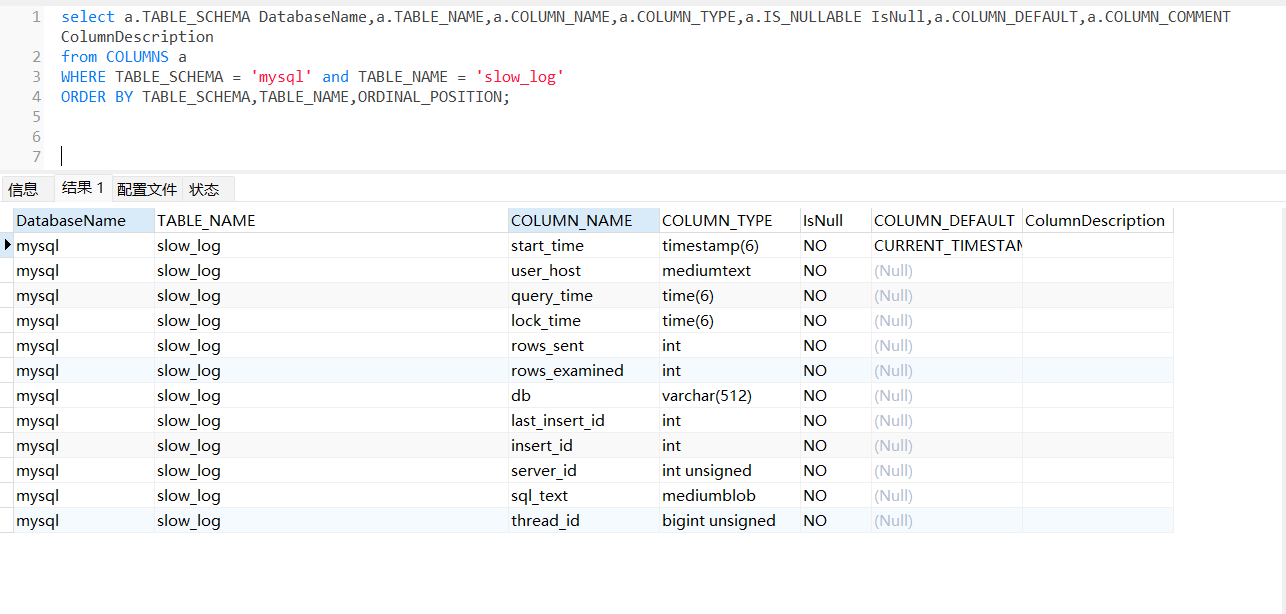
查询某数据库某张表的字段与注释
select a.TABLE_SCHEMA DatabaseName,a.TABLE_NAME TableName,a.COLUMN_NAME ColumnName,a.COLUMN_TYPE ColumnType,a.IS_NULLABLE IsNullable,a.COLUMN_DEFAULT DefaultData,a.COLUMN_COMMENT ColumnDescription
from COLUMNS a
WHERE TABLE_SCHEMA = '数据库名' and TABLE_NAME = '表名'
ORDER BY TABLE_SCHEMA,TABLE_NAME,ORDINAL_POSITION;
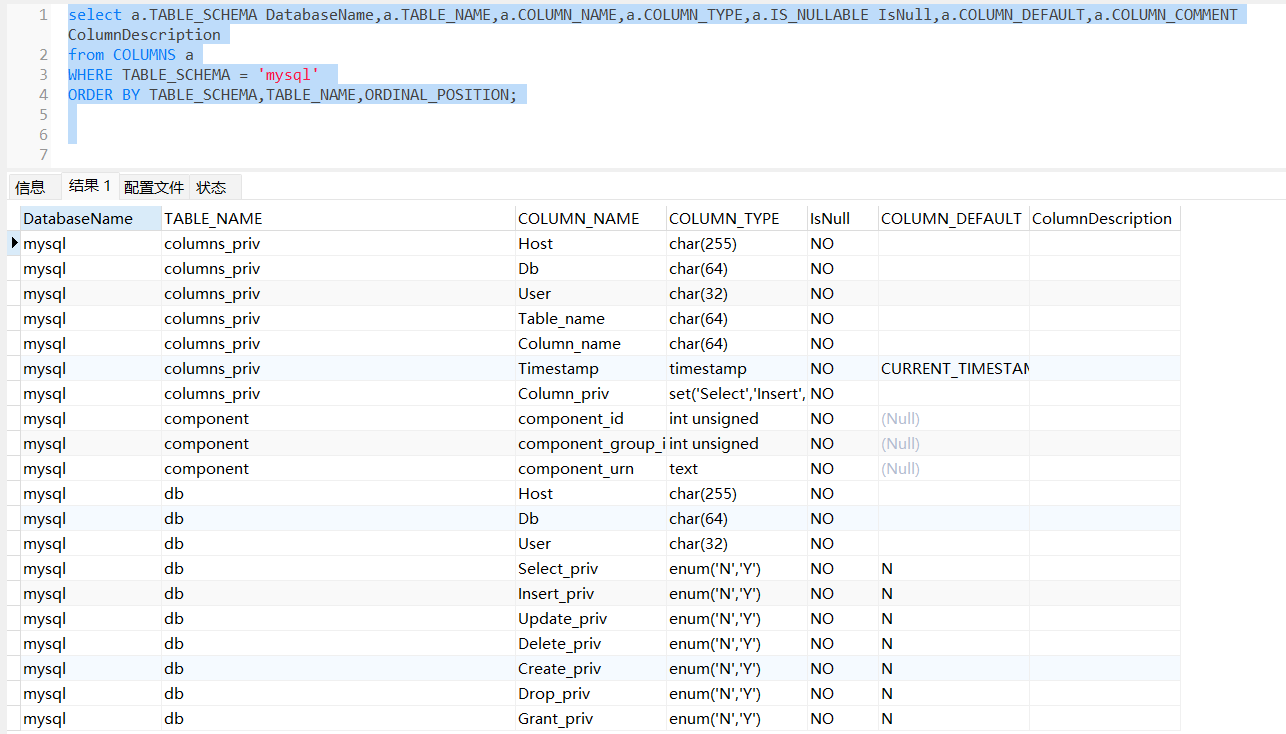
查询某数据库所有表的字段与注释
select a.TABLE_SCHEMA DatabaseName,a.TABLE_NAME TableName,a.COLUMN_NAME ColumnName,a.COLUMN_TYPE ColumnType,a.IS_NULLABLE IsNullable,a.COLUMN_DEFAULT DefaultData,a.COLUMN_COMMENT ColumnDescription
from COLUMNS a
WHERE TABLE_SCHEMA = '数据库名'
ORDER BY TABLE_SCHEMA,TABLE_NAME,ORDINAL_POSITION;
Oracle数据库
DatabaseName:数据库名;
TableName:表名;
ColumnName:字段名;
ColumnType:字段类型;
IsNullable:是否能为空;
DefaultData:默认值;
ColumnDescription:字段注释;
注意:user_tab_columns表的字段需要全大写
查询某数据库某张表的字段与注释
select a.TABLE_NAME  TableName,a.COLUMN_NAME ColumnName,a.DATA_TYPE ColumnType,a.NULLABLE IsNullable,
a.DATA_DEFAULT DefaultData,b.comments  ColumnDescription
from user_tab_columns a
left join user_col_comments b on a.TABLE_NAME = b.table_name and a.COLUMN_NAME = b.column_name
where a.TABLE_NAME = '表名'
Order by a.TABLE_NAME,a.COLUMN_ID;
查询某数据库所有表的字段与注释
select a.TABLE_NAME  TableName,a.COLUMN_NAME ColumnName,a.DATA_TYPE ColumnType,a.NULLABLE IsNullable,
a.DATA_DEFAULT DefaultData,b.comments  ColumnDescription
from user_tab_columns a
left join user_col_comments b on a.TABLE_NAME = b.table_name and a.COLUMN_NAME = b.column_name
Order by a.TABLE_NAME,a.COLUMN_ID ;





 扫一扫
扫一扫


 439
439

 被折叠的 条评论
为什么被折叠?
被折叠的 条评论
为什么被折叠?
 到【灌水乐园】发言





