



 文章展示了如何使用Windy的天气API创建一个嵌入式微件,并提供了完整的HTML代码示例。该代码可被修改以适应不同需求。此外,还解释了如何在HomeAssistant中添加这个天气网页,以便用户可以在其平台上查看实时天气信息。
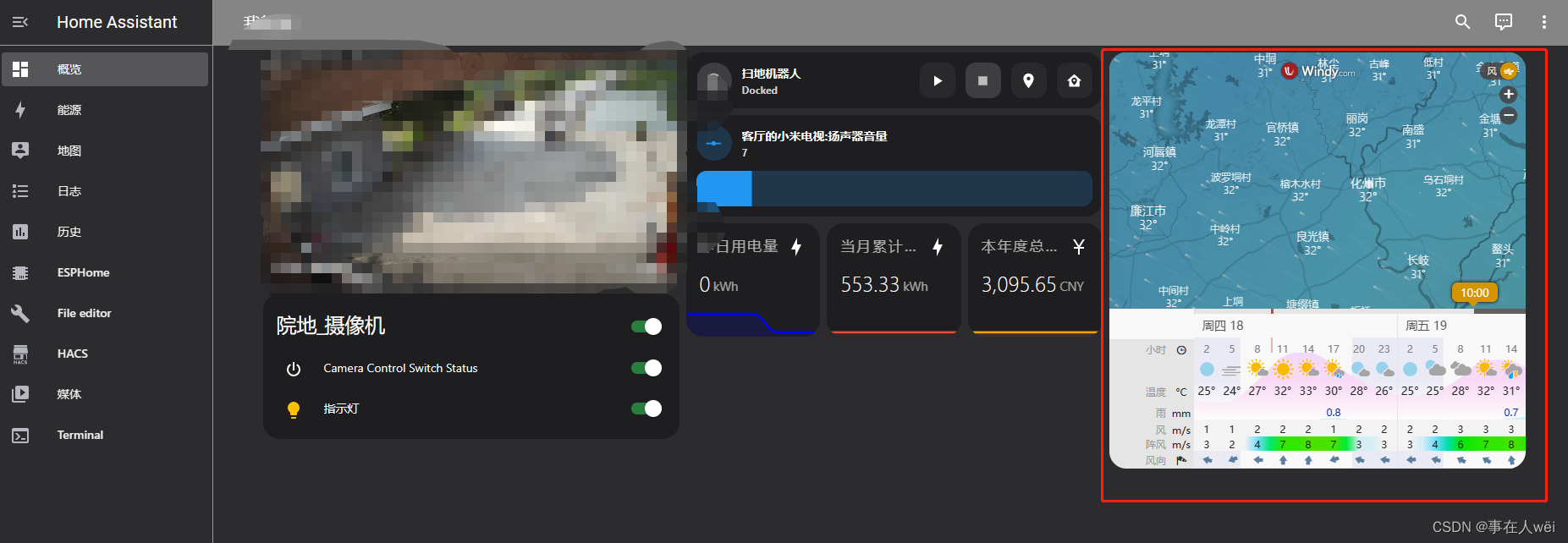
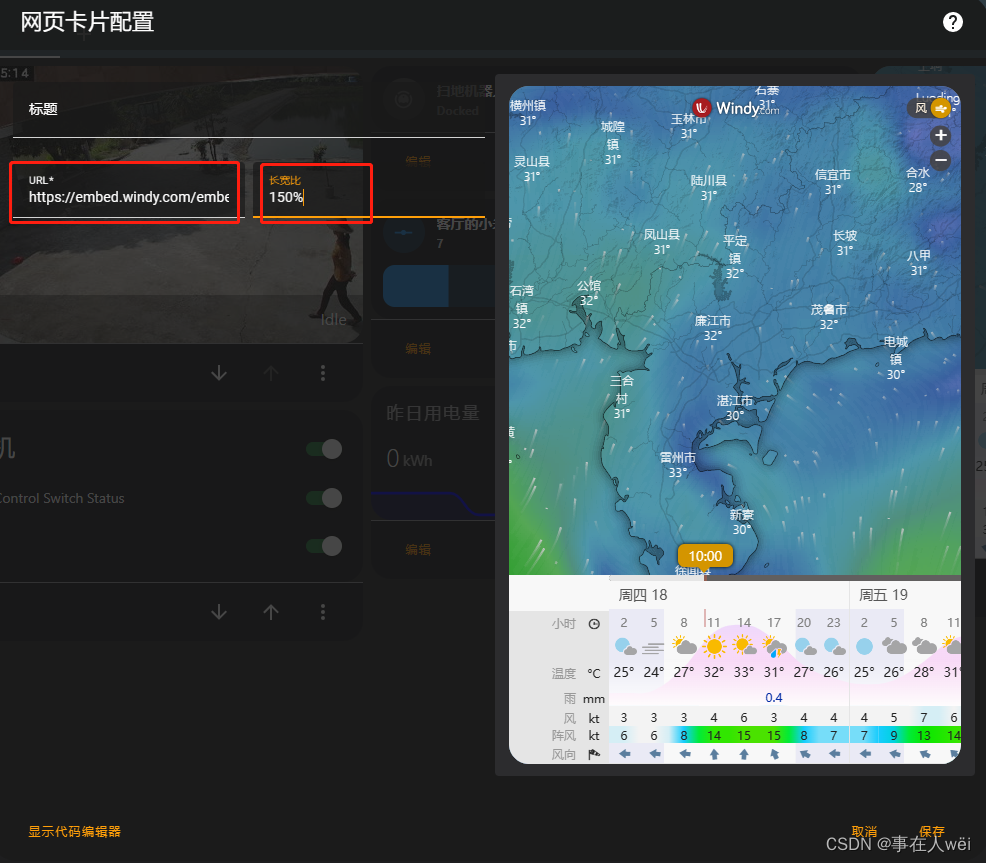
先上效果图,大体就是这个样子
1.天气API链接
https://www.windy.com
选择页面嵌入式微件
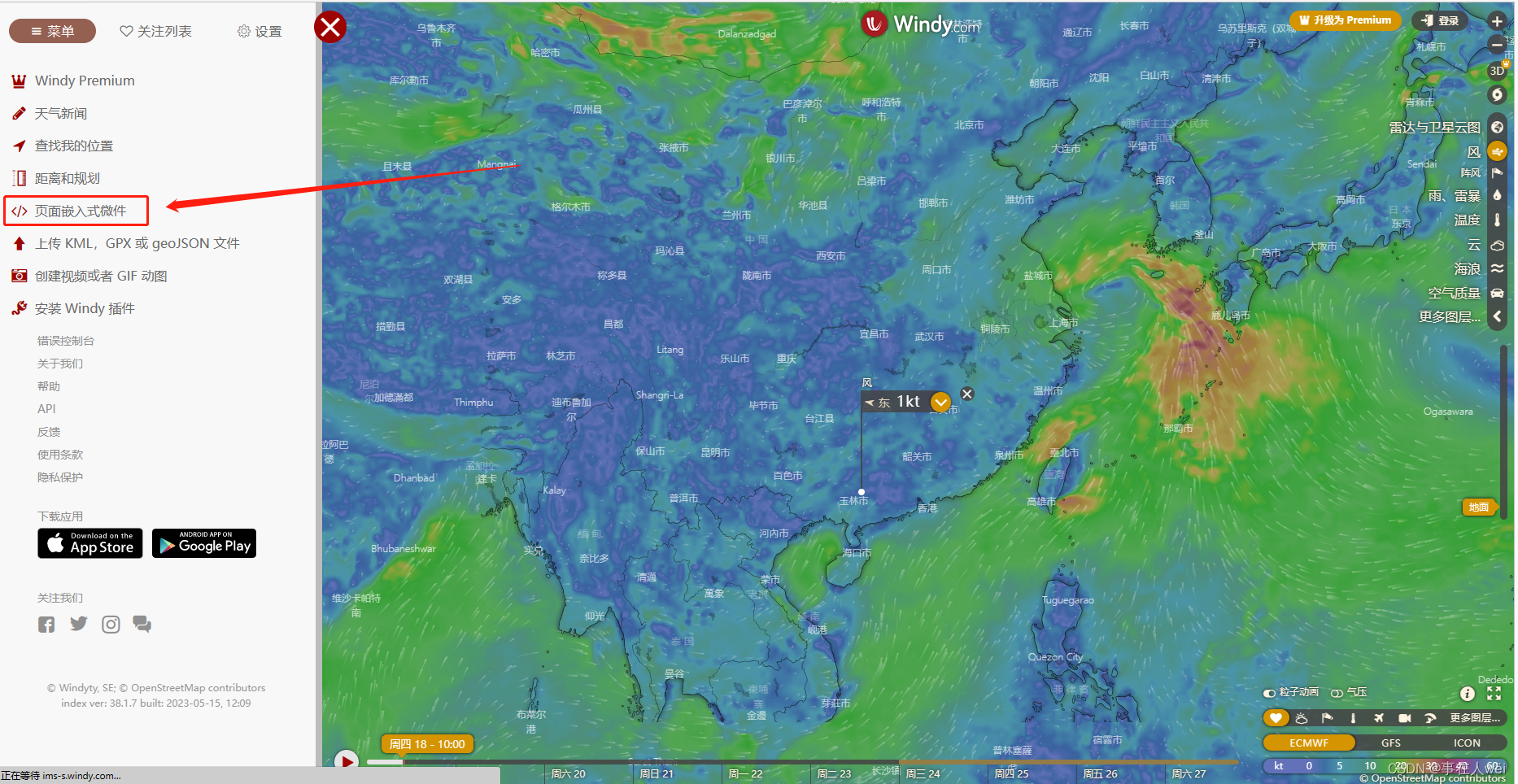
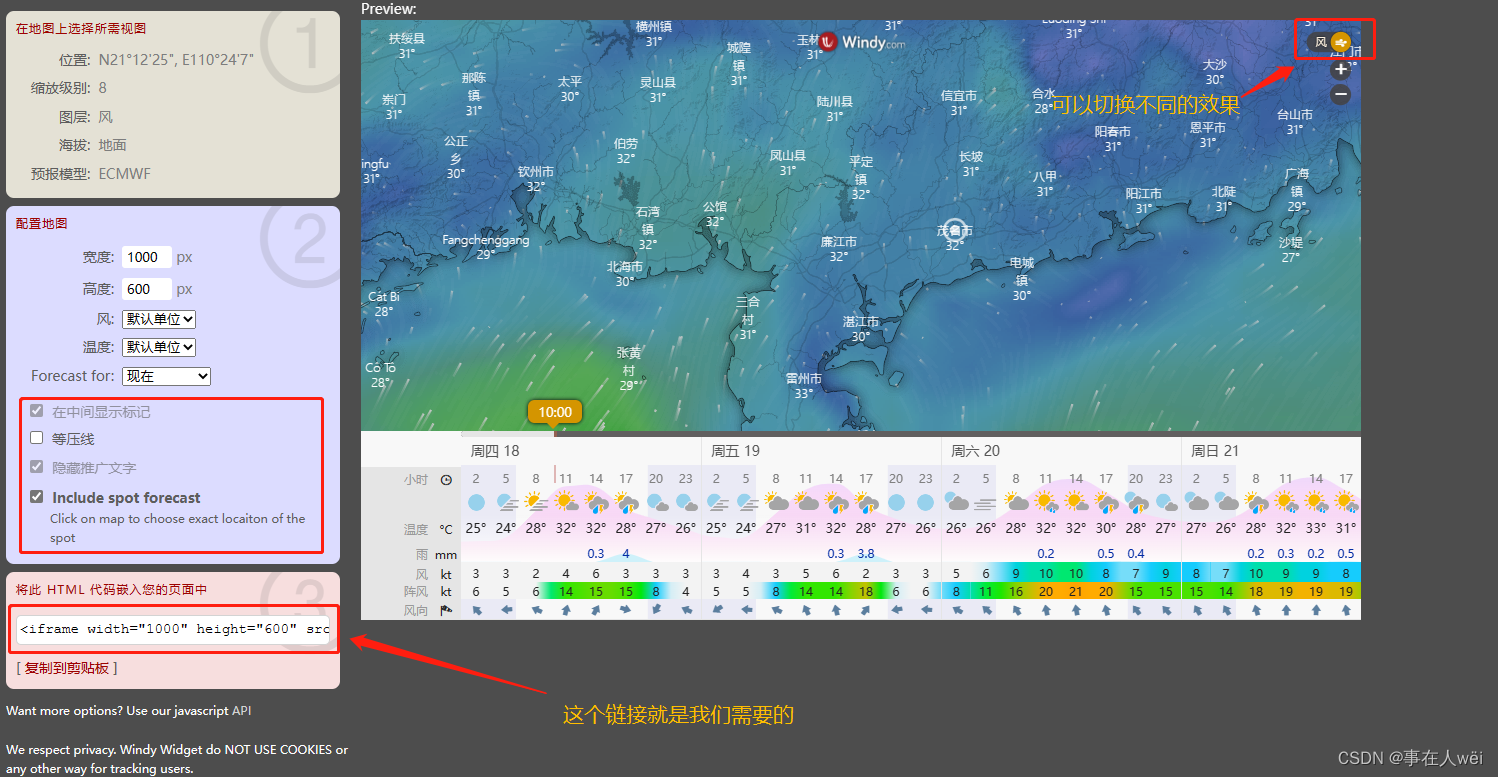
下面是完整的HTML 代码,但是需要修改一下
<iframe width="1000" height="600" src="https://embed.windy.com/embed2.html?lat=21.207&lon=110.402&detailLat=21.670&detailLon=110.920&width=1000&height=600&zoom=8&level=surface&overlay=wind&product=ecmwf&menu=&message=true&marker=true&calendar=now&pressure=&type=map&location=coordinates&detail=true&metricWind=default&metricTemp=default&radarRange=-1" frameborder="0"></iframe>
我们只需要https部分,提取出来就是这个。打开这个链接可以直接看到效果。
https://embed.windy.com/embed2.html?lat=21.207&lon=110.402&detailLat=21.670&detailLon=110.920&width=1000&height=600&zoom=8&level=surface&overlay=wind&product=ecmwf&menu=&message=true&marker=true&calendar=now&pressure=&type=map&location=coordinates&detail=true&metricWind=default&metricTemp=default&radarRange=-1
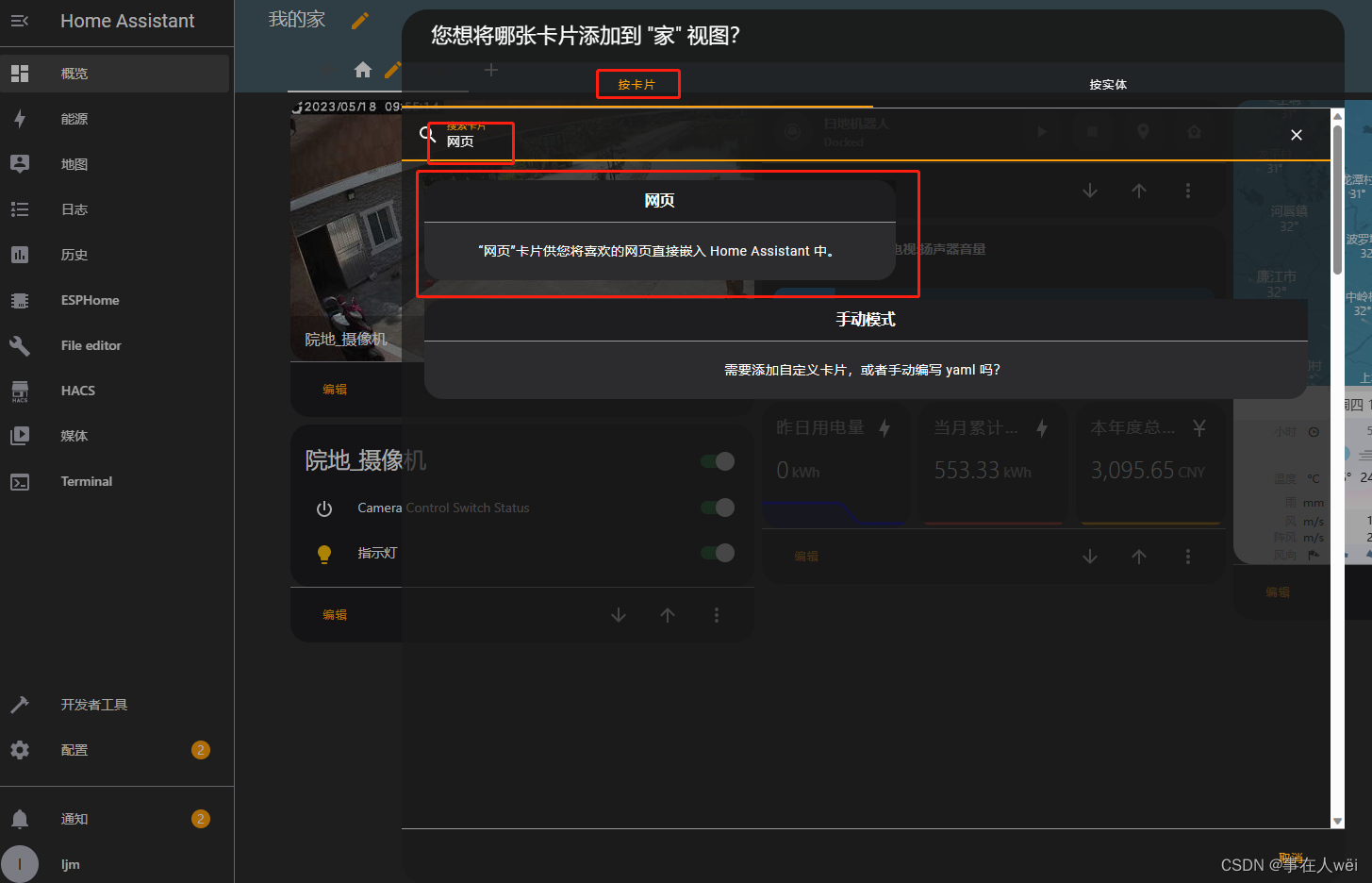
2.在home assistant中添加天气网页





 扫一扫
扫一扫


 4108
4108

 被折叠的 条评论
为什么被折叠?
被折叠的 条评论
为什么被折叠?
 到【灌水乐园】发言





