





1、Window -- preference

2、General -- Appearance -- Colors and Fonts
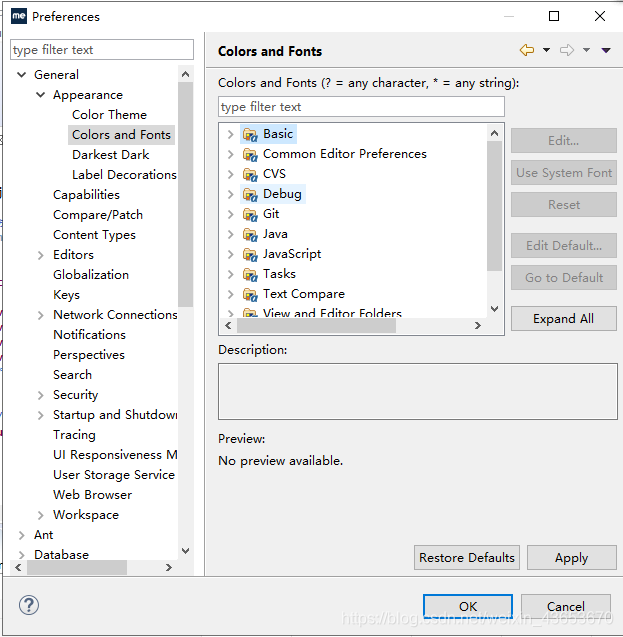
3、Basic -- Text Font,点击Edit...

4、选择字体大小
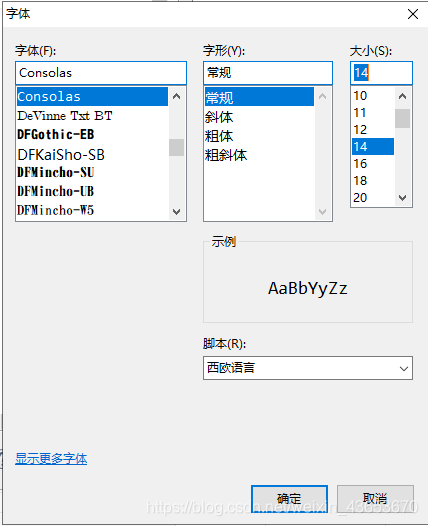
5、OK

 本文详细介绍了如何在Eclipse中调整文本编辑器的字体大小,包括打开偏好设置、选择外观选项、编辑基本文本字体等步骤。
1、Window -- preference
2、General -- Appearance -- Colors and Fonts
3、Basic -- Text Font,点击Edit...
4、选择字体大小
5、OK

 被折叠的 条评论
为什么被折叠?
被折叠的 条评论
为什么被折叠?
 到【灌水乐园】发言








 扫一扫
扫一扫


 3270
3270


