


SpringCloudAlibaba踩坑日记(三)GateWay type=Service Unavailable, status=503

博主分享了在尝试搭建最新版微服务时,遇到WhitelabelErrorPage错误,通过添加spring-cloud-starter-loadbalancer依赖并推测可能是版本问题。寻求读者帮助解决Spring Boot 3.3.1与Gateway 3.3.1配合的配置疑问。

前因

这俩天闲来无事想搭建一套最新版本的微服务,顺便写博客记录一下,我用的是当前时间(2022-04-14)最新版本

在这里插入图片描述
在这里插入图片描述

gateway 版本 3.3.1

报错内容

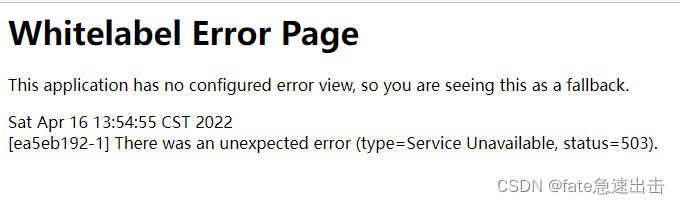
Whitelabel Error Page
This application has no configured error view, so you are seeing this as a fallback.

Sat Apr 16 13:54:55 CST 2022
[ea5eb192-1] There was an unexpected error (type=Service Unavailable, status=503).
在这里插入图片描述

解决方案

pom添加依赖
<dependency>
    <groupId>org.springframework.cloud</groupId>
    <artifactId>spring-cloud-starter-loadbalancer</artifactId>
</dependency>
我估摸着是springboot 版本问题?  
  • 我在使用2.2.7gateway的时候并不需要加载这个依赖
  • 大家有知道是什么原因的可以给我留言
### 503 Service Unavailable error caused by gateway 503 Service Unavailable 错误通常表示服务器暂时无法处理请求,尤其是在使用 Spring Cloud Gateway 时,可能由于服务发现、负载均衡或资源不足等问题导致。以下是可能导致网关引发 503 错误的原因及解决方案: #### 1. **Spring Cloud LoadBalancer 缺失** Spring Cloud Gateway 在 2020 版本之后移除了对 Ribbon 的支持,并引入了 Spring Cloud LoadBalancer 作为默认的客户端负载均衡器。如果未在 `pom.xml` 中添加 `spring-cloud-starter-loadbalancer` 依赖,网关将无法正确路由到微服务,从而导致 503 错误。解决方案是在项目中添加以下依赖: ```xml <dependency> <groupId>org.springframework.cloud</groupId> <artifactId>spring-cloud-starter-loadbalancer</artifactId> </dependency> ``` 此依赖确保网关能够通过服务发现机制(如 Nacos、Eureka)找到目标服务并进行负载均衡 [^1]。 #### 2. **Spring Boot 版本兼容性问题** 不同版本的 Spring BootSpring Cloud 组合可能存在兼容性问题。例如,Spring Boot 2.2.7 与 Spring Cloud Gateway 的早期版本配合使用时,可能默认不引入 LoadBalancer,而较新版本(如 Spring Boot 2.6.x 或 2.7.x)则可能需要显式配置。确保 Spring Cloud GatewaySpring Boot 的版本匹配,推荐使用 Spring Boot 2.6.x 或以上版本配合 Spring Cloud 2021.x [^1]。 #### 3. **服务注册与发现配置错误** 确保所有微服务已正确注册到服务注册中心(如 Nacos、Consul、Eureka)。网关在尝试路由请求时,若无法发现目标服务实例,将返回 503 错误。可以通过访问服务注册中心的 UI 或 API 查看服务是否正常注册。 #### 4. **健康检查失败** 网关可能配置了健康检查机制(如通过 Actuator 的 `/actuator/health` 端点),如果目标服务未通过健康检查,网关会将其从可用实例中移除,导致请求无法转发。检查目标服务的健康状态,并确保其能够正常响应健康检查请求。 #### 5. **线程或连接池资源耗尽** 网关在处理高并发请求时,若未正确配置线程池或连接池,可能导致资源耗尽,进而引发 503 错误。可以通过以下方式优化性能: - 配置 Netty 的连接池参数: ```yaml spring: cloud: gateway: httpclient: pool: max-connections: 1000 max-idle-time: 1000ms ``` - 调整 Spring WebFlux 的线程池大小: ```java @Bean public WebClient webClient() { return WebClient.builder() .clientConnector(new ReactorClientHttpConnector( HttpClient.create().wiretap(true))) .build(); } ``` #### 6. **内存溢出或 GC 压力过大** 如果网关或目标服务因内存不足而无法处理请求,也可能导致 503 错误。根据引用 [^3],大量对象(如 `ByteArrayRow`、`MysqlTextValueDecoder`、`entity.RkHeatMapRs`)可能占用大量堆内存,建议通过以下方式优化: - 使用对象池或缓存机制减少频繁对象创建。 - 启用 JVM 的 GC 日志分析工具(如 G1GC、ZGC)优化垃圾回收性能。 - 增加 JVM 堆内存大小,例如: ```bash -Xms2g -Xmx4g -XX:+UseG1GC ``` #### 7. **网关路由配置错误** 确保网关的路由配置正确,尤其是 `lb://` 协议的使用。例如: ```yaml spring: cloud: gateway: routes: - id: user-service uri: lb://user-service predicates: - Path=/api/user/** filters: - StripPrefix=1 ``` 若 `uri` 中未使用 `lb://`,网关将无法通过负载均衡器路由到目标服务 [^2]。 --- ###
评论 6
添加红包

请填写红包祝福语或标题

红包个数最小为10个

红包金额最低5元

当前余额3.43前往充值 >
需支付:10.00
成就一亿技术人!
领取后你会自动成为博主和红包主的粉丝 规则
hope_wisdom
发出的红包

打赏作者

fate急速出击

你的鼓励将是我创作的最大动力

¥1 ¥2 ¥4 ¥6 ¥10 ¥20
扫码支付:¥1
获取中
扫码支付

您的余额不足,请更换扫码支付或充值

打赏作者

实付
使用余额支付
点击重新获取
扫码支付
钱包余额 0

抵扣说明:

1.余额是钱包充值的虚拟货币,按照1:1的比例进行支付金额的抵扣。
2.余额无法直接购买下载,可以购买VIP、付费专栏及课程。

余额充值


