


37.布局动画的使用
1.下载素材。
本节素材源码,请在公众号回复" AS12191 "。

2.修改MainActivity。
public class MainActivity extends AppCompatActivity{

    @Override
    protected void onCreate(Bundle savedInstanceState) {
        super.onCreate(savedInstanceState);
        setContentView(R.layout.activity_main);

        LinearLayout linearLayout = findViewById(R.id.linearLayout);

        ScaleAnimation scaleAnimation = new ScaleAnimation(0, 1, 0, 1);
        scaleAnimation.setDuration(3000);

        LayoutAnimationController controller = new LayoutAnimationController(scaleAnimation, 0.3f);
        controller.setOrder(LayoutAnimationController.ORDER_REVERSE);

        linearLayout.setLayoutAnimation(controller);
    }

}
3.修改activity_main.xml。
<?xml version="1.0" encoding="utf-8"?>
<LinearLayout xmlns:android="http://schemas.android.com/apk/res/android"
    xmlns:tools="http://schemas.android.com/tools"
    android:id="@+id/linearLayout"
    android:orientation="vertical"
    android:layout_width="match_parent"
    android:layout_height="match_parent"
    tools:context=".MainActivity">

    <Button
        android:layout_width="match_parent"
        android:layout_height="wrap_content"
        android:text="布局动画"/>

    <Button
        android:layout_width="match_parent"
        android:layout_height="wrap_content"
        android:text="布局动画"/>

    <Button
        android:layout_width="match_parent"
        android:layout_height="wrap_content"
        android:text="布局动画"/>

    <Button
        android:layout_width="match_parent"
        android:layout_height="wrap_content"
        android:text="布局动画"/>

    <Button
        android:layout_width="match_parent"
        android:layout_height="wrap_content"
        android:text="布局动画"/>

    <Button
        android:layout_width="match_parent"
        android:layout_height="wrap_content"
        android:text="布局动画"/>

</LinearLayout>
4.效果图。
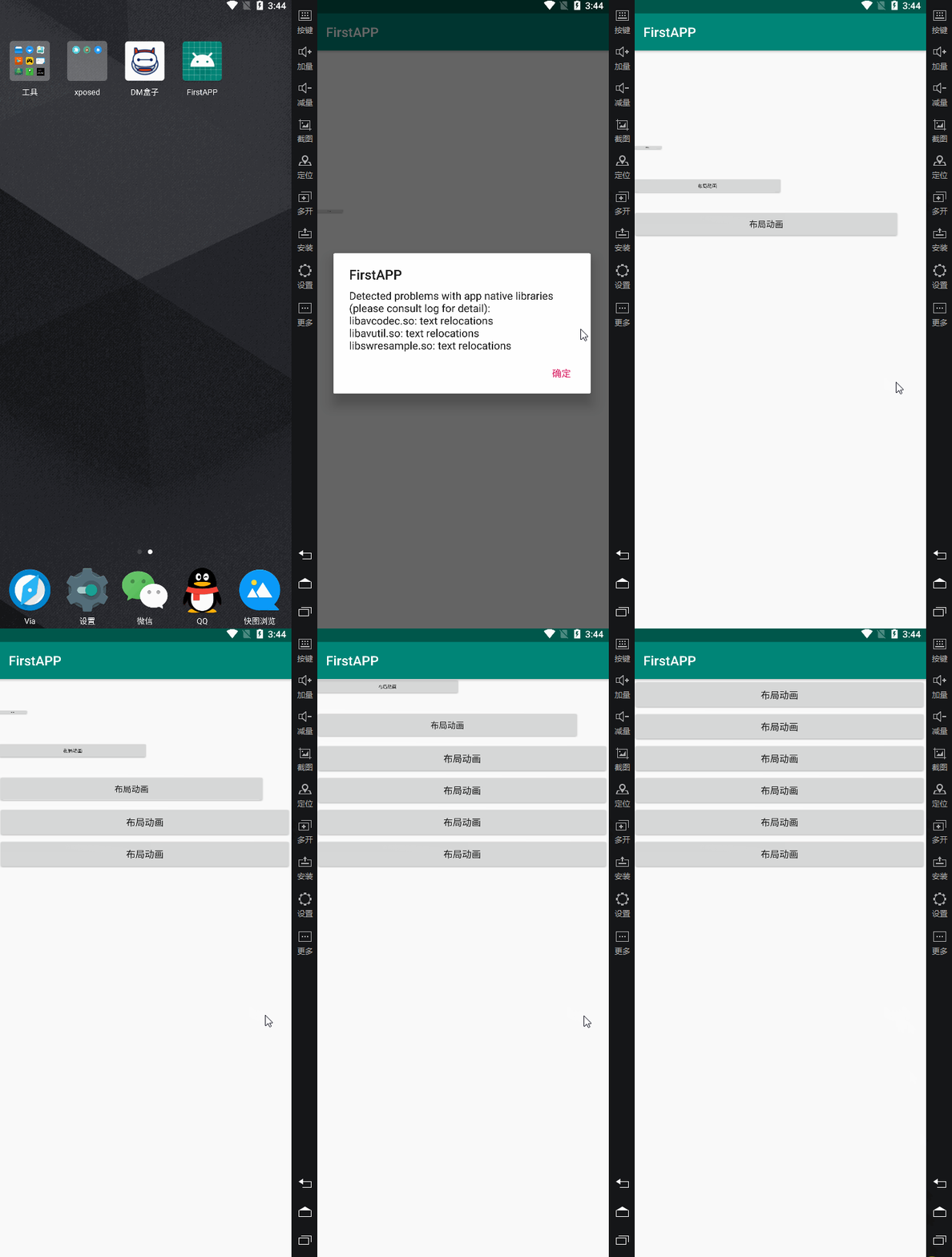
5.以上为代码方式,以下为XML方式。修改MainActivity。
public class MainActivity extends AppCompatActivity{

    @Override
    protected void onCreate(Bundle savedInstanceState) {
        super.onCreate(savedInstanceState);
        setContentView(R.layout.activity_main);
    }

}
6.新建aa.xml。
<?xml version="1.0" encoding="utf-8"?>
<scale xmlns:android="http://schemas.android.com/apk/res/android"
    android:fromXScale="0"
    android:toXScale="1"
    android:fromYScale="0"
    android:toYScale="1"
    android:duration="3000">

</scale>
7.新建aa_layout.xml。
<?xml version="1.0" encoding="utf-8"?>
<layoutAnimation xmlns:android="http://schemas.android.com/apk/res/android"
    android:animation="@anim/aa"
    android:delay="0.3"
    android:animationOrder="reverse">

</layoutAnimation>
8.修改activity_main.xml。
<?xml version="1.0" encoding="utf-8"?>
<LinearLayout xmlns:android="http://schemas.android.com/apk/res/android"
    xmlns:tools="http://schemas.android.com/tools"
    android:orientation="vertical"
    android:layout_width="match_parent"
    android:layout_height="match_parent"
    android:layoutAnimation="@anim/aa_layout"
    tools:context=".MainActivity">

    <Button
        android:layout_width="match_parent"
        android:layout_height="wrap_content"
        android:text="布局动画XML"/>

    <Button
        android:layout_width="match_parent"
        android:layout_height="wrap_content"
        android:text="布局动画XML"/>

    <Button
        android:layout_width="match_parent"
        android:layout_height="wrap_content"
        android:text="布局动画XML"/>

    <Button
        android:layout_width="match_parent"
        android:layout_height="wrap_content"
        android:text="布局动画XML"/>

    <Button
        android:layout_width="match_parent"
        android:layout_height="wrap_content"
        android:text="布局动画XML"/>

    <Button
        android:layout_width="match_parent"
        android:layout_height="wrap_content"
        android:text="布局动画XML"/>

</LinearLayout>
9.效果图。
10.布局内容改变动画开启方法,如单击按钮添加新文本进入布局时的动画效果,在布局代码上添加如下代码。
android:animateLayoutChanges="true"





 扫一扫
扫一扫


 4471
4471

 被折叠的 条评论
为什么被折叠?
被折叠的 条评论
为什么被折叠?
 到【灌水乐园】发言





