



实现效果
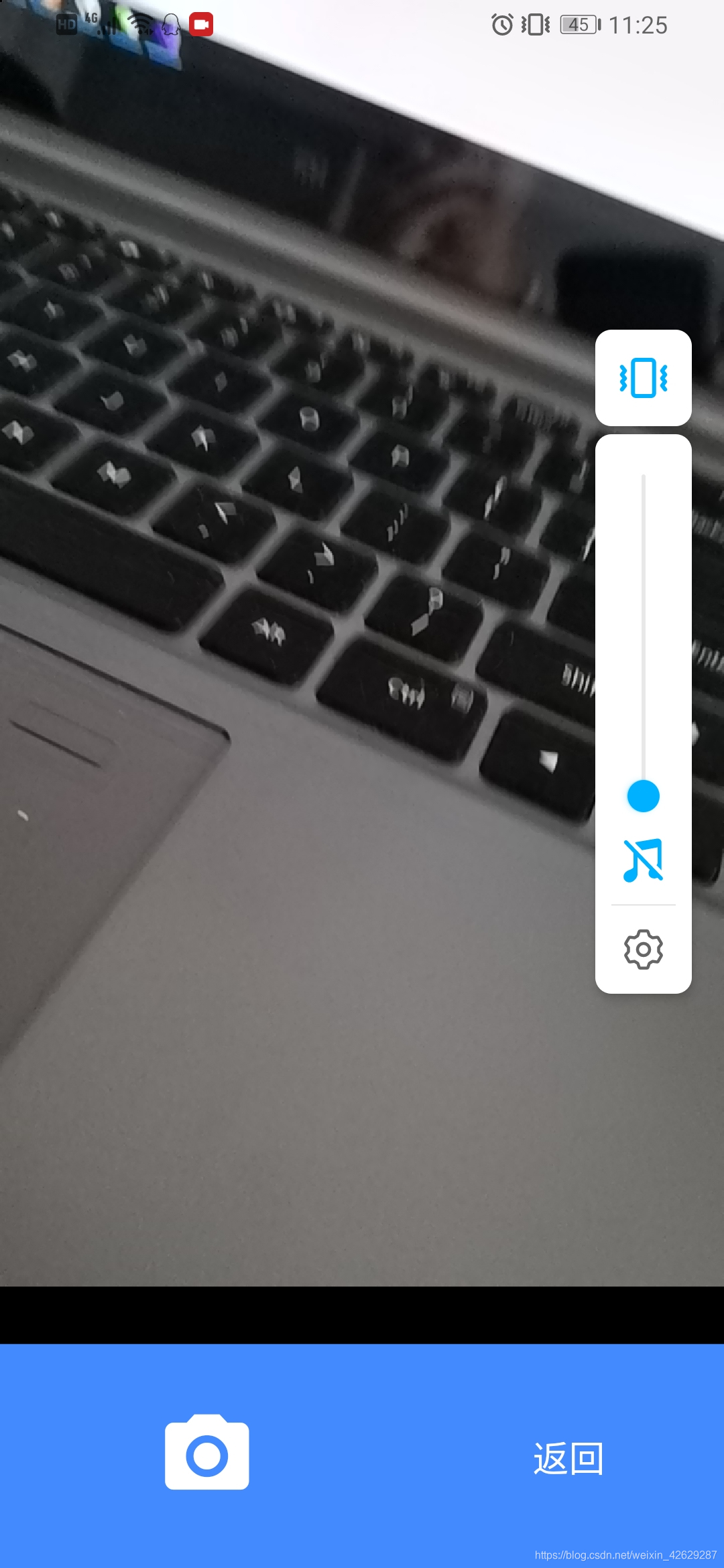
1.首先在pubspec.yaml引用插件
#相机
camera: ^0.5.8+2
video_player: ^0.10.11+1
flutter_image_compress: ^0.6.8
flutter_spinkit: ^4.1.2+1
2.新建IdentifyCard.dart类
代码如下
import 'dart:async';
import 'dart:io';

import 'package:camera/camera.dart';
import 'package:flutter/material.dart';
import 'package:path_provider/path_provider.dart';
import 'package:video_player/video_player.dart';
import 'package:dio/dio.dart';
import 'package:flutter_image_compress/flutter_image_compress.dart';
import 'package:path_provider/path_provider.dart' as path_provider;
import 'package:flutter_spinkit/flutter_spinkit.dart';

Future<void> getIdentifyCardDemo() async {
// Fetch the available cameras before initializing the app.
  try {
    cameras = await availableCameras();
    FlutterImageCompress.showNativeLog = true;
  } on CameraException catch (e) {
    logError(e.code, e.description);
  }
  //return new IdentifyCard();
}

class IdentifyCard extends StatefulWidget {
  @override
  _IdentifyCardState createState() {
    return _IdentifyCardState();
  }
}

void logError(String code, String message) => print('Error: $code\nError Message: $message');

class _IdentifyCardState extends State<IdentifyCard> {
  CameraController controller;
  //String imagePath;
  String videoPath;
  VideoPlayerController videoController;
  VoidCallback videoPlayerListener;
  WidgetsBinding widgetsBinding;
  List<CameraDescription> cameras;
  final GlobalKey<ScaffoldState> _scaffoldKey = GlobalKey<ScaffoldState>();
  @override
  void initState() {
    super.initState();
    getCameras();
    photoPath=null;
  }

  @override
  void dispose(){
    super.dispose();
    controller.dispose();
    videoController.dispose();
  }

  @override
  Widget build(BuildContext context) {
    return Scaffold(
        key: _scaffoldKey,
        body: new Container(
          color: Colors.black,
          child: new Stack(children: <Widget>[
            new Column(
              children: <Widget>[
                Expanded(
                  flex: 6, //flex用来设置当前可用空间的占优比
                  child: new Stack(children: <Widget>[
                    _cameraPreviewWidget(), //相机视图
                    // _cameraFloatImage(),//悬浮的身份证框图
                  ]),
                ),
                Expanded(
                  //flex用来设置当前可用空间的占优比
                  flex: 1,
                  child: _takePictureLayout(), //拍照操作区域布局
                ),
              ],
            ),
            getPhotoPreview(), //图片预览布局
            Visibility(
              child: Positioned(
                top: 20,
                left: 20,
                child: IconButton(
                  icon: Icon(
                    Icons.close,
                    color: Colors.white,
                  ),
                  onPressed: () {
                    photoPath = null;
                    if (mounted) {
                      setState(() {});
                    }
                  },
                ),
              ),
              visible: null != photoPath,
            ),
            Visibility(
              child: Positioned(
                top: 20,
                right: 20,
                child: IconButton(
                  icon: Icon(
                    Icons.check_circle_outline,
                    color: Colors.white,
                  ),
                  onPressed: () {
                    //返回图片
                    Navigator.pop(context, {"Img": photoPath});
                  },
                ),
              ),
              visible: null != photoPath,
            ),
          ]),
        ));
  }

  //相机
  Future<void> getCameras() async {
// Fetch the available cameras before initializing the app.
    try {
      cameras = await availableCameras();
      //FlutterImageCompress.showNativeLog = true;
      if (cameras != null && !cameras.isEmpty) {
        onNewCameraSelected(cameras[0]); // 后置摄像头
        // onNewCameraSelected(cameras[1]);// 前置摄像头
        if (mounted) {
          setState(() {});
        }
      }
    } on CameraException catch (e) {
      print(e.toString());
    }
  }

  Widget _takePictureLayout() {
    return new Align(
        alignment: Alignment.bottomCenter,
        child: new Container(
            color: Colors.blueAccent,
            alignment: Alignment.center,
            child: Row(
              children: <Widget>[
                Expanded(
                  flex: 4, //flex用来设置当前可用空间的占优比
                  child: new IconButton(
                    iconSize: 50.0,
                    onPressed: controller != null && controller.value.isInitialized && !controller.value.isRecordingVideo
                        ? onTakePictureButtonPressed
                        : null,
                    icon: Icon(
                      Icons.photo_camera,
                      color: Colors.white,
                    ),
                  ),
                ),
                Expanded(
                    flex: 3, //flex用来设置当前可用空间的占优比
                    child: IconButton(
                      icon: Text(
                        '返回',
                        style: TextStyle(color: Colors.white, fontSize: 18),
                      ),
                      onPressed: () {
                        Navigator.pop(context, null);
                      },
                    )),
              ],
            )));
  }

  /// Display the preview from the camera (or a message if the preview is not available).
  Widget _cameraPreviewWidget() {
    if (controller == null || !controller.value.isInitialized) {
      return IconButton(
        icon: Icon(
          Icons.close,
          color: Colors.white,
        ),
        onPressed: () {
          Navigator.pop(context, null);
        },
      );
    } else {
      return new Container(
        width: double.infinity,
        child: AspectRatio(
          aspectRatio: controller.value.aspectRatio,
          child: CameraPreview(controller),
        ),
      );
    }
  }

  String timestamp() => DateTime.now().millisecondsSinceEpoch.toString();

  void showInSnackBar(String message) {
    _scaffoldKey.currentState.showSnackBar(SnackBar(content: Text(message)));
  }

  void onNewCameraSelected(CameraDescription cameraDescription) async {
    if (controller != null) {
      await controller.dispose();
    }
    controller = CameraController(cameraDescription, ResolutionPreset.high);

    // If the controller is updated then update the UI.
    controller.addListener(() {
      if (mounted) setState(() {});
      if (controller.value.hasError) {
        showInSnackBar('Camera error ${controller.value.errorDescription}');
      }
    });

    try {
      await controller.initialize();
    } on CameraException catch (e) {
      _showCameraException(e);
    }

    if (mounted) {
      setState(() {});
    }
  }

  void onTakePictureButtonPressed() {
    takePicture().then((String filePath) {
      if (mounted) {
        setState(() {
          videoController = null;
          videoController?.dispose();
        });
        if (filePath != null) {
          //showInSnackBar('Picture saved to $filePath');
          photoPath = filePath;
          setState(() {});
        }
      }
    });
  }

  Future<String> takePicture() async {
    if (!controller.value.isInitialized) {
      showInSnackBar('Error: select a camera first.');
      return null;
    }
    final Directory extDir = await getApplicationDocumentsDirectory();
    final String dirPath = '${extDir.path}/Pictures/flutter_test';
    await Directory(dirPath).create(recursive: true);
    final String filePath = '$dirPath/${timestamp()}.jpg';

    if (controller.value.isTakingPicture) {
      // A capture is already pending, do nothing.
      return null;
    }

    try {
      await controller.takePicture(filePath);
    } on CameraException catch (e) {
      _showCameraException(e);
      return null;
    }
    return filePath;
  }

  void _showCameraException(CameraException e) {
    logError(e.code, e.description);
    showInSnackBar('Error: ${e.code}\n${e.description}');
  }

  toRestartIdentify() {
    restart = true;
    photoPath = null;
    setState(() {});
    restart = false;
  }
}

class IdentifyCardPage extends StatelessWidget {
  @override
  Widget build(BuildContext context) {
    return Scaffold(
      body: showNextPage(context),
    );
  }

  showNextPage(BuildContext context) async {
    // await getIdentifyCardDemo(context);
  }
}

List<CameraDescription> cameras;
bool showProgressDialog = false;
bool restart = false;
var photoPath = null;

Future<File> getCompressImage(File file, String targetPath) async {
  var path = file.absolute.path;
  var result = await FlutterImageCompress.compressAndGetFile(
    path,
    targetPath,
    quality: 88,
    rotate: 180,
  );

  print(file.lengthSync());
  print(result.lengthSync());

  return result;
}

Future<String> getTempDir() async {
  var dir = await path_provider.getTemporaryDirectory();
  var targetPath = dir.absolute.path + "/temp.png";
  return targetPath;
}

Widget getPhotoPreview() {
  if (null != photoPath) {
    return new Container(
      width: double.infinity,
      height: double.infinity,
      color: Colors.black,
      alignment: Alignment.center,
      child: Image.file(File(photoPath)),
    );
  } else {
    return new Container(
      height: 1.0,
      width: 1.0,
      color: Colors.black,
      alignment: Alignment.bottomLeft,
    );
  }
}
3.使用方式
  if (Platform.isAndroid) {
        Navigator.push(context, new MaterialPageRoute(builder: (context) => new IdentifyCard())).then((dynamic result) {
          if (result != null) {
             Navigator.pop(context);
             //这里返回图片路径
            upLoadImage(result["Img"]);
          }
        });
      }





 扫一扫
扫一扫


 4797
4797

 被折叠的 条评论
为什么被折叠?
被折叠的 条评论
为什么被折叠?
 到【灌水乐园】发言





