



 本文详细介绍了如何在最新版IDEA中正确配置Spring Boot DevTools插件实现热启动,包括修改pom文件添加依赖、启用自动编译和允许应用运行时编译,适用于新手开发者解决官方教程过时问题。
还是熟悉idea过程中,在官网下载的默认新版的IDEA在很多设置上跟以往不一样,所以很多网上设置的教程都已经过时,在项目中增加热启动插件devtools过程中按照网上的教程操作到最后一步发现找注册表中找不到compiler.automake.allow.when.app.running的选项,比较迷茫,但是想想昨天修改pom文件中的占位符nbsp问题,举一反三找到了正确方式。下面分享给大家。
1 修改pom文件
在子工程或者工程中添加依赖
        <dependency>
            <groupId>org.springframework.boot</groupId>
            <artifactId>spring-boot-devtools</artifactId>
            <scope>runtime</scope>
            <optional>true</optional>
        </dependency>
在父工程build标签中添加支持
        <plugins>
            <plugin>
                <groupId>org.springframework.boot</groupId>
                <artifactId>spring-boot-maven-plugin</artifactId>
                <configuration>
                    <fork>true</fork>
                    <addResources>true</addResources>
                </configuration>
            </plugin>
        </plugins>
2 开启自动编译
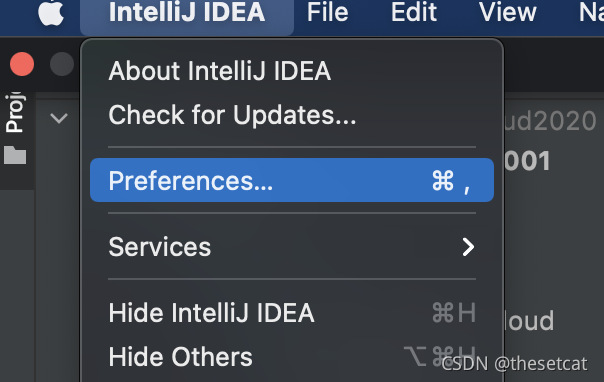
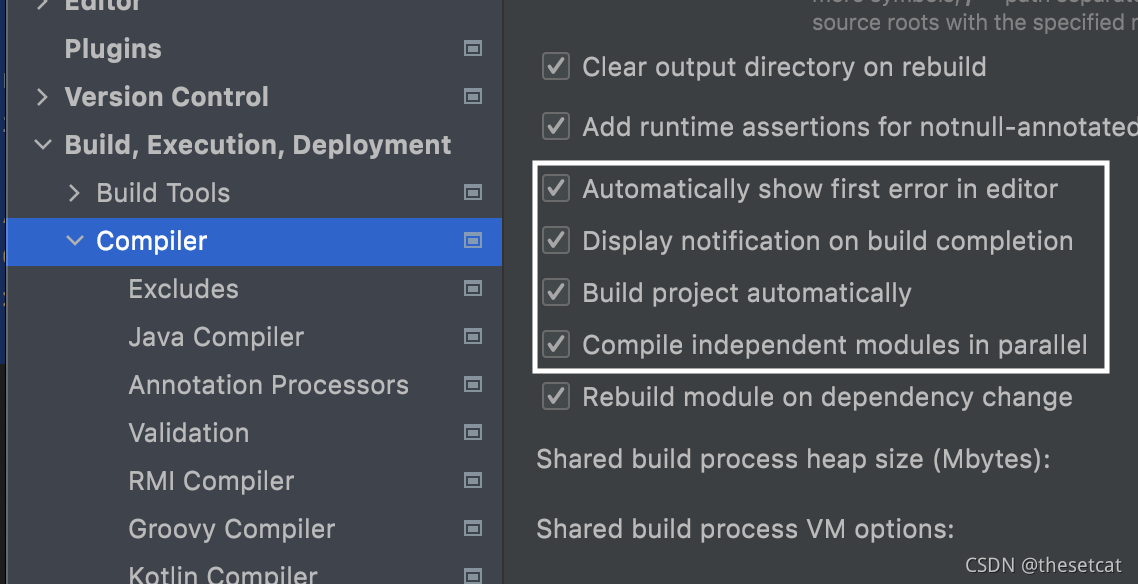
preferences => build => complier
勾选A D B C选项,如下图
3 开启自动重启
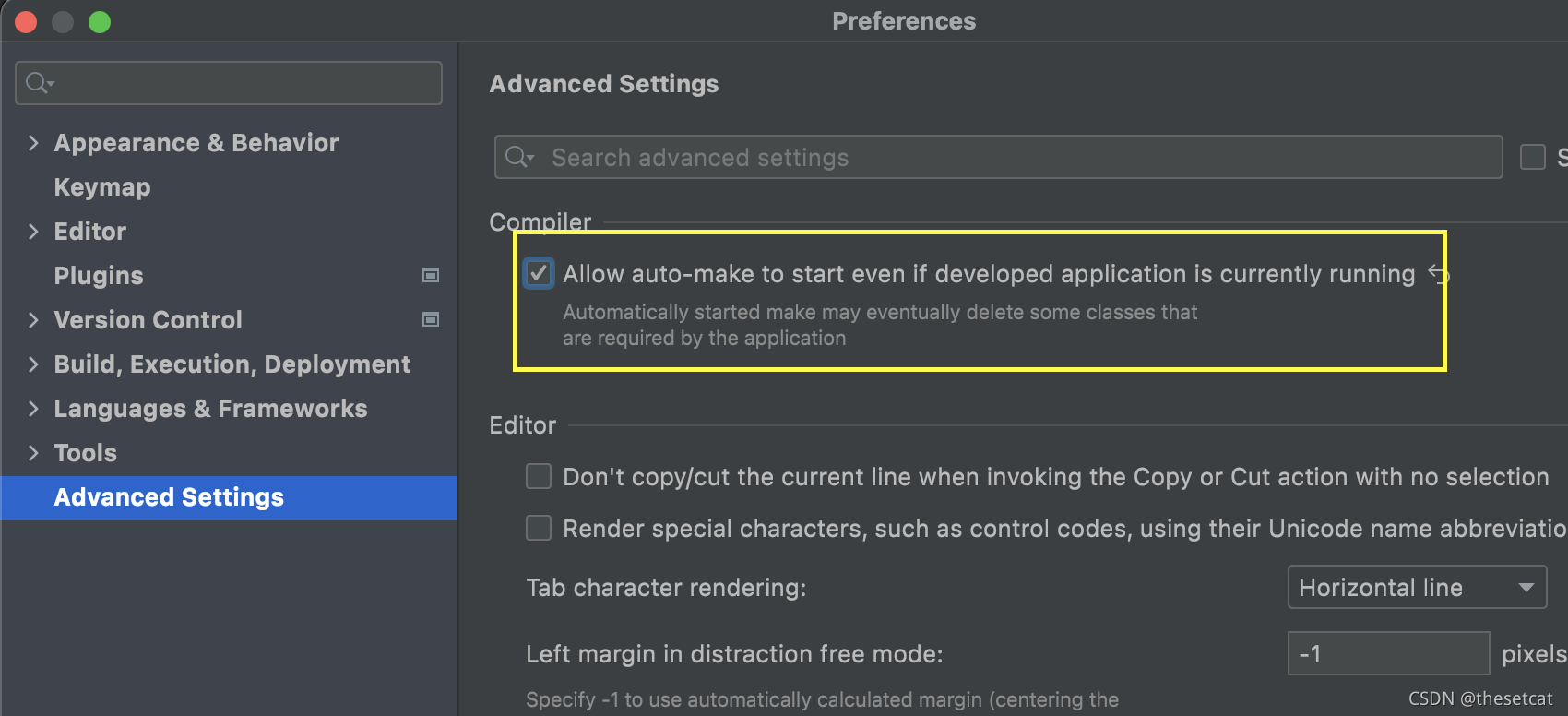
preferences => Advanced Setting =>勾选 Allow auto-make to start even if developed application is currently running
保存内容并重新打开IDEA
再次尝试运行中修改代码,是不是就可以了?





 扫一扫
扫一扫


 817
817

 被折叠的 条评论
为什么被折叠?
被折叠的 条评论
为什么被折叠?
 到【灌水乐园】发言





