


 在遇到VLC-Android在播放HTTP视频时自动停止的问题后,通过在C代码中添加调试信息,发现是调用poll函数导致错误。通过修改ffmpeg的poll函数并应用到VLC-Android,成功解决了此问题。
/home/administrator/code/vlc-android/extras/package/android/vlc-android/obj/local/armeabi/gdb.setup:4: Error in sourced command file:
Remote communication error: Connection reset by peer.
到网上也没找到解决方案,最后只用采用在c代码中加入调试打印语句的方式,看究竟是哪里报错,最后跟踪到是调用poll函数引起,
最后采在ffmpeg源码中找到一个poll函数的源码,修改后加入到vlc-android中
int poll(struct pollfd *fds, nfds_t numfds, int timeout)
{
fd_set read_set;
fd_set write_set;
fd_set exception_set;
nfds_t i;
int n;
int rc;
#if HAVE_WINSOCK2_H
if (numfds >= FD_SETSIZE) {
errno = EINVAL;
return -1;
}
#endif
FD_ZERO(&read_set);
FD_ZERO(&write_set);
FD_ZERO(&exception_set);
n = -1;
for(i = 0; i < numfds; i++) {
if (fds[i].fd < 0)
continue;
#if !HAVE_WINSOCK2_H
if (fds[i].fd >= FD_SETSIZE) {
errno = EINVAL;
return -1;
}
#endif
if (fds[i].events & POLLIN) FD_SET(fds[i].fd, &read_set);
if (fds[i].events & POLLOUT) FD_SET(fds[i].fd, &write_set);
if (fds[i].events & POLLERR) FD_SET(fds[i].fd, &exception_set);
if (fds[i].fd > n)
n = fds[i].fd;
};
if (n == -1)
/* Hey!? Nothing to poll, in fact!!! */
return 0;
if (timeout < 0)
rc = select(n+1, &read_set, &write_set, &exception_set, NULL);
else {
struct timeval tv;
tv.tv_sec = timeout / 1000;
tv.tv_usec = 1000 * (timeout % 1000);
rc = select(n+1, &read_set, &write_set, &exception_set, &tv);
};
if (rc < 0)
return rc;
for(i = 0; i < numfds; i++) {
fds[i].revents = 0;
if (FD_ISSET(fds[i].fd, &read_set)) fds[i].revents |= POLLIN;
if (FD_ISSET(fds[i].fd, &write_set)) fds[i].revents |= POLLOUT;
if (FD_ISSET(fds[i].fd, &exception_set)) fds[i].revents |= POLLERR;
};
return rc;
}
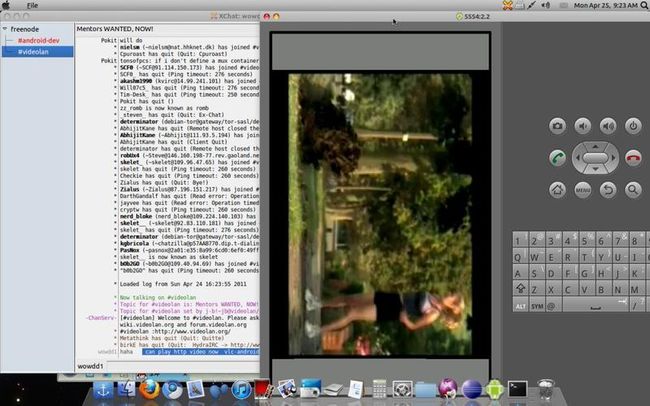
测试播放网上的http视频,视频地址:http://forum.ea3w.com/coll_ea3w/attach/2008_10/12231788691.wmv





 扫一扫
扫一扫


 924
924

 被折叠的 条评论
为什么被折叠?
被折叠的 条评论
为什么被折叠?
 到【灌水乐园】发言





