


一、前言
在上一篇文章中,我们对ES有了最基本的认识,本着实用为主的原则,我们先不学很深的东西,今天打算先学习一下ES的Java客户端如何使用。
二、创建项目
1、普通Maven项目
1、创建一个Maven项目
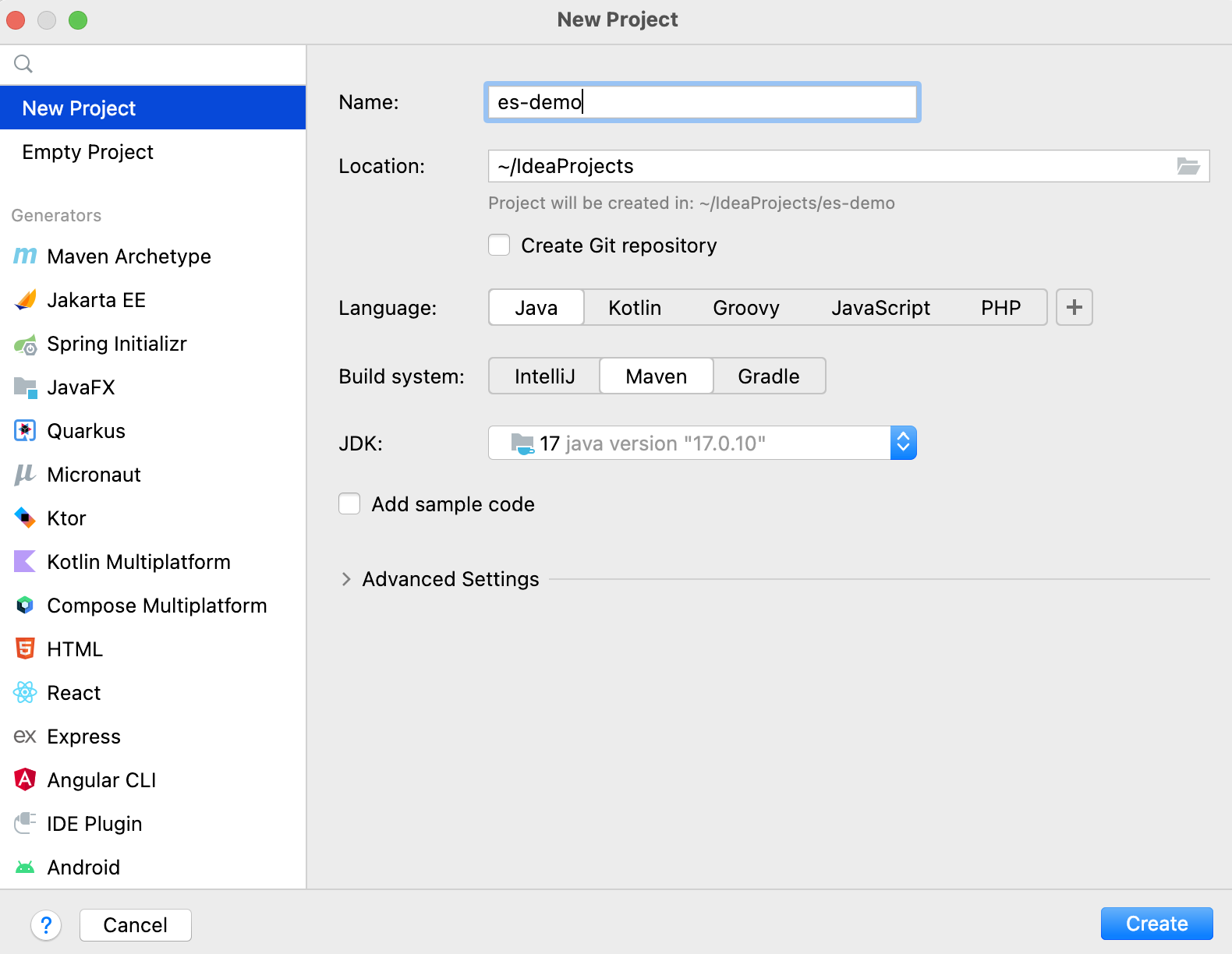
2、Pom文件
<dependencies>

  <!--ES客户端-->
  <dependency>
    <groupId>co.elastic.clients</groupId>
    <artifactId>elasticsearch-java</artifactId>
    <version>7.17.25</version>
  </dependency>

  <!--JSON序列化-->
  <dependency>
    <groupId>com.fasterxml.jackson.core</groupId>
    <artifactId>jackson-databind</artifactId>
    <version>2.17.0</version>
  </dependency>

  <!--lombok:用于生成GET/SET 简化开发-->
  <dependency>
    <groupId>org.projectlombok</groupId>
    <artifactId>lombok</artifactId>
    <version>1.18.30</version>
  </dependency>

</dependencies>
3、Coding
(1)创建ES客户端
 /**
     * 获取ES客户端
     * @return es Java客户端
     */
    private static ElasticsearchClient getEsClient() {


        //Rest客户端,可以理解为是一个Http客户端,用于发送http请求
        RestClient restClient = RestClient.builder(new HttpHost("localhost", 9200)).build();
        //ElasticsearchTransport用于和ES集群通信,封装了各种方法,第二个参数则是设置序列化方式
        ElasticsearchTransport transport = new RestClientTransport(restClient, new JacksonJsonpMapper());
        return new ElasticsearchClient(transport);
    }
(2)判断索引Product是否存在,如果不存在则创建索引。(当然通常情况下创建索引的操作是手动操作的,就类似创建数据表)
 /**
     * 校验并创建索引,如果存在直接返回true
     * 如果不存在则创建索引,同时返回是否创建成功的结果
     */
    private static boolean checkAndCreateIndex(final ElasticsearchIndicesClient indices) throws IOException {


        //构建索引是否存在的请求参数
        ExistsRequest existsRequest = new ExistsRequest.Builder().index("product").build();
        final BooleanResponse exists = indices.exists(existsRequest);
        if (exists.value()) {


            System.out.println("索引已经存在,不用再创建了");
            return true;
        }
        //Java17的新特性(这样写字符串真的很方便)
        Reader createIndexJson = new StringReader("""
            {
              "mappings": {
                "properties": {
                  "id":{
                    "type": "long"
                  },
                  "name":{
                    "type": "text",
                    "analyzer":"ik_max_word"
                  },
                  "price":{
                    "type": "double"
                  }
                }
              }
            }""");
        //创建索引
        CreateIndexRequest createIndexRequest = new CreateIndexRequest.Builder().index("product") //索引名
            .includeTypeName(false) //是否包含包名
            .settings(new IndexSettings.Builder().numberOfShards("1").numberOfReplicas("1").build())
            .withJson(createIndexJson).build();
        final CreateIndexResponse createIndexResponse = indices.create(createIndexRequest);
        System.out.println("创建索引是否成功:" + createIndexResponse.acknowledged());
        return createIndexResponse.acknowledged();
    }
(3)批量写入数据
    /**
     * 批量写入数据
     */
    private static boolean bulkWriteDoc(final ElasticsearchClient esClient) throws IOException {


        final List<Product> products = generalProduct(100);

        //批量写入
        BulkRequest.Builder br = new BulkRequest.Builder();
        for (Product product : products) {


            br.operations(op -> op.index(idx -> idx.index("product").id(product.getId().toString()).document(product)));
        }
        BulkResponse bulkResponse = esClient.bulk(br.build());
        System.out.println("批量写入结果是否成功:" + !bulkResponse.errors());
        return !bulkResponse.errors();
    }


//product的代码

@Data
@NoArgsConstructor
@AllArgsConstructor
public class Product {


    private Long id;

    private String name;

    private Double price;
}
(4)查询数据
//根据ID查询
GetResponse<Product> response = esClient.get(g -> g.index("product").id("1"), Product.class);
if (response.found()) {


    System.out.println("根据ID查询到对应的数据 " + response.source());
} else {


    System.out.println("根据ID查询未对应的数据");
}

//根据条件查询:例如搜索名称为商品20的数据
SearchResponse<Product> queryResponse = esClient.search(
    s -> s.index("product").query(q -> q.match(t -> t.field("name").query("商品20"))), Product.class);
TotalHits total = queryResponse.hits().total();
assert total != null;
boolean isExactResult = total.relation() == TotalHitsRelation.Eq;

if (isExactResult) {


    System.out.println("命中的文档数量为:" + total.value());
} else {


    System.out.println("没有命中任务数据");
}

List<Hit<Product>> hits = queryResponse.hits().hits();
for (Hit<Product> hit : hits) {


    Product product = hit.source();
    System.out.println("命中的数据:" + product);
}
(5)完整代码
package com.cmxy.esdemo;
import co.elastic.clients.elasticsearch.ElasticsearchClient;
import co.elastic.clients.elasticsearch.core.BulkRequest;
import co.elastic.clients.elasticsearch 最低0.47元/天 解锁文章






 扫一扫
扫一扫


 1873
1873

 被折叠的 条评论
为什么被折叠?
被折叠的 条评论
为什么被折叠?
 到【灌水乐园】发言





