 理解Umbraco文档类型及其数据字段与结构


 本文深入解析Umbraco文档类型的逻辑单位、数据字段的创建与使用,以及内容结构之间的逻辑关系。详细说明如何在后台编辑、保存和发布内容,并根据不同数据类型如文本字符串、简单编辑器或丰富编辑器进行个性化配置。通过实例展示内容节点如何遵循特定逻辑关系,仅包含符合上下文逻辑的子内容节点。
Supported by Umbraco Development Team of Nova Software.
If we compare Umbraco Document Type with C# class, we could easily understand what are Umbraco Document Type.
| Class | Umbraco Document Type |
| Is a logic unit for set of data | Is a logic unit for set of data fields |
| Can be created for objects | Can be created for contents |
| Have data members | Have data fields |
| Have other objects of classes as data members | Have children document types defined in document structure |
Now, we understand that Umbraco document type can be created for contents and has data fields. The contents of the document type must be edited, saved and published in Umbraco dashboard prior to be represented in the front pages.
Data Field of Data Type
The data field in Umbraco Document type takes a piece of data but is editable with the data type. For example, the Umbraco Document Type has a data field naming “Message”. How to edit the message in dashboard? We could select the data type for this data field, such as textstring, simple editor or rich editor.
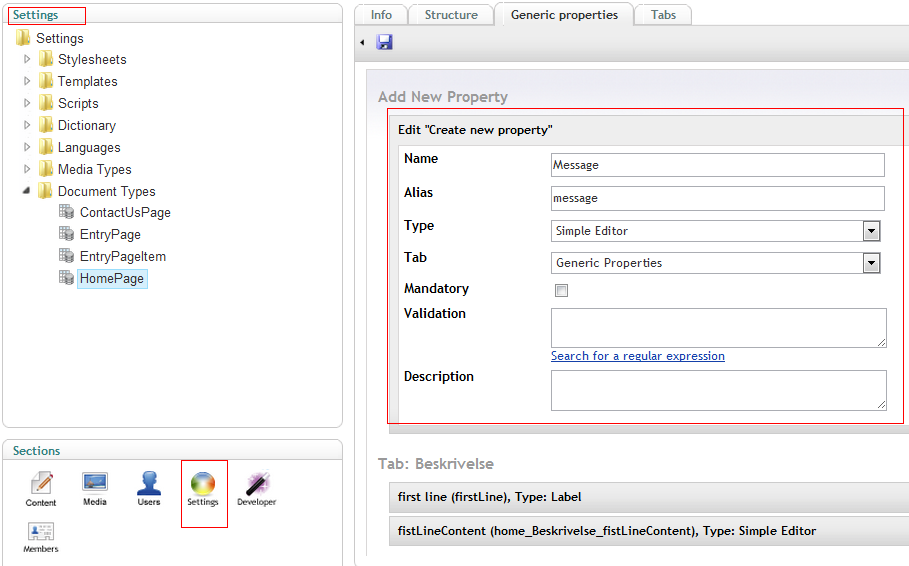
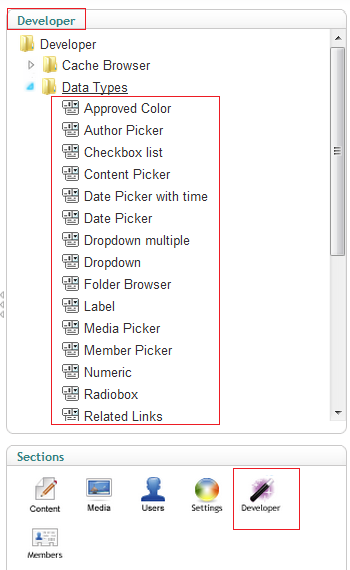
Umbraco ships sufficient data types, such as rich editor, label, related links, content picker, media picker and so on. See them in Umbraco/Developer/Data Types node.
Content Structure
The content structure gives concise logic relationship between contents.
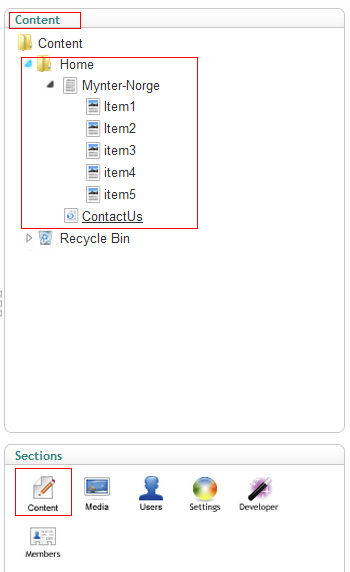
The content node can only contain the sub content nodes strictly following the logic in the context. It is defined in the structures in the Umbraco Document Type. In the preceding screenshot, Home node can contain Mynter-Norge and ContactUs content but not the item content.
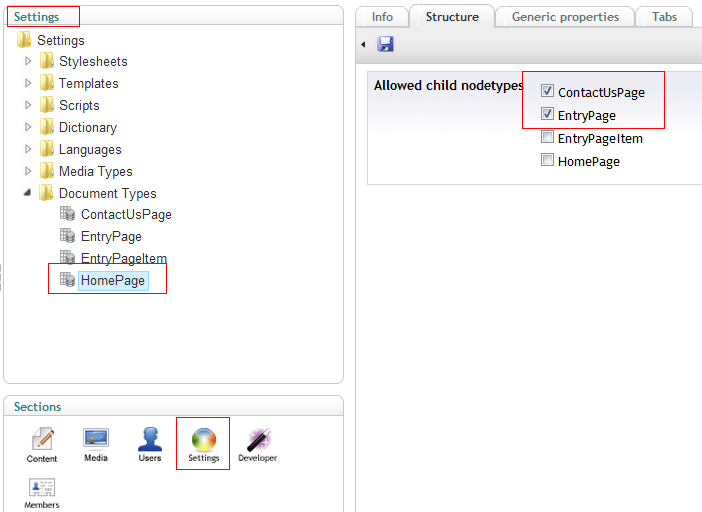
In summary, Umbraco Document Type is a absolutely separated layer for contents definition. Draw the content with data fields in document types and connect them with logically with structure in document types.
Supported by Umbraco Development Team of Nova Software.





 扫一扫
扫一扫


 137
137

 被折叠的 条评论
为什么被折叠?
被折叠的 条评论
为什么被折叠?
 到【灌水乐园】发言





