


 本文介绍如何使用Spire.XLS和C#从Excel形状中提取文本和图像。通过具体步骤展示了如何加载Excel文件、获取工作表、提取形状中的文本及图像,并保存到文件。

一个excel形状可以用文字或图像填充,有时我们需要读取形状中的文字和图像信息。 在本文中,我们将介绍如何使用Spire.XLS和C#从Excel中的形状中提取文本和图像。
以下是我们用于演示的示例文档的屏幕截图:
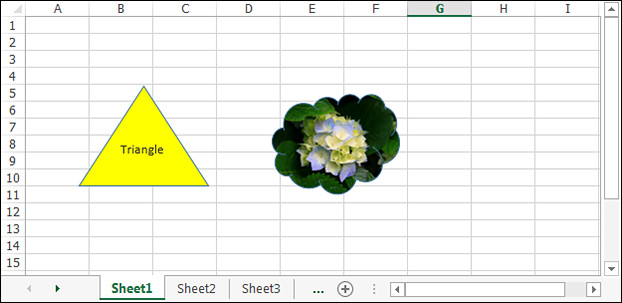
详细步骤:
Step 1: 初始化Workbook类的对象并加载Excel文件。
Workbook workbook = new Workbook();
workbook.LoadFromFile("Input.xlsx");
Step 2: 获取第一张工作表。
Worksheet sheet = workbook.Worksheets[0];
Step 3: 从第一个形状中提取文本并保存到txt文件。
IPrstGeomShape shape1 = sheet.PrstGeomShapes[0];
string s = shape1.Text;
StringBuilder sb = new StringBuilder();
sb.AppendLine(s);
File.WriteAllText("ShapeText.txt", sb.ToString());
Step 4: 从第二个形状中提取图像并保存到本地文件夹。
IPrstGeomShape shape2 = sheet.PrstGeomShapes[1];
Image image = shape2.Fill.Picture;
image.Save(@"Image\ShapeImage.png", ImageFormat.Png);
截图:
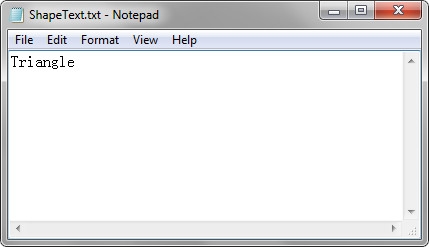
提取的文本:
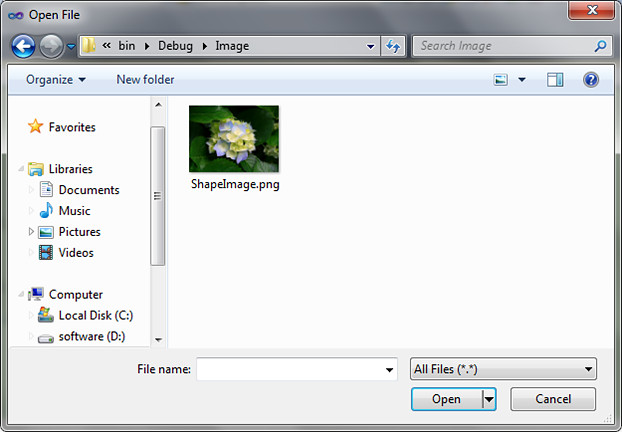
提取的图像:
完整代码:
using System.Drawing;
using System.Drawing.Imaging;
using System.IO;
using System.Text;
using Spire.Xls;
using Spire.Xls.Core;

namespace Extract_text_and_image_from_Excel_shape
{
    class Program
    {
        static void Main(string[] args)
        {
            //Load the Excel file
            Workbook workbook = new Workbook();
            workbook.LoadFromFile("Input.xlsx");

            //Get the first worksheet
            Worksheet sheet = workbook.Worksheets[0];

            //Extract text from the first shape and save to a txt file
            IPrstGeomShape shape1 = sheet.PrstGeomShapes[0];
            string s = shape1.Text;
            StringBuilder sb = new StringBuilder();
            sb.AppendLine(s);
            File.WriteAllText("ShapeText.txt", sb.ToString());

            //Extract image from the second shape and save to a local folder
            IPrstGeomShape shape2 = sheet.PrstGeomShapes[1];
            Image image = shape2.Fill.Picture;
            image.Save(@"Image\ShapeImage.png", ImageFormat.Png);
        }
    }
}





 扫一扫
扫一扫


 1387
1387

 被折叠的 条评论
为什么被折叠?
被折叠的 条评论
为什么被折叠?
 到【灌水乐园】发言





