


 本文详细介绍了如何使用ASA防火墙配置×××连接,包括ISAKMP策略设置、ACL配置、IPSes策略及加密映射集的应用,并演示了客户端访问服务器Web服务的过程以及管理连接状态检查的方法。
实验:

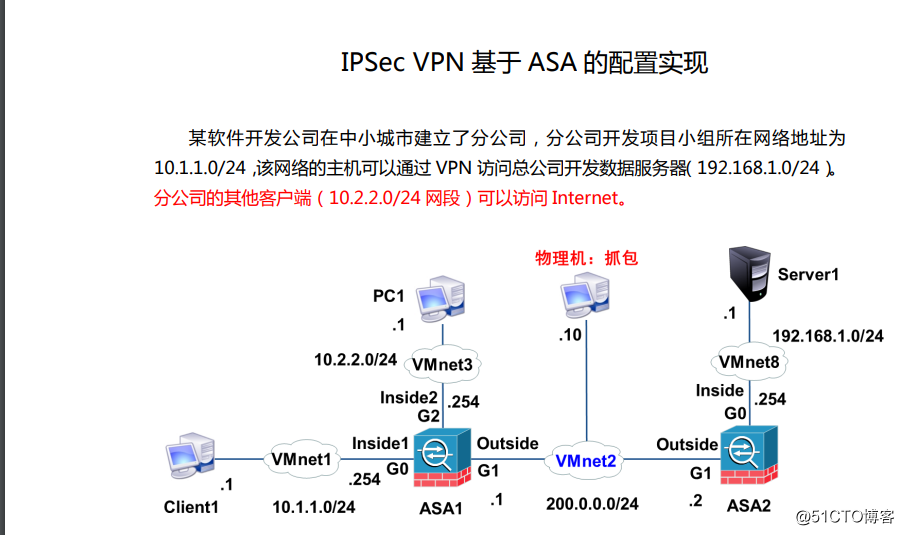
配置与思路:
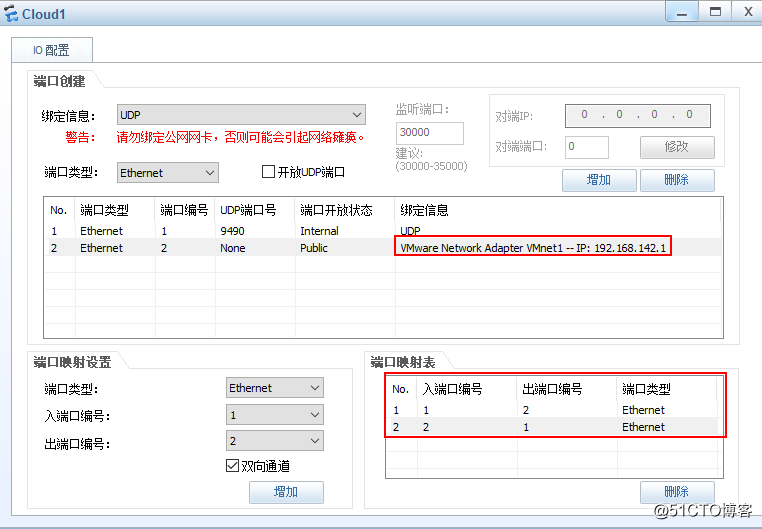
1.配置cloud1:
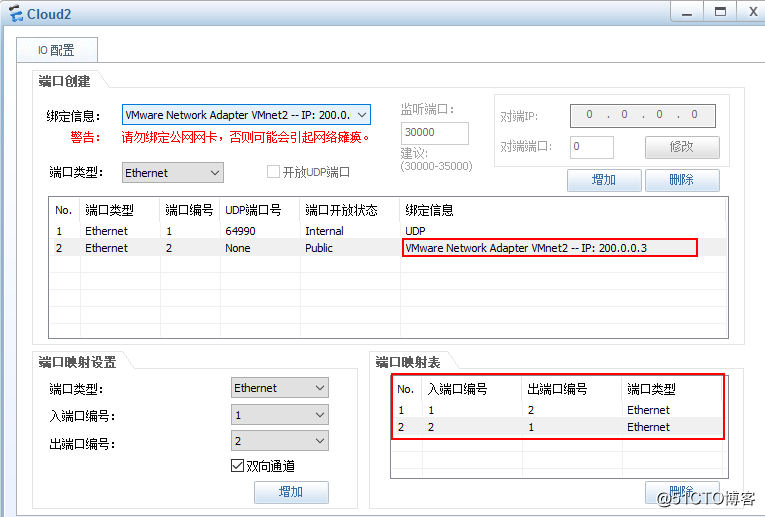
cloud2:
cloud3:
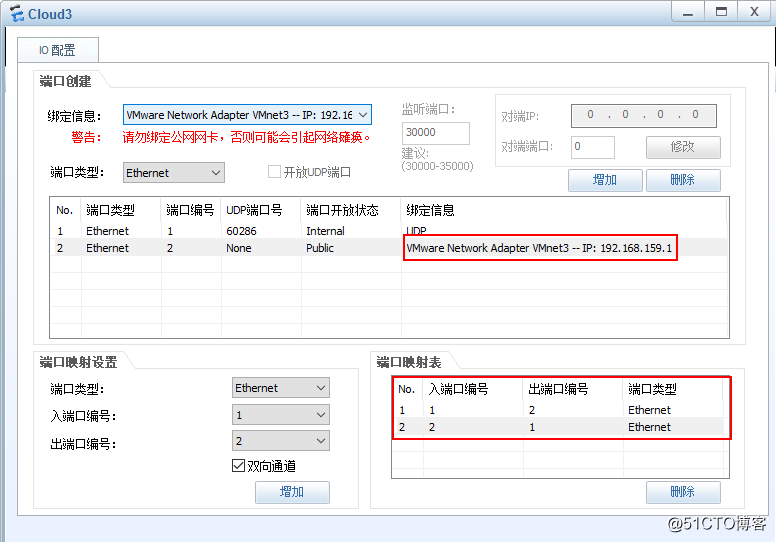
cloud8
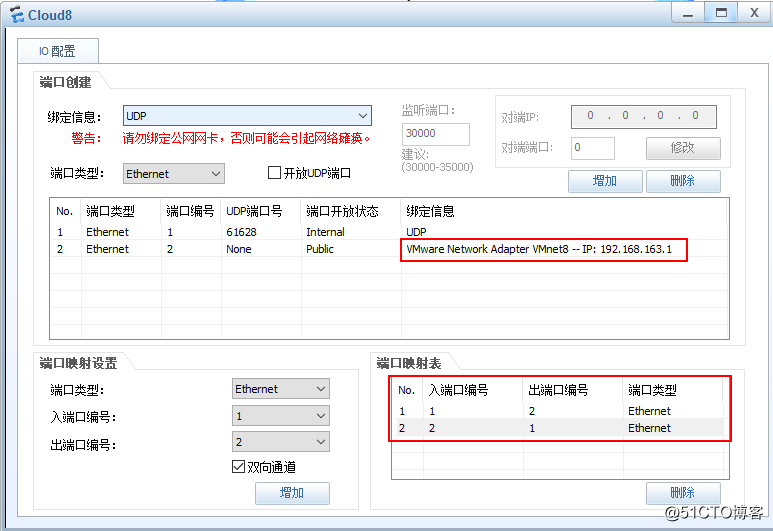
client1

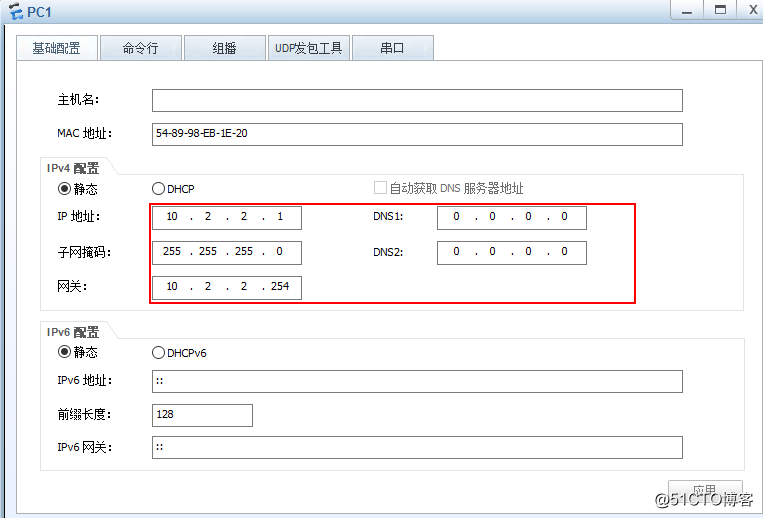
pc1
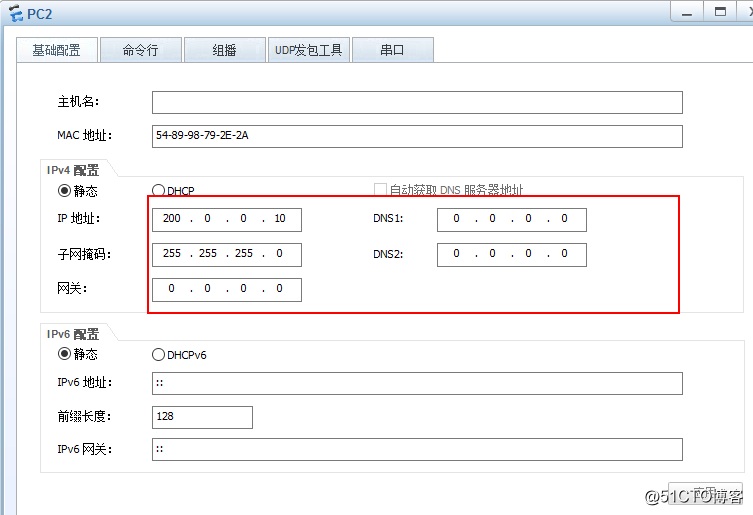
pc2:
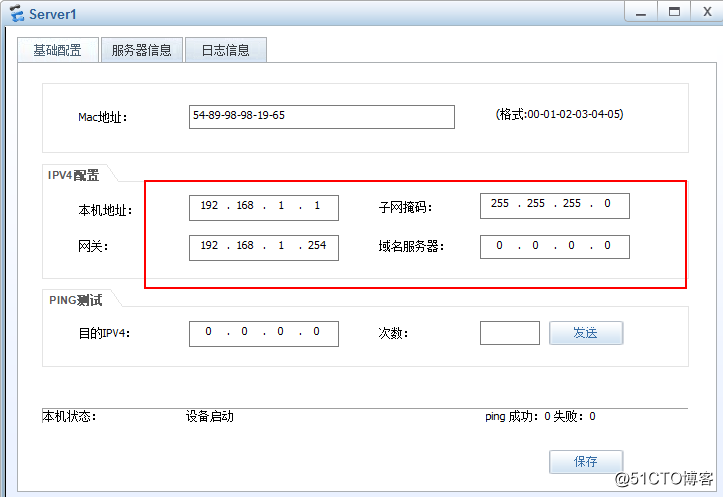
server1:
2.配置ASA1:
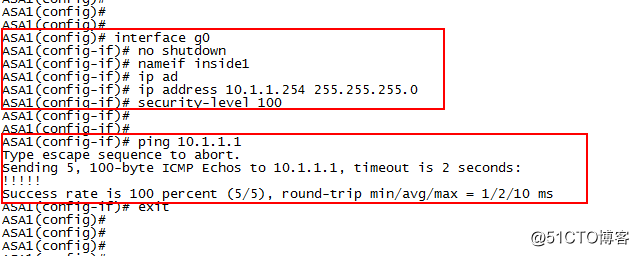
interface g0
no shutdown
nameif inside1
ip address10.1.1.254 255.255.255.0
security-level 100
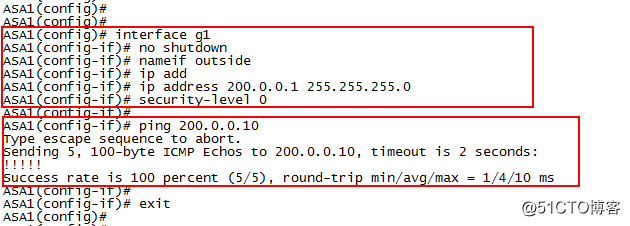
interface g1
no shutdown
nameif outside
ip address 200.0.0.1 255.255.255.0
security-level 0
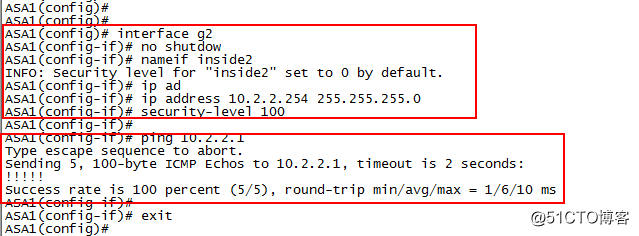
interface g2
no shutdown
nameif inside2
ip address 10.2.2.254 255.255.255.0
security-level 100
配置默认路由
route outside 0.0.0.0 0.0.0.0 200.0.0.2

3.配置ASA2:
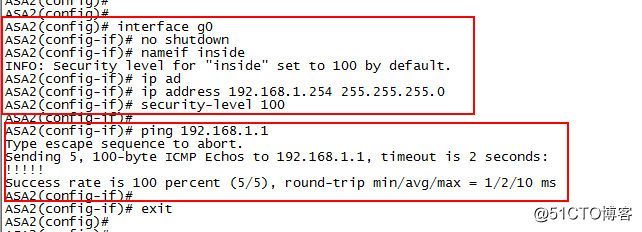
interface g0
no shutdown
nameif inside
ip address 192.168.1.254 255.255.255.0
security-level 100
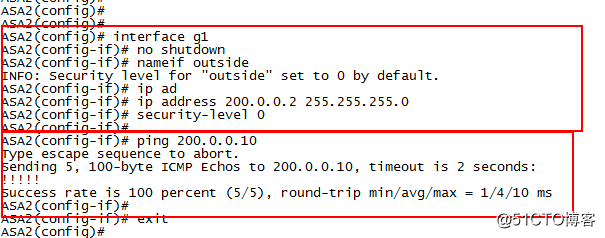
interface g1
no shutdown
nameif outside
ip address 200.0.0.2 255.255.255.0
security-level 0
配置默认路由
route outside 0.0.0.0 0.0.0.0 200.0.0.1

4.在ASA1上配置×××
配置ISAKMP策略
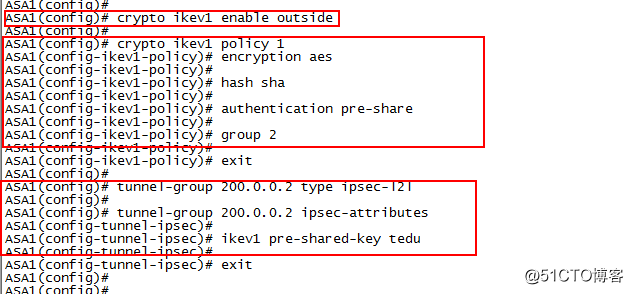
crypto ikev1 enable outside
crypto ikev1 policy 1
encryption aes
hash sha
authentication pre-share
group 2
tunnel-group 200.0.0.2 type ipsec-l2l
tunnel-group 200.0.0.2 ipsec-attributes
ikev1 pre-shared-key tedu
配置ACL
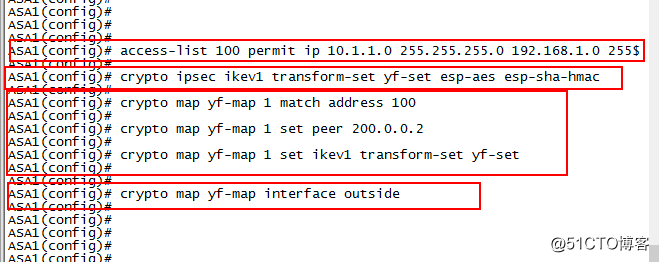
access-list 100 permit ip10.1.1.0 255.255.255.0 192.168.1.0 255.255.255.0
配置IPSes策略(转换集)
crypto ipsec ikev1 transform-set yf-set esp-aes esp-sha-hmac
配置加密映射集
crypto map yf-map 1 match address 100
crypto map yf-map 1 set peer 200.0.0.2
crypto map yf-set 1 set ikev1transform-set yf-set
将映射集应用在端口
crypto map yf-map interface outside
5.在ASA2上配置×××
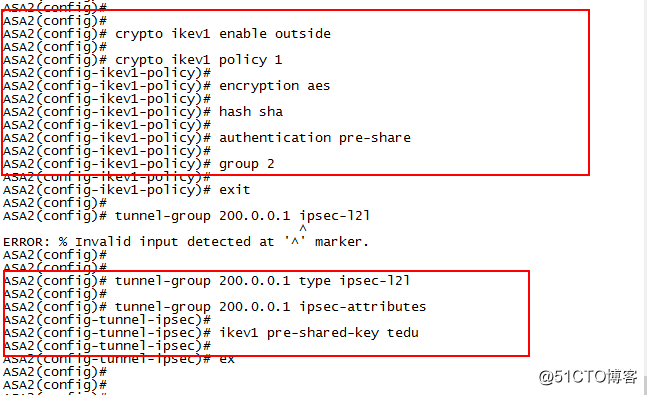
配置ISAKMP策略
crypto ikev1 enable outside
crypto ikev1 policy 1
encryption aes
hash sha
authentication pre-share
group 2
tunnel-group 200.0.0.1 type ipsec-l2l
tunnel-group 200.0.0.1 ipsec-attributes
ikev1 pre-shared-key tedu
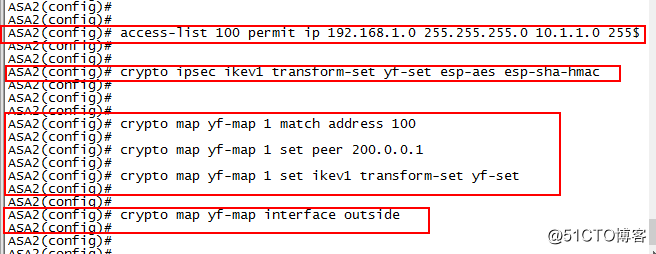
配置ACL
access-list 100 permit ip192.168.1.0 255.255.255.0 10.1.1.0 255.255.255.0
配置IPSes策略(转换集)
crypto ipsec ikev1 transform-set yf-set esp-aes esp-sha-hmac
配置加密映射集
crypto map yf-map 1 match address 100
crypto map yf-map 1 set peer 200.0.0.1
crypto map yf-set 1 set ikev1 transform-set yf-set
将映射集应用在端口
crypto map yf-map interface outside
6.client1访问server1的web
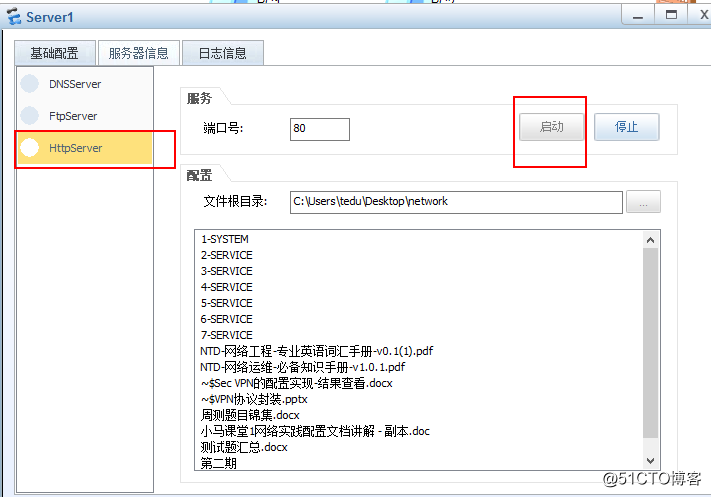
配置server1的http
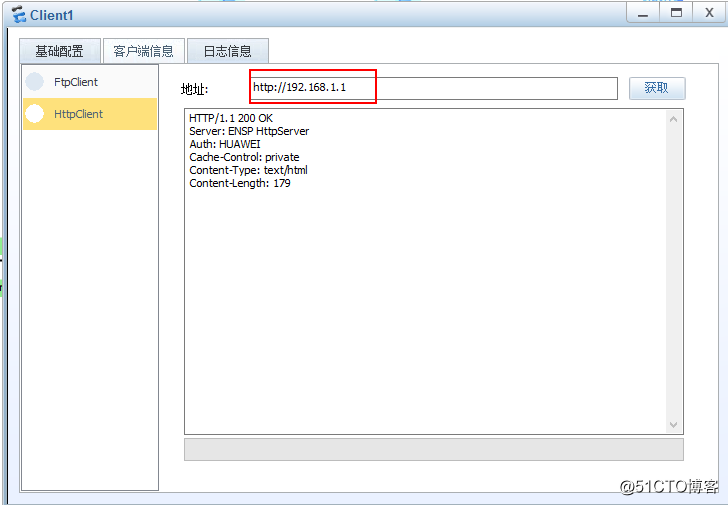
client1访问server1 web
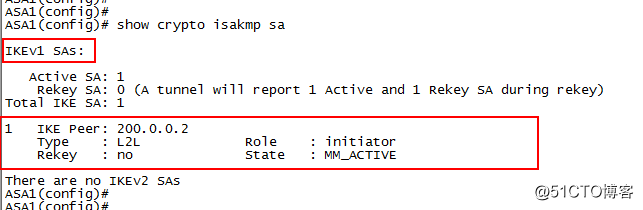
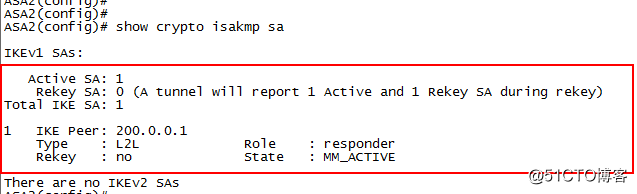
7.查看管理连接SA的状态
在ASA1:
show crypto isakmp sa
在ASA2:
show crypto isakmp sa
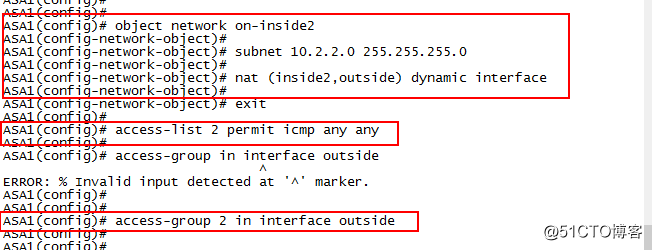
8.在ASA1上配置PAT
object network ob-inside2
subnet 10.2.2.0 255.255.255.0
nat (inside2,outside) dynamic interface
配置ACL
access-list 2 permit icmp any any
access-group 2 in interface outside
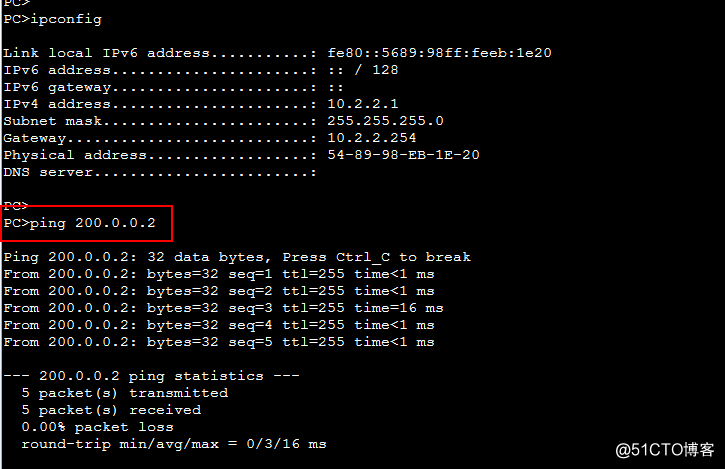
9.pc1上网测试:ping200.0.0.2
10.物理机抓包
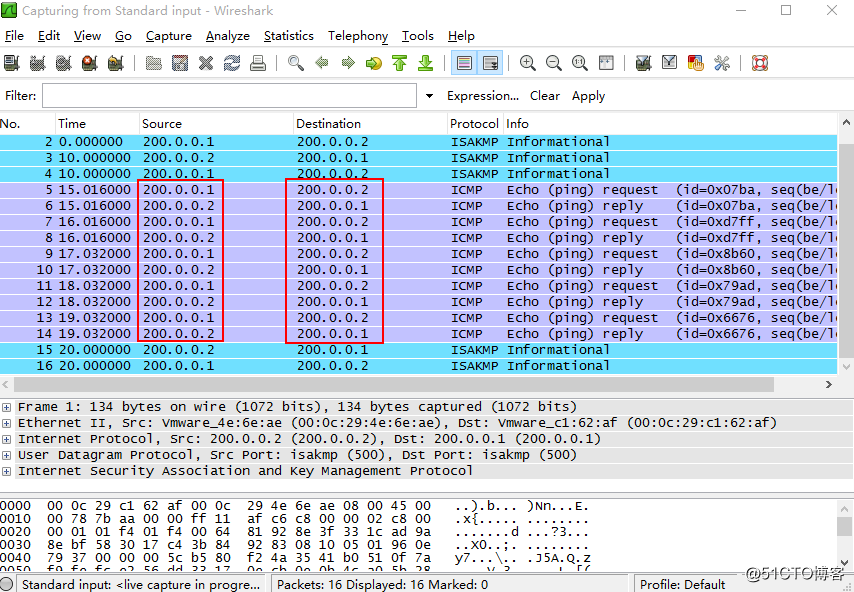
此时已经通过PAT 转为公网地址
转载于:https://blog.51cto.com/13555521/2070381





 扫一扫
扫一扫


 1515
1515

 被折叠的 条评论
为什么被折叠?
被折叠的 条评论
为什么被折叠?
 到【灌水乐园】发言





