


 本文介绍了当遇到ASP.NET程序无法访问的问题时的两种常见原因及解决方案。一种原因是.net1.0和2.0版本间应用程序池冲突,解决办法是为特定目录创建新的应用程序池;另一种原因是IIS权限配置不当,可以通过调整虚拟目录权限来解决。
当出现asp.net程序出现以下提示问题时:
Server Application Unavailable
The web application you are attempting to access on this web server is currently unavailable. Please hit the "Refresh" button in your web browser to retry your request. Administrator Note: An error message detailing the cause of this specific request failure can be found in the application event log of the web server. Please review this log entry to discover what caused this error to occur.
解决方法如下:
出现该问题的原因一般有两种,一是由于.net1.0和2.0公用应用程序池的原因二是IIS权限的设置
针对第一种:
重新开一个应用程序池,然后为这个目录单独指定这个池
针对第二种:
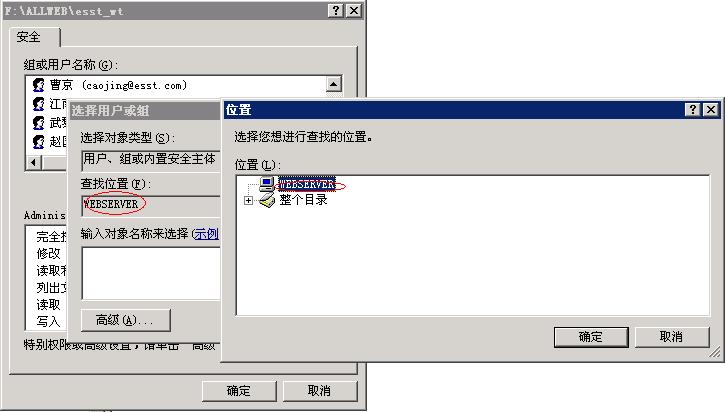
虚拟目录指向的文件夹要加User组
去控制面板-〉性能和维护-〉管理工具-〉Internet信息服务
就可以看到了,还可以设置虚拟目录
在该web sites的virtual directory下,将Permissions设置一下,里面应包含
ASP.NET
IWAM_MachineName
Local_Service
Network_Service
System
而且权限要设置为write & read.






 扫一扫
扫一扫


 279
279

 被折叠的 条评论
为什么被折叠?
被折叠的 条评论
为什么被折叠?
 到【灌水乐园】发言





