


 本文介绍如何使用rsync进行文件同步,并演示了通过调整防火墙设置及端口来确保服务正常运行的方法。此外,还详细讲解了利用logrotate进行Linux系统日志文件的自动切割,以及如何查看登录日志等。
10.32/10.33 rsync通过服务同步

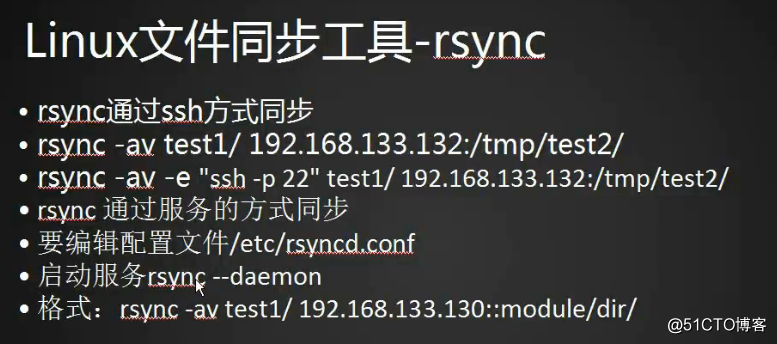
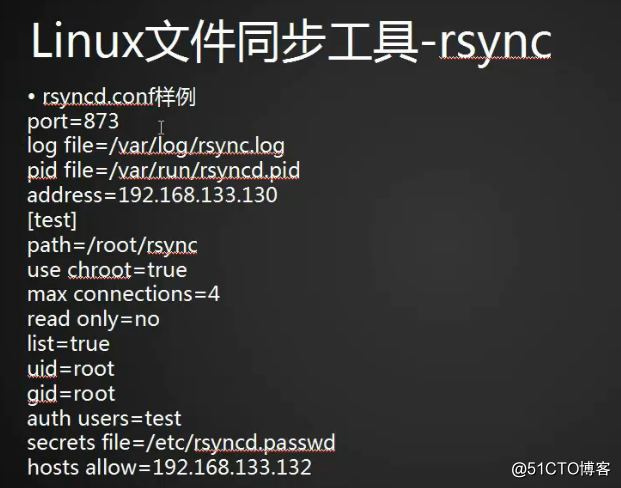
关闭防火墙,#systemctl stop firewalld
查看iptables规则,#iptables -nvl
测试远程主机873端口是否开启,#telnet 192.168.133.130 873
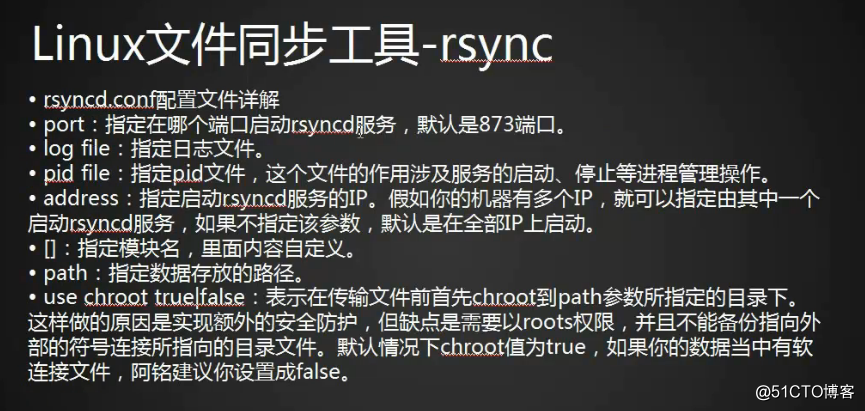
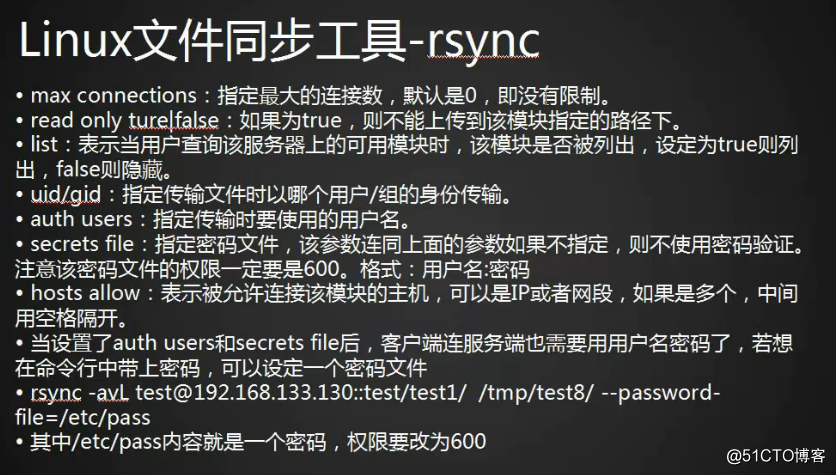
若rsync改为了其他端口,比如8730,命令为#rsync -avLP --port 8730 192.168.133.130::test/ /tmp/test/
10.34 linux系统日志
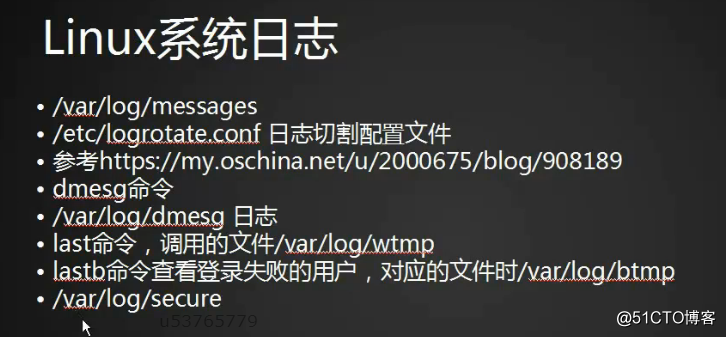
logrotate切割日志文件,
last查看正常登录日志;
lastb查看登录失败日志;
安全日志/var/log/secure;
10.35 screen工具
虚拟屏幕screen
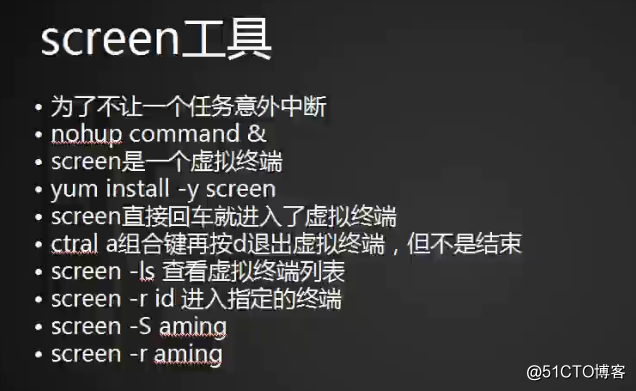
-S自定义虚拟终端名称;
扩展
1. Linux日志文件总管logrotate http://linux.cn/article-4126-1.html
2. xargs用法详解 http://blog.youkuaiyun.com/zhangfn2011/article/details/6776925
转载于:https://blog.51cto.com/12059818/2092258





 扫一扫
扫一扫


 被折叠的 条评论
为什么被折叠?
被折叠的 条评论
为什么被折叠?
 到【灌水乐园】发言





