


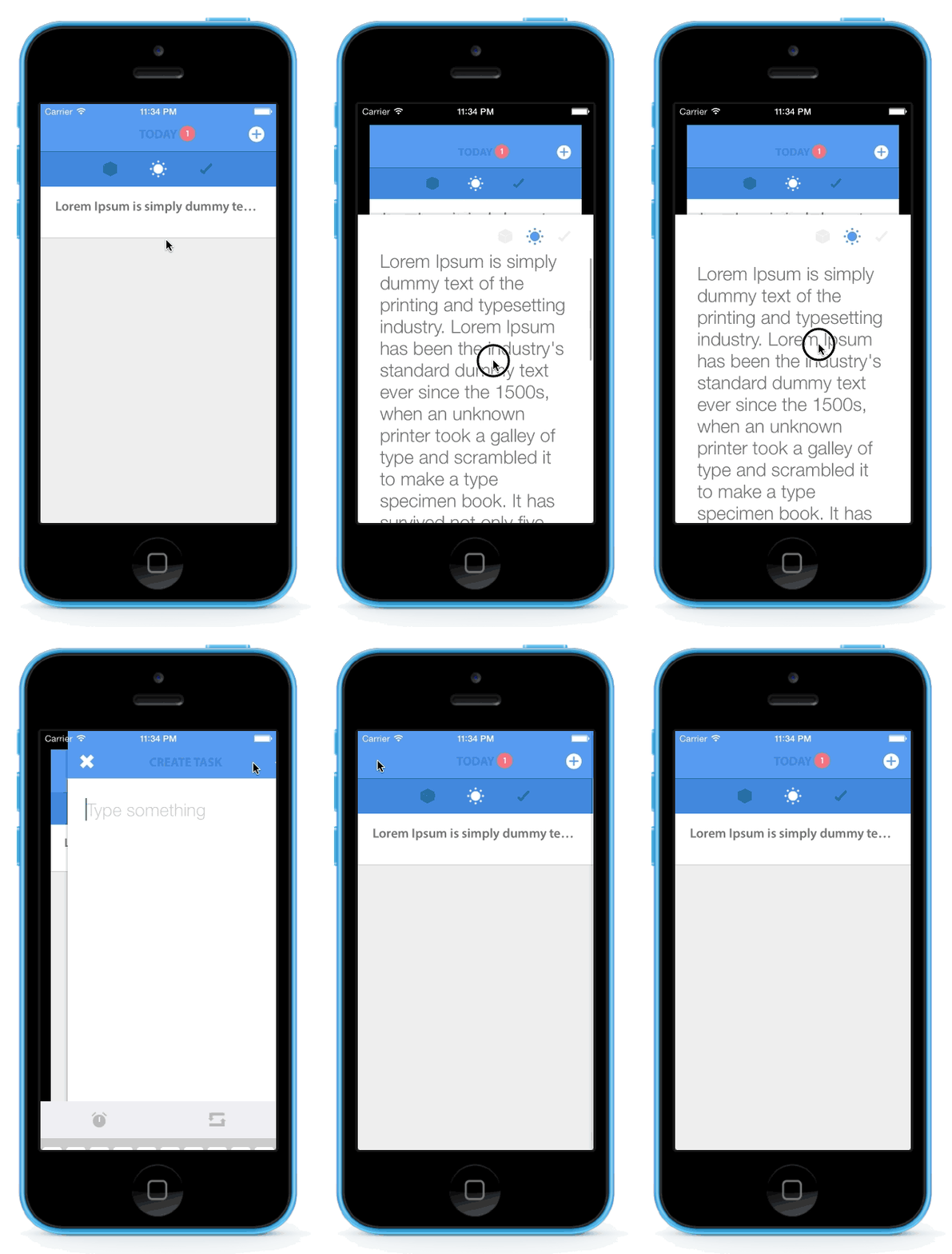
 本文介绍了一个名为 ZFDragableModalTransition 的库,它允许开发者为 iOS 应用中的模态视图控制器过渡创建可拖动效果。文章详细说明了如何使用此库来自定义过渡动画的方向及如何通过拖拽 ScrollView 来关闭模态视图。
ZFDragableModalTransition
Usage
- (void)prepareForSegue:(UIStoryboardSegue *)segue sender:(id)sender
{
    TaskDetailViewController *detailViewController = segue.destinationViewController;
    detailViewController.task = sender;

    // create animator object with instance of modal view controller
    // we need to keep it in property with strong reference so it will not get release self.animator = [[ZFModalTransitionAnimator alloc] initWithModalViewController:detailViewController]; self.animator.dragable = YES; self.animator.direction = ZFModalTransitonDirectionBottom; [self.animator setContentScrollView:detailViewController.scrollview]; // set transition delegate of modal view controller to our object detailViewController.transitioningDelegate = self.animator; detailViewController.modalPresentationStyle = UIModalPresentationCustom; }
If you have scrollview in the modal and you want to dismiss modal by drag it, you need to set scrollview to ZFModalTransitionAnimator instance.
如果你在modal中有scrollview,而且你想通过拖拽来让控制器消失,你需要将这个scrollview设置成ZFModalTransitionAnimator的实例变量.
[self.animator setContentScrollView:detailViewController.scrollview];
You can set that which direction will our modal present. (default is ZFModalTransitonDirectionBottom)
你可以设置这个动画从哪个方向上来呈现.(默认是从底部呈现)
self.animator.direction = ZFModalTransitonDirectionBottom;
P.S. Now you can set content scrollview only with ZFModalTransitonDirectionBottom
P.S. 现在,通过以上设置后,动画想过将会从底部开始呈现.
- iOS >= 7.0 (tested on ios8 beta)
- ARC
ZFDragableModalTransition is available through CocoaPods. To install it, simply add the following line to your Podfile:
ZFDragableModalTransition可以通过CocoaPods来安装.你只需要写如下的一段话就可以安装了:
pod "ZFDragableModalTransition"
Amornchai Kanokpullwad, amornchai.zoon@gmail.com
ZFDragableModalTransition is available under the MIT license. See the LICENSE file for more info.






 扫一扫
扫一扫


 340
340

 被折叠的 条评论
为什么被折叠?
被折叠的 条评论
为什么被折叠?
 到【灌水乐园】发言





