


When import an project to my workspace, I encountered a problem:
Unable to resolve target 'android-9'
Analysis:
I didnot installed the api level-9.
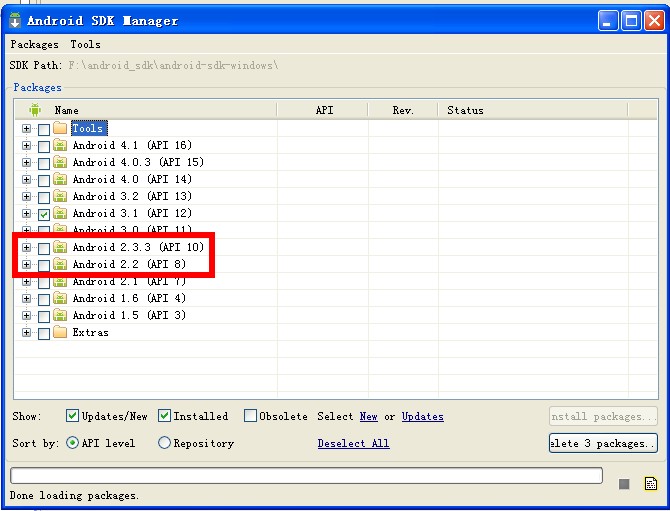
Solution:
1.Delete the project you have imprted.
2.shut down your eclipse .
3. delete the project files (which you have imported ) on your disk.
4.find the two files and open them with a text editor :
1)AndroidManifest.xml
2)default.properties

5.when opend the two files, now change here:
1)target=android-9
2)android:minSdkVersion="8"
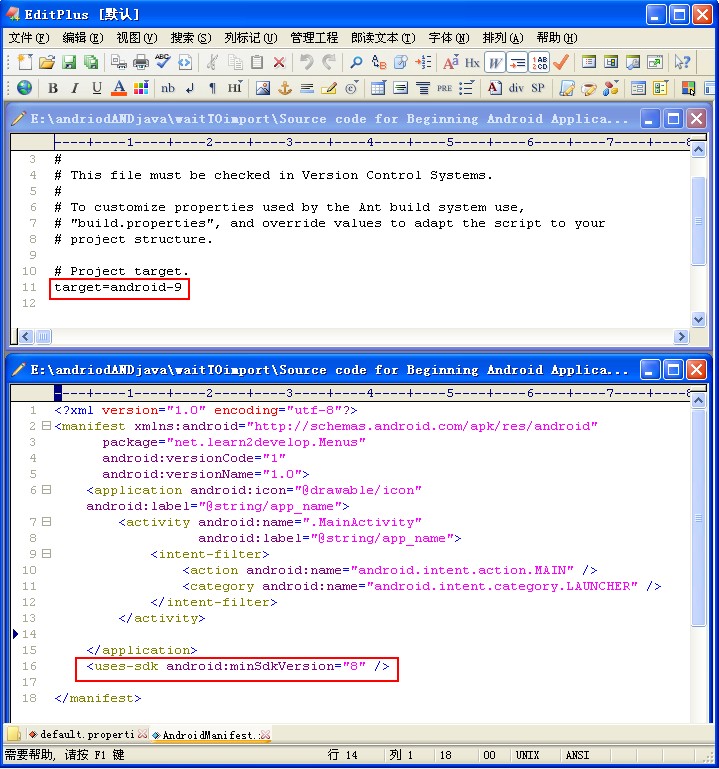
6. chang them to the api-level you hava installed in your SDK(i have installed all the level except levle9.):
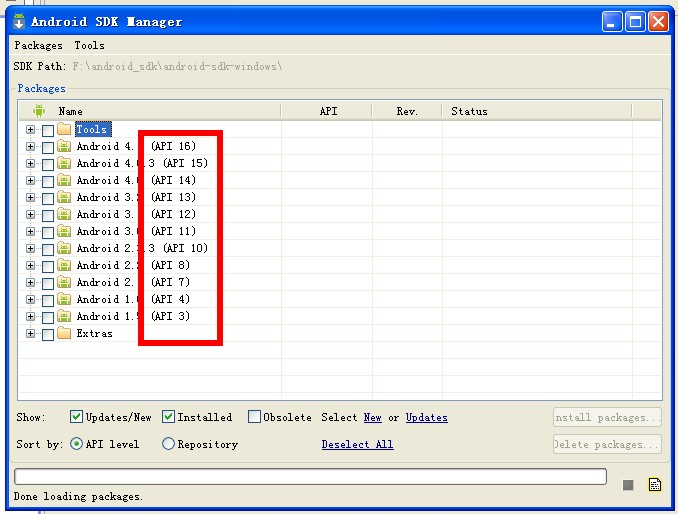
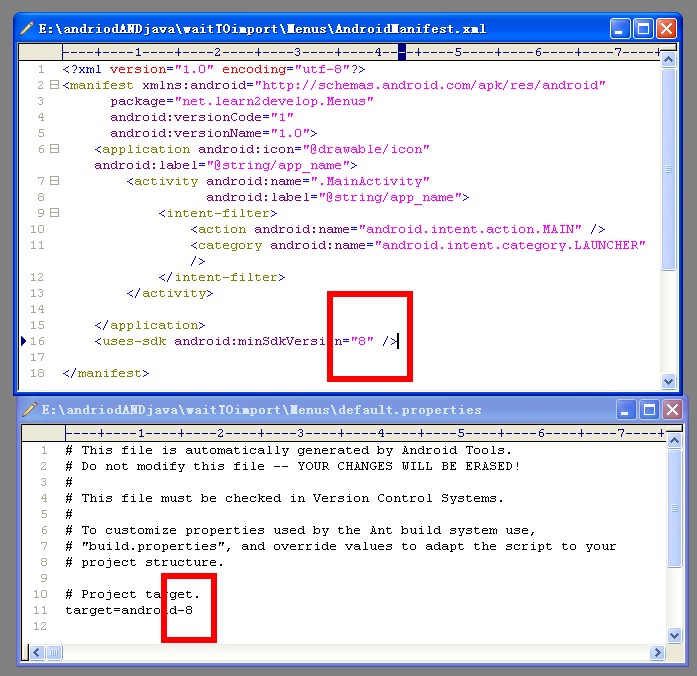
7.Restart eclipse and Import the project to your workspace [again] .
For more questions , contacts me by :
cquptzx@qq.com or cquptzx@outlook.com





 扫一扫
扫一扫


 823
823

 被折叠的 条评论
为什么被折叠?
被折叠的 条评论
为什么被折叠?
 到【灌水乐园】发言





