


 本文通过实例介绍了iOS应用中多线程技术的应用,包括使用-pthread、NSThread及自定义线程类的方法,并探讨了多线程对于解决程序运行时卡顿问题的重要性。
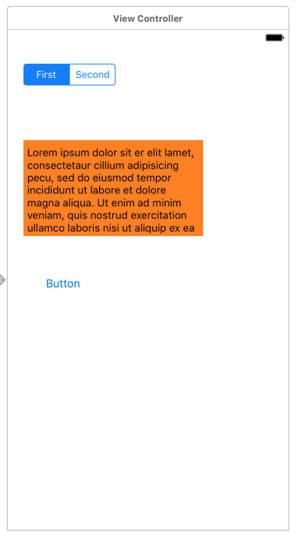
多线程,异步存在的原因(程序运行时卡顿/假死状态),耗时操作移步到后台操作;
模拟耗时操作
//  ViewController.m
//  01-处理耗时操作
#import "ViewController.h"

@interface ViewController ()

@end

@implementation ViewController

- (void)viewDidLoad {
    [super viewDidLoad];
    // Do any additional setup after loading the view, typically from a nib.
}

- (IBAction)buttonClick {
    for (NSInteger i = 0; i<50000; i++) {
        NSLog(@"------buttonClick---%zd", i);
    }
}

@end
02-了解-pthread
//  ViewController.m
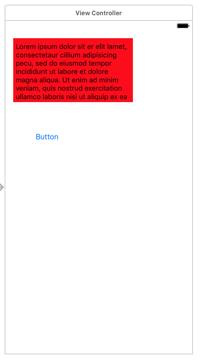
//  02-了解-pthread
#import "ViewController.h"
#import <pthread.h>

@interface ViewController ()

@end

@implementation ViewController

void * run(void *param)
{
    for (NSInteger i = 0; i<50000; i++) {
        NSLog(@"------buttonClick---%zd--%@", i, [NSThread currentThread]);
    }
    return NULL;
}

- (IBAction)buttonClick:(id)sender {
    pthread_t thread; //定义一个线程对象thread,他是一个地址。NULL是线程的一个属性;指向函数的指针;
pthread_create(<#pthread_t _Nullable *restrict _Nonnull#>, <#const pthread_attr_t *restrict _Nullable#>,
<#void * _Nullable (* _Nonnull)(void * _Nullable)#>, <#void *restrict _Nullable#>);
 pthread_create(&thread, NULL, run, NULL); pthread_t thread2; pthread_create(&thread2, NULL, run, NULL); }

@end
03-掌握-NSThread
//  ViewController.m
//  03-掌握-NSThread
#import "ViewController.h"
#import "XMGThread.h"

@interface ViewController ()

@end

@implementation ViewController

- (void)viewDidLoad {
    [super viewDidLoad];
    // Do any additional setup after loading the view, typically from a nib.
}

- (void)touchesBegan:(NSSet *)touches withEvent:(UIEvent *)event {//屏幕点击的时候会掉用的事件;
    [self createThread3];
}

- (void)createThread3
{  //隐式创建并启动线程
    [self performSelectorInBackground:@selector(run:) withObject:@"jack"]; //连self都不传了。。。。。
}

- (void)createThread2
{  //创建线程后自动启动线程--这种是不能设置名字,是拿不到这个线程修改/设置属性;
    [NSThread detachNewThreadSelector:@selector(run:) toTarget:self withObject:@"rose"];
}

- (void)createThread1
{
    //    // 创建线程
    //    NSThread *thread = [[NSThread alloc] initWithTarget:self selector:@selector(run:) object:@"jack"];
      //这种方法创建的线程是有名字的;
    //    // 启动线程
    //    [thread start];
    // 创建线程(使用自定义的)
    XMGThread *thread = [[XMGThread alloc] initWithTarget:self selector:@selector(run:) object:@"jack"];
                                 调用 self  的  run:方法    传的参数 是 object:...
    thread.name = @"my-thread";
    // 启动线程
    [thread start];
}

- (void)run:(NSString *)param
{
    for (NSInteger i = 0; i<100; i++) {
        NSLog(@"-----run-----%@--%@", param, [NSThread currentThread]);
    }
[thread isMainThread] //类方法:判断线程是否是主线程;
}

@end
自定义了一个Thread对象,继承了Thread
//
//  XMGThread.h
//  03-掌握-NSThread
#import <Foundation/Foundation.h>

@interface XMGThread : NSThread

@end
//  XMGThread.m
//  03-掌握-NSThread
#import "XMGThread.h"

@implementation XMGThread
- (void)dealloc
{
    NSLog(@"XMGThread -- dealloc");
}
@end





 扫一扫
扫一扫


 被折叠的 条评论
为什么被折叠?
被折叠的 条评论
为什么被折叠?
 到【灌水乐园】发言





