


 本文介绍了一种在不增加硬件内存的情况下,通过修改ESXi5.5安装脚本来解决内存不足问题的方法。步骤包括进入控制台、删除并修改预检查脚本、调整最小内存需求等。
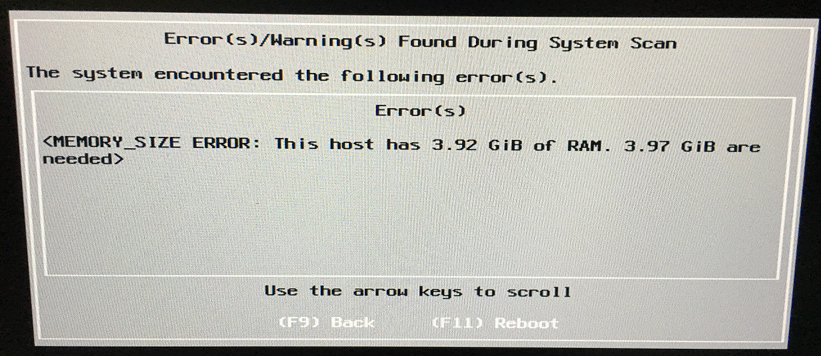
为了学习,拿了一台台式家用机安装esxi5.5,遇到内存不足提示,如何在不增加内存的情况下,解决问题
1. Boot from VMware ESXi 5.5;
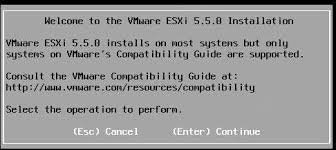
2. wait "Welcome to theVMware ESXi 5.5.0 Installation" screen:
3. Press Alt+F1 for enter console and login as 'root' (no password needed);
4. go to:
cd /usr/lib/vmware/weasel/util/
delete file:
rm upgrade_precheck.pyc;
5. remove readonly flags;
mv upgrade_precheck.py upgrade_precheck.py.def
cp upgrade_precheck.py.def upgrade_precheck.py
6. set permissions:
chmod 755 upgrade_precheck.py
7. open script in 'vi':
vi upgrade_precheck.py
8. find "MEM_MIN_SIZE", pres "a" (edit mode. "(4 * 1024 - 32)" change to "(2 * 1024 - 32)", pres 'ESC', run command ":wq" (save & exit);
9. look installer PID:
ps -c | grep weasel
10. kill installer (PID = process Nr.):杀掉python进程,自动返回安装界面
kill PID
Installer process run automatically (with modified config script).
Continue from "Welcome to theVMware ESXi 5.5.0 Installation"





 扫一扫
扫一扫


 4905
4905

 被折叠的 条评论
为什么被折叠?
被折叠的 条评论
为什么被折叠?
 到【灌水乐园】发言





