


 本文介绍了一种使用Objective-C编程语言实现的图片处理方法,该方法能够将图片中无意义的部分剔除,并通过计算有意义内容的边界进行精确裁剪。文章详细展示了如何分配内存、创建绘图上下文、绘制图片并遍历像素来确定图片的有效区域。
//去除周围多余的内容(当前为减掉周围无用内容)
- (UIImage *)imageToTransparent:(UIImage*) image {

    // 分配内存
    const int imageWidth = image.size.width;
    const int imageHeight = image.size.height;

    int top = imageHeight;
    int left = imageWidth;
    int right = 0;
    int bottom = 0;

    size_t bytesPerRow = imageWidth * 4;
    uint32_t* rgbImageBuf = (uint32_t*)malloc(bytesPerRow * imageHeight);
    NSLog(@"图片尺寸 == %d , %d", imageWidth, imageHeight);
    // 创建context
    CGColorSpaceRef colorSpace = CGColorSpaceCreateDeviceRGB();
    CGContextRef context = CGBitmapContextCreate(rgbImageBuf, imageWidth, imageHeight, 8, bytesPerRow, colorSpace,
                                                 kCGBitmapByteOrder32Little | kCGImageAlphaNoneSkipLast);

    CGContextDrawImage(context, CGRectMake(0, 0, imageWidth, imageHeight), image.CGImage);

    // 遍历像素 计算中间有意义内容
    uint32_t* pCurPtr = rgbImageBuf;
    for (int x = 0; x < imageHeight; x++) {//行
        for (int y = 0; y < imageWidth; y++) {//列

            //将像素点转成子节数组来表示---第一个表示透明度即ARGB这种表示方式。ptr[0]:透明度,ptr[1]:R,ptr[2]:G,ptr[3]:B
            //分别取出RGB值后。进行判断需不需要设成透明
            uint8_t* ptr = (uint8_t*)pCurPtr;
            if(ptr[1] != 0 || ptr[2] != 0 || ptr[3] != 0) {
                if (x < top) {
                    top = x;
                }

                if (y < left) {
                    left = y;
                }

                if (y > right) {
                    right = y;
                }

                if (x > bottom) {
                    bottom = x;
                }
            }

            pCurPtr++;
        }
    }

    CGImageRef sourceImageRef = [image CGImage];

    //按照给定的矩形区域进行剪裁
    CGImageRef newImageRef = CGImageCreateWithImageInRect(sourceImageRef, CGRectMake(left, top, right - left, bottom - top));

    //将CGImageRef转换成UIImage
    UIImage *resultUIImage = [UIImage imageWithCGImage:newImageRef];

    // 释放
    CGImageRelease(newImageRef);
    CGContextRelease(context);
    CGColorSpaceRelease(colorSpace);

    return resultUIImage;
}
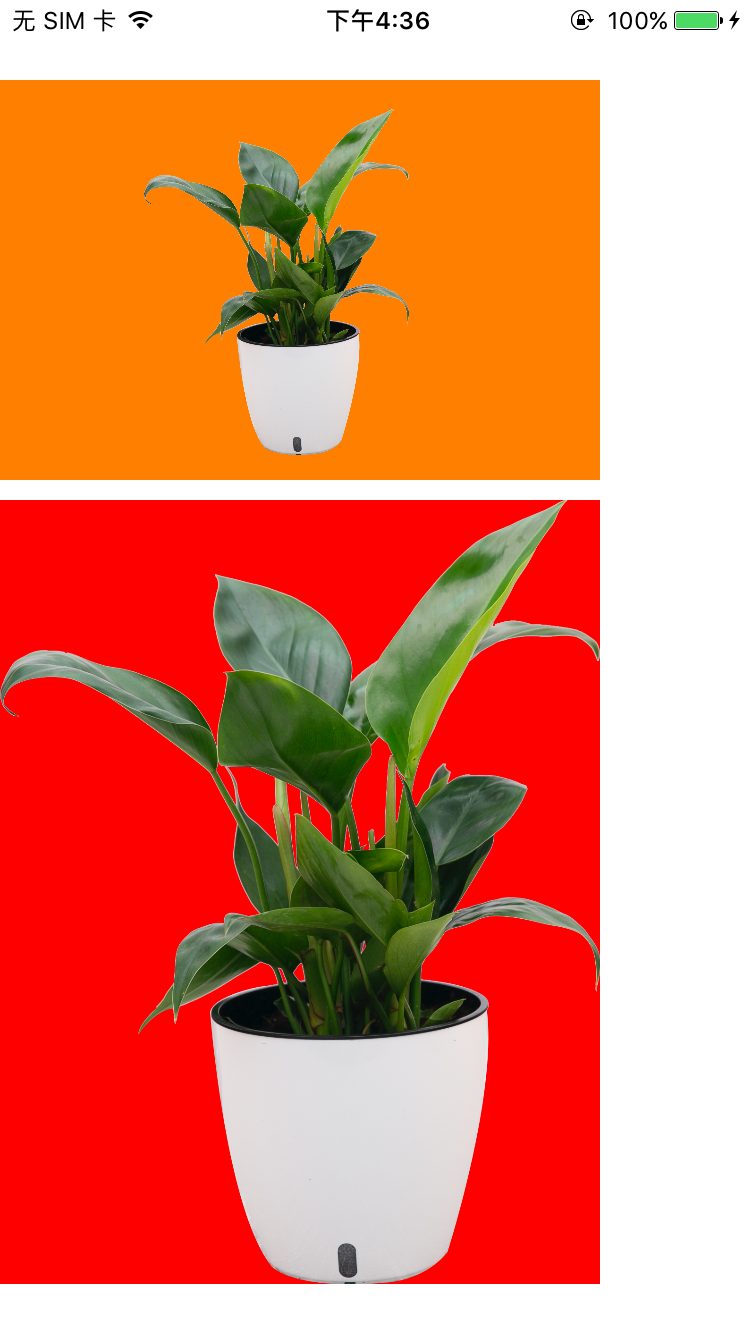
运行效果:橙色为原图,红色为截取后





 扫一扫
扫一扫


 1万+
1万+

 被折叠的 条评论
为什么被折叠?
被折叠的 条评论
为什么被折叠?
 到【灌水乐园】发言





