


 本文详细介绍了如何使用Spring AOP和AspectJ实现方法调用前后的日志记录功能。通过具体的Java代码示例,展示了如何定义切入点、前置通知和后置通知,以及如何在Spring配置文件中启用AspectJ自动代理。
public interface IHello {
  public void  sayHello(String str);
}
public class Hello implements IHello {

	@Override
	public void sayHello(String str) {
		// TODO Auto-generated method stub
	   System.out.println("你好"+str);
	}

}
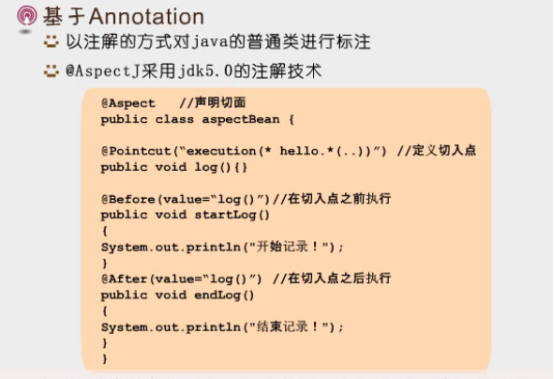
aspectBean.java
import org.aspectj.lang.annotation.After;
import org.aspectj.lang.annotation.Aspect;
import org.aspectj.lang.annotation.Before;
import org.aspectj.lang.annotation.Pointcut;

//引入Aspect注解,声明切面
@Aspect
public class aspectBean {
	//定义为切入点
	@Pointcut("execution(* hello.*(..))")
	public void log() {

	}
	@Before(value="log()") //在切入点之前执行
	public void startLog()
	{
		System.out.println("开始记录");
	}
	@After(value="log()") //在切入点之后执行
	public void endLog()
	{
		System.out.println("结束记录");
	}
}
applicationContext.xml
<?xml version="1.0" encoding="UTF-8"?>
<beans
	xmlns="http://www.springframework.org/schema/beans"
	xmlns:xsi="http://www.w3.org/2001/XMLSchema-instance"
	xmlns:aop="http://www.springframework.org/schema/aop"
	xmlns:p="http://www.springframework.org/schema/p"
	xsi:schemaLocation="http://www.springframework.org/schema/beans
	http://www.springframework.org/schema/beans/spring-beans-2.0.xsd
	http://www.springframework.org/schema/aop http://www.springframework.org/schema/aop/spring-aop-2.0.xsd">

	<!-- 启动aspectj -->
	<aop:aspectj-autoproxy/>
	<bean id="apbean" class="com.pb.aspectBean"></bean>
	<bean id="he" class="com.pb.Hello"></bean>
</beans>
Maintest文件:
public static void main(String[] args) {
		// TODO Auto-generated method stub
        ApplicationContext context=new ClassPathXmlApplicationContext("applicationContext.xml");

        IHello hello=(IHello)context.getBean("he");
        hello.sayHello("访客");
	}
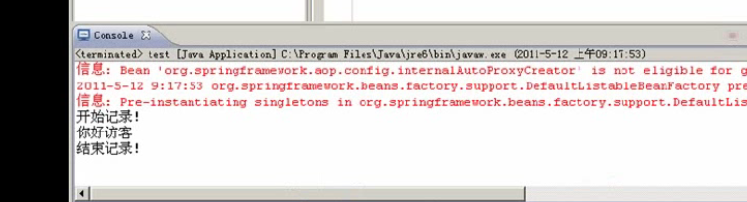
执行:





 扫一扫
扫一扫


 168万+
168万+

 被折叠的 条评论
为什么被折叠?
被折叠的 条评论
为什么被折叠?
 到【灌水乐园】发言





