


 本文详细介绍了将SpringBoot多模块项目发布到外部Tomcat的8大原则,包括正确打包、排除内置Tomcat、设置启动类等,并提供了常见问题及解决方案,如端口号配置、依赖加载失败等问题,帮助开发者顺利部署SpringBoot应用。
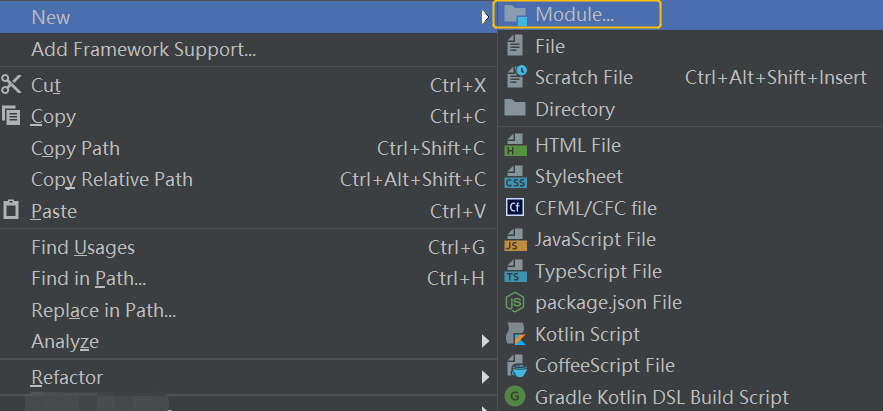
如果使用 SpringBoot 多模块发布到外部 Tomcat,可能会遇到各种各样的问题。本文归纳了以下 8 个原则和发布时经常出现的 4 个问题的解决方案,掌握了这些原则和解决方案,几乎可以解决绝大数 SpringBoot 发布问题。
SpringBoot 多模块发布的 8 大原则
1 在发布模块打包,而不是父模块上打包
比如,以下项目目录:
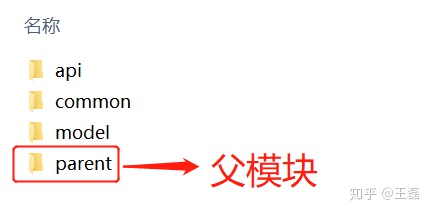
如果要发布 api 就直接在它的模块上打包,而不是在父模块上打包。
2 公共调用模块,打包类型设置为 jar 格式
公共模块,比如 common 和 model 需要设置 packaging 为 jar 格式,在 pom.xml 配置:
<packaging>jar</packaging>3 发布模块打包类型设置为 war 格式
在发布的模块 pom.xml 中设置:
<packaging>war</packaging>4 排除内置 tomcat
在发布的模块 pom.xml 中设置:
<dependency>
  <groupId>org.springframework.boot</groupId>
  <artifactId>spring-boot-starter-tomcat</artifactId>
  <scope>provided</scope>
</dependency>
当设置 scope=provided 时,此 jar 包不会出现在发布的项目中,从而就排除了内置的 tomcat。
5 设置启动类
此步骤相当于告诉 tomcat 启动的入口在哪。需要在启动类添加如下代码:
@SpringBootApplication
public class ApiApplication extends SpringBootServletInitializer {
    @Override
    protected SpringApplicationBuilder configure(SpringApplicationBuilder application) {
        return application.sources(ApiApplication.class);
    }
    public static void main(String[] args) {
        SpringApplication.run(ApiApplication.class, args);
    }
}
6 如果使用拦截器一定要排除静态文件
比如我在项目中使用了 swagger,那我就需要排除 swagger 的静态文件,代码如下:
@Configuration
public class WebMvcConfig extends WebMvcConfigurationSupport {
    @Override
    protected void addResourceHandlers(ResourceHandlerRegistry registry) {
        // 排除静态文件
        registry.addResourceHandler("swagger-ui.html")
                .addResourceLocations("classpath:/META-INF/resources/");
        registry.addResourceHandler("/webjars/**")
                .addResourceLocations("classpath:/META-INF/resources/webjars/");
    }
    // do something
}
7 先装载公共模块,再发布项目
如果发布的模块引用了本项目的其他公共模块,需要先把本项目的公共模块装载到本地仓库。
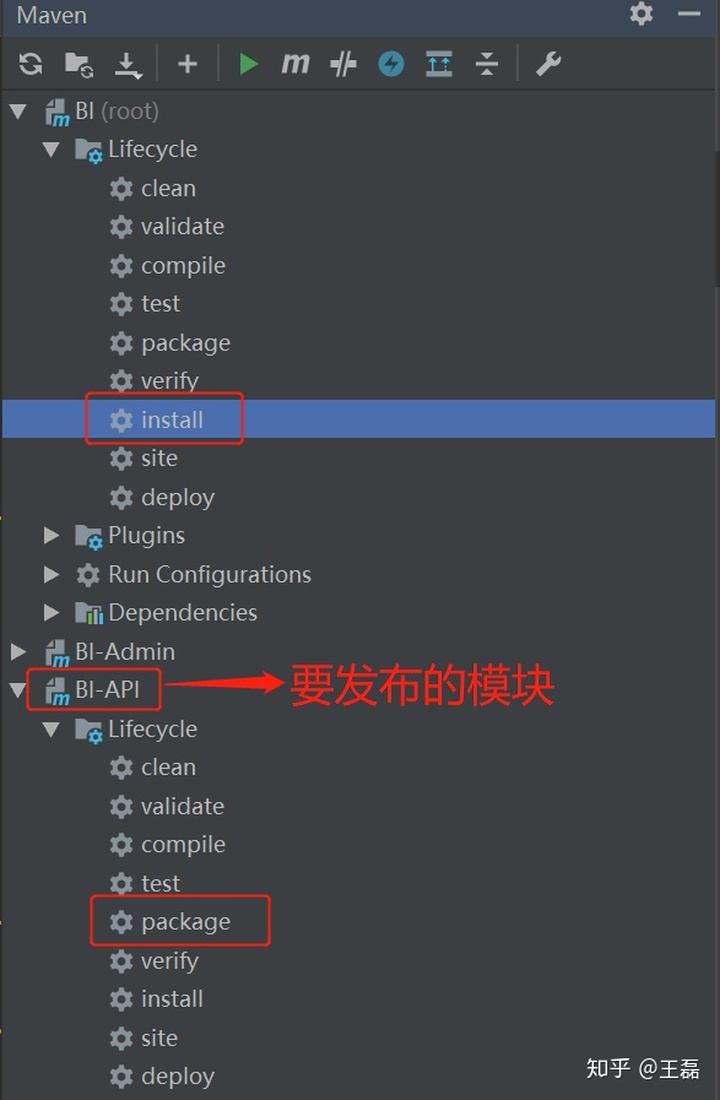
操作方式,双击父模块的 install 即可, install 成功之后,点击发布模块的 package 生成 war 包,就完成了项目的打包,如下图所示:
8 部署项目
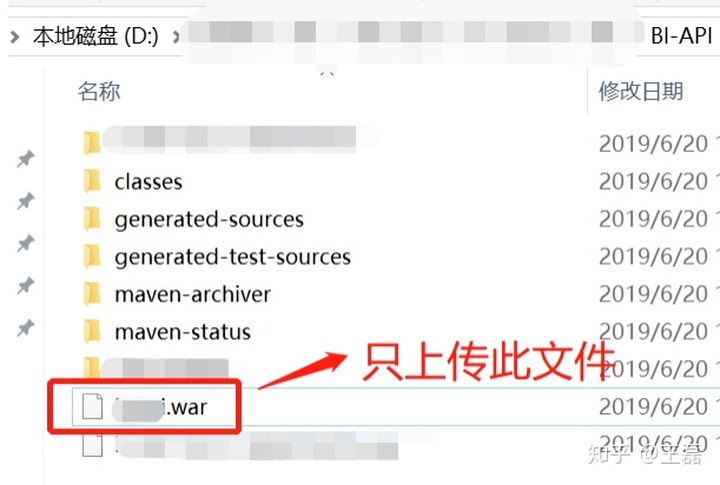
有了 war 包之后,只需要把单个 war 包,放入 tomcat 的 webapps 目录,重新启动 tomcat 即可,如下图所示:
项目正常运行会在 webapps 目录下生成同名的文件夹,如下图所示:
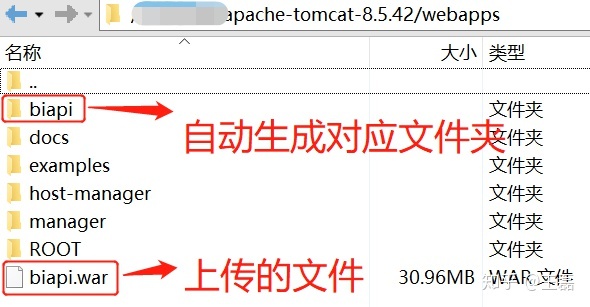
完成以上配置,就可以 happy 的访问自己发布的项目了。
可能出现的问题和解决方案
问题一:SpringBoot 配置了端口号影不影响程序发布?
答:不影响,配置的 server.port 会被覆盖,以 tomcat 本身的端口号为准,tomcat 端口号在 tomcat/config/server.xml 文件中配置。
问题二:发布报错,不能找到其他模块或项目中的公共模块,怎么办?
答:因为没有执行父节点 maven 的 install 操作,install 就是把公共模块放入本地仓库,提供给其它项目使用。
问题三:不能找到 SpringBoot 运行的 main 类,怎么办?
答:因为没有设置启动类导致的,设置方式:
- pom.xml 配置启动类,配置
configuration><mainClass>com.bi.api.ApiApplication</mainClass></configuration>。 - 启动类继承
SpringBootServletInitializer实现SpringApplicationBuilder方法,具体代码参考文中第五部分。
问题四:把 SpringBoot 项目部署到 Tomcat 7 一直提示找不到 xxx.jar 包?
答:这是因为 SpringBoot 版本太高,tomcat 版本太低的原因。如果你使用的是最新版的 SpringBoot,可以考虑把 tomcat 也升级为 tomcat 8.x+ 最新的版本,就可以解决这个问题。





 扫一扫
扫一扫


 4773
4773

 被折叠的 条评论
为什么被折叠?
被折叠的 条评论
为什么被折叠?
 到【灌水乐园】发言





