






 该博客详细介绍了如何在前端实现登录功能,包括勾选'记住用户名和密码'选项时保存用户输入信息,并在下次登录时自动填充。使用了$storage进行数据存储,同时监听storeCredential变化以实现实时更新。在组件挂载时,根据存储的状态自动聚焦并填充用户名和密码。
功能:
1.勾选记住用户名和密码时,将所输入的用户名和密码保存,下次登录时无需输入
2.不勾选时用户名和密码输入框将为空
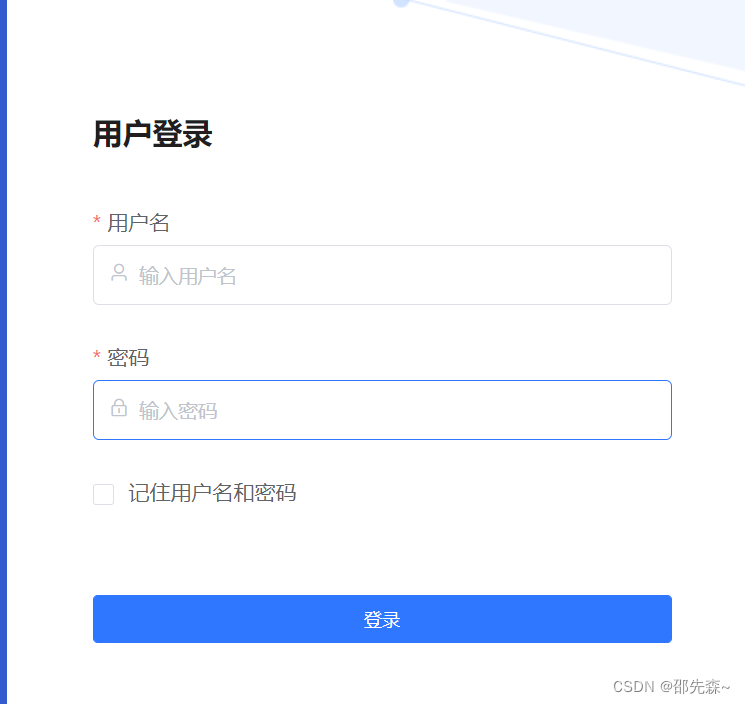
checkbox 代码:
    <el-checkbox v-model="storeCredential" @change="handleStorePasswordOptionChange">记住用	户名和密码</el-checkbox>
// 这一步是将勾选的状态进行保存
handleStorePasswordOptionChange( (val) => this.$storage.set('store-login-credential', val))
登录验证成功后,判断storeCredential是否为true,如果是将用户名和密码进行缓存
  this.$storage.set('loginInfo', JSON.stringify({
        username: this.loginForm.username,
         password: this.loginForm.password
       }))
  watch:{    // storeCredential进行监听
   storeCredential:{
      handler(val) {
        if(!val)  this.$storage.set('loginInfo', '');  //如果没勾选  清空保存的用户数据
        this.$storage.set('store-login-credential', val)  这里实时更新是否勾选状态
      }
    }
  },
 mounted(){
    this.storeCredential = this.$storage.get('store-login-credential');   //取到勾选状态
   if (this.storeCredential) {
      const credentials = this.$storage.get('loginInfo');
      const {username, password} = credentials;
      this.loginForm.username = username;
      this.loginForm.password = password;
    }
    this.$refs.userNameInput.focus();   //自动聚焦
  },





 扫一扫
扫一扫


 5741
5741

 被折叠的 条评论
为什么被折叠?
被折叠的 条评论
为什么被折叠?
 到【灌水乐园】发言





