maven官网下载,中央仓库官网,搜索官网

maven 官网
https://maven.apache.org/

maven 下载
https://maven.apache.org/

maven 各版本下载

maven中央仓库
https://repo.maven.apache.org/maven2/

maven 搜索jar文件版本
https://mvnrepository.com/
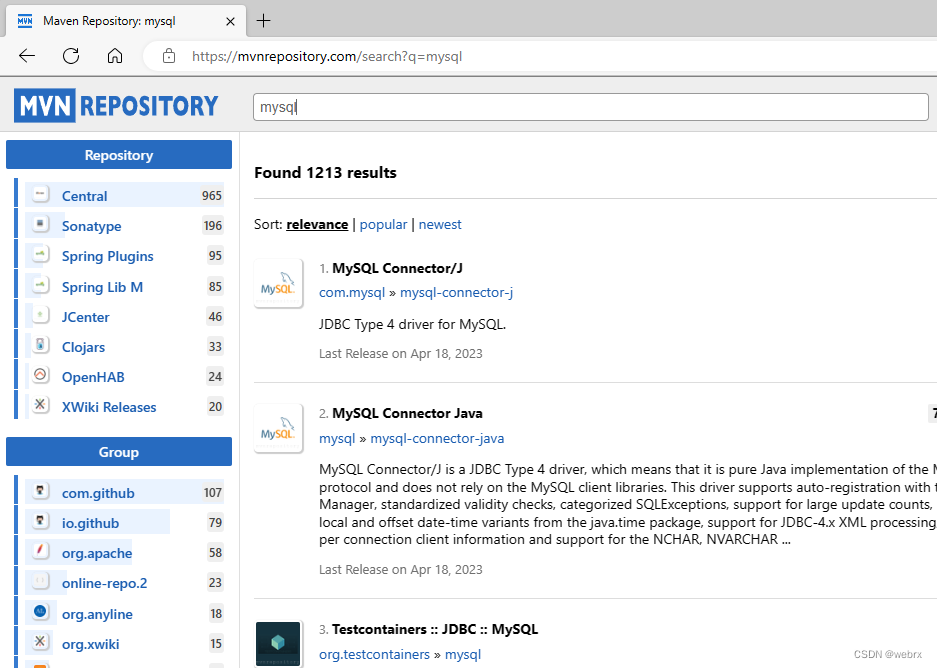
在这里插入图片描述
阿里镜像官网,
https://developer.aliyun.com/mirror/

https://developer.aliyun.com/mvn/guide?spm=a2c6h.13651104.mirror-free-trial.5.7f2f6e1afL1p5p
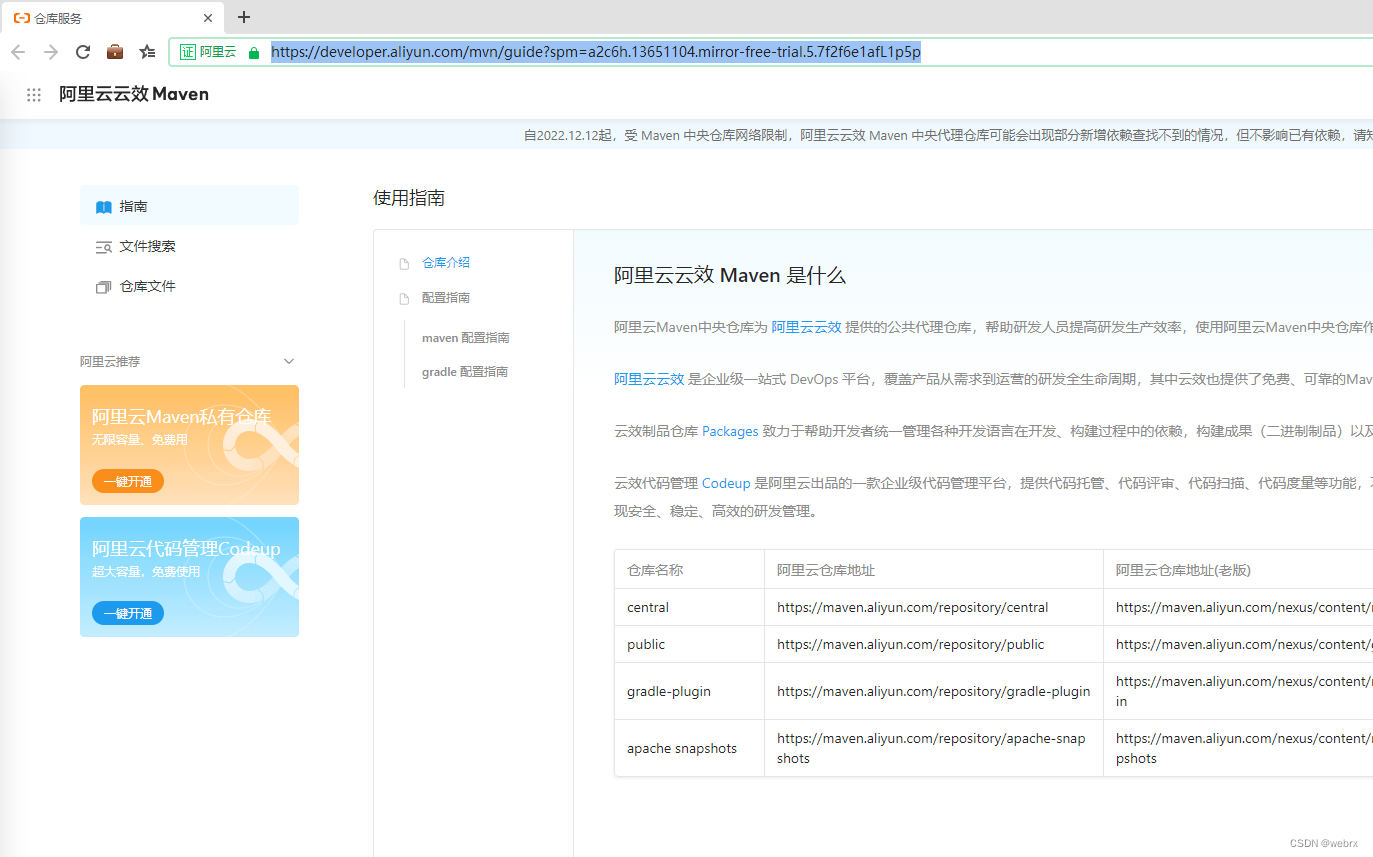
在这里插入图片描述

<mirror>
    <id>aliyunmaven</id>
    <mirrorOf>*</mirrorOf>
    <name>阿里云公共仓库</name>
    <url>https://maven.aliyun.com/repository/public</url>
</mirror>
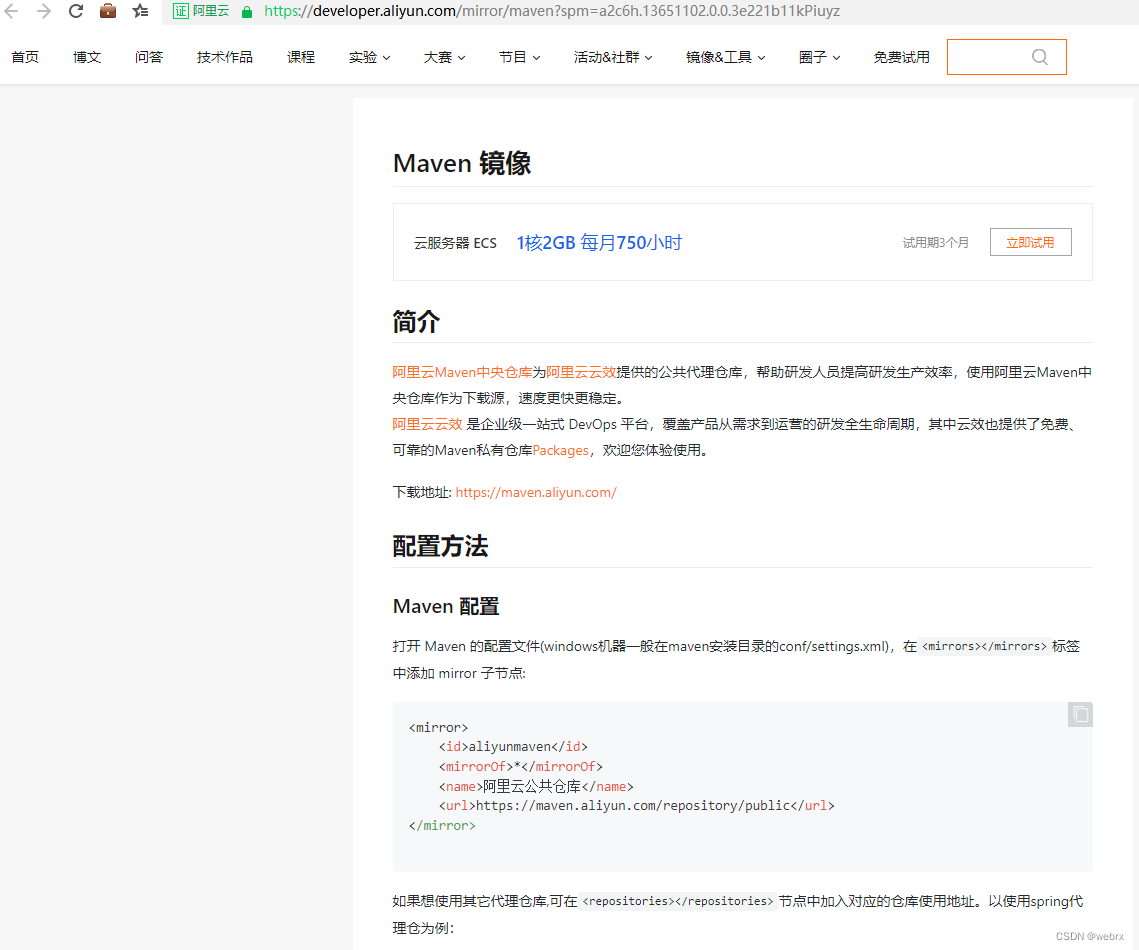
在这里插入图片描述

要从 Maven 官方仓库下载指定版本的依赖包,请按以下步骤操作: ### 步骤一:访问 Maven 中央仓库官网 打开浏览器,进入 [https://search.maven.org](https://search.maven.org) —— 这是官方的 Maven 搜索入口。 --- ### 步骤二:搜索目标依赖 在搜索框中输入你要查找的依赖信息。例如,你想下载 `junit` 的 `4.13` 版本,可以输入: ``` g:"junit" AND a:"junit" AND v:"4.13" ``` 其中: - `g` 表示 `groupId` - `a` 表示 `artifactId` - `v` 表示 `version` 你也可以只输入 `junit 4.13` 进行模糊搜索,然后在结果中手动选择。 --- ### 步骤三:选择正确的版本 点击搜索结果中的条目,进入详情页后,找到你所需的版本(如 `4.13`),然后点击该版本号。 --- ### 步骤四:下载 JAR 文件 在版本详情页面中,你会看到一个以 `.jar` 结尾的链接(如 `junit-4.13.jar`),点击即可下载。 或者你也可以直接通过 Maven 仓库的存储路径构造下载地址: ``` https://repo1.maven.org/maven2/<group-id 路径>/<artifact-id>/<version>/<artifact-id>-<version>.jar ``` 例如 `junit:junit:4.13` 的完整下载地址为: [https://repo1.maven.org/maven2/junit/junit/4.13/junit-4.13.jar](https://repo1.maven.org/maven2/junit/junit/4.13/junit-4.13.jar) --- ### 步骤五:(可选)添加到本地项目 将下载的 JAR 手动引入项目,或使用命令安装到本地 Maven 仓库: ```bash mvn install:install-file -Dfile=junit-4.13.jar -DgroupId=junit -DartifactId=junit -Dversion=4.13 -Dpackaging=jar ``` 之后在 `pom.xml` 中正常声明依赖即可: ```xml <dependency> <groupId>junit</groupId> <artifactId>junit</artifactId> <version>4.13</version> <scope>test</scope> </dependency> ``` --- ### 知识点 - **Maven 坐标唯一性**:每个依赖由 `$groupId$:$artifactId$:$version$` 唯一标识。 - **中央仓库目录结构**:仓库路径遵循 `$groupId$` 替换 `.` 为 `/` 的规则,便于定位。 - **install:install-file 命令**:用于将外部 JAR 安装进本地仓库,供 Maven 项目识别。
评论
添加红包

请填写红包祝福语或标题

红包个数最小为10个

红包金额最低5元

当前余额3.43前往充值 >
需支付:10.00
成就一亿技术人!
领取后你会自动成为博主和红包主的粉丝 规则
hope_wisdom
发出的红包
实付
使用余额支付
点击重新获取
扫码支付
钱包余额 0

抵扣说明:

1.余额是钱包充值的虚拟货币,按照1:1的比例进行支付金额的抵扣。
2.余额无法直接购买下载,可以购买VIP、付费专栏及课程。

余额充值


