前言
这次对布局进行优化,主要包含了首页tabview pageview 以及添加几个按钮的操作过程.主要使用到stack层叠布局,tabpview和pageview,tabview两个页面,一个关注,一个推荐,左右切换,pageview被包含在tabview里面.
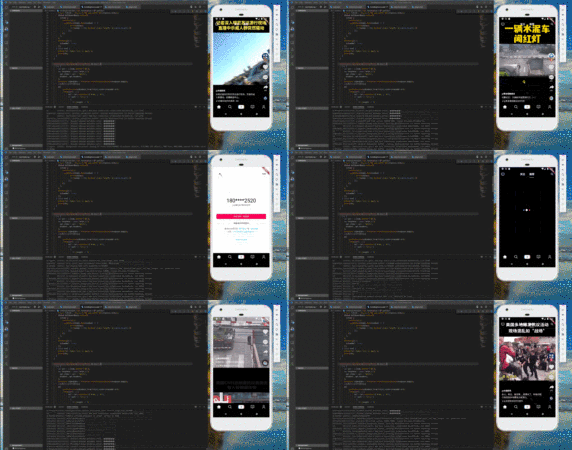
布局优化
抖音的顶部appbar 是悬浮层叠展示,而flutter的层叠组件是stack, 因此最外面采用stack, 其次中间是tabview,分别是关注和推荐两个选项卡,关注在没有登录的时候会弹出一个提示需要认证登录的页面,这里加了两个页面,subscriptionScreen.dart,另外一个是loginScreen.dart
| 1 2 3 4 5 6 7 8 9 10 11 12 13 14 15 16 17 18 19 20 21 22 23 24 25 26 27 28 29 30 31 32 33 34 35 36 37 38 39 40 41 42 43 44 45 46 47 48 49 50 51 52 53 54 55 56 57 58 59 60 61 62 63 64 |
@override
Widget build(BuildContext context) {
return Scaffold(
//backgroundColor: Colors.transparent,
body: Stack(
//fit: StackFit.expand,
children: <Widget>[
TabBarView(
controller: _tabController,
children: <Widget>[
Subscription(),
PageView(
allowImplicitScrolling: true,
controller: _pageController,
children: <Widget>[
Trending(),
],
onPageChanged: (int index) {
setState(() {
currentIndex = index;
});
},
),
],
),
Column(
children: [
AppBar(
backgroundColor: Colors.transparent,
elevation: 0,
centerTitle: true,
leading: IconButton(
icon: Icon(Icons.tv),
onPressed: () {
print('点击了直播按钮');
}),
actions: <Widget>[
//导航栏右侧菜单
IconButton(
icon: Icon(Icons.search),
onPressed: () {
print('点击了搜索按钮');
}),
],
title: TabBar(
indicator: UnderlineTabIndicator(
borderSide: BorderSide(width: 2.0, color: Colors.white),
insets: EdgeInsets.symmetric(horizontal: 18.0)),
labelStyle: TextStyle(fontSize: 18),
isScrollable: true,
controller: _tabController,
tabs: toptabs,
onTap: (index) {
print(index);
|



 本文详细介绍了如何使用Flutter的Stack、TabBarView和PageView等组件优化抖音应用的布局,实现关注和推荐页面的无缝切换,以及底部提示认证页面的弹出效果。文章还深入探讨了关注页面和登录页面的具体实现细节。
 最低0.47元/天 解锁文章






 扫一扫
扫一扫


 1272
1272

 被折叠的 条评论
为什么被折叠?
被折叠的 条评论
为什么被折叠?
 到【灌水乐园】发言





