





 本文探讨了Vue.js应用中使用history模式替代hash模式时遇到的问题,即刷新页面会出现404错误,并介绍了如何通过Nginx的try_files指令进行解决。同时,文中展示了Vue Router的基本配置和页面路由定义。
当vue的路由 去掉了# (浏览器地址中没有#) mode: 'history', //去掉url中的#
浏览器地址中没有#,刷新页面就会404,
要加 try_files $uri $uri/ /index.html;
location / {
index index.html;
try_files $uri $uri/ /index.html;
}
另外用了这种方式,如果用nginx改变地址
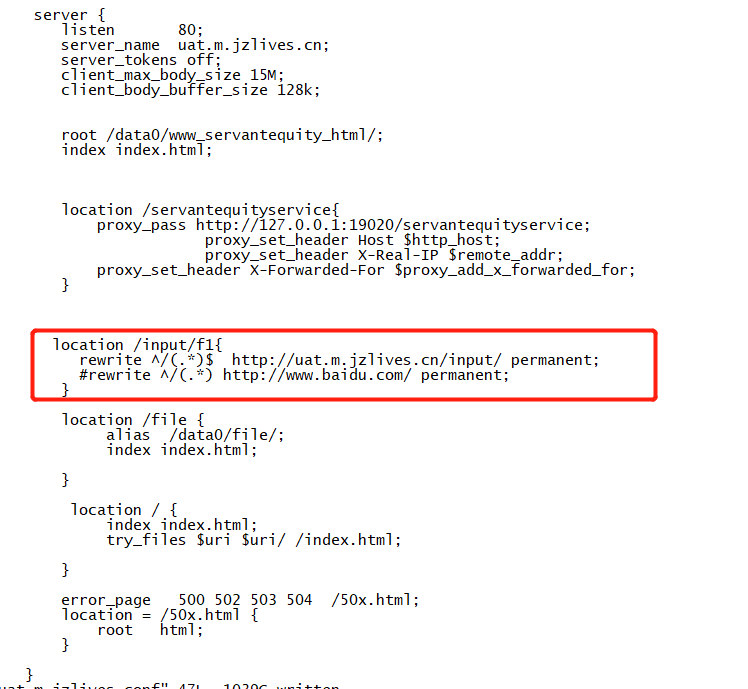
location /input/f1{
rewrite ^/(.*)$ http://uat.m.jzlives.cn/input/ permanent;
#rewrite ^/(.*) http://www.baidu.com/ permanent;
}
import Vue from 'vue'
import Router from 'vue-router'
// import HelloWorld from '@/components/HelloWorld'
import qyb from '@/pages/login'
import bx from '@/pages/index'
import bjdc from '@/pages/bgResearch'
import research from '@/pages/addResearch'
import user from '@/pages/userCenter'

Vue.use(Router)
const originalPush = Router.prototype.push;
Router.prototype.push = function push(location) {
  return originalPush.call(this, location).catch(err => err)
};
export default new Router({
  //  mode: 'history',  //去掉url中的#
  routes: [
    {
      path: '/qyb',
      name: 'qyb',
      component: qyb
    },
    {
      path: '/bx',
      name: 'bx',
      component: bx
    },
    {
      path: '/bjdc',
      name: 'bjdc',
      component: bjdc
    },
    {
      path: '/user',
      name: 'user',
      component: user
    },
    {
      path: '/research',
      name: 'research',
      component: research
    },
    {path:'',redirect:"qyb"}
  ]
})





 扫一扫
扫一扫


 2346
2346

 被折叠的 条评论
为什么被折叠?
被折叠的 条评论
为什么被折叠?
 到【灌水乐园】发言





