



 本文介绍了一种方法,如何将结构复杂且包含{{}
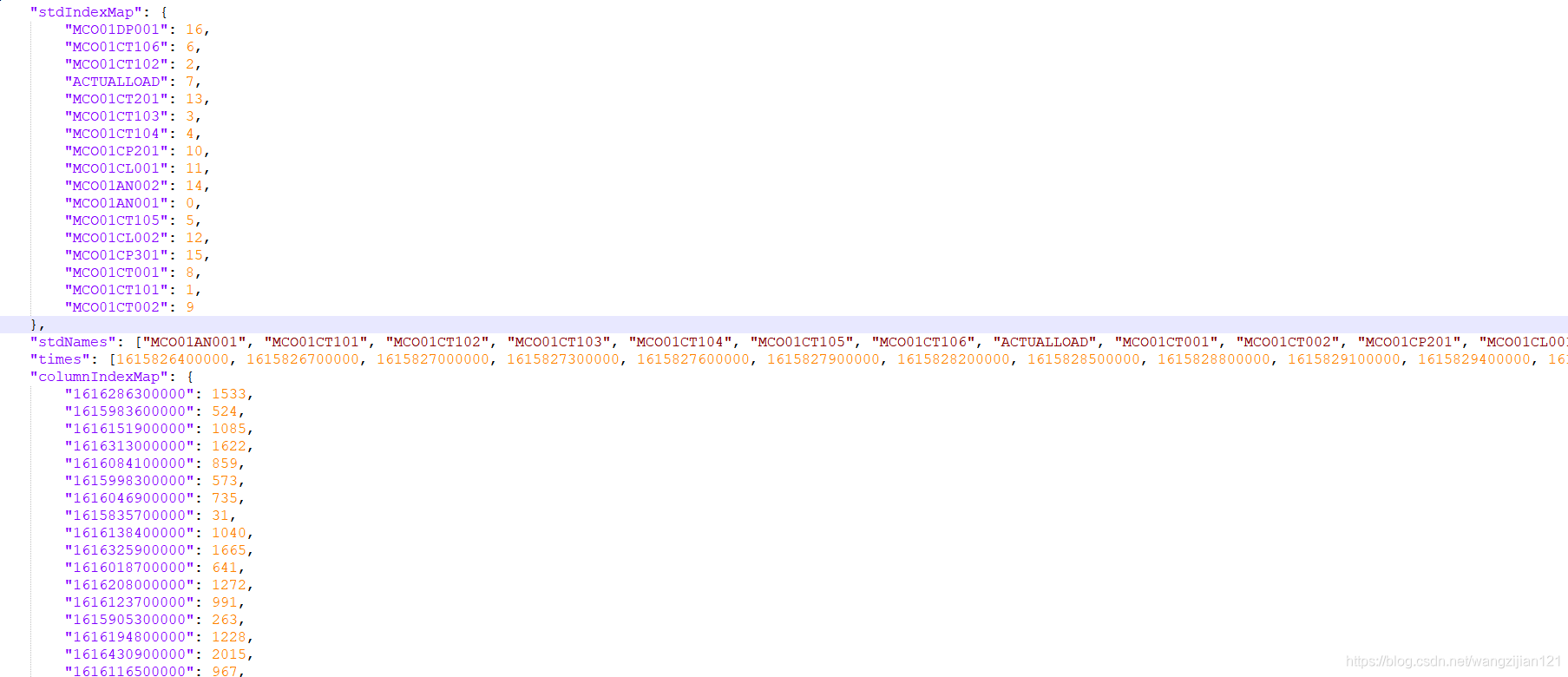
需求:将一个结构化不太好的原始的大json文件,转为CSV文件,有{{}}嵌套也有[[ ]]嵌套。
思路:
1 .肯定不能使用原始的LIst Map…
2. 尽量减少对line 的遍历。
3. 可适当采用中间文件。
package convert;

import com.fasterxml.jackson.core.JsonFactory;
import com.fasterxml.jackson.core.JsonParseException;
import com.fasterxml.jackson.core.JsonParser;
import com.fasterxml.jackson.core.JsonToken;
import joinery.DataFrame;


import java.io.*;
import java.math.BigDecimal;


/**
 * @author zijian Wang
 * @date 2021/8/10 16:04
 * @VERSION 1.0
 */
public class convert2traindata {

    private static String filePath_origin ;
    private  static  String outPutPath;

    //intermediateFile
    private static String filePath_model = "E:\\change\\model_train.csv";
    private static String filePath_model_index = "E:\\change\\model_train_index.csv";
    private static String filePath_model_transpose = "E:\\change\\transpose.csv";
    private static String filePath_model_res;
   //window
    //private static String delimiter="\\";
    //linux
    private static String delimiter="/";

    public static void main(String[] args) throws IOException {

        //加载参数1.输入路径和文件名
        //加载参数2  输出的路径,名称和源输入文件一样。
        //linux
        filePath_origin=args[0];
        outPutPath =args[1];

        //window
/*        filePath_origin="E:\\change\\origin.json";
        outPutPath ="E:\\change\\";*/
        String outPutFileName= filePath_origin.substring(filePath_origin.lastIndexOf(delimiter)+1,filePath_origin.lastIndexOf("."));
        //生成输出路径
        filePath_model=outPutPath+outPutFileName+"_model.csv";
        filePath_model_index=outPutPath+outPutFileName+"_index.csv";
        filePath_model_transpose=outPutPath+outPutFileName+"_transpose.csv";
        filePath_model_res=outPutPath+outPutFileName+".csv";
      long startTime = System.currentTimeMillis();
        convert2traindata();
        mergeFile(filePath_model, filePath_model_index);
        transpose(filePath_model_index);
        printResFile(filePath_model_transpose, filePath_model_res);
        long endTime = System.currentTimeMillis();
        System.out.println("程序运行时间: " + (endTime - startTime) + "ms");
    }

    /**
     *使用jsonParser 提取数据并写入中间文件
     */
    public static void convert2traindata() throws IOException {

        JsonFactory jasonFactory = new JsonFactory();
        JsonParser jsonParser = null;

        PrintWriter writer_model = new PrintWriter(new OutputStreamWriter(new BufferedOutputStream(new FileOutputStream(filePath_model)), "UTF-8"));
        PrintWriter writer_index = new PrintWriter(new OutputStreamWriter(new BufferedOutputStream(new FileOutputStream(filePath_model_index)), "UTF-8"));
        PrintWriter writer_res = new PrintWriter(new OutputStreamWriter(new BufferedOutputStream(new FileOutputStream(filePath_model_res)), "UTF-8"));
        jsonParser = jasonFactory.createJsonParser(new File(filePath_origin));
        jsonParser.nextToken();
        while (jsonParser.nextToken() != JsonToken.NOT_AVAILABLE) {
            String fieldname = jsonParser.getCurrentName();
            if (jsonParser.nextToken() == null || fieldname == null) {
                jsonParser.close();
                writer_model.close();
                break;
            }
            int filedIndex = 0;
            //读取stdNames 要求写入的字段,直接放入結果文件中
            if (fieldname != null && fieldname.equals("stdNames")) {
                writer_res.append("ts").append(",");
                while (jsonParser.currentToken() != JsonToken.END_ARRAY) {
                    if (filedIndex == 16) {
                        writer_res.append(jsonParser.getText());
                    } else {
                        writer_res.append(jsonParser.getText()).append(",");
                    }
                    filedIndex++;
                    jsonParser.nextToken();
                }
                writer_res.write("\n");
                writer_res.close();
            }
            //读取times数据
            int transposeIndex = 0;
            if (fieldname != null && fieldname.equals("times")) {
                jsonParser.nextToken();
                while (jsonParser.currentToken() != JsonToken.END_ARRAY) {
                    transposeIndex++;
                    writer_model.append(new BigDecimal(jsonParser.getText()).toPlainString()).append(",");
                    jsonParser.nextToken();
                }
                //生成索引文件
                for (int i = 0; i < transposeIndex; i++) {
                    writer_index.append(String.valueOf(i)).append(",");
                }
                writer_index.append("\n");
                writer_index.close();
            }
            //读取dataMatrix数据
            if (fieldname != null && fieldname.equals("dataMatrix")) {
                writer_model.append("\n");
                while (jsonParser.currentToken() != JsonToken.END_OBJECT) {
                    if (jsonParser.getText() != "[") {
                        if (jsonParser.getText() == "]") {
                            writer_model.append("\n");
                        } else {
                            writer_model.append(jsonParser.getText()).append(",");
                        }
                    }
                    jsonParser.nextToken();
                }
                writer_model.close();
            }
        }
        jsonParser.close();
    }
    /**
     * 合并文件和索引
     *
     * @param file1
     * @param file2
     * @throws IOException
     */
    public static void mergeFile(String file1, String file2) throws IOException {
        BufferedReader inputStream = null;
        BufferedWriter outputStream = null;
        inputStream = new BufferedReader(new FileReader(file1));
        FileWriter filewriter = new FileWriter(new File(file2), true);
        outputStream = new BufferedWriter(filewriter);
        String count;
        while ((count = inputStream.readLine()) != null) {
            if (count != "" && count.length() > 17) {
                outputStream.write(count);
                outputStream.write("\n");
            }
        }
        outputStream.flush();
        outputStream.close();
        inputStream.close();
        new File(file1).delete();
    }

    /**
     * 矩阵转置
     *
     * @param filePath
     * @throws IOException
     */
    public static void transpose(String filePath) throws IOException {

        DataFrame df = null;
        df = DataFrame.readCsv(filePath,",",DataFrame.NumberDefault.LONG_DEFAULT);
        DataFrame<String> df3 = df.transpose();
        System.out.println(df3.length());
        for (int i=0;i<df3.length()-1;i++){
            String value=new BigDecimal(String.valueOf(df3.get(i,0))).toPlainString();
            df3.set(i,0,value);
        }
        df3.writeCsv(filePath_model_transpose);
        new File(filePath).delete();
    }

    /**
     * 生成结果文件
     *
     * @param file1
     * @param file2
     * @throws IOException
     */
    public static void printResFile(String file1, String file2) throws IOException {

        BufferedReader inputStream = null;
        BufferedWriter outputStream = null;
        FileWriter filewriter = null;
        inputStream = new BufferedReader(new FileReader(file1));
        filewriter = new FileWriter(new File(file2), true);
        outputStream = new BufferedWriter(filewriter);
        String count;
        int lineCode = 0;
        while ((count = inputStream.readLine()) != null) {

            if (count != "" && count.length() > 17 && lineCode > 0) {
                outputStream.write(count);
                outputStream.write("\n");
            }
            lineCode++;
        }
        outputStream.flush();
        outputStream.close();
        inputStream.close();
        new File(file1).delete();
    }
}
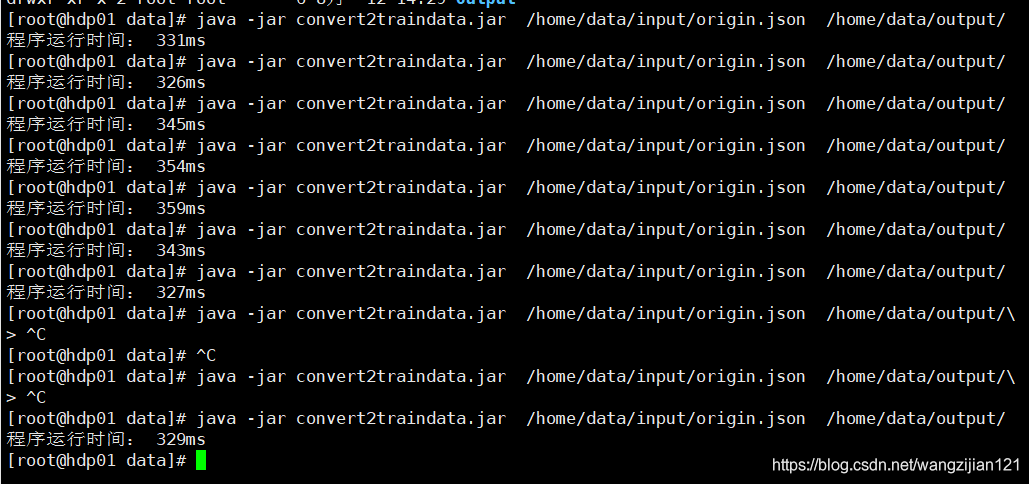
测试后3000行的json需要0.3S左右。
3w行的大约2.8S执行完。效率应对基本需求完全够用~






 扫一扫
扫一扫


 330
330

 被折叠的 条评论
为什么被折叠?
被折叠的 条评论
为什么被折叠?
 到【灌水乐园】发言





